Check Windows Service Cmd How To Stop And Start A Windows Service From The Command Prompt How To Check Original Windows Installation Date Using CMD YouTube Install Iperf Windows Service Skieyvertical How To Open A Conf File In Linux Systran Box How To Check Windows Service Status With Get Service Command In Web Jan 4 2023 nbsp 0183 32 You can also use the Command Prompt PowerShell or Windows Terminal to view your Windows services with the help of one simple command Just open CMD or the command line app you prefer
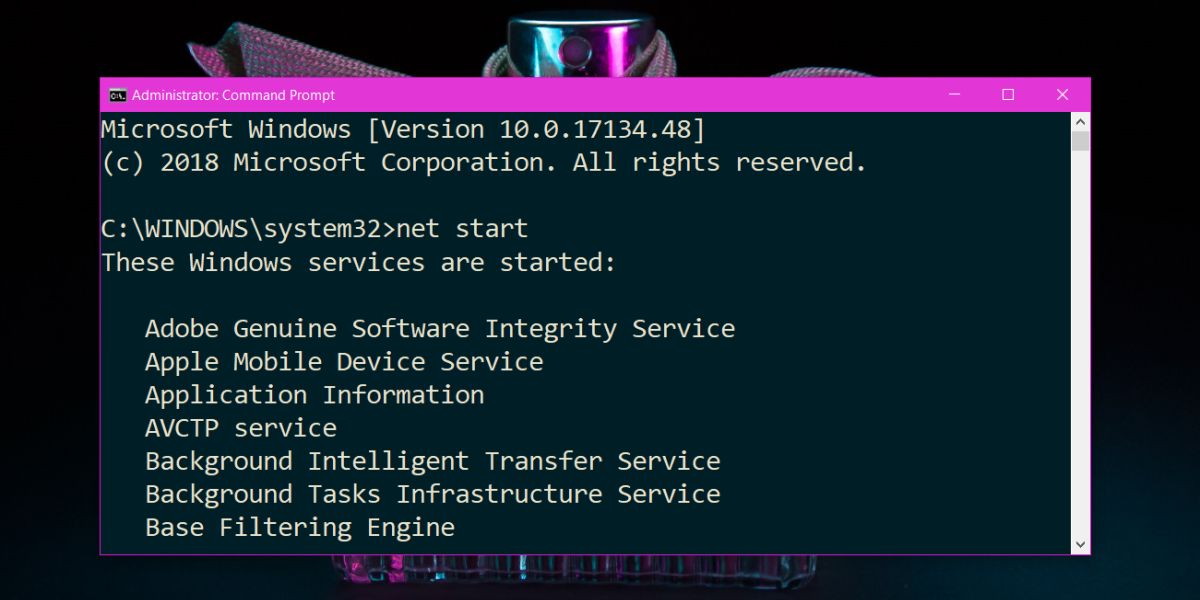
Web Feb 3 2023 nbsp 0183 32 To display information for active services only type either of the following commands sc exe query sc exe query type service To display information for active Web Oct 17 2019 nbsp 0183 32 Use the following commands to start stop or check the status of a service in Windows on the command line prompt CMD Start a service C gt net start
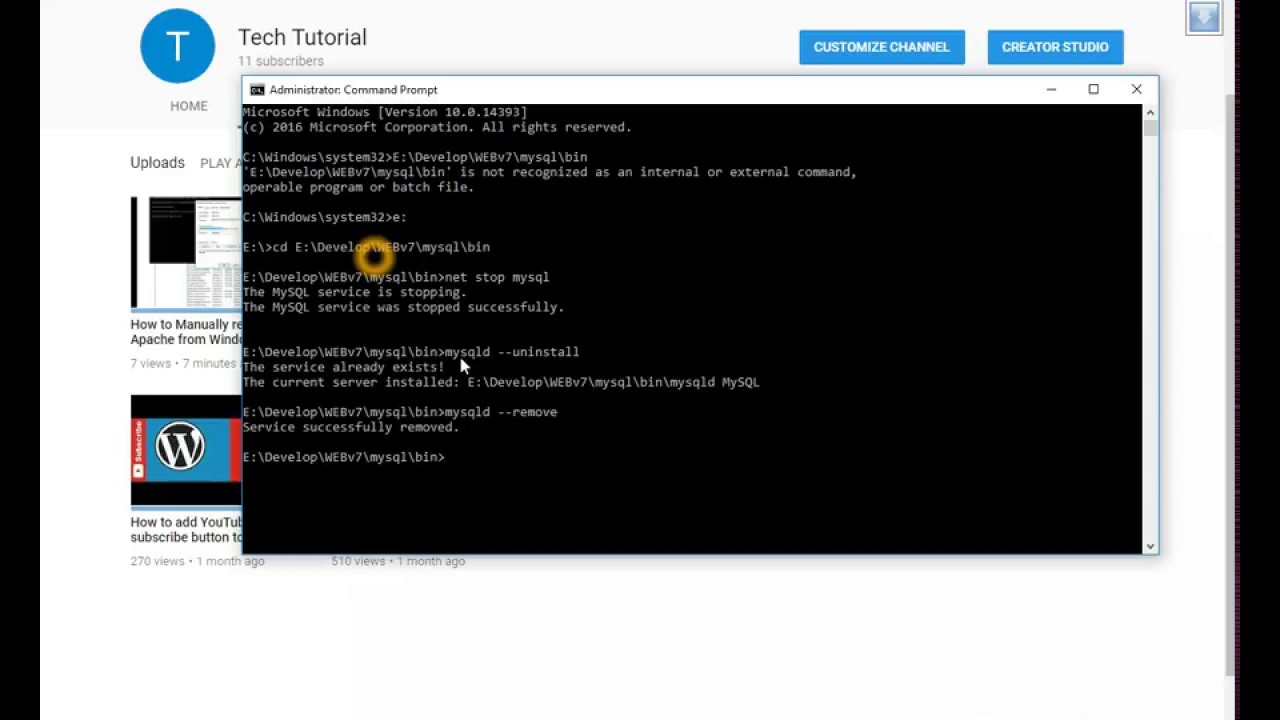
How To Check Windows Service Status With Get Service Command In How To Remove Mysql From Windows Service With Command Prompt YouTube How To Find Command Prompt In Windows XP YouTube How To Check IP Address In Windows Using Command Prompt Solved SC ChangeServiceConfig Failed 5 On Cmd 9to5Answer 6 Enter Decrypt string c Activate Windows 10 Cmd Pandalasopa SP1 1 Create The MongoDB Windows Service Command Does Nothing Stack Overflow
Check Windows Service Cmd
 Check Windows Service Cmd
https://www.addictivetips.com/app/uploads/2018/05/net-start.jpg
Web Dec 22 2022 nbsp 0183 32 Open Start Search for Services and click the top result to open the console Double click the service that you intend to stop Click the Stop button Quick tip You can
Pre-crafted templates provide a time-saving service for developing a varied variety of files and files. These pre-designed formats and designs can be utilized for numerous personal and professional tasks, consisting of resumes, invitations, leaflets, newsletters, reports, presentations, and more, simplifying the material development procedure.
Check Windows Service Cmd

Stop Start Restart Windows Service Command Line How To
How To Remove Mysql From Windows Service With Command Prompt YouTube

How To Find Command Prompt In Windows XP YouTube

How To Check IP Address In Windows Using Command Prompt
6 Enter Decrypt string c
Activate Windows 10 Cmd Pandalasopa
Web Dec 9 2008 nbsp 0183 32 Viewed 317k times 70 I would like to be able to query whether or not a service is running from a windows batch file I know I can use sc query quot ServiceName quot

Web Feb 8 2016 nbsp 0183 32 For example I want to know whether quot IIS admin service quot is running or not If it is running the command ouput should be quot running quot I tried sc query type service state

Web At the command prompt type the following command and then press ENTER sfc scannow The sfc scannow command will scan all protected system files and replace corrupted files with a cached copy that is

Web Jun 26 2022 nbsp 0183 32 What Is the Best Way to List Windows Services The solution Command line tools Using the Command Prompt or PowerShell you can quickly get a read on the

Web Jan 3 2024 nbsp 0183 32 Step 1 Type Command Prompt in the search bar and right click it to choose Run as an administrator Step 2 In the open CMD input the command to check services running in Windows net start Then hit
Web Apr 17 2015 nbsp 0183 32 4 Answers Sorted by 28 wmic Name and account for all services wmic service get name startname started services only wmic service where started true get Web on August 15 2010 Start or stop Windows service from command line CMD by Srini We normally use Services msc to start or stop or disable or enable any service We can do
Web Mar 16 2022 nbsp 0183 32 How to By Mauro Huculak published 16 March 2022 You can control services on Windows 11 and in this guide we ll show you four ways to do this