Check Windows 10 Activation KMSAuto Windows 10 Activator Download Free 2023 Orlando Bogus Windows 10 Activation Key Free Youtube How To Check If Windows 10 Is Activated Compspice Vrogue Is Your Windows 10 Activated Here s How To Check How To Find Windows Activation Status TechStory Web There are three methods to which you can activate your product Online via the internet by telephone using our automated systems and by a live support advocate Online When you begin activation Windows will try to use your internet connection to activate online
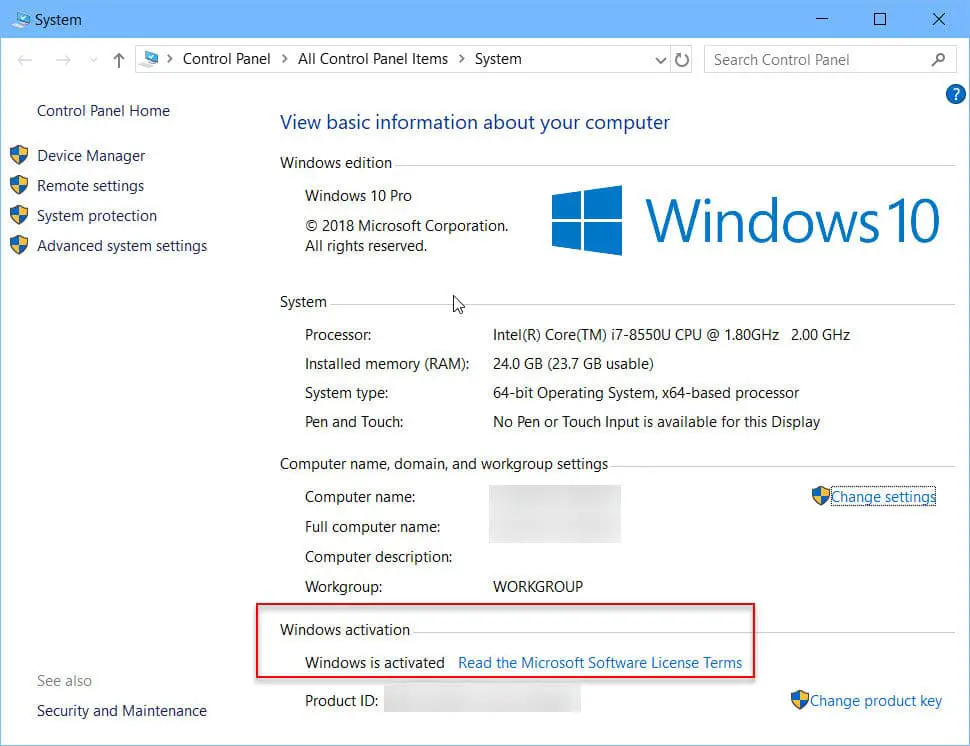
Web A product key is a 25 character code that s used to activate Windows and helps verify that Windows hasn t been used on more PCs than the Microsoft Software License Terms allow Windows 11 and Windows 10 In most cases Windows 11 and Windows 10 activates automatically using a digital license and doesn t require you to enter a product key Web Windows 10 Windows 11 Windows 10 Activation helps verify that your copy of Windows is genuine and hasn t been used on more devices than the Microsoft Software License Terms allow If you re unable to activate Windows 11
How To Find Windows Activation Status TechStory 4 Ways To Check Windows 10 Activation Status Quickly And Easily 3 Ways To Check If Windows 10 Is Activated Properly How To Check Windows 10 Activation Status Step By Step TechFoogle How To Check If My Windows Is Activated Crazyscreen21 Compruebe Si Windows 10 Est Activado ADMINISTRACI N DE REDES How To Check If Windows 10 Is Activated Tutorial YouTube Windows 10 Saab Uue Windows 11 Printimisfunktsiooni Hladomor ikovn Tektonick Windows 10 Activation Hdd Change Taktika
Check Windows 10 Activation
 Check Windows 10 Activation
https://official-activator.net/wp-content/uploads/2016/09/windows-10-activation.png
Web Mar 13 2021 nbsp 0183 32 How to Check if Windows 10 is Activated Activation helps verify that Windows on your PC is genuine If you upgraded to the free offer of Windows 10 on a PC then you will be able to do a clean install of the free Windows 10 on the same PC anytime you like if it is currently activated Starting with Windows 10 build 14371 you can link
Templates are pre-designed files or files that can be utilized for numerous functions. They can conserve effort and time by offering a ready-made format and design for producing different kinds of material. Templates can be used for individual or expert projects, such as resumes, invites, leaflets, newsletters, reports, discussions, and more.
Check Windows 10 Activation
Windows 10 How To Check Activation Status Gambaran

4 Ways To Check Windows 10 Activation Status Quickly And Easily
3 Ways To Check If Windows 10 Is Activated Properly
How To Check Windows 10 Activation Status Step By Step TechFoogle
Compruebe Si Windows 10 Est Activado ADMINISTRACI N DE REDES

How To Check If Windows 10 Is Activated Tutorial YouTube
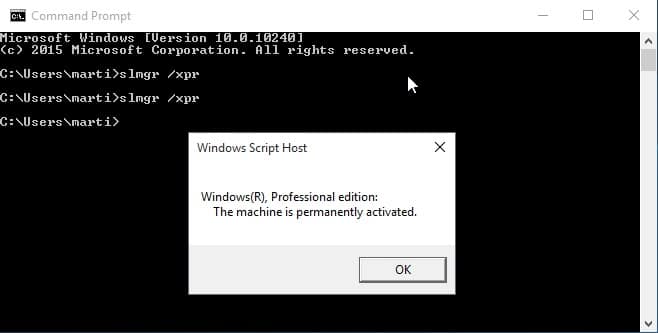
Web Jul 30 2015 nbsp 0183 32 Step 1 Open the Command Prompt by typing CMD in the Start taskbar search field and then hitting the Enter key No need to launch the Command Prompt with admin rights Step 2 At the Command Prompt window type the following command and then press the Enter key slmgr xpr

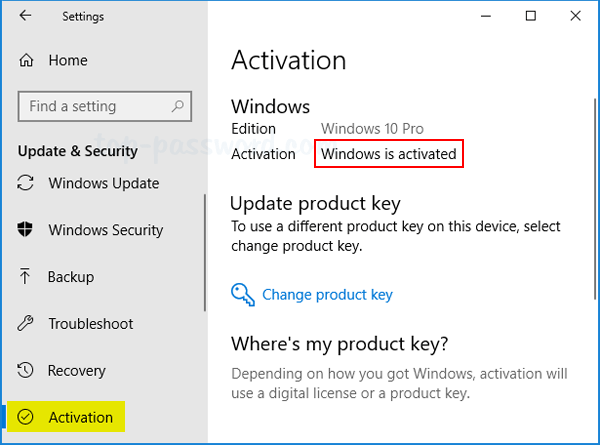
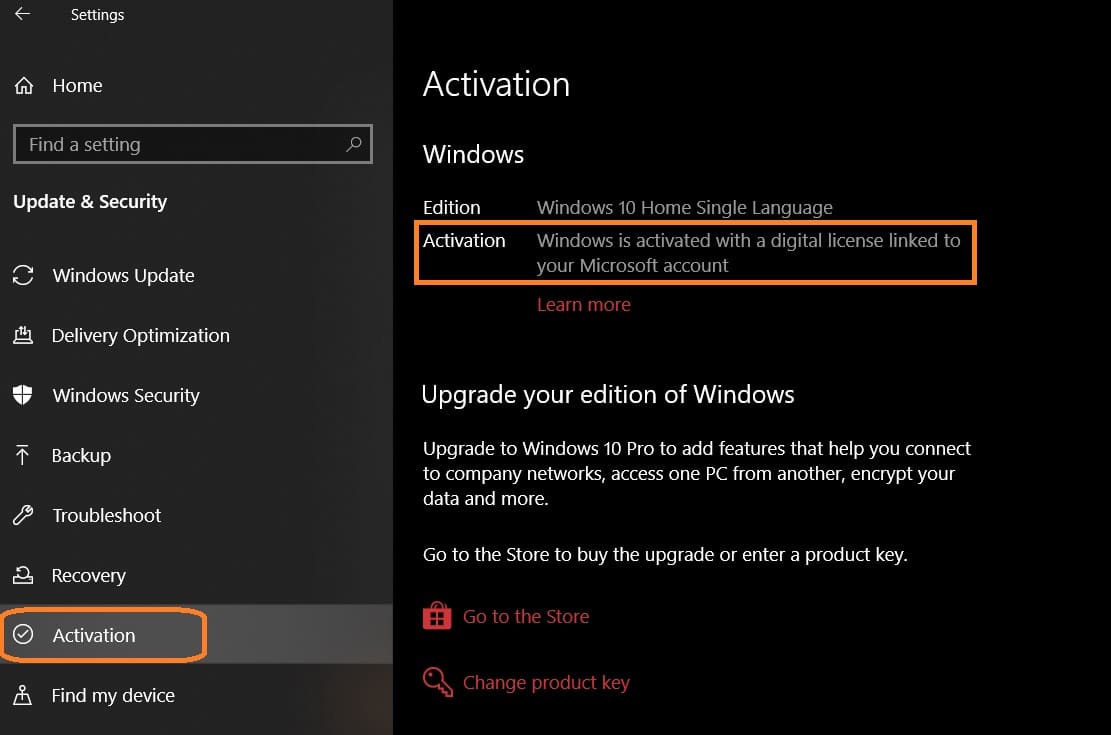
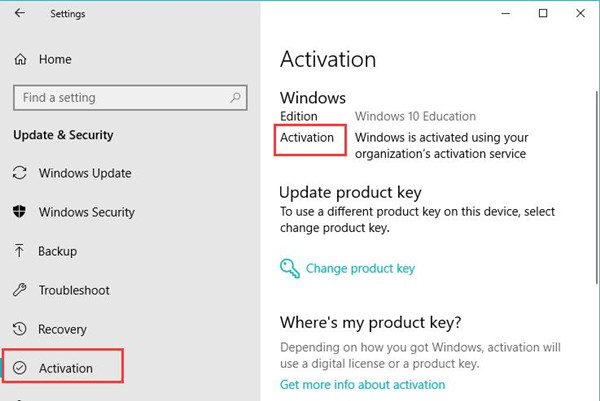
Web To check activation status in Windows 10 select the Start button and then select Settings gt Update amp Security gt Activation Check activation status in Settings If Windows 10 isn t activated on your device see Get help with Windows activation errors for more info
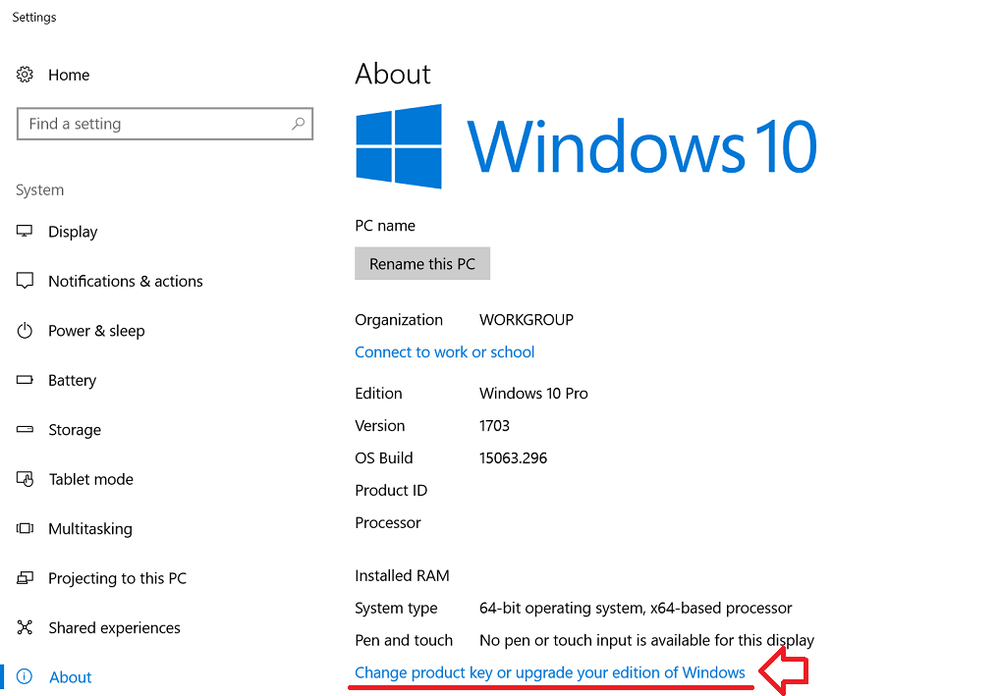
Web A Windows product key is a 25 character code used to activate Windows It looks like this PRODUCT KEY XXXXX XXXXX XXXXX XXXXX XXXXX Locate your product key for Windows 10 or Windows 11 Depending on how you got your copy of Windows 10 or Windows 11 you ll need either a 25 character product key or a digital license to activate it

Web Aug 22 2023 nbsp 0183 32 1 Open your Windows Settings It s the gray gear icon in your Start menu You can also launch the Settings app quickly by pressing Windows key i at the same time 2 Click System at the top left corner 3 Click Activation It s toward the bottom of the right panel 4 Click the activation status

Web May 9 2023 nbsp 0183 32 1 Find your product key if your PC comes with Windows pre installed If your PC comes with Windows pre installed you do not need to use your product key to activate Windows It s already running If you want to save a backup copy you can do so using the Command Prompt PowerShell or your Windows Registry
Web Apr 6 2019 nbsp 0183 32 4 Answers Sorted by 16 A purely PowerShell solution would be Get CimInstance SoftwareLicensingProduct Filter quot Name like Windows quot where PartialProductKey select Description LicenseStatus This will give you an output like this Description LicenseStatus Windows R Operating System Web Aug 24 2022 nbsp 0183 32 Check Windows 10 activation status via the Settings app Step 1 Open the Settings app using the search or Windows logo I keyboard shortcut Step 2 In the Settings app go to Update amp Security gt Activation page Step 3 The Windows section shows your Windows 10 s edition and activation status
Web Aug 20 2023 nbsp 0183 32 Key Takeaways Quickly find your Windows 10 product key by opening Command Prompt with administrative privileges and enter quot wmic path softwarelicensingservice get OA3xOriginalProductKey quot If the command line method doesn t work for you use software like NirSoft s ProduKey or ShowKeyPlus to find your product