Check Windows 10 Activation Status Cmd 4 Ways To Check Windows 10 Activation Status Quickly And Easily What To Do When Windows 10 Deactivated Itself After Update How To Check Activation Status On Windows 10 YouTube K P rbaud t Windows 10 Aktiviz cijas Statusu K Windows 10 How To Check Activation Status Web Aug 22 2023 nbsp 0183 32 1 Open your Windows Settings It s the gray gear icon in your Start menu You can also launch the Settings app quickly by pressing Windows key i at the same time 2 Click System at the top left corner 3 Click Activation It s toward the bottom of the right panel 4 Click the activation status
Web Apr 20 2021 nbsp 0183 32 Check Activation Status through the Command Prompt You can also use the regular Command Prompt to check your Windows 10 Activation status 1 To do that press Win R type cmd and press the Enter button to open the Command Prompt Alternatively you can also search for the Command Prompt in the Start menu Web Aug 1 2015 nbsp 0183 32 Tap on the Windows key type cmd exe and hit enter Type slmgr xpr and hit enter A small window appears on the screen that highlights the activation status of the operating system If the prompt states quot the machine
Windows 10 How To Check Activation Status Windows 11 Check Activation Status 3 Ways To Check If Windows 10 Is Activated 3 Ways To Check If Windows 10 Is Activated Properly Check If Windows 10 Is Activated Properly And Fully Different Ways To Check Windows 10 Activation Status How Long Can You Use Windows 10 Without Activation How To Use Software Licensing Management Tool To Install And Uninstall How To Check Windows 11 Activation Status Gear Up Windows 11 10
Check Windows 10 Activation Status Cmd
 Check Windows 10 Activation Status Cmd
https://ipadguides.info/wp-content/uploads/2022/09/4-Ways-to-Check-Windows-10-Activation-Status-Quickly-and.png
Web To check activation status in Windows 10 select the Start button and then select Settings gt Update amp Security gt Activation Check activation status in Settings If Windows 10 isn t activated on your device see Get help with Windows activation errors for
Pre-crafted templates use a time-saving option for creating a varied range of files and files. These pre-designed formats and layouts can be utilized for different individual and expert tasks, consisting of resumes, invitations, leaflets, newsletters, reports, discussions, and more, streamlining the material production procedure.
Check Windows 10 Activation Status Cmd
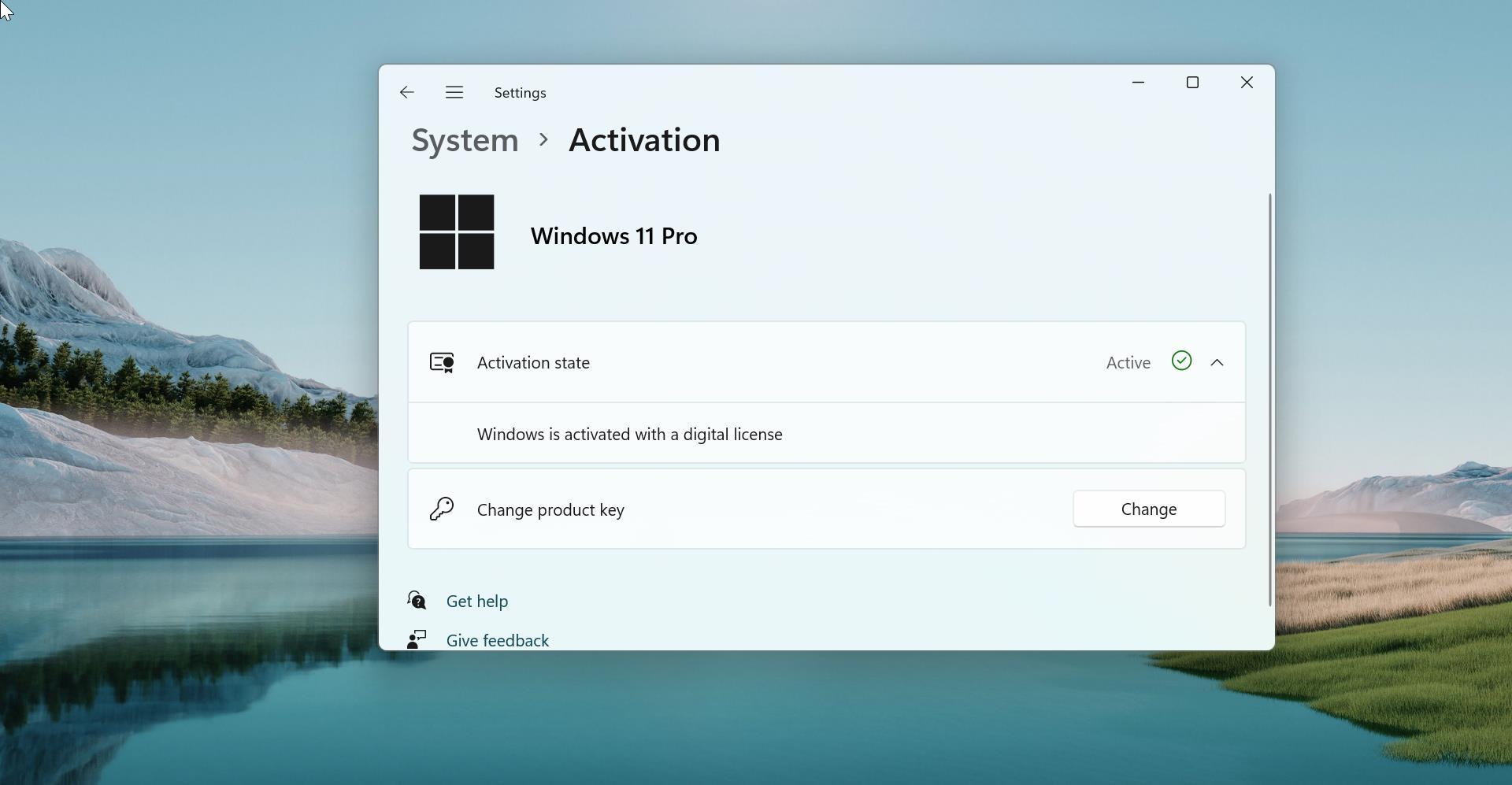
How To Check Activation Status Using Cmd In Windows 11 Technoresult
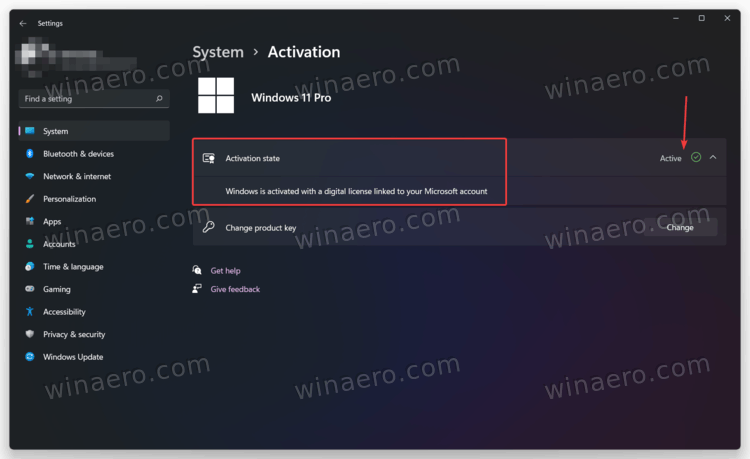
Windows 11 Check Activation Status

3 Ways To Check If Windows 10 Is Activated
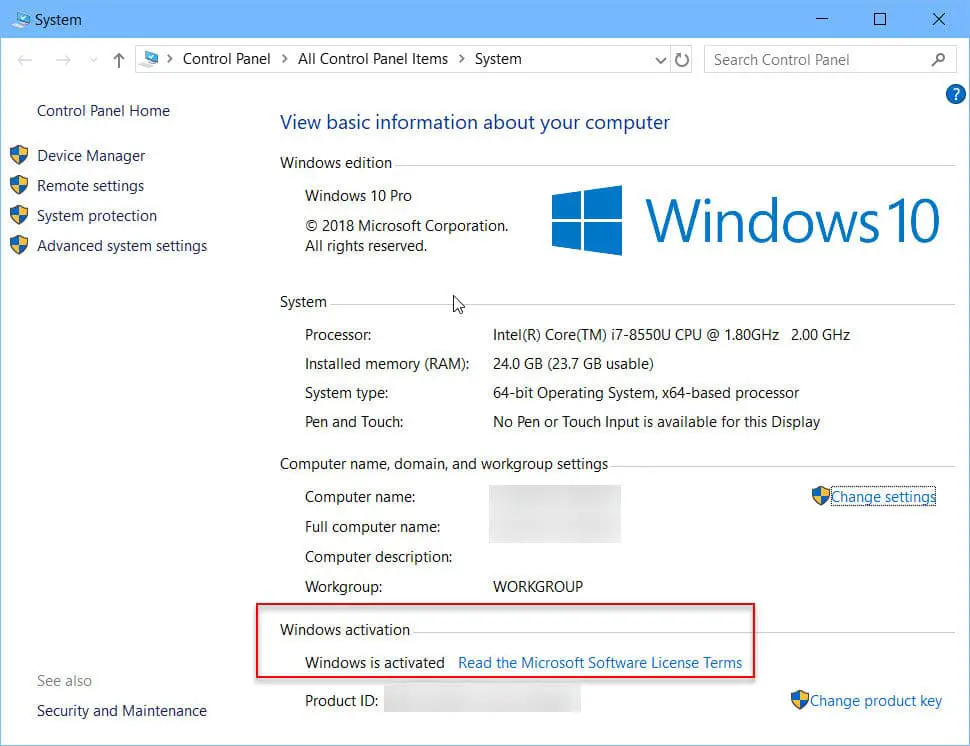
3 Ways To Check If Windows 10 Is Activated Properly

Different Ways To Check Windows 10 Activation Status

How Long Can You Use Windows 10 Without Activation

Web Apr 6 2019 nbsp 0183 32 On Windows 10 or Windows Server 2016 2019 to display the activation status using the command prompt or powershell open your preferred command line tool and enter the following command slmgr xpr a dialog is shown indicating the operating system s activation status
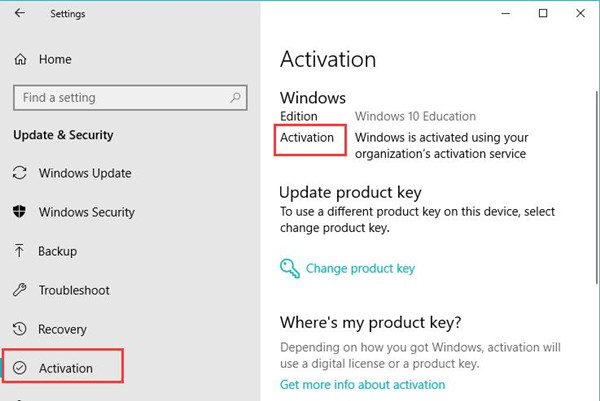
Web Command prompt or PowerShell method System app method 1 Check If Windows 10 Is Activated Using the Settings App The Settings app can show if Windows 10 is activated or not Additionally the settings app also tells you

Web Jun 14 2023 nbsp 0183 32 What to Know Open Command Prompt and enter the desired slmgr command Check activation status slmgr xpr View license info slmgr dlv Reset timers slmgr rearm Several other slmgr commands also exist Use a similar format for those This article explains how to enter slmgr commands in Windows to turn on advanced

Web Jul 19 2021 nbsp 0183 32 Open Command Prompt in Admin mode To do that search for command prompt in the Windows Search Bar and click on Run as Administrator from the right pane Now copy paste the following command slmgr vbs dlv in the Command Prompt and hit Enter Note You can use the xpr qualifier instead of dlv to check the licensing status

Web How to Check if Windows 10 is Activated Settings Click on Start gt Settings gt Update amp security Click on Activation How to Check if Windows 10 is Activated Command Prompt The Software Licensing Management Tool or SLMGR can help you manage your product keys and activation using the Command Prompt Open PowerShell or the
Web 1 Open Command Prompt as administrator On the search box type in quot cmd quot right click on the search result of Command Prompt and then select quot Run as administrator quot 2 Type in command slmgr xpr and press Enter to run it And then you will see the Windows 10 activation status and expire date on the pop up box 4 Web Mar 28 2021 nbsp 0183 32 If you see a box like this which only shows entries for partial product key and license status then your copy of Windows is genuine Instead if you see activation expiration or renewal interval it s likely that your Windows installation has been cracked using an activator hack
Web Dec 5 2023 nbsp 0183 32 Use PowerShell to check Windows 10 activation status In addition to the Command Prompt one can use PowerShell to check the Windows activation status Here is how Step 1 Run Windows PowerShell using search Step 2 Type the following command at the PowerShell window and then press the Enter key