Check Wifi Password Using Cmd JINSI YA KUTAMBUA PASSWORD YA WiFi Kwa Ktumia CMD Jomai How To Find Wifi Password Using Cmd In Windows 10 Command Prompt CLOUD HOT GIRL Step 3 Get The Password Type Command Netsh Wlan Show Profile Queryflag Key clear And How To Find Wi Fi Password Using CMD Of All Connected Networks Windows Find Wifi Password Nehru Memorial [desc-7]
Here s how to do that Step 1 Open the elevated Command Prompt window as we explain in the how to find WiFi password using CMD in Windows 10 Step 2 Type the following commands in order and hit Enter after each one After these commands run successfully your [desc-8]
Windows Find Wifi Password Nehru Memorial Here Is How To Find Passwords Of All Connected Wi Fi Networks Using CMD CMD Show Wi Fi Password How To Find Your WiFi Password Windows 10 8 7 XP YouTube How To Find Router Username And Password With Cmd Ug Tech Mag Show Wi Fi Windows 10 8 7 xp Show WiFi Password Windows Command Prompt cmd Wifi Hack Wifi Password Wifi Gadgets How To Check WIFI Password Using CMD Windows 7 8 10 YouTube How To Find Your WiFi Password Using CMD YouTube How To See Connected WiFi Password Using CMD Easy Method YouTube How To Find WiFi Password Using CMD Of All Connected Networks
Check Wifi Password Using Cmd
 Check Wifi Password Using Cmd
https://www.alltechbuzz.net/wp-content/uploads/2016/07/wifi-password-cmd3.png
[desc-9]
Templates are pre-designed documents or files that can be utilized for various purposes. They can conserve effort and time by providing a ready-made format and layout for producing various kinds of content. Templates can be used for personal or expert tasks, such as resumes, invites, flyers, newsletters, reports, discussions, and more.
Check Wifi Password Using Cmd
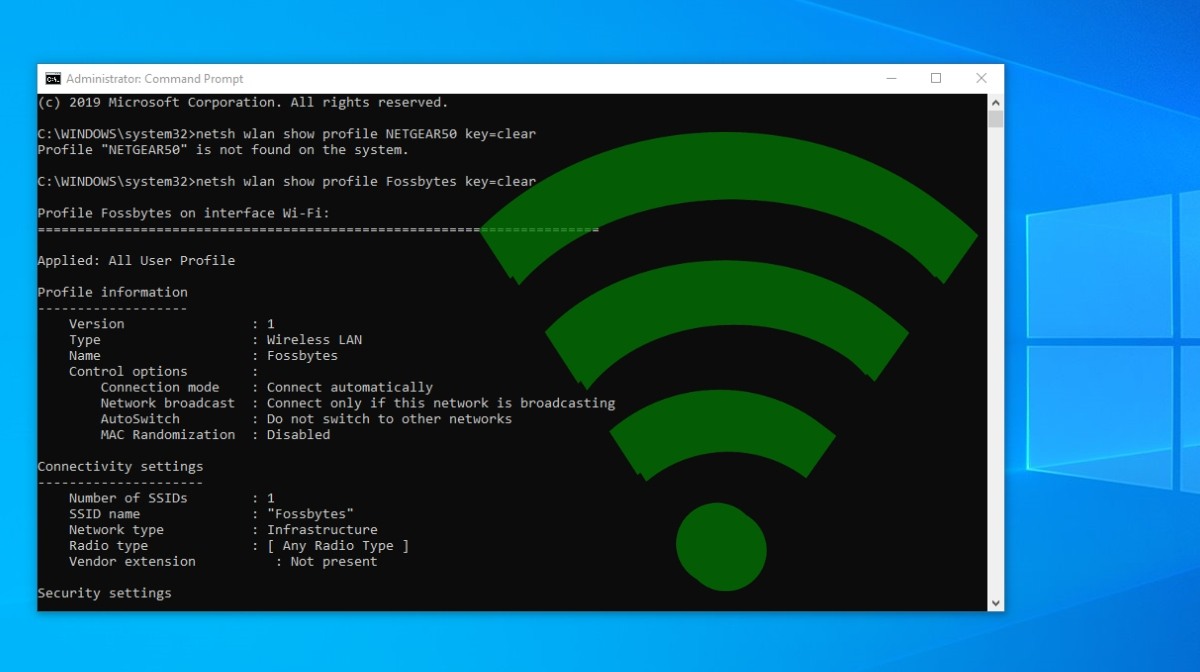
How To Find WiFi Password Using CMD Of All Connected Networks

Here Is How To Find Passwords Of All Connected Wi Fi Networks Using CMD
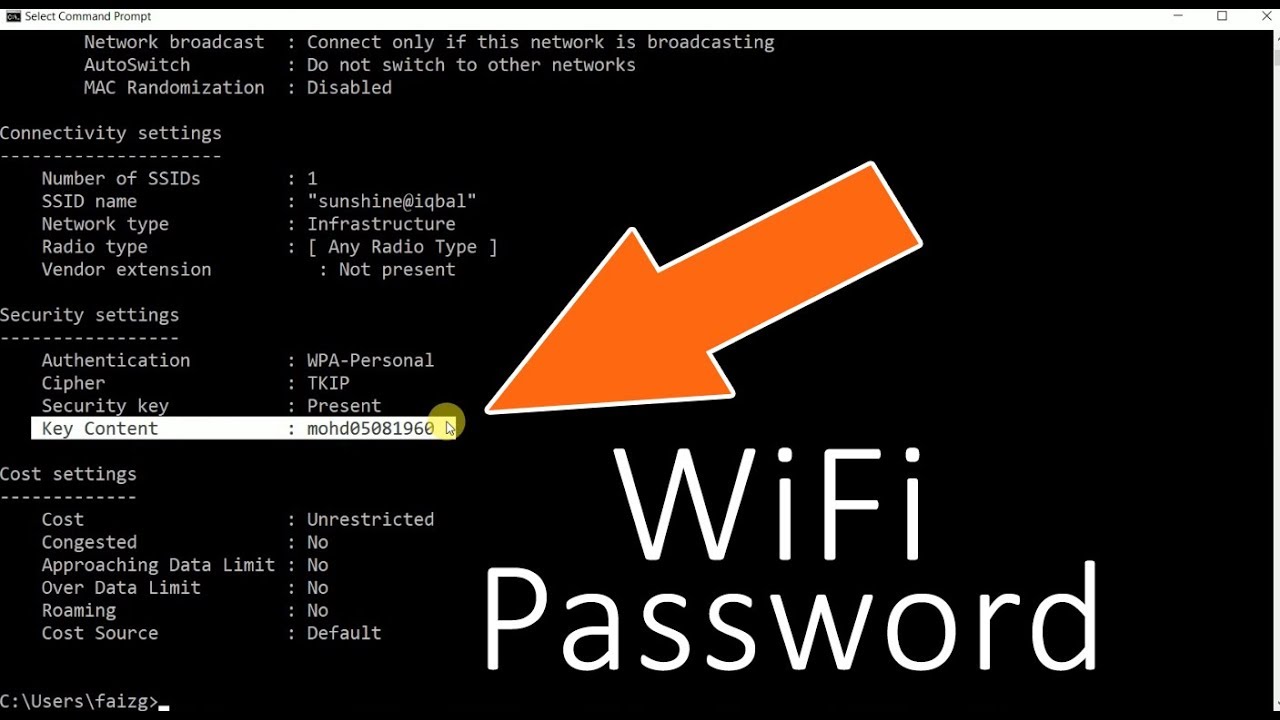
CMD Show Wi Fi Password How To Find Your WiFi Password Windows 10 8 7 XP YouTube

How To Find Router Username And Password With Cmd Ug Tech Mag Show Wi Fi Windows 10 8 7 xp

How To Check WIFI Password Using CMD Windows 7 8 10 YouTube

How To Find Your WiFi Password Using CMD YouTube

Type and search Command Prompt in the Windows search bar then click Open In the Command Prompt window type the command Netsh wlan show profile name Wi F name key clear and then press You can find the Wi Fi password in the Key Content field in the Security settings category

Find the WiFi Password in Windows 10 Using CMD WLAN Profile There comes a time when users like yourself forget your own WiFi password This happens more commonly than Using CMD to Find the WiFi Password Open the command prompt by opening Run Windows R and typing CMD Note MAC

Type cmd in the search box and right click on Command Prompt in the search results This should open a context menu Select Run as administrator If prompted by the User Account Control UAC dialogue box Click Yes to confirm To list all the stored WLAN profiles type the following command netsh wlan show profiles

How To Find Wi Fi Password Through LAN Using CMD 1 Fire up the Command Prompt 2 Copy and paste the following command and hit enter mode con lines 60 netsh wlan show profile name LAN Name 3 You can find the password in the Security settings section

The easiest way to do this is to search for cmd in windows search and click the top result or to use the run command Windows R to run cmd This should work with a regular command
[desc-11] [desc-12]
[desc-13]