Check Ssh Service Status Centos Install Prometheus Server On CentOS 7 RHEL 7 ComputingForGeeks MariaDB 10 CentOS 7 CentOS 7 SSH JavaTang How To Enable SSH Service On Rocky Linux 8 Or CentOS 8 SysAdminXpert How To Enable Ssh On Ubuntu 20 04 LTS Linux Linux Shout Web Checking the SSH Service Status If you can t SSH to your Droplet you should check that the SSH service is running How to very the service is running varies from system to system On older OS versions Ubuntu 14 and below CentOS 6 Debian 6 this may use the service command backed by Upstart
Web Jan 15 2022 nbsp 0183 32 With the SSH enabled on this CentOS system you should be able to access this system from other computers using its IP address This tutorial also includes the steps to change the default SSH port disable SSH login for the root user and set up firewalld to secure your SSH server Web Aug 7 2019 nbsp 0183 32 here is the default etc ssh sshd config which is from Centos 7 6 actually but should be the exact same as RHEL 7 6 If you need to check the status of a service programmatically systemctl offers many quot commands quot to get the status of a service E g
How To Enable Ssh On Ubuntu 20 04 LTS Linux Linux Shout How To Enable SSH Service On Rocky Linux 8 Or CentOS 8 SysAdminXpert SSH Ubuntu Ubuntu How To Install Configure And Enable SSH Service In Linux Redhat 8 Enable Ssh Service LinuxConfig IPv6 How Do I Install And Use Iptables On CentOS RHEL 7 TecAdmin How To Set Up A Free Teamspeak Server Passlswag My CentOS 7 3 Updated Systemctl Status Sshd service Failed To Start
Check Ssh Service Status Centos
 Check Ssh Service Status Centos
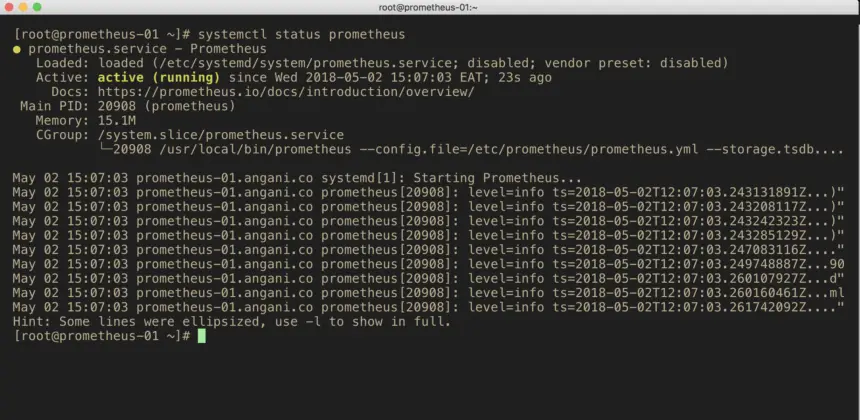
https://computingforgeeks.com/wp-content/uploads/2018/05/prometheus_service_status-860x420.png
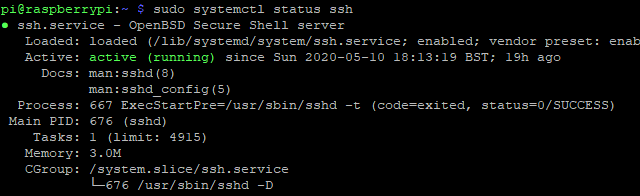
Web HOW TO CHECK STATUS OF SSH SERVICE ON CentOS 7 RHEL 7 server The below commands can be used to check the current status of SSH service it will show whether the service is active or inactive 1 Log into your Linux server as root 2 Run the Command systemctl status sshd service to check status of SSH service Command 1 service
Templates are pre-designed documents or files that can be utilized for various functions. They can conserve effort and time by supplying a ready-made format and layout for creating different sort of material. Templates can be used for individual or professional projects, such as resumes, invitations, flyers, newsletters, reports, presentations, and more.
Check Ssh Service Status Centos
Art Of Technology How To Set Up SSH On Linux And Test Your Setup A

How To Enable SSH Service On Rocky Linux 8 Or CentOS 8 SysAdminXpert

SSH Ubuntu Ubuntu
How To Install Configure And Enable SSH Service In Linux
IPv6
How Do I Install And Use Iptables On CentOS RHEL 7 TecAdmin
Web Jun 2 2015 nbsp 0183 32 sudo service ssh restart tail f var log syslog If the ssh service is not OK then you ll see something like this with exit codes status etc Jun 2 10 57 03 xfce systemd 1 ssh service main process exited code exited status 255 n a Jun 2 10 57 03 xfce systemd 1 Unit ssh service entered failed state

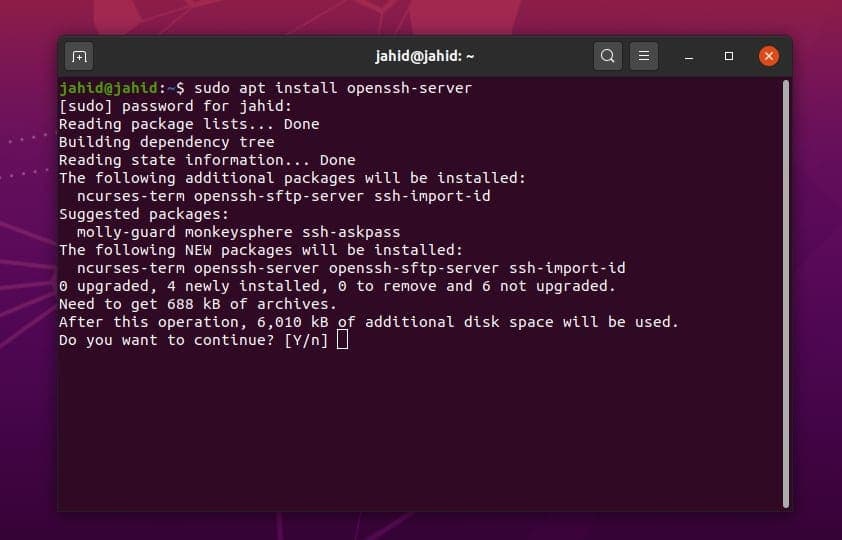
Web Aug 28 2019 nbsp 0183 32 Installing and Enabling OpenSSH on CentOS 7 Step 1 Install OpenSSH Server Software Package Step 2 Starting SSH Service Step 3 Check sshd status Step 4 Enable OpenSSH Service OpenSSH Server Configuration Firewall Settings

Web Aug 27 2020 nbsp 0183 32 Type the following command to see Nginx Sshd and Lighttpd server status systemctl status nginx service ssh server status systemctl status sshd service Lighttpd web server status systemctl status lighttpd service

Web Jun 3 2021 nbsp 0183 32 How can I check the status of a service using systemd based CentOS RHEL 7 x and RHEL CentOS 8 x There are various ways and tools to find and list all running services under a Fedora RHEL CentOS Linux systems

Web Aug 1 2019 nbsp 0183 32 Enable the SSH service to start after the reboot systemctl enable sshd Open the firewall rules to accept incoming traffic on SSH port 22 firewall cmd zone public permanent add service ssh Connect to the SSH server with IP eg 10 1 1 1 as the root user from a remote client machine ssh root 10 1 1 1
Web Use the following command to check whether a service is running active or not running inactive systemctl is active sshd active Use the following command to check whether a service is enabled or disabled systemctl is enabled sshd enabled Web May 31 2022 nbsp 0183 32 sudo systemctl list units type service Stop a service To stop a service type sudo systemctl stop sshd To find out whether a service is running inactive enabled disabled or has exited use sudo systemctl status sshd The systemctl command also has is active and is enabled options to see whether a service is active or
Web Nov 2 2019 nbsp 0183 32 User user may run the following commands on server centos ALL ALL ALL By default the ssh utility should be installed on your host even on minimal configurations In order to check the version of your SSH utility you can run the following command ssh V As you can see I am running OpenSSH v7 8 with OpenSSL v1 1 1