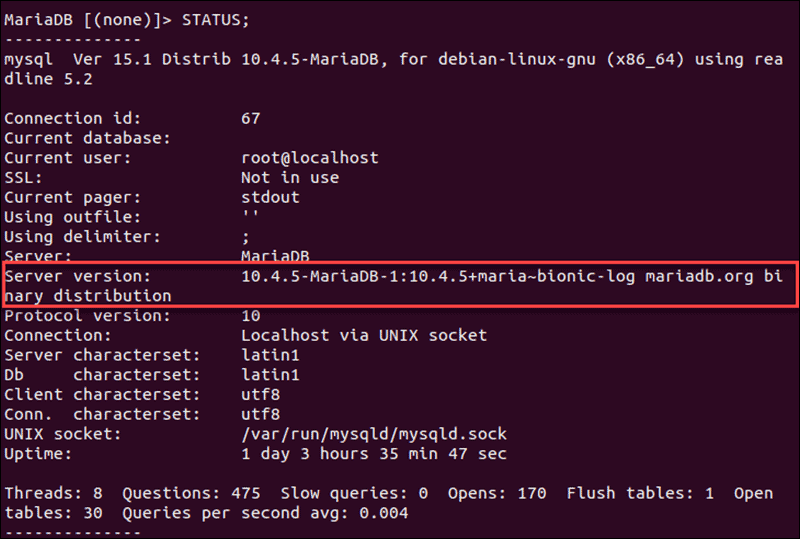
Check Mysql Status In Linux Check MySQL Status Ubuntu How To Check The Database Name In Linux CertSimple Zabbix mysql How To Install MySQL In Ubuntu Linux OSTechNix How To Check The MySQL Version On Linux ImagineLinux Web Jan 7 2015 nbsp 0183 32 To check the mysql status as well as uptime run the following command from the terminal and make sure you must have root permission to execute the command from the shell root localhost mysqladmin u root p version Enter password Sample Output
Web This post shows how to get some MySQL status information from the command line on a Linux Unix machine using either the mysqladmin command or the mysql init script Information returned includes the version connection type socket file location uptime and some other stats Web Dec 23 2014 nbsp 0183 32 How can I check if mysql is installed on ubuntu Asked 9 years 1 month ago Modified 2 months ago Viewed 180k times 62 I need to check if mysql is installed on a ubuntu server Is there a way to determine if mySql has been installed Thanks mysql ubuntu Share Improve this question Follow asked Dec 23 2014 at 5 29 Green Lei 3 270
How To Check The MySQL Version On Linux ImagineLinux OpenVPN Client On Linux Teltonika Networks Wiki How To Check Display MySQL Version WiseTut How To Install Latest MySQL 8 On AlmaLinux How To Install Latest MySQL 8 On AlmaLinux How To Check Port Status In Linux CertSimple MySQL How To Check The Status Of DS AGENT In Linux And Troubleshoot Potential How To Check MySQL Version Globo Tech
Check Mysql Status In Linux
 Check Mysql Status In Linux
https://linuxhint.com/wp-content/uploads/2021/06/check-mysql-status-ubuntu-01.png
Web Jul 11 2019 nbsp 0183 32 MySQL or MySQL fork installed forks MariaDB Percona Server Check MySQL Version with V Command The easiest way to find the MySQL version is with the command mysql V The command mysql V is not OS specific This command works on Windows OS X and Linux distributions including Ubuntu
Pre-crafted templates provide a time-saving solution for developing a diverse variety of files and files. These pre-designed formats and designs can be made use of for various personal and professional tasks, consisting of resumes, invites, flyers, newsletters, reports, discussions, and more, simplifying the content creation procedure.
Check Mysql Status In Linux
Mysql Version
OpenVPN Client On Linux Teltonika Networks Wiki

How To Check Display MySQL Version WiseTut
How To Install Latest MySQL 8 On AlmaLinux

How To Check Port Status In Linux CertSimple
MySQL
Web 1 execute quot mysql uroot p quot and check if you are able to connect mysql 2 check if you are able to connect your db from outside either sqlyog mysqladmin etc and share output to check the issue Zafar Malik

Web May 12 2015 nbsp 0183 32 1 You can use mysql p password e quot SHOW STATUS quot Where e flag is e execute name Execute command and quit Disables force and history file If you don t want to use password as of mysql documentation you can store your password in an option file Note to change permissions respectively Store your password in an option file

Web You can check the MySQL service status as follows Root gt service mysqld status or Root gt ps aux grep mysql or Is MySQL listening to the required port Root gt lsof i 3306 You can check the status of the MySQL service from the Webuzo Enduser Panel gt gt Services Menu Guide http webuzo wiki Restart services
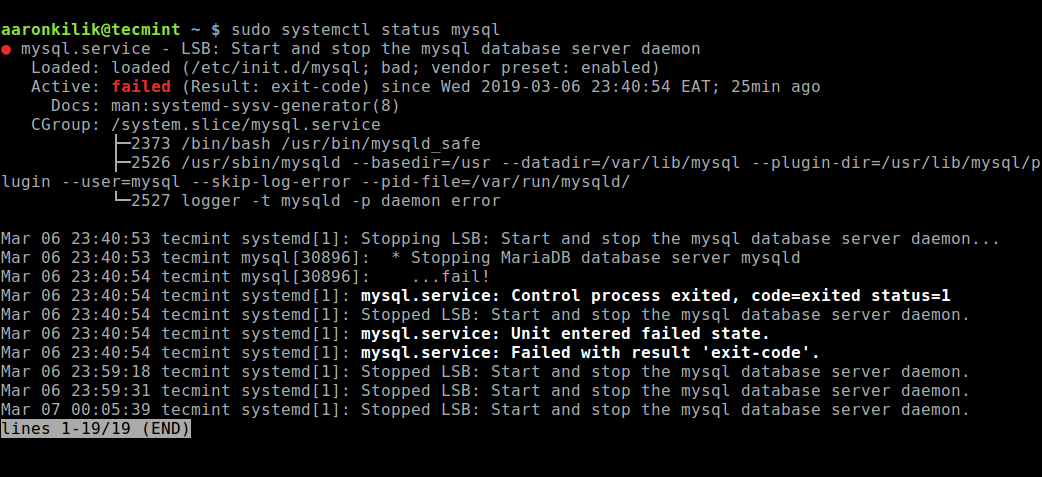
Web Have you tried to check log of mysql in var log mysql for check the status of a daemon in Linux you could type this in your terminal etc init d mysql status but seems that your mysql server doesn t start up therefore the status of the process should be quot not running quot

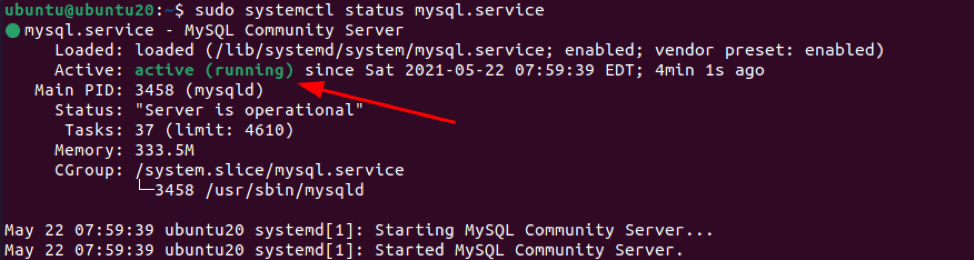
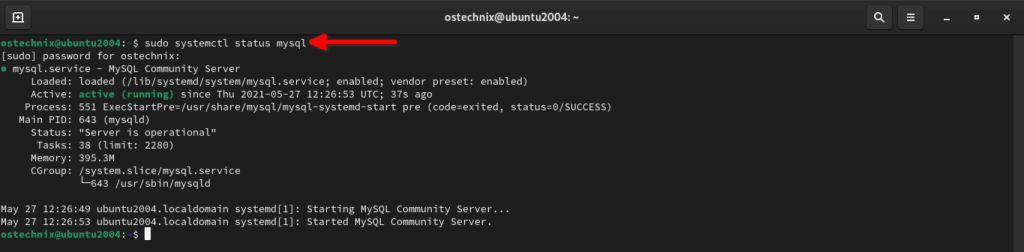
Web The MySQL server is a service which means it can be installed but not running On Linux you can use this command to check if it s started sudo service mysql status On my Ubuntu virtual machine it looks like this With colors it s pretty straightforward
Web Step 1 Accessing the Ubuntu Server Before you can check the MySQL status you need to access your Ubuntu server This is typically done via SSH Secure Shell ssh username your server ip Replace username with your server s username and your server ip with the IP address of your server Step 2 Checking MySQL Service Web Jul 24 2019 nbsp 0183 32 To get the server version run the binary using the version or V option mysqld version The command will output information about the MySQL version and exit In this example the version of the MySQL server is 5 7 27 mysqld Ver 5 7 27 0ubuntu0 18 04 1 for Linux on x86 64 Ubuntu
Web Oct 13 2018 nbsp 0183 32 Tags Install MariaDB Install MySQL Linux MariaDB MySQL MySQL service MySQL Status MySQL version I write a weekly newsletter sharing my articles and thoughts on building and running websites There s no spam and it s totally free