Check All Network Drives Cmd CMD List Drives How To List Drives In Command Prompt Answered Fix Could Not Reconnect All Network Drives Notification Windows 10 How To Fix The Could Not Reconnect All Network Drives Error On Windows Pin On Powershell And Cmd CMD List Drives How To List Drives In Command Prompt Answered Web Aug 11 2017 nbsp 0183 32 To map a network drive type the following command and then hit Enter net use DRIVE PATH DRIVE is the drive letter you want to use and PATH is the full UNC path to the share So for example if we wanted to map drive letter S to the share tower movies we d use the following command net use s tower movies
Web Apr 6 2018 nbsp 0183 32 1 Walk to everyone computer make a note of the drive letter and location on my clipboard and move on This sneaker net method would take insanely long 2 I found this command Get WmiObject Win32 MappedLogicalDisk computer lt computername gt select name providername Seems like it works great Web Apr 6 2021 nbsp 0183 32 Mapping a network drive authenticating as a non logged in user account is nearly the same as with a logged in account The only difference is using a couple more parameters To map a network drive with alternate credentials open a command prompt or PowerShell console as an administrator Run net use providing The drive letter to map to
CMD List Drives How To List Drives In Command Prompt Answered Fix Windows 11 10 Could Not Reconnect All Network Drives YouTube Pin On Windows 10 How To Disable Could Not Reconnect All Network Drives Alert On Windows 10 Solved Could Not Reconnect All Network Drives Windows 10 11 Network How To Fix The Could Not Reconnect All Network Drives Error On Windows How To Map Network Drives From The Command Prompt In Windows YouTube Map Network Drive Using Cmd Solved Windows 10 Forums How To Map Network Drives From The Command Prompt In Windows
Check All Network Drives Cmd
 Check All Network Drives Cmd
https://www.partitionwizard.com/images/uploads/articles/2022/05/cmd-list-drives/cmd-list-drives-4.png
Web Dec 7 2023 nbsp 0183 32 To map a network drive on Windows 10 open Command Prompt not as admin and run the net use Z server shareFolder command The net use z Delete command will disconnect the map from Windows 10
Pre-crafted templates offer a time-saving solution for developing a varied variety of documents and files. These pre-designed formats and designs can be utilized for various individual and expert tasks, including resumes, invites, flyers, newsletters, reports, discussions, and more, simplifying the material development process.
Check All Network Drives Cmd

How Can I See All Drives In CMD StackHowTo

Fix Windows 11 10 Could Not Reconnect All Network Drives YouTube

Pin On Windows 10
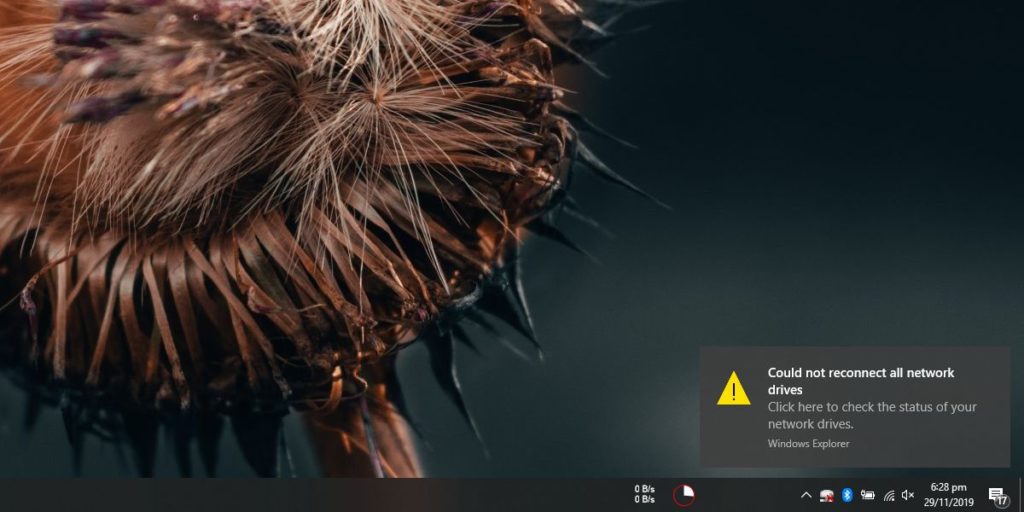
How To Disable Could Not Reconnect All Network Drives Alert On Windows 10
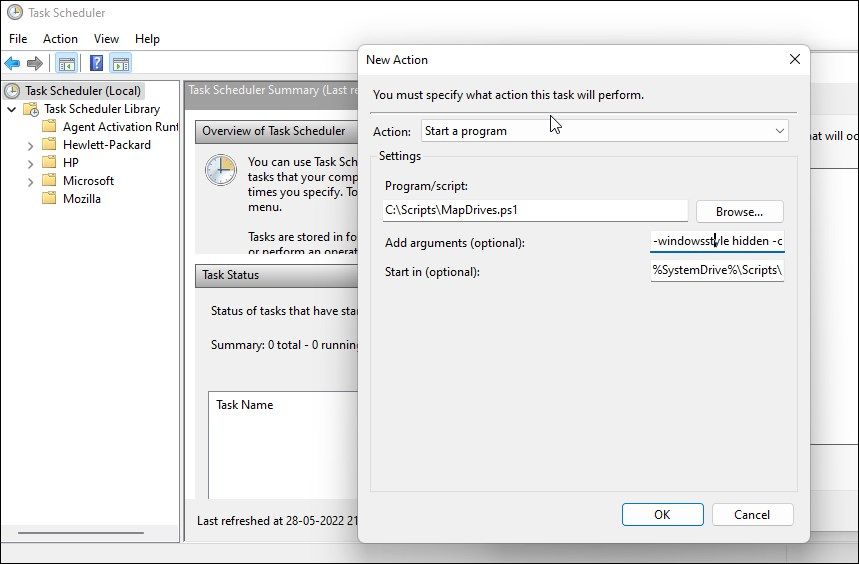
How To Fix The Could Not Reconnect All Network Drives Error On Windows

How To Map Network Drives From The Command Prompt In Windows YouTube
Web The drive mapping info is stored in the Registry look in HKEY USERS USER Network So I did a reg query HKEY USERS to list the users which were some windows codes then I queried all of them individually for example reg query HKEY USERS S 1 5 21 4205028929 649740040 1951280400 500 Network s
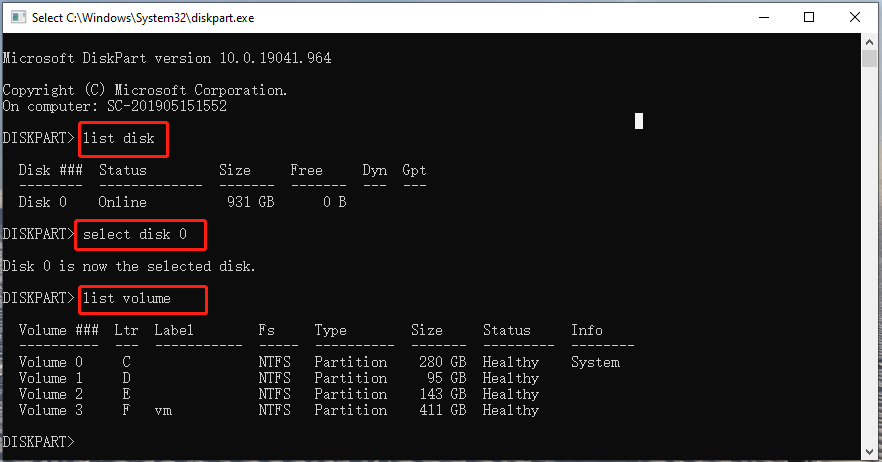
Web Jul 27 2023 nbsp 0183 32 Step 1 Press Win R keys to open the Run dialog box and then type cmd in it and press Ctrl Shift Enter keys together to open the elevated Command Prompt window Step 2 To let CMD list drives type one of the following commands and hit Enter wmic logicaldisk get name wmic logicaldisk get caption Step 3

Web netObj New Object com wscript Network WMI1 WMISearcher quot Select Name Providername from win32 mappedLogicalDisk quot WMI1 Scope path quot quot oldComputer quot root cimv2 quot WMI1 Options ReturnImmediately ColDrives WMI1 Get foreach objDrive in colDrives TestLocal get wmiObject Win32 LogicalDisk

Web Is it possible to browse a network for shares from the Windows command prompt I want to map a drive to a network share pushd but I can t remember the exact name of the machine or share Is there a way to browse the network to find the shares via the command prompt
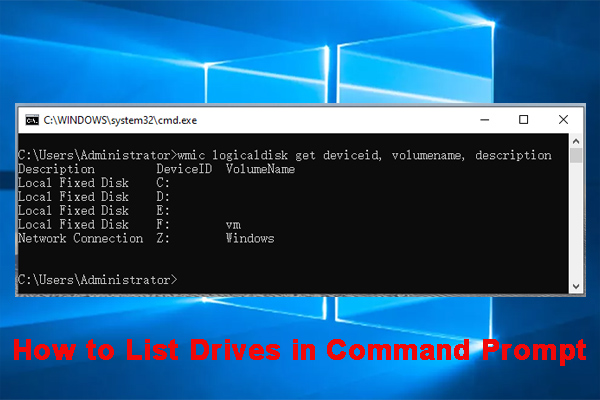
Web May 2 2022 nbsp 0183 32 1 How to check the internet connection in CMD 2 How to traceroute in CMD tracert command to troubleshoot network and internet problems 3 How can I see all the network adapters on my computer using CMD 4 How to check your network connection in CMD 5 How to renew the IP address of your network adapter 6
Web Administrator view ALL mapped drives In my understanding of security an administrator should be able to view all connections to and from a computer just as they can view all processes owner network connections owning process However Windows 8 seems to have disabled this Web May 11 2010 nbsp 0183 32 Is there a way to list the available drives from cmd exe Other than manually typying c d and seeing which ones return errors command line Share Improve this question asked May 11 2010 at 12 01 Cristian Diaconescu 3 664 8 30 34 Add a comment 12 Answers Sorted by 169 gt wmic logicaldisk get caption Caption C D E
Web Jan 5 2020 nbsp 0183 32 1 Press the Win R keys to open Run type fsmgmt msc into Run and click tap on OK to open the Shared Folders MMC 2 Expand open Shared Folders in the left pane and click tap on Shares see screenshot below The folders listed without at the end are the ones users shared on this computer