Change User Folder Name Windows 10 How To Use Process Monitor To Change Folder Name Iessno USOCoreWorker MiniTool How Do I Change Name Of User Folder From Default C Users USER How To Change User Folder Name In Windows 10 2 Ways MiniTool How To Change The User Folder Name In Windows 10 Change or rename the user folder in Windows 10 from either hacking your way through Registry Editor OR by simply replacing your current account with a new admin account Windows 10 by Kazim Ali Alvi February 11 2021 When setting up a new computer you are required to enter a username
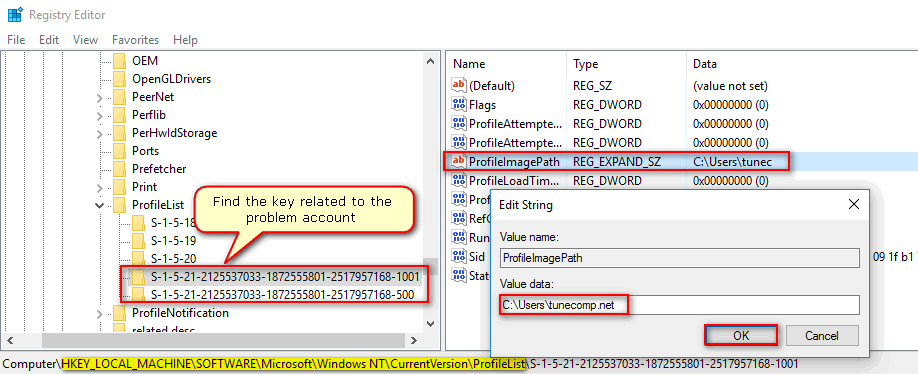
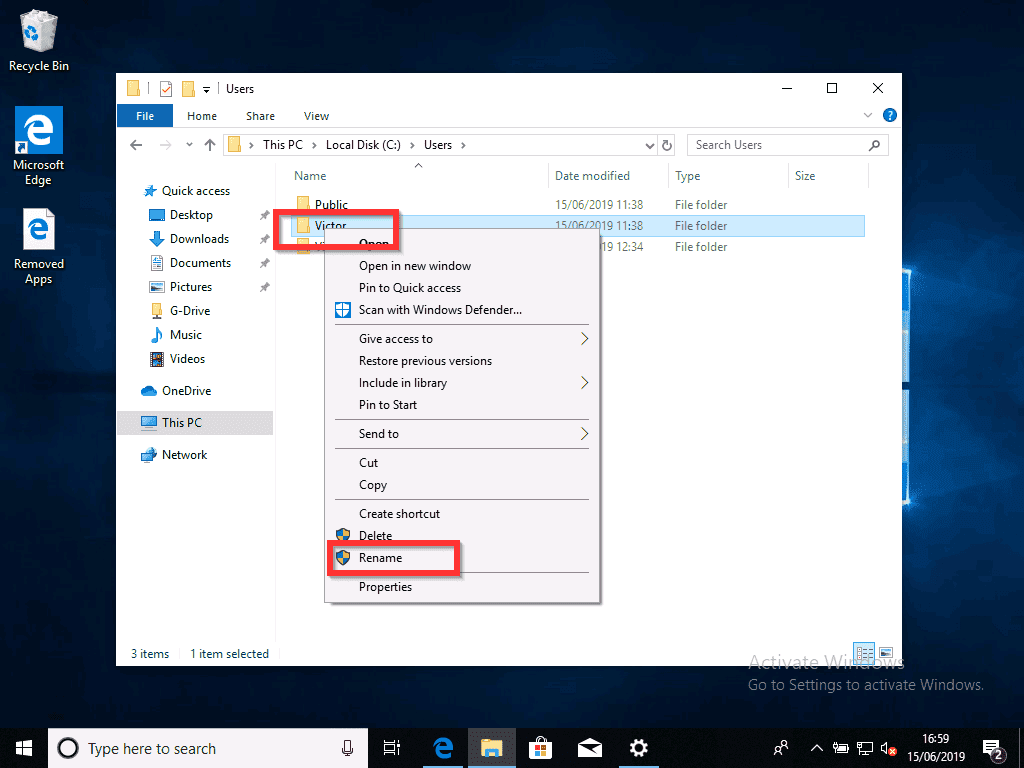
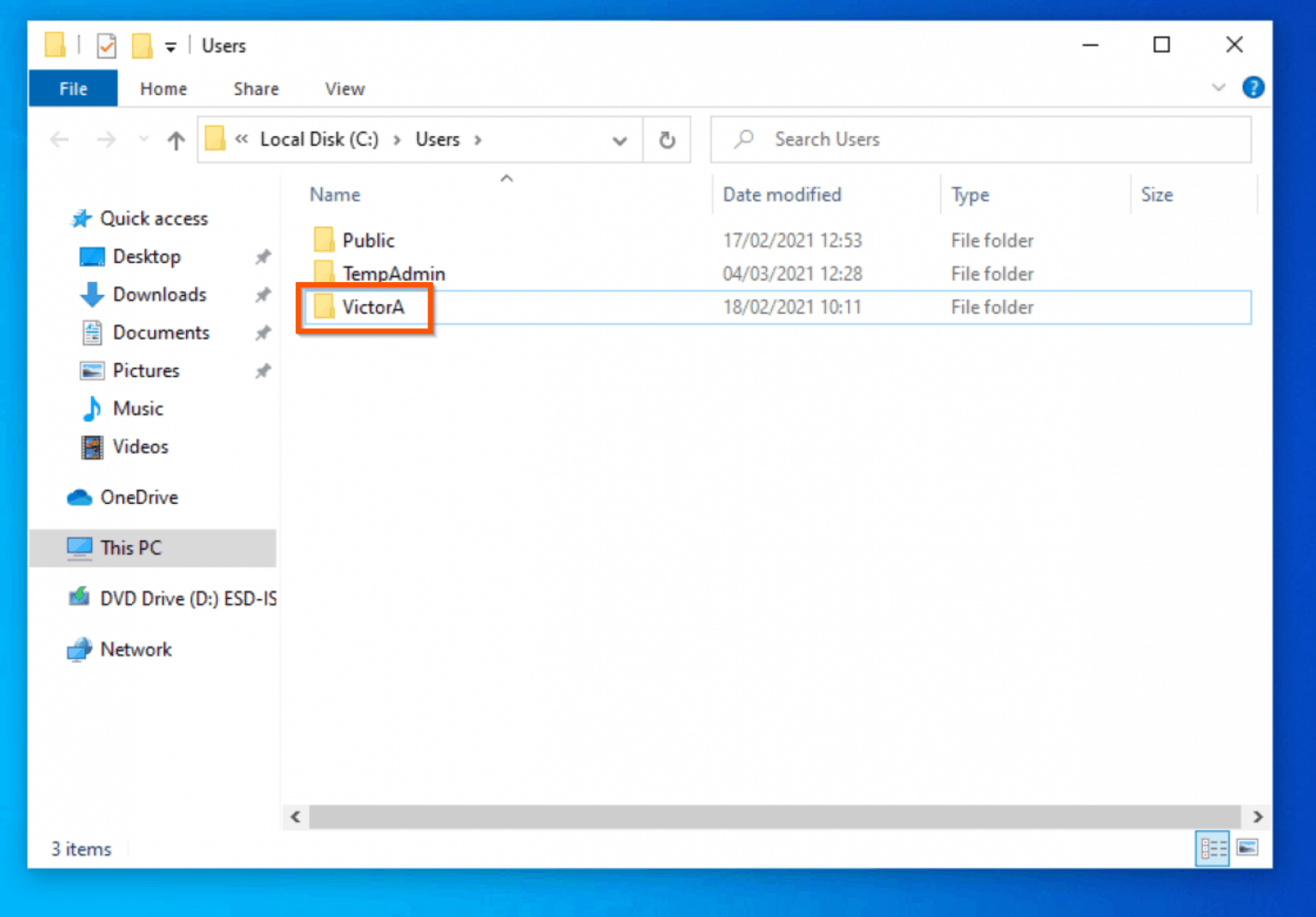
To do that open the File Explorer and navigate to C Users directory Step 11 Right click on the folder that you want to rename and then click Rename Click the Yes button when you get the prompt Step 12 Open the Registry Editor by typing Regedit exe in the Start taskbar search field and hitting the Enter key To rename the user folder on Windows 10 you can use Registry Editor Command Prompt or Windows File Explorer You can also use a third party tool to rename or create a new user account to avoid the hassle Renaming the user folder can help you maintain an organized file structure and make your user profile more identifiable
How To Change The User Folder Name In Windows 10 How To Rename The User Profile Folder In Windows 10 C Users Username Change User Name In Windows 10 And Rename User Folder Name Change User Name Windows 10 Rename User Folder Name How To Change User Folder Name In Windows 10 2 Ways Change User Name In Windows 10 And Rename User Folder Name Change User Name Windows 10 Rename User Folder Name Change User Name In Windows 10 And Rename User Folder Name How To Change User Account And Folder Name In Windows 11 10
Change User Folder Name Windows 10
 Change User Folder Name Windows 10
https://www.itechguides.com/wp-content/uploads/2021/07/image-89-2048x1420.png
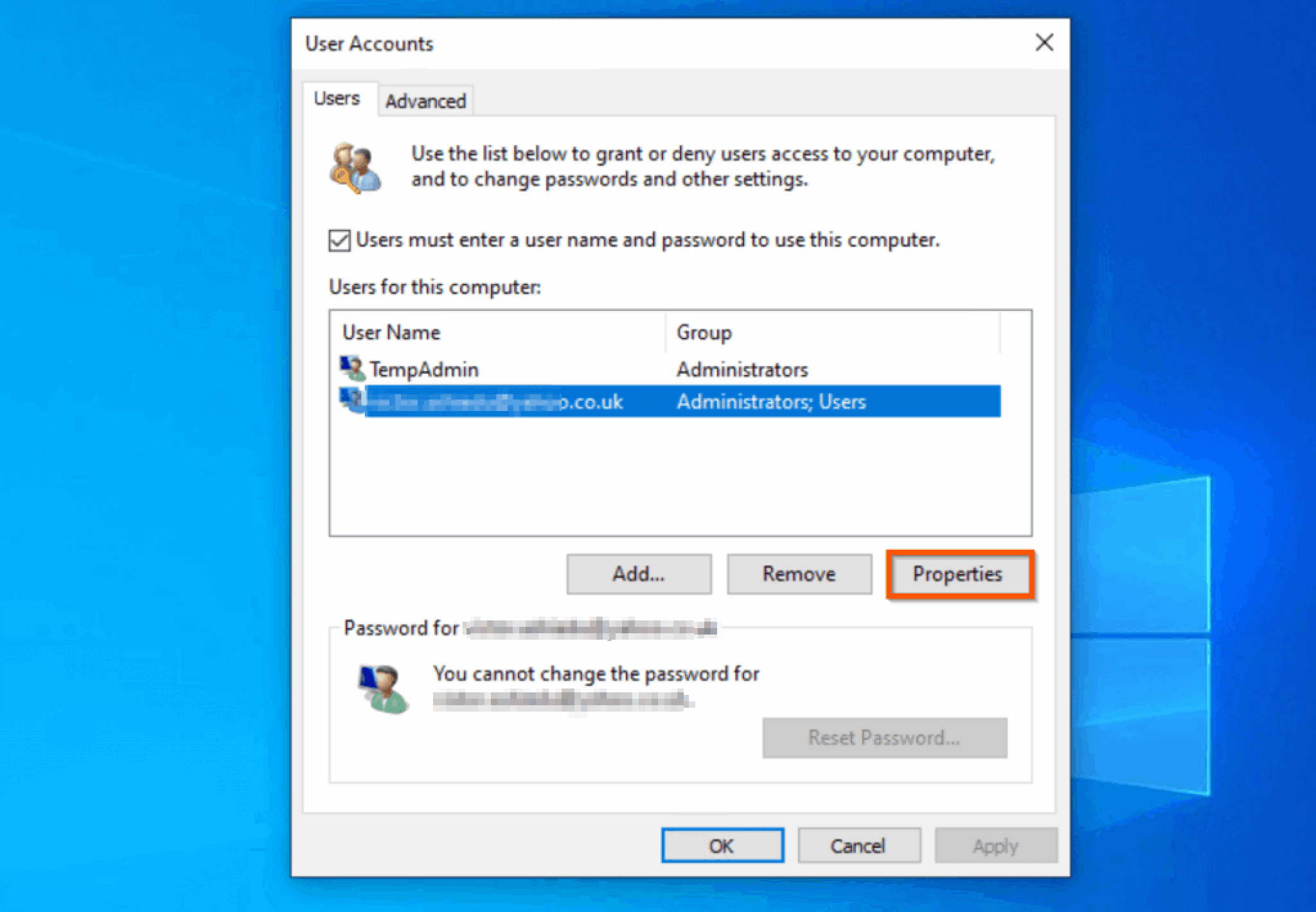
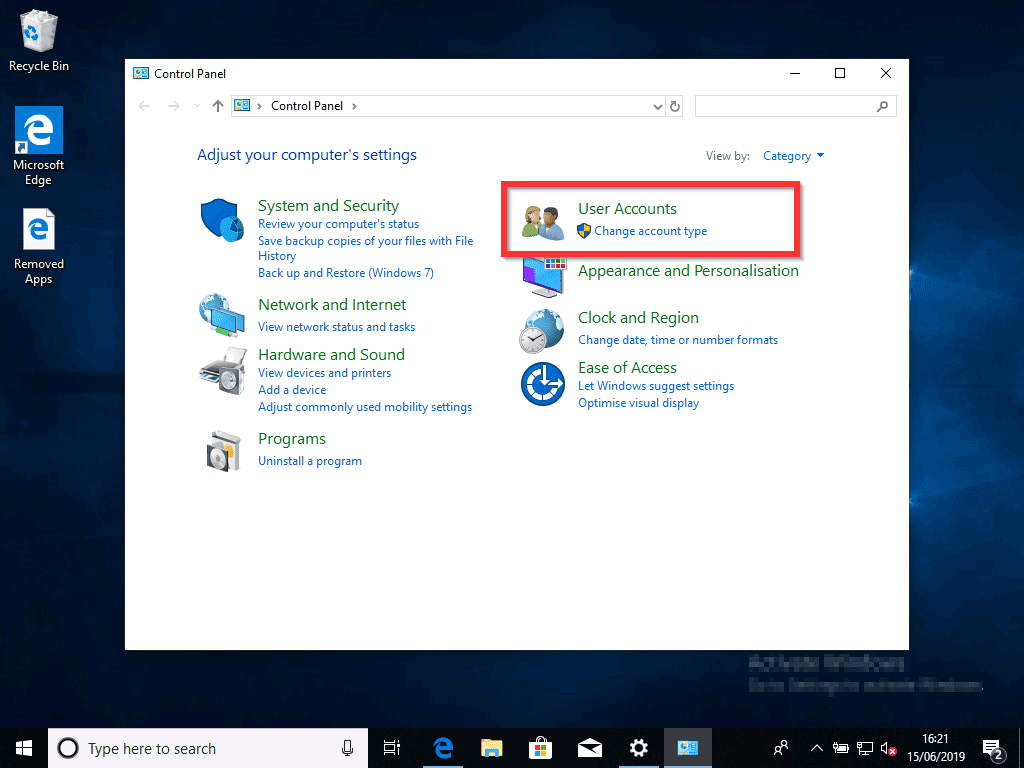
Select Administrator from the dropdown menu Click Ok to save changes This is how it should look like in the settings app after changing the account type Reboot Windows 1 2 Rename Old User Account The user account name and the home folder should have the same name
Pre-crafted templates provide a time-saving solution for creating a varied range of documents and files. These pre-designed formats and layouts can be used for different personal and expert projects, including resumes, invitations, flyers, newsletters, reports, presentations, and more, improving the content production procedure.
Change User Folder Name Windows 10
How To Change User Folder Name In Windows 10 StackHowTo
How To Rename The User Profile Folder In Windows 10 C Users Username
Change User Name In Windows 10 And Rename User Folder Name
Change User Name Windows 10 Rename User Folder Name
Change User Name In Windows 10 And Rename User Folder Name
Change User Name Windows 10 Rename User Folder Name

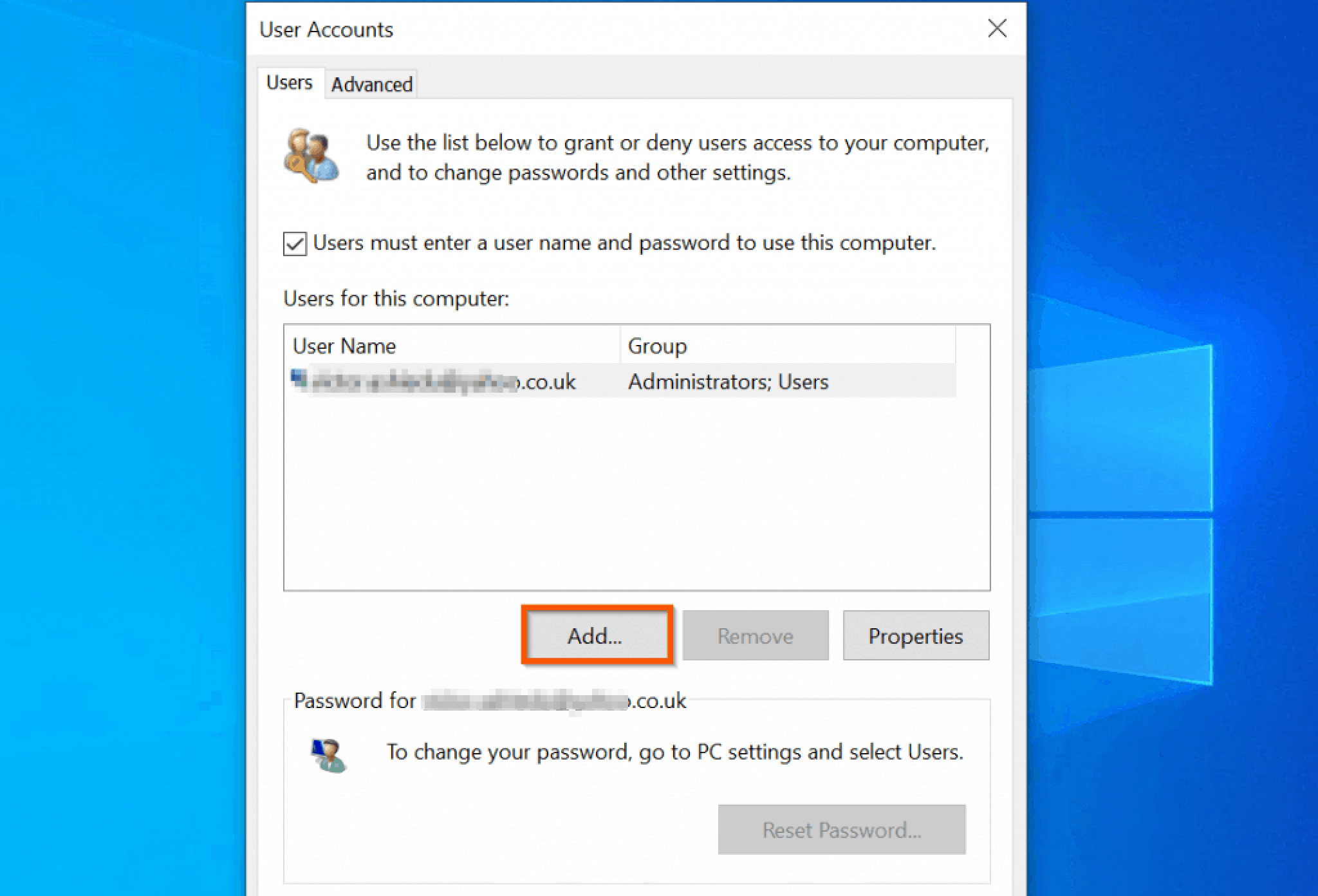
What to Know An admin can change the name of a user folder but doing so can cause problems with some software The safer alternative is to make a new account with the Users folder name you want Create the account via Settings Accounts Family other users Add someone else to this PC
Then click the search box at the upper right in File Explorer and search the user folder name you want to change In the search result list find the user folder and right click it and you will see the Rename option Click Rename to change the name for the user folder in Windows 10

Here s How 1 Sign out the user account ex Brink2 you want to change the name of its user profile folder ex C Users Brink2 BRINK W10PC 2 Sign in to any administrator account on the PC that you are not changing its user profile folder name
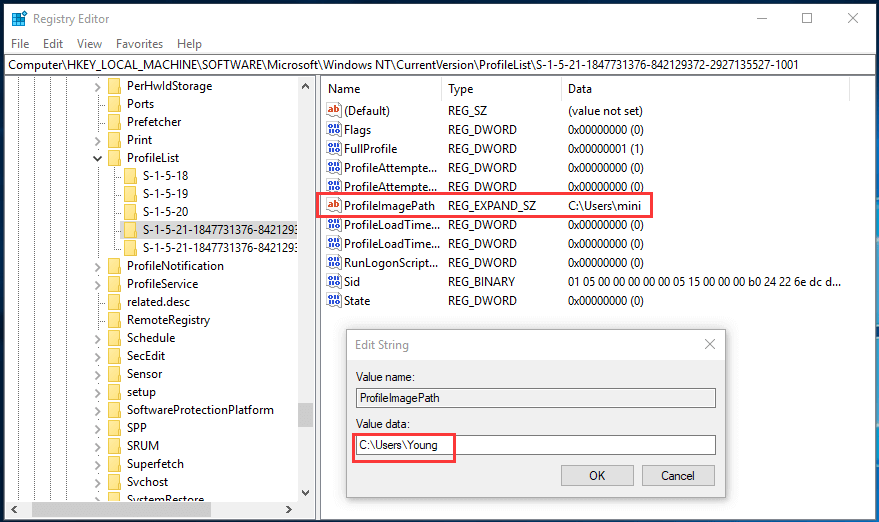
Type ren old folder name new folder name and press Enter Replace old folder name with the name of the folder you want to change Then replace new folder name with the name you want to change it to This command changes the name of the user folder

Overview Step 1 Create a Local Windows Admin Account Optional Step 2 Change the Windows 10 User Name Step 3 Rename the Windows User Folder Step 4 Change the User s ProfileImagePath in Windows Registry Conclusion About the Author Related Articles Get in Touch
[desc-11] [desc-12]
[desc-13]