Change Time Zone Ubuntu Command Line Timezone How Can I Change My Local Time Zone In Ubuntu For My Time Install Slack Ubuntu Command Line Lalapabrain How To Display Clocks For Multiple Time Zones In Ubuntu Race And Gender In An Age Of Transition ABC Radio National Setting Date Time And Time Zone On Ubuntu Linux Web Jun 16 2022 nbsp 0183 32 Method 1 Use timedatectl command to change timezone recommended The timezone can be changed using the timedatectl command Below is the syntax for changing the timezone sudo timedatectl set timezone TIMEZONE Replace TIMEZONE with the timezone you made a note of earlier For me it was Asia Kolkata So let us try
Web Jul 13 2016 nbsp 0183 32 Changing the Time Zone This section shows you how to accomplish this task using either the Graphical User Interface GUI or by using the command line terminal Using the GUI Perhaps the most user friendly way to change the time zone of your Ubuntu system is to use the Graphical User Interface GUI Web Dec 5 2019 nbsp 0183 32 Run the following command to change the system s timezone sudo dpkg reconfigure frontend noninteractive tzdata Current default time zone Europe Rome Local time is now Thu Jan 24 00 40 48 CET 2019 Universal Time is now Wed Jan 23 23 40 48 UTC 2019 Changing the Timezone Using the GUI
Setting Date Time And Time Zone On Ubuntu Linux Setup Or Change Time Zone Using Set timezone Command Ubuntu Change Time Zone Guide YouTube How To Change Time Zone On Ubuntu Linux Genie How To Uninstall Software In Ubuntu Command Line How To Fix Time Differences In Ubuntu 16 04 Windows 10 Dual Boot Connect Wireless Router Via Ubuntu Command Line BENISNOUS Ubuntu Command Line Script Disk Operations User Linux Advance How To Change Time Zone On Ubuntu Linux Genie
Change Time Zone Ubuntu Command Line
 Change Time Zone Ubuntu Command Line
https://i.stack.imgur.com/bdvXl.jpg
Web By giving it the argument Z you can output your system s current time zone name date Z UTC To get the timezone name and offset you can use the data command with the quot Z z quot argument The uppercase Z prints the timezone name while the lowercase z outputs the time offset date quot Z z quot UTC 0000
Pre-crafted templates use a time-saving solution for developing a diverse range of documents and files. These pre-designed formats and designs can be used for various individual and professional jobs, consisting of resumes, invites, leaflets, newsletters, reports, presentations, and more, streamlining the material creation process.
Change Time Zone Ubuntu Command Line
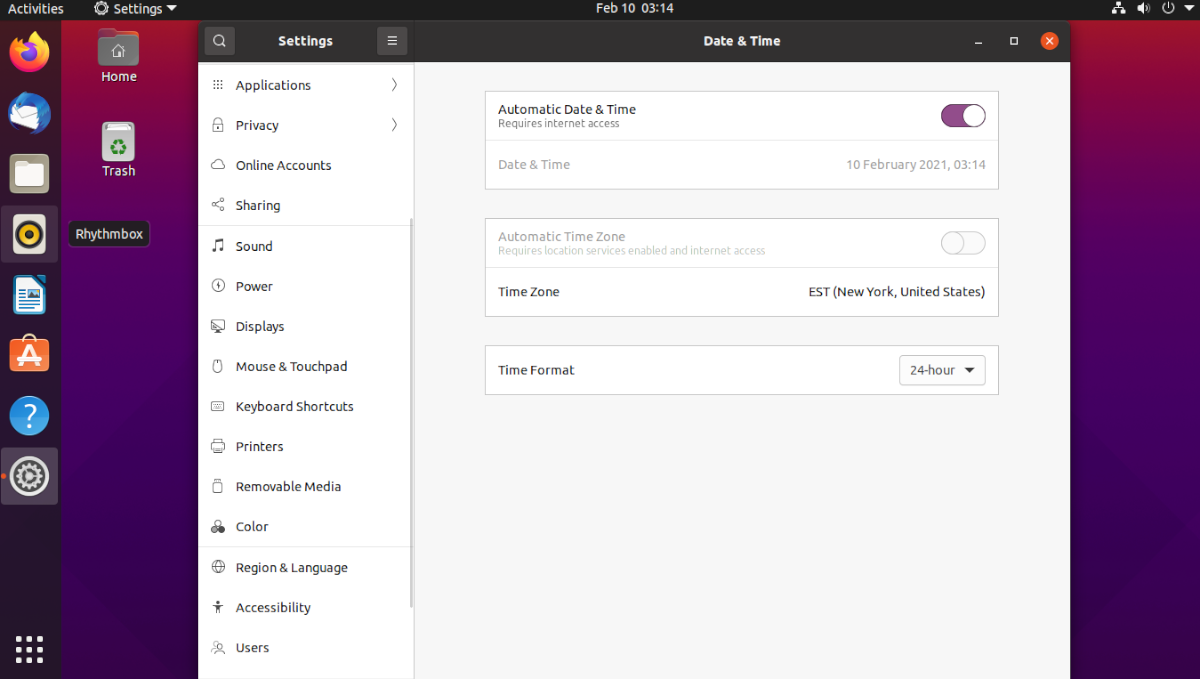
Ubuntu Change Time Zone Guide

Setup Or Change Time Zone Using Set timezone Command

Ubuntu Change Time Zone Guide YouTube
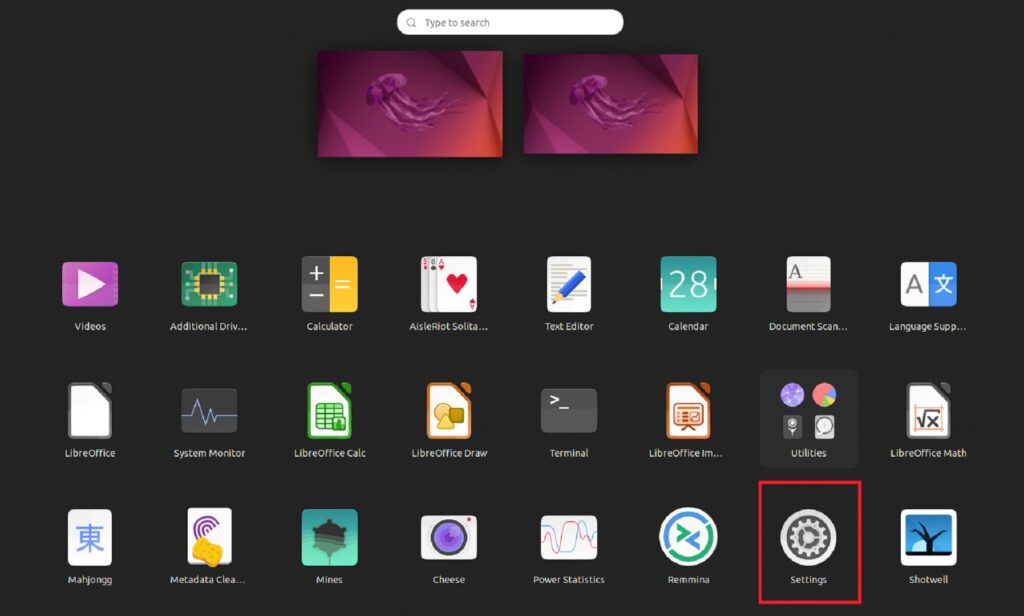
How To Change Time Zone On Ubuntu Linux Genie
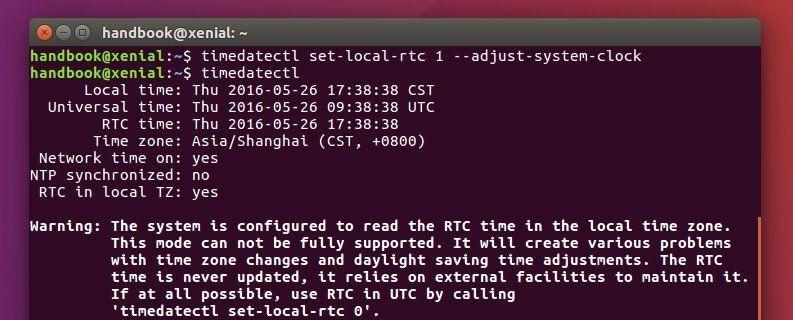
How To Fix Time Differences In Ubuntu 16 04 Windows 10 Dual Boot
Connect Wireless Router Via Ubuntu Command Line BENISNOUS

Web Timezone as UTC sudo timedatectl set timezone UTC Listing all valid Timezones timedatectl list timezones This command is perfect for automation scripts since it doesn t require any user interaction while compared to the other given answer based on dpkg reconfigure tzdata Share

Web Jul 10 2019 nbsp 0183 32 To change the time zone follow the steps below 1 To list the names of the time zones use timedatectl list timezones 2 Find the location closest to you then enter the following timedatectl set timezone Region Location 3 Replace Region Location with a name from the time zone list

Web Dec 1 2023 nbsp 0183 32 There are two ways to set up a server s timezone in the command line using tzselect or timedatectl However the first command only works to change the timezone temporarily If you opt for tzselect the timezone will revert to the one set in the etc timezone file after a reboot
Web Sep 30 2015 nbsp 0183 32 62 The Ubuntu server s current date and time is different from the time zone date and time I have tried using sudo date quot 30 Sep 2015 4 43 42 quot to change it but it did not change the date and time just printed on terminal the date and time I changed but when I executed sudo hwclock show

Web Jan 18 2020 nbsp 0183 32 Change timezone in Ubuntu via command line works for both desktop and servers Method 1 Change Ubuntu timezone via terminal Ubuntu or any other distributions using systemd can use the timedatectl command to set timezone in Linux terminal
Web Dec 3 2019 nbsp 0183 32 Once you identify which time zone is accurate to your location run the following command as root or sudo user sudo timedatectl set timezone lt your time zone gt For example to change the system s timezone to America New York you would type sudo timedatectl set timezone America New York To verify the change invoke the Web Oct 8 2018 nbsp 0183 32 If you want to change the time zone according to your own preference Ubuntu provides you with two ways to do so through the command line and the graphical user interface In this article we will explain how to change the current time zone of a Ubuntu 18 04 LTS system
Web Dec 16 2020 nbsp 0183 32 Option 1 Using timedatectl Use of timedatectl command is the proffered way to set or change time zone on a Linux system First find all the available timezones on your system ADVERTISEMENT timedatectl list timezones Search for the required time zone name in above command Next use one of the following command to set new