Change Ssh Name How To Change SSH Port In Linux YouTube How To Change SSH Server Port How To Change SSH Passwords From The CLI Simple Guide Nexcess How To Change SSH Port In Linux TecAdmin How To Change Your SSH Port On Linux ServerAuth Windows 10 Windows Windows
To make sure the change applied to the correct file types review the list below the quot Set default quot button To easily open Chrome later add a shortcut to your taskbar If you change or reset your password you ll be signed out everywhere except Devices you use to verify that it s you when you sign in Some devices with third party apps that you ve given account access Learn how to remove an app s access to your account Helpful home devices that you ve given account access
How To Change Your SSH Port On Linux ServerAuth How To Change SSH Port In Ubuntu How To Change SSH Port Number On Linux Change Linux SSH Port From 22 To 2222 Cybersecurity Memo HOP SK SSH How To Change SSH Port In Linux YouTube How To Find And Change SSH Port Number POFTUT How To Change SSH Server Port SSH CentOS Ubuntu
Change Ssh Name
 Change Ssh Name
https://i.ytimg.com/vi/NcgcimWrAII/maxresdefault.jpg
Jan 24 2018 nbsp 0183 32 Endnote
Templates are pre-designed files or files that can be utilized for numerous functions. They can conserve effort and time by offering a ready-made format and design for developing various kinds of material. Templates can be used for personal or expert projects, such as resumes, invites, flyers, newsletters, reports, presentations, and more.
Change Ssh Name
How To Change SSH Port On Linux VPS Common Ports
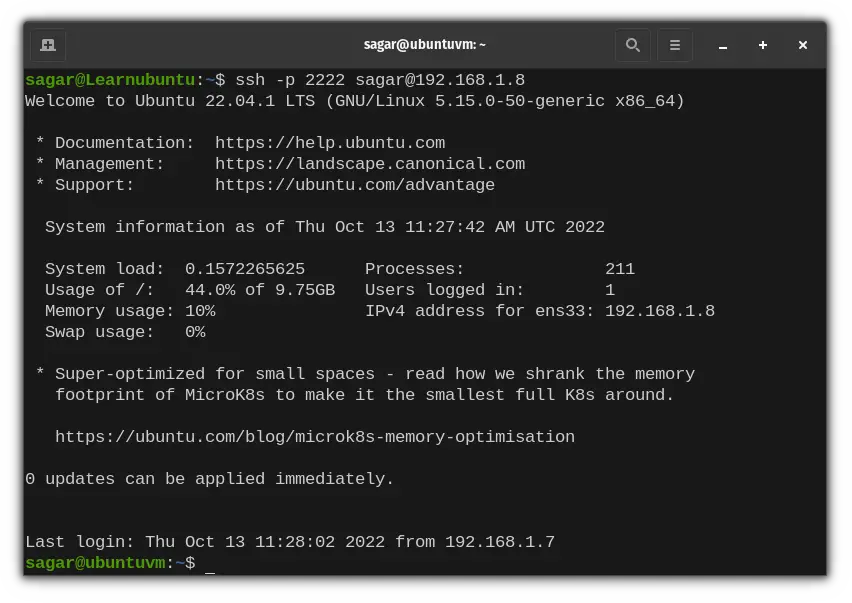
How To Change SSH Port In Ubuntu
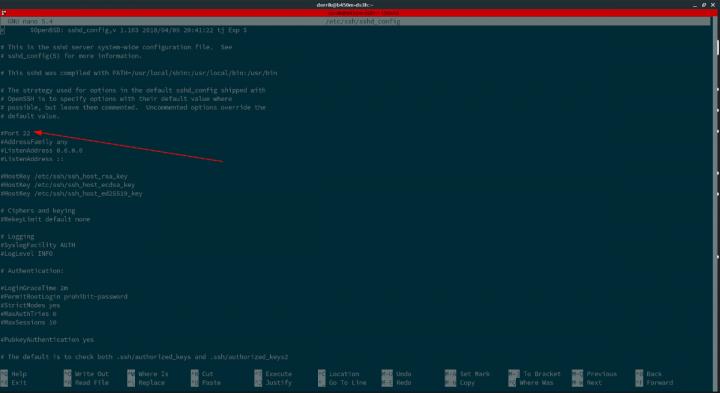
How To Change SSH Port Number On Linux

Change Linux SSH Port From 22 To 2222 Cybersecurity Memo

How To Change SSH Port In Linux YouTube

How To Find And Change SSH Port Number POFTUT

What happens after I change my Google Account password If you change or reset your password you ll be signed out everywhere except Devices you use to verify that it s you when you sign in Some devices with third party apps to which you ve given account access Learn how to remove an app s access to your account

On your computer go to Gmail In the top right click Settings See all settings At the top choose a settings page such as General Labels or Inbox Make your changes After you re done with each page click Save Changes at the bottom

Change or add a recovery address The recovery address allows you to receive an e mail to reset your password if you need it Your recovery address should be an email address that you use regularly To change it
In the web interface whatever account you sign into FIRST is the quot default quot account for other Google products and services So if you want to change sign out of everything and then sign into the new default account first before adding any others
Learn how to create a strong password What happens after you change your password If you change or reset your password you ll be signed out everywhere except Devices you use to verify that it s you when you sign in Some devices with third party apps that you ve given account access Learn how to remove an app s access to your account
[desc-11] [desc-12]
[desc-13]