Change Screen Recording Resolution Iphone Regan Springen Rechteck Screen Recording Iphone 12 Initiale Todeskiefer Anzeichen Change Screen Resolution For Specific Programs Roomjames Wallpaper Music Studio Record In Acid Pro 7 0 A Samsung C01u Usb Comndenser Mic Lanetarepair How To Change Screen Recording Resolution On IPhone Fix Bad Screen Recording Quality On Web Apr 25 2021 nbsp 0183 32 How to Change Screen Recording Resolution on Any iPhone Hun Sakkada 6 78K subscribers Subscribed 42 3 5K views 2 years ago iOS14 iOS13
Web Mar 28 2024 nbsp 0183 32 This tip works on iPhones running iOS 16 or later Find out how to update to the latest version of iOS Whether you want to save storage or ensure you re recording the highest quality video possible on your phone it s great to have the option to change your iPhone s video resolution settings Web Mar 1 2024 nbsp 0183 32 Changing the video recording resolution on your iPhone can help you save storage space or improve video quality With iOS 17 it s a simple task that can be done in a few taps Ready to learn how Let s dive in You can also watch this video about how to change the video recording resolution on an iPhone for more information Table of
How To Change Screen Recording Resolution On IPhone Fix Bad Screen Recording Quality On CCTV Recording Resolution Security System Automation How To Change Screen Recording Location On Samsung Galaxy Phones Techschumz How To Change Recording Resolution In OBS Studio Reviews App Cool Screen Record Iphone 2023 2022 IHSANPEDIA IPad Video Recording How To Change Resolution Solve Your Tech What Is Video Recording Resolution Sell HD 1080P 2 4 LCD Crash G sensor Night Vision Car Camera Dash Cam Video Record In Bangphli Theartofdigitalphotographyppt
Change Screen Recording Resolution Iphone
 Change Screen Recording Resolution Iphone
https://www.lifewire.com/thmb/g3f934wLIHaak1lyuy3D-fEX9TI=/1500x0/filters:no_upscale():max_bytes(150000):strip_icc()/how-to-screen-record-on-the-iphone-12-50846251-3ee09bd0b7244b3ca7fa03984f483a50.jpg
Web Go to your Settings and tap Camera and afterwards Record Video This menu allows you to set the desired video recording resolution for your next bunch of videos You can change it at any point in time just not while recording The setting screen also displays a handy guide in case you forget what the different options mean
Pre-crafted templates offer a time-saving option for producing a varied range of files and files. These pre-designed formats and designs can be made use of for numerous personal and expert projects, consisting of resumes, invites, leaflets, newsletters, reports, discussions, and more, simplifying the content development process.
Change Screen Recording Resolution Iphone

How To Adjust Screen Recording Resolution In OBS Studio YouTube
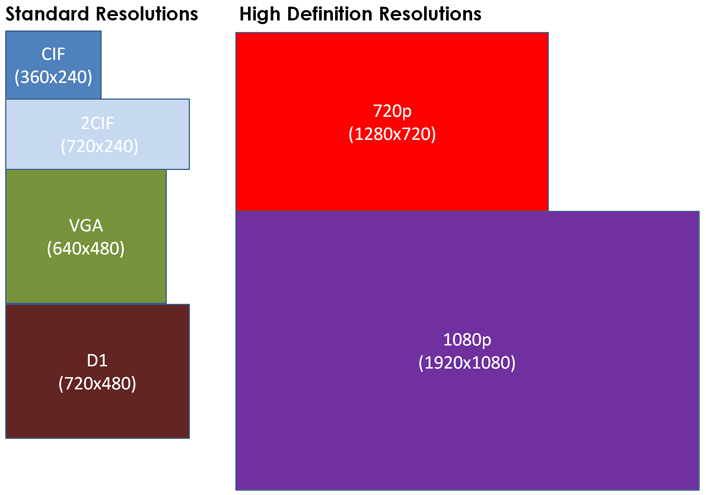
CCTV Recording Resolution Security System Automation
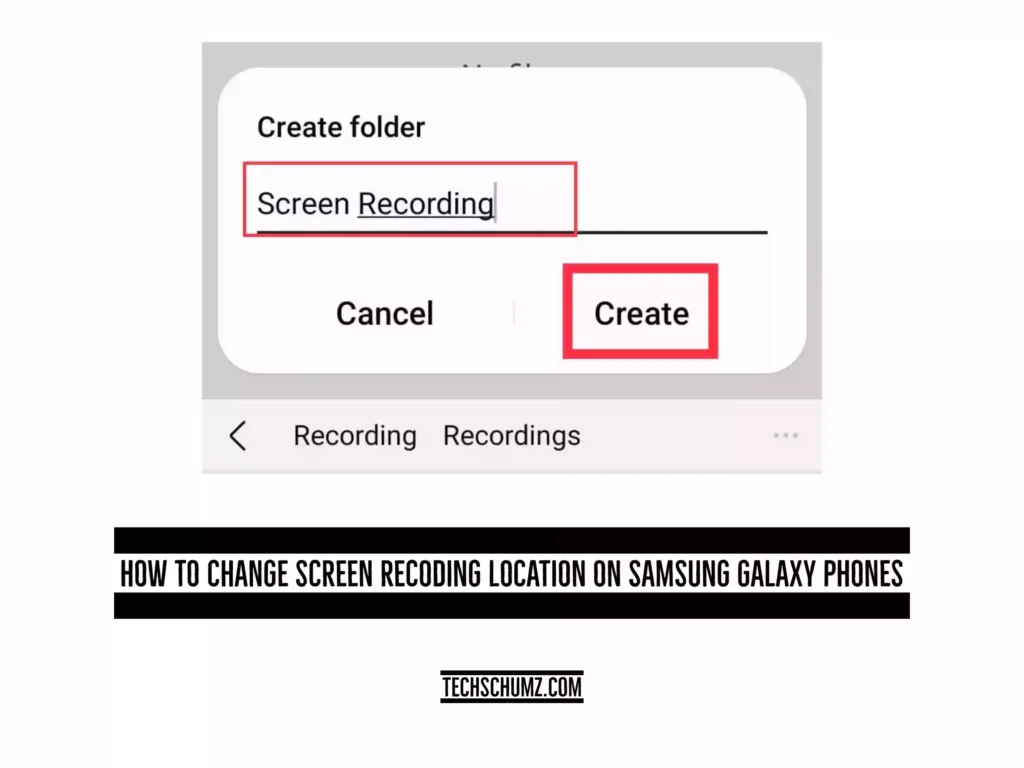
How To Change Screen Recording Location On Samsung Galaxy Phones Techschumz
How To Change Recording Resolution In OBS Studio Reviews App
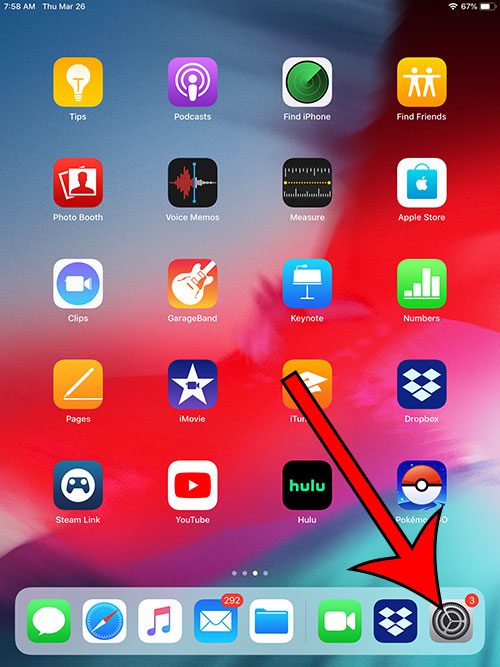
IPad Video Recording How To Change Resolution Solve Your Tech

What Is Video Recording Resolution

Web Mar 8 2023 nbsp 0183 32 To adjust the resolution for screen recording on an iPhone follow these steps 1 Open the Settings app on your iPhone 2 Scroll down and tap on Control Center 3 Tap on Customize Controls 4 Find Screen Recording in the list of controls and tap on the green button to add it to your Control Center
Web Don t know how to change screen recording resolution on iPhone in this video i found the app that can change screen recording resolutionAll Song Track Intr
Web Apr 29 2023 nbsp 0183 32 1 Go to Settings 2 Select Display amp Brightness 3 Tap Video Format 4 Select a higher resolution or frame rate from the options available When recording with your iPhone or iPad it s

Web In Video mode use quick toggles at the top of the screen to change the video resolution and frame rates available on your iPhone Tap the quick toggles in the top right corner to switch between HD or 4K recording and 24 25 30 or

Web Mar 22 2024 nbsp 0183 32 Step 1 Open Settings Navigate to your iPhone s settings by tapping the Settings icon on your home screen This is where you ll find a plethora of options to customize your iPhone experience including the camera settings Step 2 Tap on Camera In the settings menu scroll down until you find Camera and tap on it
Web Apr 24 2024 nbsp 0183 32 How to record your screen Go to Settings gt Control Center then tap the Add button next to Screen Recording Open Control Center on your iPhone or on your iPad Tap the gray Record button then wait for the three second countdown Exit Control Center to record your screen To stop recording tap the Screen Recording Web Mar 4 2022 nbsp 0183 32 Hi how can I record my iPhone s screen at 1080p If I simply record my iPhone with the recorder in the control center it save my video in 888x1920 and if I load it in YouTube it become 480p Please help me to record my iPhone at 1080p without PC if it
Web Nov 3 2018 nbsp 0183 32 1 Answer Sorted by 3 You aren t missing anything There are no settings whatsoever that you can change to customize the capture characteristics of the built in iOS screen recorder How to record the screen on your iPhone iPad or iPod touch