Change Pdf Into Word Document How To Convert PDF To Word YouTube How To Convert PDF Into Word Document YouTube How To Convert PDF Into Word Document YouTube Free Download How To Convert Scanned Pdf File Into Word Document Word To Pdf Converter Onlin Web Expand the Upload dropdown and select your files 2 Convert PDF to Word Click the Convert button and then Download your Word file
Web Oct 13 2023 nbsp 0183 32 Launch the application from the desktop Press the quot From PDF quot button on the app s main menu Click quot Add PDF File quot to add files for conversion or drag and drop them to the working area Hit quot Convert quot to initiate the conversion process Click the quot Open Folder quot to one folder with the converted Word files Web Oct 9 2023 nbsp 0183 32 Step 4 Convert the Word Document to PDF After adding the file Wise PDF Editor automatically converts your Word document to PDF You don t need to click any other buttons Once the conversion process is complete you will be able to view the converted document You can find the converted PDF file in the same location as your
Word To Pdf Converter Onlin Convert Pdf To Word Using Google Drive Pdf To Word How To Convert GUIDE How To Insert PDF Into Word Document Very Easily YouTube 3 Ways To Convert A PDF To A Word Document WikiHow How To Insert PDF Into Word Document BlogRanky How To Turn A Pdf Into Word Thepiratebaybuddy Convert Word To Pdf Tanpa Mengubah Format Beinyu How To Insert Pdf Into Word Document Iphonesexi How To Insert Pdf Into Word Document As A Page Watchespor
Change Pdf Into Word Document
 Change Pdf Into Word Document
https://i.ytimg.com/vi/VPflooI2eK4/maxresdefault.jpg
Web Oct 12 2023 nbsp 0183 32 Hi All I hope somebody can help i m working with a MS Word document that was created by one of our users and is trying to convert the document into a PDF She does this either by doing a simple file save As and selecting the pdf extension or using the Print To Adobe PDF function After she converts the word document into a PDF and
Templates are pre-designed files or files that can be used for different functions. They can conserve time and effort by supplying a ready-made format and layout for producing various sort of content. Templates can be used for individual or professional jobs, such as resumes, invitations, flyers, newsletters, reports, presentations, and more.
Change Pdf Into Word Document

3 Ways To Convert A PDF To A Word Document WikiHow
Convert Pdf To Word Using Google Drive Pdf To Word How To Convert
GUIDE How To Insert PDF Into Word Document Very Easily YouTube

3 Ways To Convert A PDF To A Word Document WikiHow

How To Turn A Pdf Into Word Thepiratebaybuddy
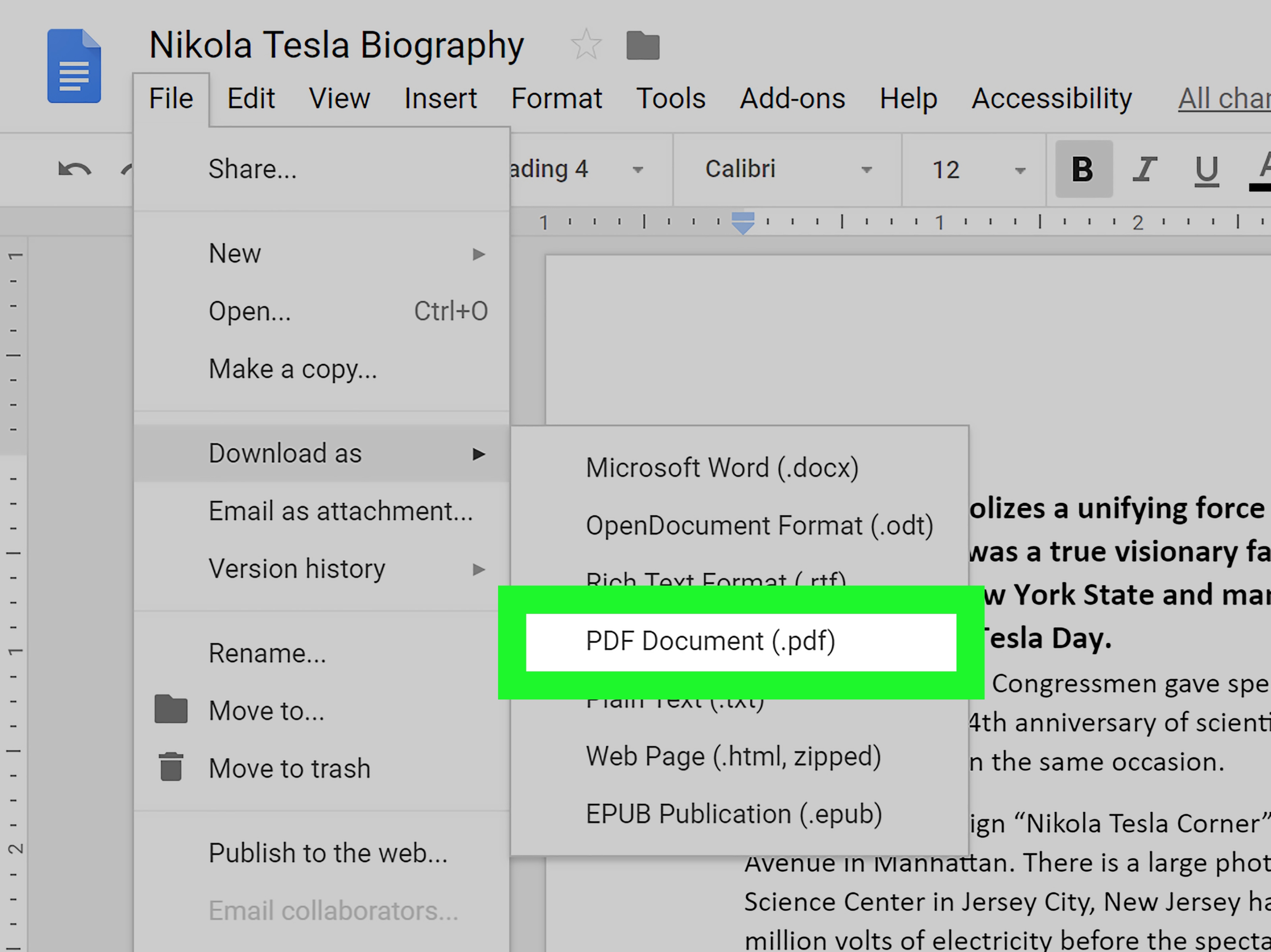
Convert Word To Pdf Tanpa Mengubah Format Beinyu

Web Convert your PDF files into Word documents for free no sign up or installation needed Simply drag and drop your PDF and convert it to DOCX in seconds Works on Mac Windows and other platforms

Web Turn PDFs into editable Word files It s quick and easy to convert a PDF into a Word document with the Adobe Acrobat online tool Drag and drop your PDF then download the converted Word file

Web Instantly convert PDF to DOC with this free online converter This free online PDF to DOC converter allows you to save a PDF file as an editable document in Microsoft Word DOC format ensuring better quality than many other converters Click the UPLOAD FILES button and select up to 20 PDF files you wish to convert

Web How to Convert PDF to WORD Click the Choose Files button to select your PDF files Click the Convert to WORD button to start the conversion When the status change to Done click the Download WORD button

Web PDF ke Word berkualitas terbaik di pasaran gratis dan mudah digunakan Tanpa cat air tanpa batasan konversi PDF ke Word dalam hitungan detik
Web Select the PDF document you wish to convert by clicking on the quot Select your PDS quot button or by simply dragging and dropping the file into the designated area 2 Convert your PDF into a Word file PDFescape will automatically convert your Web Easily convert your PDF files into easy to edit DOC and DOCX documents The converted WORD document is almost 100 accurate Add text images shapes or freehand annotations to a PDF document Edit the size font and color of the added content PDF to JPG Convert each PDF page into a JPG or extract all images contained in a PDF JPG
Web Open a PDF file in Acrobat Click on the Export PDF tool in the right pane Choose Microsoft Word as your export format and then choose Word Document Click Export If your PDF contains scanned text the Acrobat Word converter will run text recognition automatically Save your new Word file