Change Namecheap Nameservers How To Change Namecheap Nameservers And DNS Records Bizanosa How To Change Namecheap Nameservers To Point Your Domain To ChemiCloud How To Change NameCheap Nameservers 4 Easy Steps How To Change NameCheap Nameservers 4 Easy Steps How To Change Namecheap Nameservers Change your background and use visual effects Important Participants who join the meeting while not logged into a Google account and participants who need to knock to get admitted can only
Official Google Chrome Help Center where you can find tips and tutorials on using Google Chrome and other answers to frequently asked questions Add a recovery email address to get back into your account quickly and securely if you forget your password or get locked out
How To Change Namecheap Nameservers How To Change Namecheap Nameservers To Point Your Domain To ChemiCloud How To Change NameCheap Nameservers 4 Easy Steps How To Change NameCheap Nameservers 4 Easy Steps Namecheap How To Change Nameservers And Edit DNS Records YouTube I Have Both Hosting And Domain s With Namecheap Do I Still Need To Change The Nameservers How To Change NameCheap Nameservers 4 Easy Steps How To Change Nameservers And Point To Another Provider How To Change Your Domain DNS Address Namecheap The Modern Time
Change Namecheap Nameservers
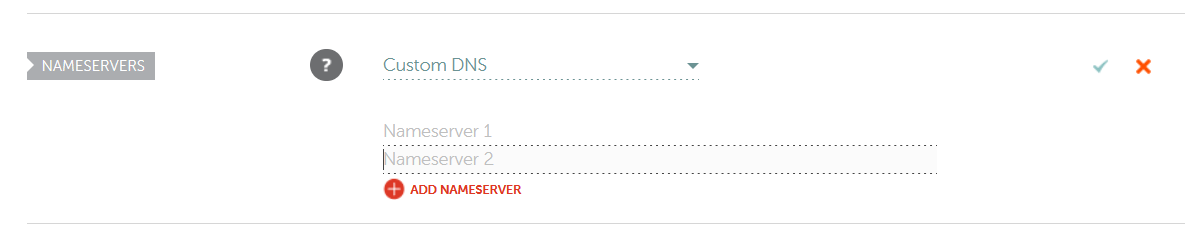
https://lh6.googleusercontent.com/tyriUgsqyByvnf0sgt5MSWMFHiik-GDR597W1f5ZjqSudLv6jSNNakTcbVO-aOKHCTaWmoHPQ6POsoxiMLUerK44NhBy5l1o2R3l2qVYFIJKOwTRXNHNckinIq44TORuKVMqT5esl29F_uFjWg
To get results from Google each time you search you can make Google your default search engine Set Google as your default on your browser If your browser isn t listed below check its
Templates are pre-designed files or files that can be utilized for numerous functions. They can conserve time and effort by providing a ready-made format and layout for creating various sort of material. Templates can be used for individual or professional tasks, such as resumes, invites, flyers, newsletters, reports, presentations, and more.
Change Namecheap Nameservers
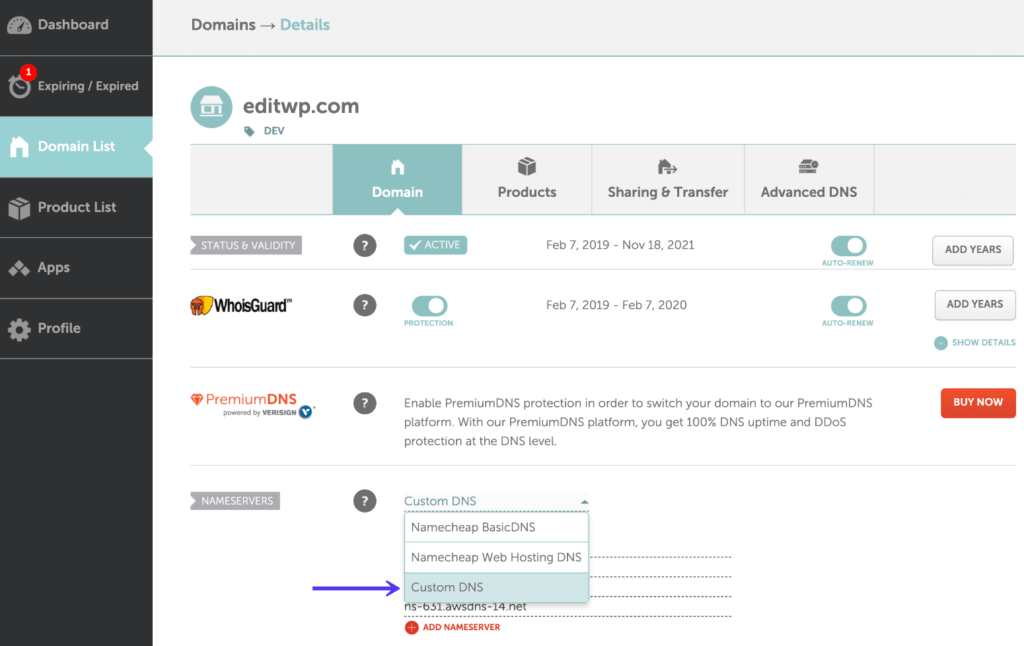
How To Change NameCheap Nameservers 4 Easy Steps
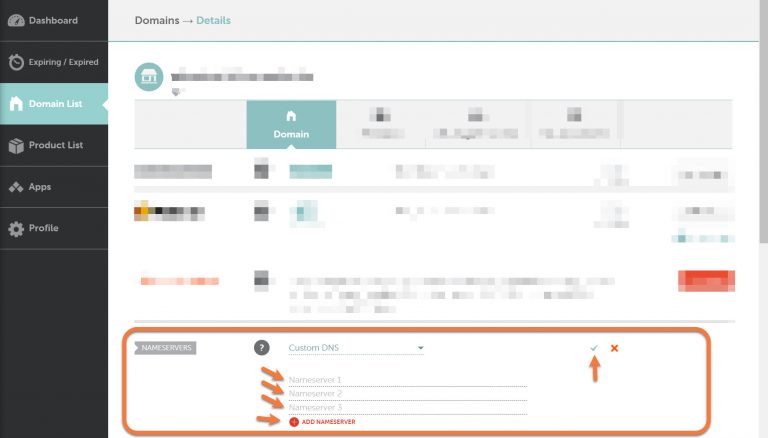
How To Change Namecheap Nameservers To Point Your Domain To ChemiCloud
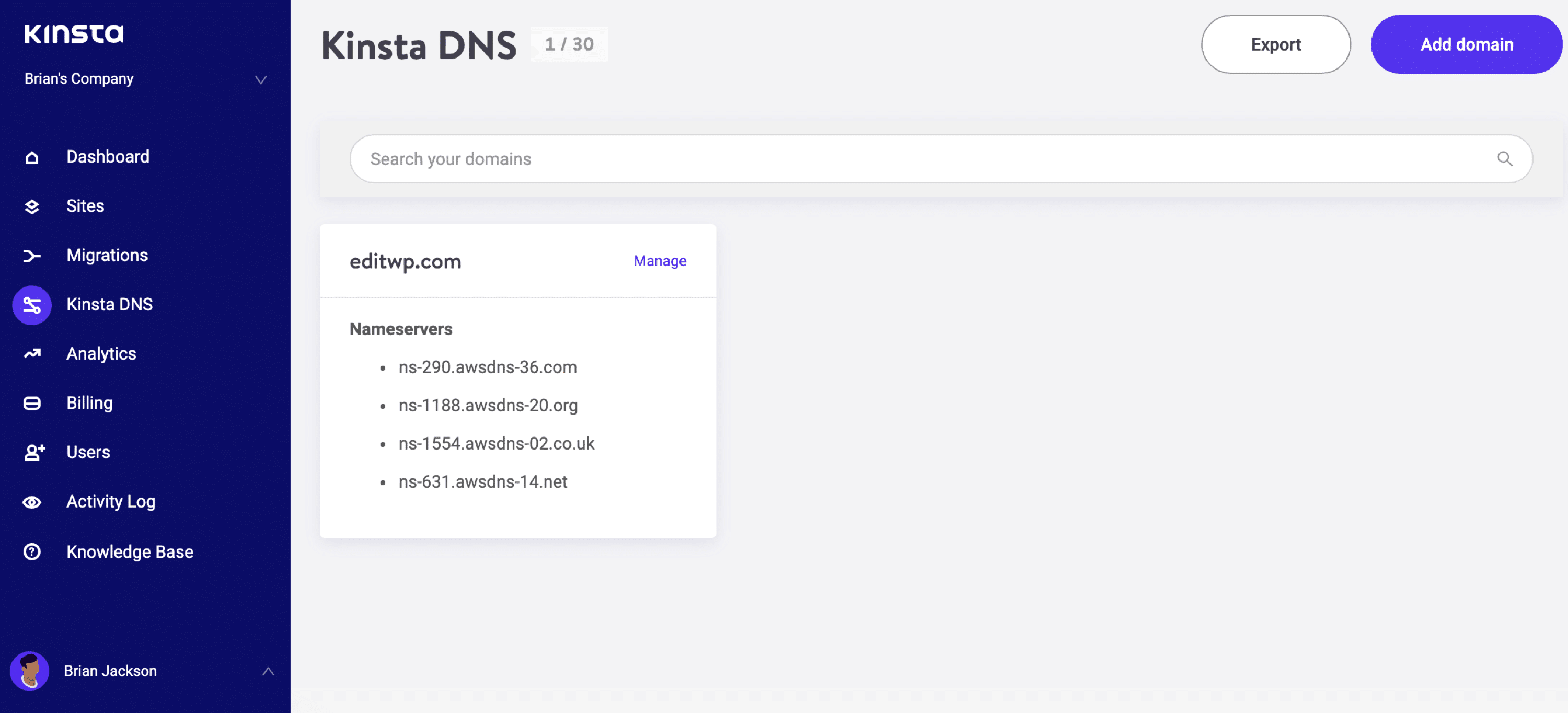
How To Change NameCheap Nameservers 4 Easy Steps
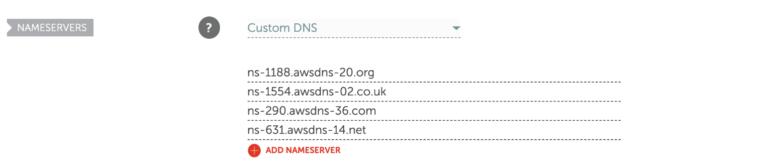
How To Change NameCheap Nameservers 4 Easy Steps

I Have Both Hosting And Domain s With Namecheap Do I Still Need To Change The Nameservers
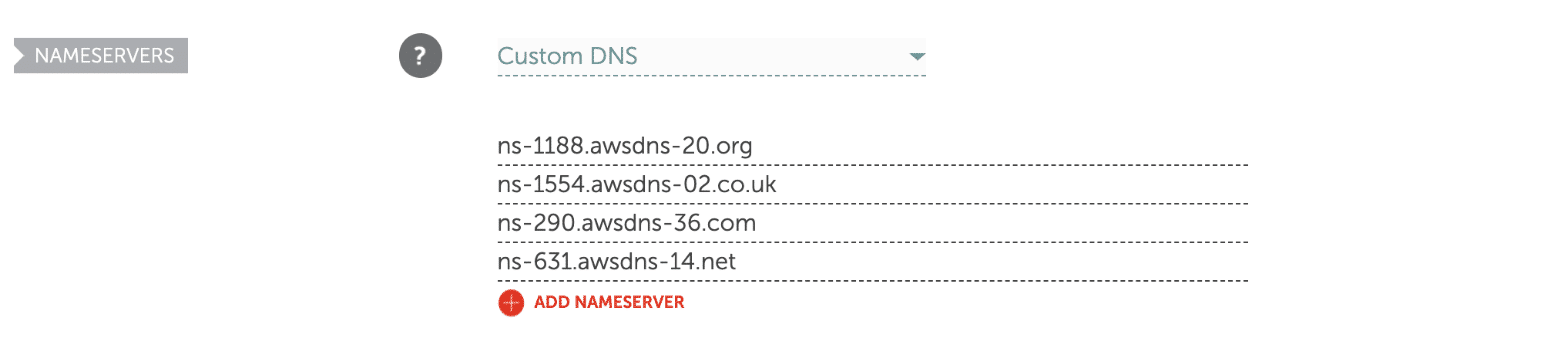
How To Change NameCheap Nameservers 4 Easy Steps

If you change or reset your password you ll be signed out everywhere except Devices you use to verify that it s you when you sign in Some devices with third party apps to which you ve given
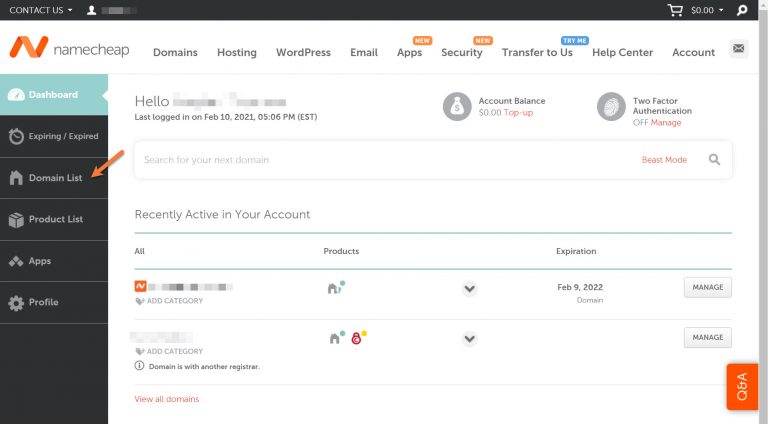
On your computer go to Gmail In the top right click Settings See all settings At the top choose a settings page such as General Labels or Inbox Make your changes After you re done with
At the top next to quot Make Google Chrome your default browser quot click To make sure the change applied to the correct file types review the list below the quot Set default quot button To easily open
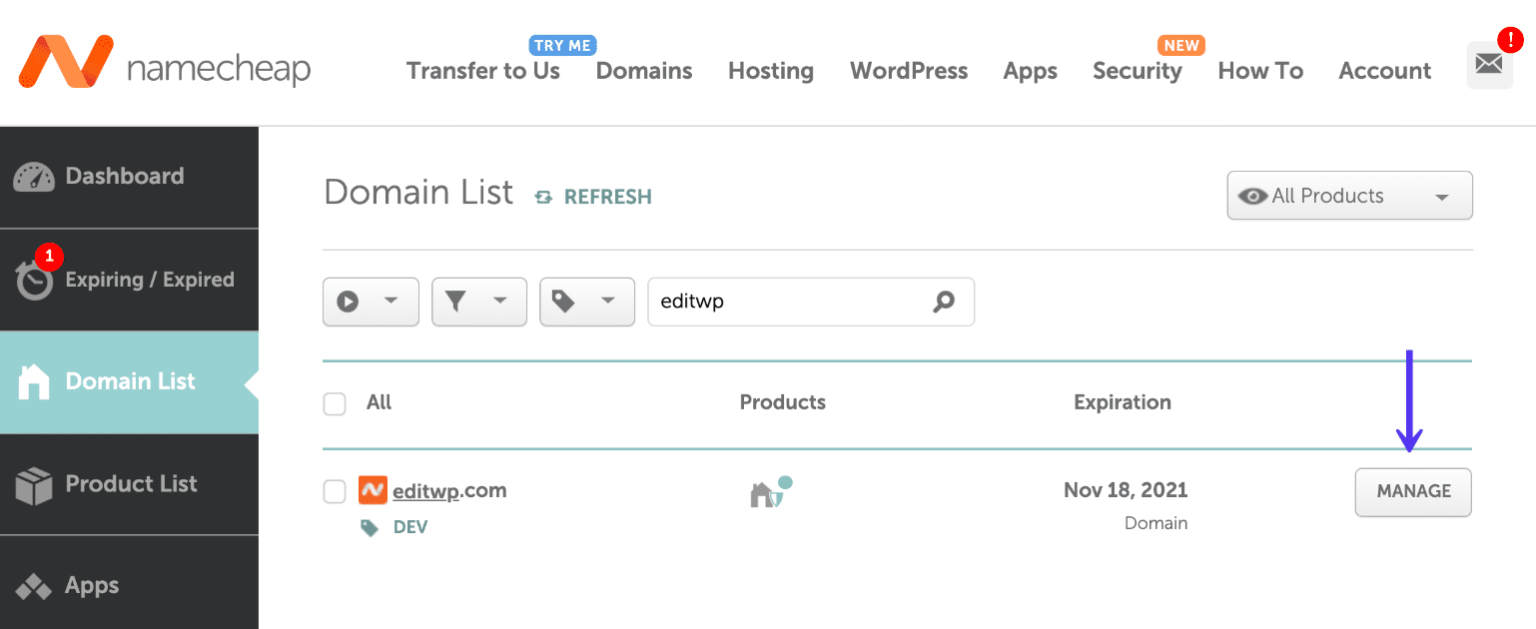
You can change delete and add a backup payment method to make sure your membership stays active Make sure you use an accepted payment method
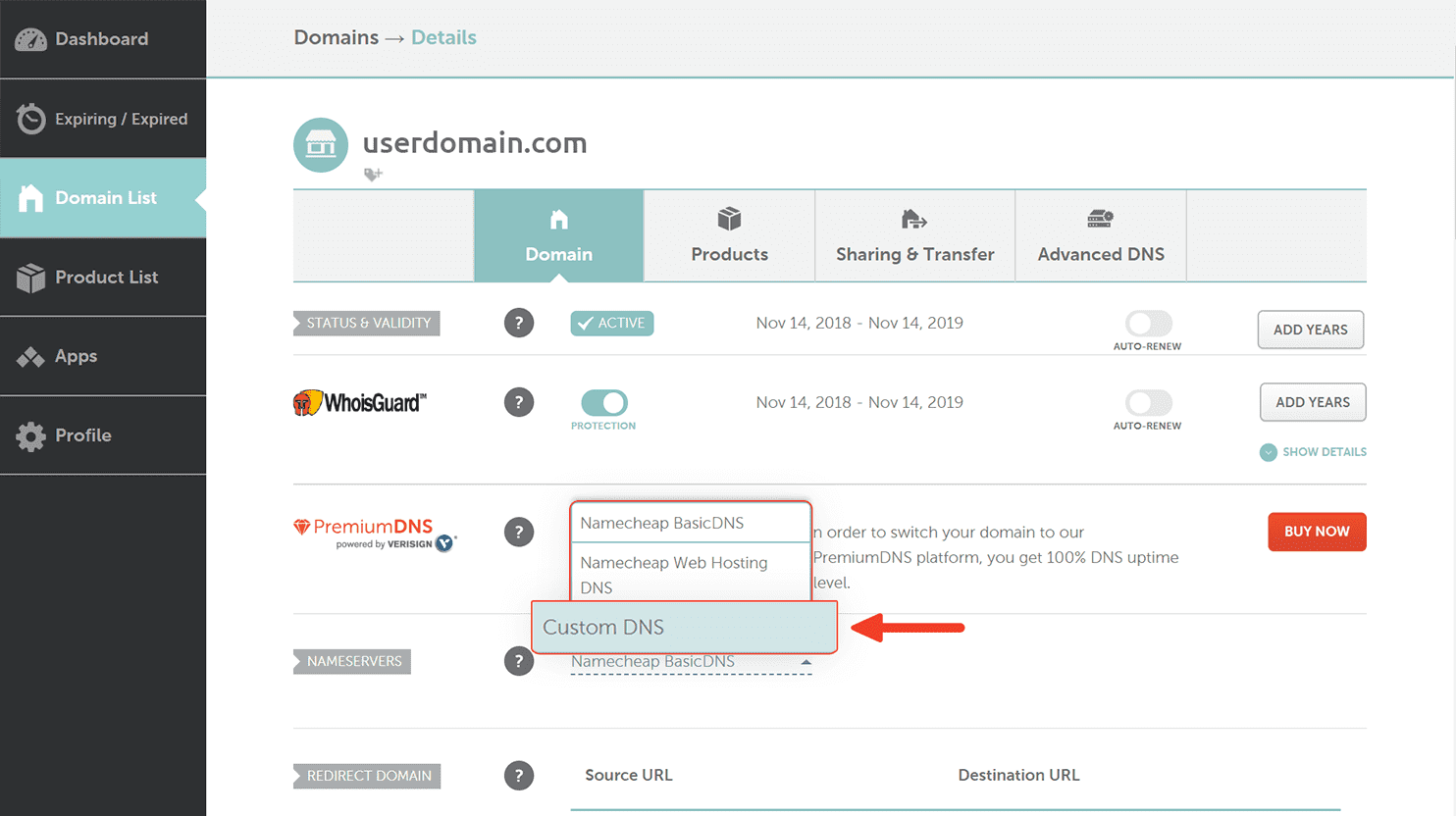
Change your default page translation settings You can use Chrome to translate pages based on your preferred language settings Important To turn translation suggestions on or off on your
[desc-11] [desc-12]
[desc-13]