Change Font Size Of Textview Android Programmatically S Ramakrishnan Marg Youtube Mavis Gc S o b Trade Construction Qatar S Sreesanth Married How To Change Text Size Of TextView YouTube FREE Custom TextView Extension An Extension For Making Different Types Of Labels With More Android Studio Change App Background Color Best Wallpaper Alba Android Create TextView Programmatically Web Mar 27 2015 nbsp 0183 32 the method TextView setTextSize int unit float size takes two parameters Try this text setTextSize TypedValue COMPLEX UNIT SP 14 refer this and this
Web Dec 16 2022 nbsp 0183 32 Default The default setting lets the autosizing of TextView scale uniformly on horizontal and vertical axes To define the default setting programmatically call the Web Aug 26 2012 nbsp 0183 32 To Change Programmatically Typeface typeface getResources getFont R font lobster or to support all versions use Typeface typeface ResourcesCompat getFont context
Android Create TextView Programmatically Android Studio How To Add Border To A Text In Textview Android UptimeTechsupport Android EditText Add This To Your App To Take Input From Users DataFlair Text Style Of A Substring Android Studio Kotlin Create An Android TextView Programmatically In Kotlin Tutorialwing How To Customize AppCompat EditText In Android GeeksforGeeks How To Add Border To A Text In Textview Android UptimeTechsupport What s New For Text In Android P LaptrinhX
Change Font Size Of Textview Android Programmatically
 Change Font Size Of Textview Android Programmatically
http://cdn.i0.cz/public-data/d8/47/93baa59a3a28a9b2e435c3236bec_w720_h394_g6e4bd2fc59cd11e4b0c4002590604f2e.jpg?hash=c3f50cbc87369625d503624eb0970668
Web Nov 7 2012 nbsp 0183 32 Actually Settings font size affects only sizes in sp So all You need to do define textSize in dp instead of sp then settings won t change text size in Your app
Templates are pre-designed files or files that can be utilized for various purposes. They can save time and effort by supplying a ready-made format and design for developing different sort of content. Templates can be used for individual or professional jobs, such as resumes, invitations, flyers, newsletters, reports, presentations, and more.
Change Font Size Of Textview Android Programmatically

How To Change Textview Text In Android Tech Faq
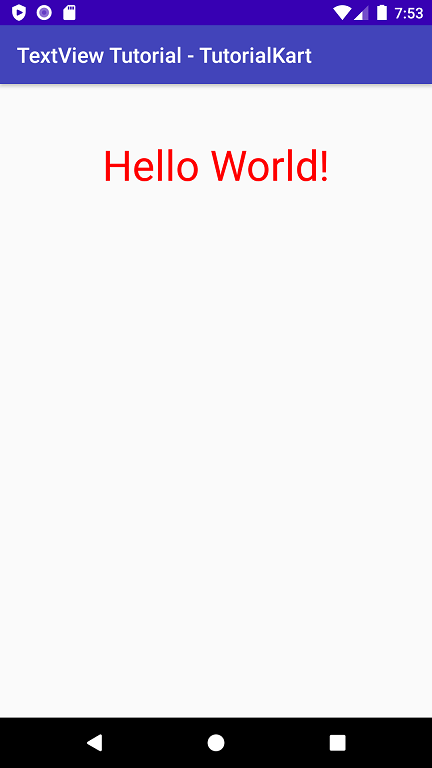
Android Studio

How To Add Border To A Text In Textview Android UptimeTechsupport
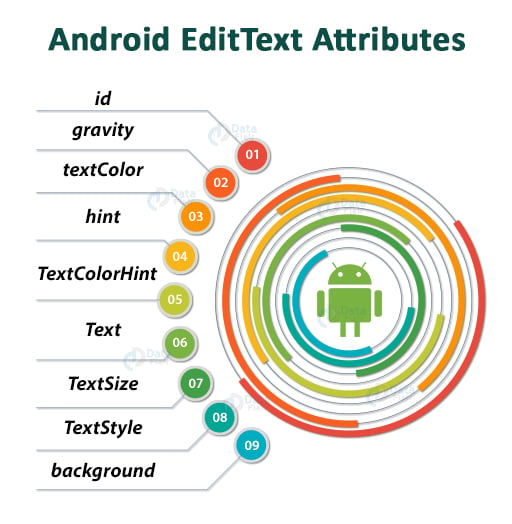
Android EditText Add This To Your App To Take Input From Users DataFlair

Create An Android TextView Programmatically In Kotlin Tutorialwing

How To Customize AppCompat EditText In Android GeeksforGeeks

Web Feb 18 2021 nbsp 0183 32 Practice In this App we are going to learn how to increase or decrease TextView Font Size in android programmatically Like we have seen that in many apps we sometimes want to enlarge the text So

Web Aug 12 2018 nbsp 0183 32 Solution Setting the Android TextView font size programmatically is a simple two step process First define everything about the font that you want to use in a

Web Feb 15 2022 nbsp 0183 32 Step by Step Implementation Step 1 Create a New Project in Android Studio To create a new project in Android Studio please refer to How to Create Start a

Web Jun 13 2016 nbsp 0183 32 8 Answers Sorted by 24 There s now an official solution to this problem Autosizing TextViews introduced with Android O are available in the Support Library 26 and is backwards compatible all the way down

Web Jan 19 2020 nbsp 0183 32 2 Yes setting text size is textView setTextSize 20 text size added few more things here 1 If you want to set as DP textView setTextSize coverPixelToDP
Web May 4 2023 nbsp 0183 32 XML file saved in res layout that applies the font to a TextView lt xml version quot 1 0 quot encoding quot utf 8 quot gt lt EditText android fontFamily quot font lobster quot Web Jan 9 2019 nbsp 0183 32 TextViewCompat setAutoSizeTextTypeWithDefaults this TextViewCompat AUTO SIZE TEXT TYPE UNIFORM You ve replaced the hardcoded
Web Dec 9 2022 nbsp 0183 32 The setTextSize method is commonly used to set the text size programmatically in Android It is found in the TextView class and takes two