Change Folder Name How To Change The User Profile Folder Name In Windows 11 Vrogue Windows Folder Icon Change Archives Howto Go It My XXX Hot Girl Change User Name Windows 11 Rename User Folder Windows 11 Rename User Folder Windows 8 Kummagnet Change Onedrive Location In Windows 10 Www vrogue co Type the new name of the file or folder into the name box Then click outside of the name box into the blank area of the window or press the Enter key on your keyboard to set its new name A picture showing how to rename files and folders in Windows 11 using File Explorer
To change the default new folder name in Windows 10 you need to edit a value in the Windows Registry Here s our standard warning for registry tweaks Be careful when editing the registry as you could cause problems with your computer However if you stick to our instructions you won t have a problem The simplest tool for the job is FocusOn Renamer Download install and run it Assuming you ve moved your files into a folder the files will all be given the name of the folder that they are in In the screenshot below the files reside in a folder called Dogs
Change Onedrive Location In Windows 10 Www vrogue co How To Change Default Program Location Windows 10 Registry Wopoikk Silverstack Change Folder Name Garryoff How To Change A User Home Folder Name In Mac OS Change Windows 10 User Folder Name Windows 10 User Accounts Change Name Of User Profile Folder In Windows 10 How To Rename A Windows 10 User Folder How To Change User Folder Name How To Change Folder Name Microsoft Tech Community Change User Name Windows 10 Rename User Folder Name
Change Folder Name
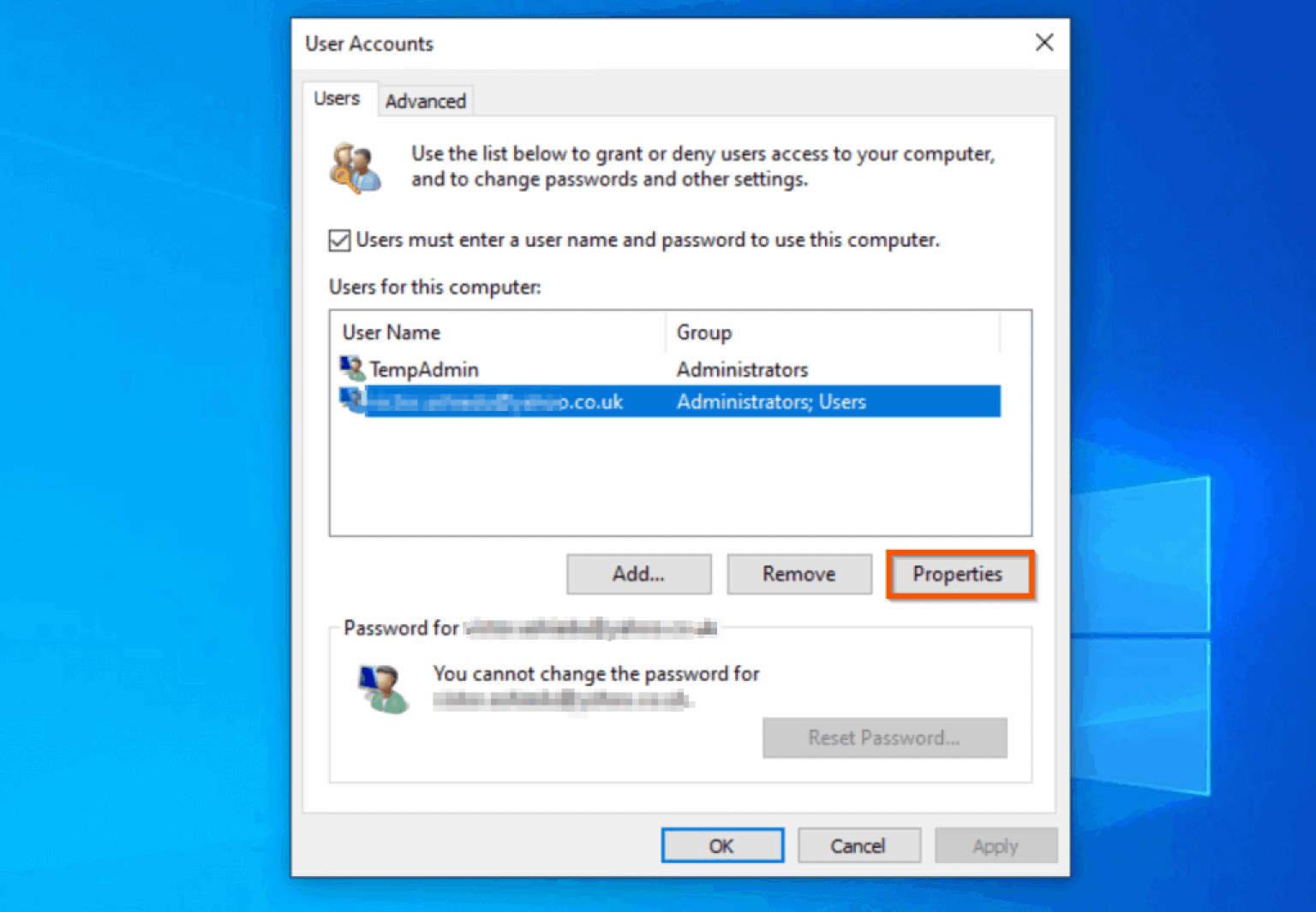 Change Folder Name
https://www.itechguides.com/wp-content/uploads/2021/07/image-89-1536x1065.png
Switch to the Details view In your File Explorer window select View then Details Select your files and perform a batch file name Press Home in your ribbon and either
Templates are pre-designed files or files that can be utilized for various functions. They can save time and effort by supplying a ready-made format and layout for creating different type of content. Templates can be used for individual or expert jobs, such as resumes, invitations, flyers, newsletters, reports, presentations, and more.
Change Folder Name
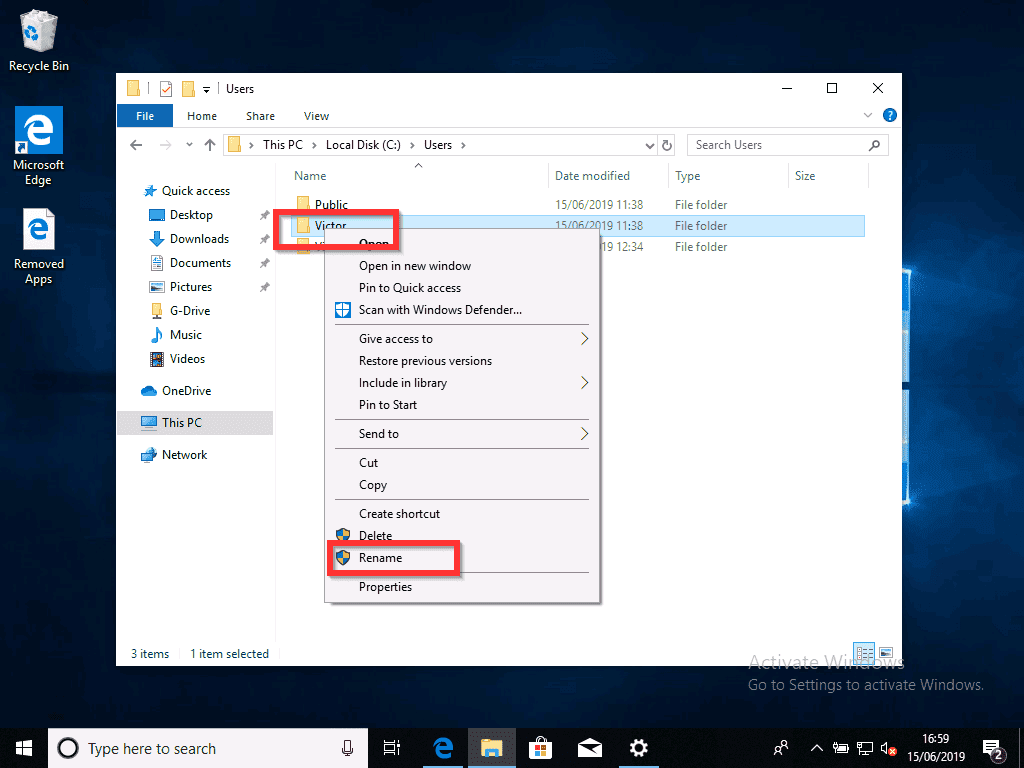
Silverstack Change Folder Name Garryoff
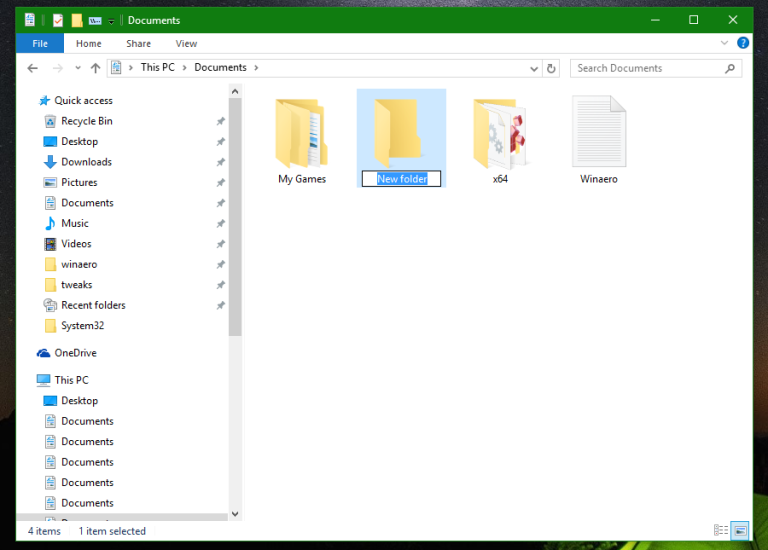
How To Change Default Program Location Windows 10 Registry Wopoikk

Silverstack Change Folder Name Garryoff
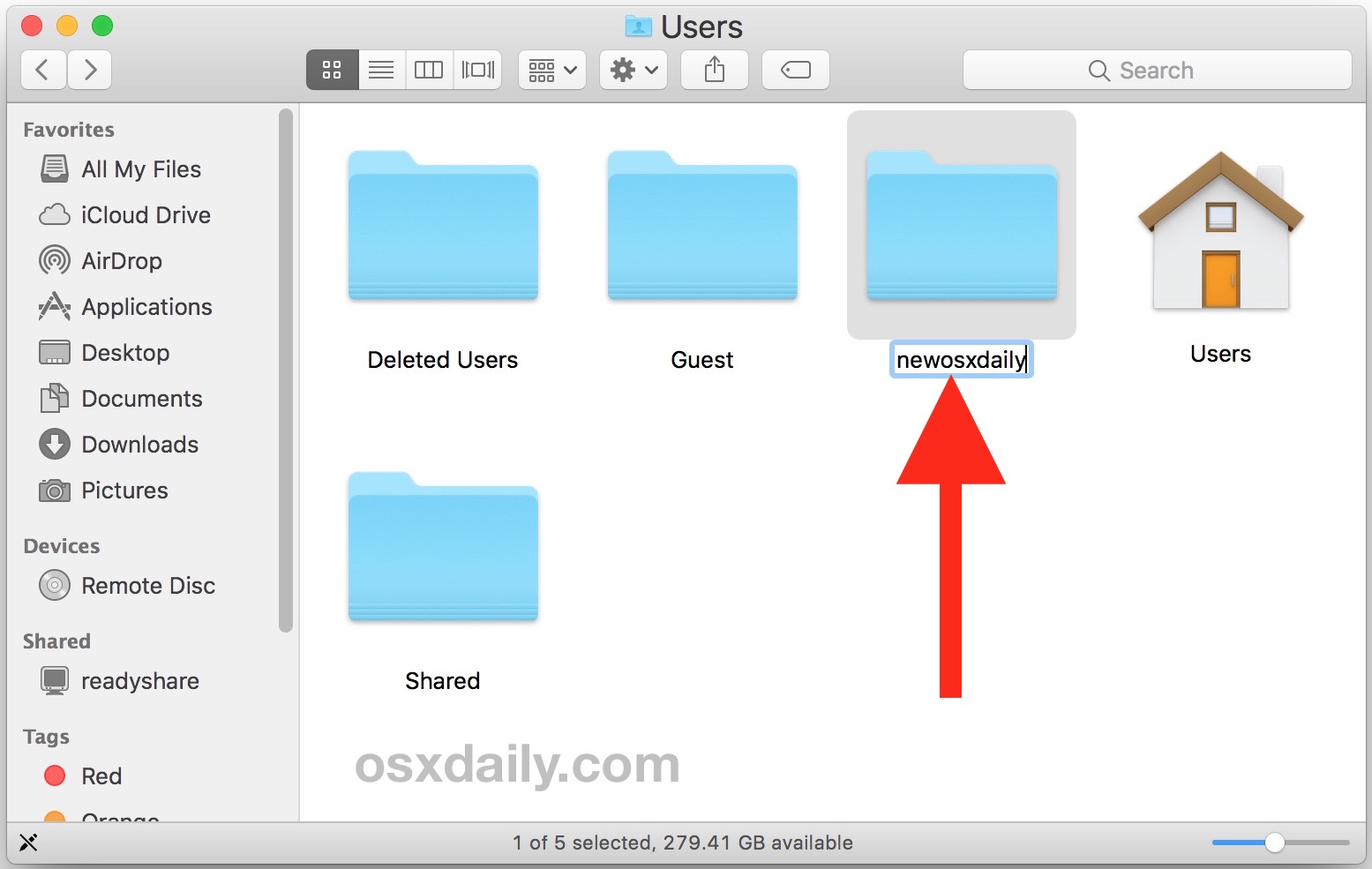
How To Change A User Home Folder Name In Mac OS

User Accounts Change Name Of User Profile Folder In Windows 10
How To Rename A Windows 10 User Folder How To Change User Folder Name

Fire up File Explorer by pressing Windows E and navigate to a directory with either a file or folder to rename Select the file with a single click pause for a second and then click one more time After the name is highlighted type out a new name and press Enter to save the changes

In Explorer select all the files you want to rename How to select or highlight multiple files and folders Once the files are selected press F2 to edit the file name and type the new name for the files For example typing test renames the files to test test 1 test 2 test 3 etc
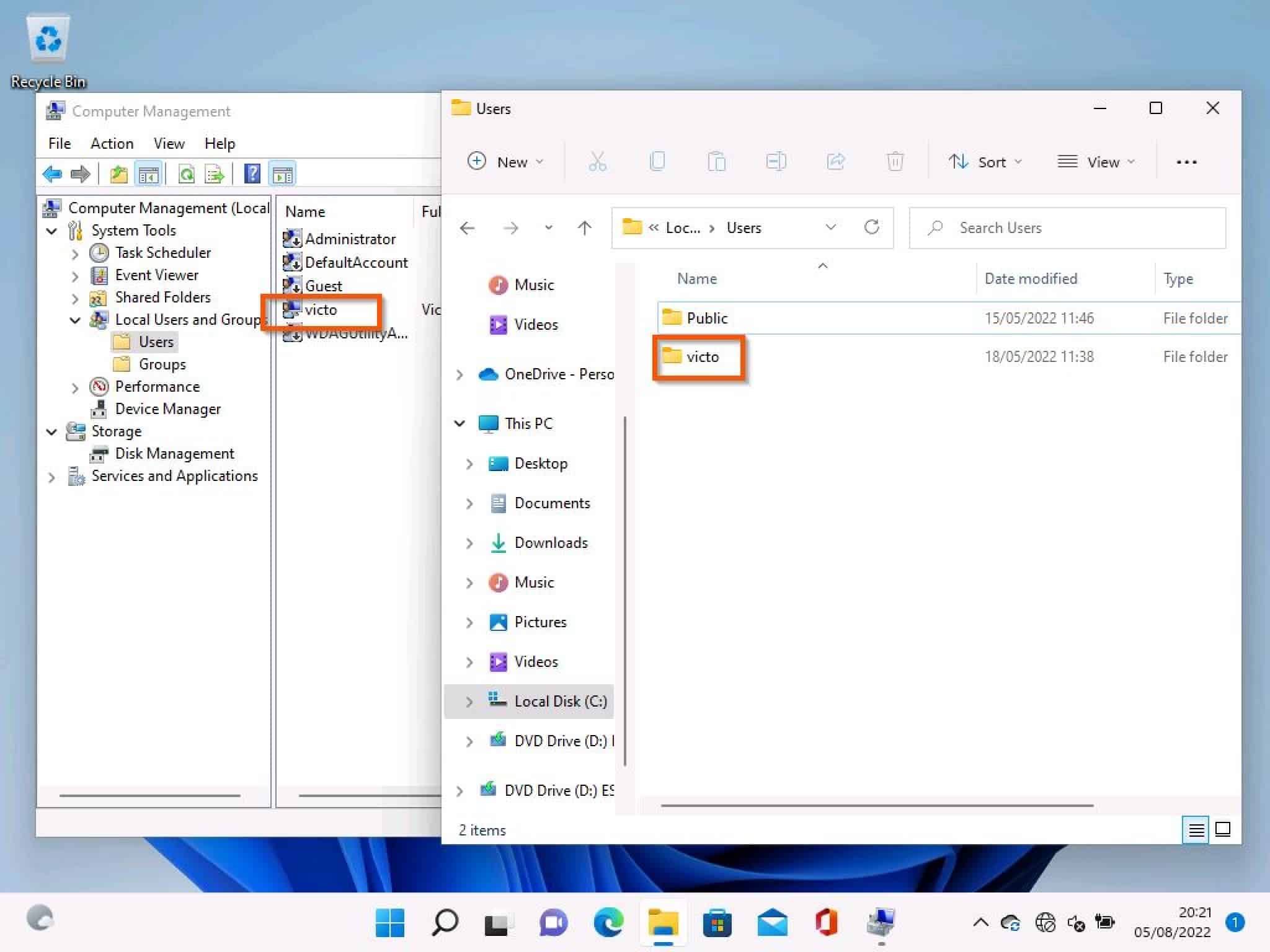
What to know Create a new local account with the name you want set it as an administrator Then go to Settings Accounts Your Info Select Sign in with a Microsoft Account instead You ll need to move all of
1 Using Context Menu Right clicking on the item Select the file or folder you want to rename and right click on that item The will open Click on the Rename option and enter the new

1 Open File Explorer Win E 2 Navigate to and select the folder s you want to rename see screenshot below 3 Click tap on Home tab and click tap on the Rename button in the ribbon 4 Type a new name for the folder s and press Enter or click tap on another area see screenshot below OPTION THREE Rename Folder with Two Single
Type the following command to change the name of a single file and press Enter Rename Item OLD FILE NAME EXTENSION NEW FILE NAME EXTENSION In the command specify the old and new file names By Ben Stockton Published May 9 2023 If you made a mistake or you fancy a change you can rename your Windows 11 user folder name This guide explains how Your user folder name
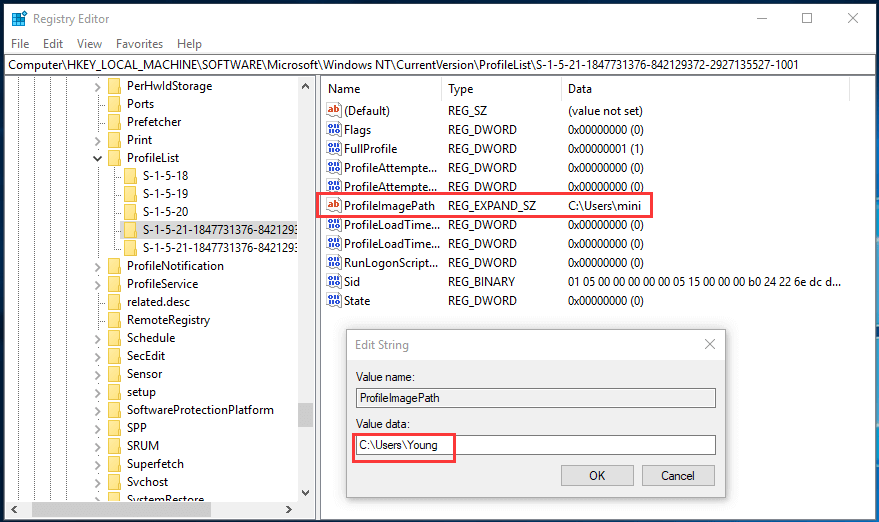
Right click the user folder you want to change and select Rename Now type the new name and press Enter Note that it must correspond with the name you set in the Registry Editor Finally click Continue when prompted With this you have successfully changed your user folder name on Windows 11