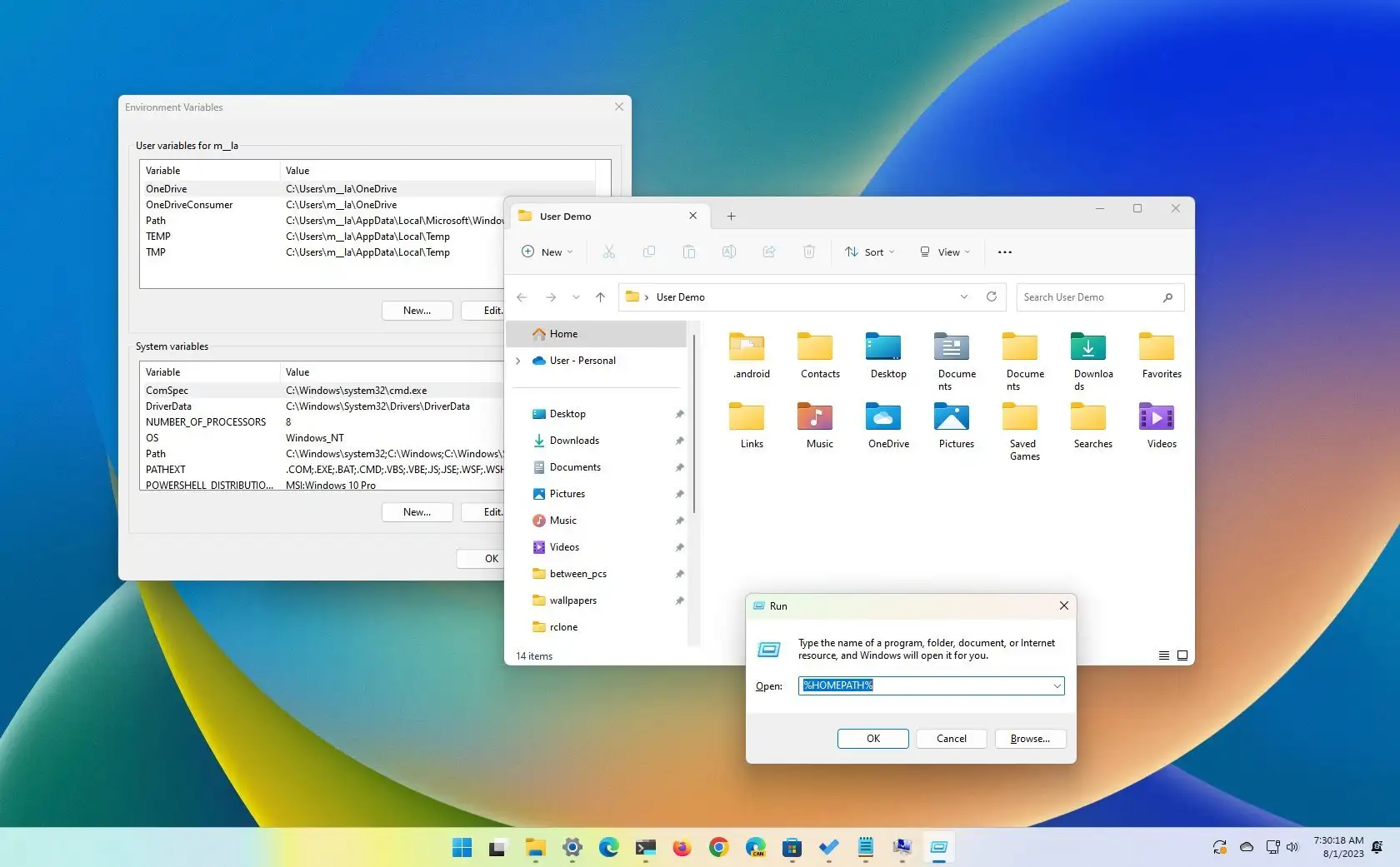
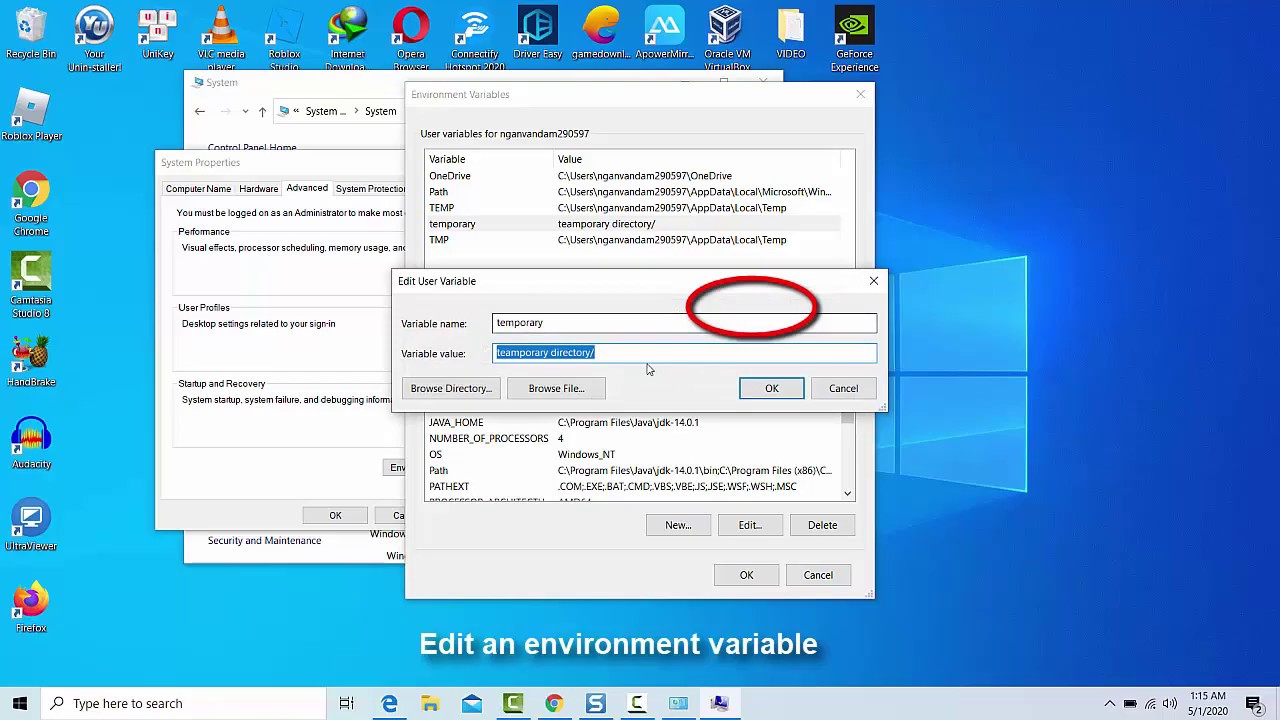
Change Environment Variables Windows 10 Cmd Complete List Of Environment Variables On Windows 10 11 Pureinfotech How To Change Environment Variable In Windows 10 YouTube Edit The System Environment Variables Windows 10 How To Set Environment Variables In Windows 11 Solved How To Set Environment Variables Windows 10 MiniTool In the Environment Variables window pictured below highlight the Path variable in the System variables section and click the Edit button Add or modify the path lines with the paths you want the computer to access Each directory path is separated with a semicolon as shown below C Program Files C Winnt C Winnt System32
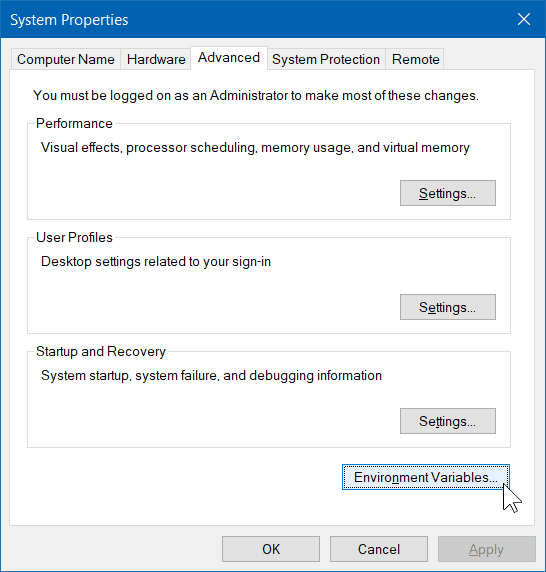
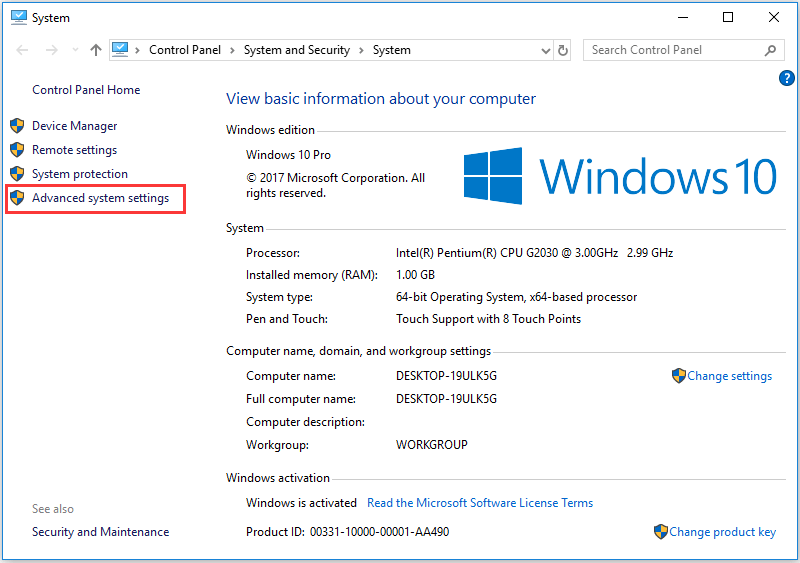
Start the command prompt as administrator on Windows 10 right click on Start menu and select Command Prompt Admin C setx m PATH C myfolder PATH SUCCESS Specified value was saved The maximum value allowed for a enviroment variable is 1024 characters 1 Press the Win X keys on the keyboard and select System from the list 2 Inside the System window click on Advanced System Settings located in the left pane 3 Within the advanced system settings click on the Environment Variables button at the bottom and follow the same procedure to edit environment variables as described above
Solved How To Set Environment Variables Windows 10 MiniTool How To Set Environment Variables In Windows 11 How To Set Environment Variables In Windows 11 How To Set Environment Variables In Windows Youtube Www vrogue co How To Set Environment Variables In Windows 10 YouTube How To Set Environment Variables In Windows Youtube Www vrogue co How To Edit PATH Variable On Windows 11 TestingDocs Microsoft Improves Environment Variables Editor In Latest Windows 10 Environmental Variables Windows 10
Change Environment Variables Windows 10 Cmd
 Change Environment Variables Windows 10 Cmd
https://pureinfotech.com/wp-content/uploads/2022/11/windows-11-environment-variables-hero.webp
Steps for Windows 10 Go to settings and enter the About menu Now go to Advanced system settings The System Properties dialogue box should appear on your screen Click on the Advanced tab and select Environment Variables Windows 10 will now display the entire list of user and system variables stored on your computer
Pre-crafted templates offer a time-saving option for producing a varied series of documents and files. These pre-designed formats and layouts can be made use of for numerous personal and professional projects, including resumes, invitations, leaflets, newsletters, reports, discussions, and more, simplifying the material creation process.
Change Environment Variables Windows 10 Cmd
How To Set Environment Variables In Windows 10 Helpful Guide

How To Set Environment Variables In Windows 11

How To Set Environment Variables In Windows 11

How To Set Environment Variables In Windows Youtube Www vrogue co
How To Set Environment Variables In Windows Youtube Www vrogue co
How To Edit PATH Variable On Windows 11 TestingDocs
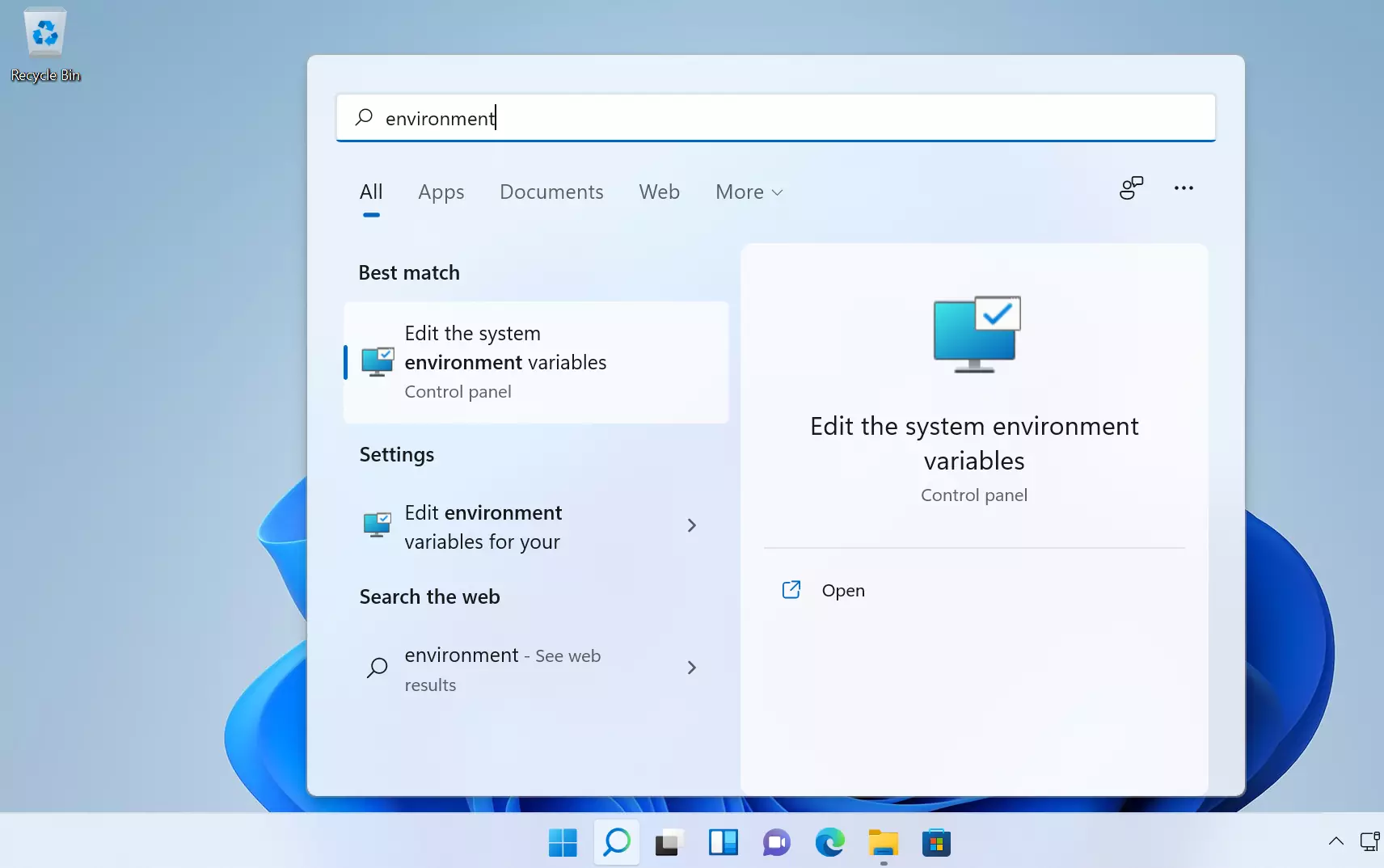
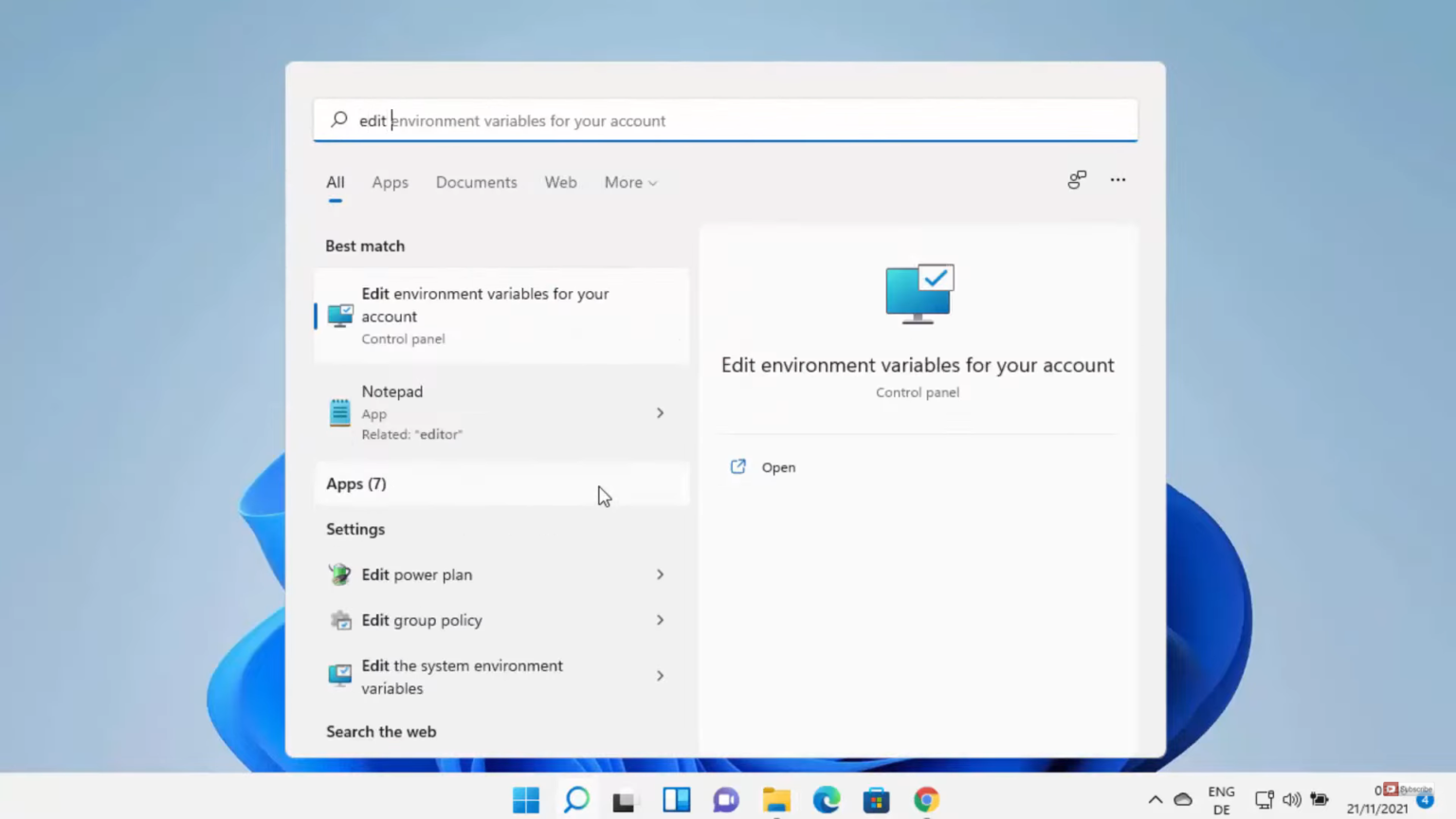
To configure your environment variables click the Start button then type environment properties into the search bar and hit Enter In the System Properties window click Environment Variables Click on the variable you d like to change click Edit Many environment variables will simply take a name and value like Number of processors

1 Open a command prompt 2 Type the set command into the command prompt press Enter and make note of the user variable name ex Downloads you want to edit the value for see screenshot below 3 Type the command below into the command prompt and press Enter see screenshot below setx variable name variable value

An environment variable is a dynamic object containing an editable value which may be used by one or more software programs in Windows In this note i am showing how to set an environment variable in Windows from the command line prompt CMD and from the Windows PowerShell
I want to set an environment variable from the command prompt and then be able to access it globally for instance I should see it by going to System Environment Variables When I use the set command it isn t accessible in a new cmd session set NEWVAR SOMETHING echo NEWVAR Related questions Share Improve this question
You can open a command prompt type set and press Enter to display all current environment variables on your PC You can open PowerShell type Get ChildItem Env and press Enter to display all current environment variables on your PC That s it Shawn Brink Windows 11 Tutorials Yasak Hayat Posts 30 Windows 10 07 Mar 2016 1 How we use this
1 Open a command prompt 2 Type the command below into the command prompt and press Enter see screenshot below setx variable name variable value Substitute variable name in the command above with the actual variable name ex Downloads you want to use To permanently change a variable at the command line use SetX or with the GUI Control Panel System Environment System User Variables Changing a variable permanently with SetX will not affect any CMD prompt that is already open Only new CMD prompts will get the new setting
1 echo Env ProgramFiles Output 1 C Program Files Set Environment Variables To set persistent environment variables at the command line we will use setx exe