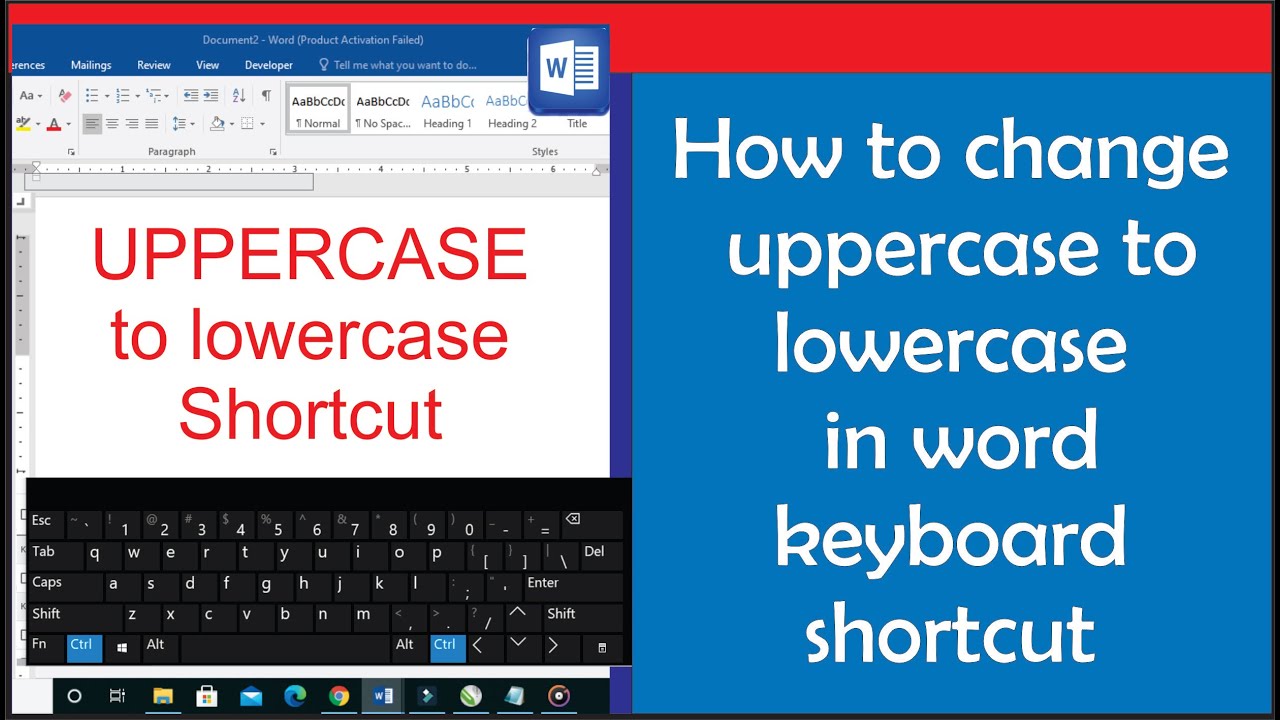
Change Case Lowercase Shortcut How To Change Uppercase To Lowercase In Word Keyboard Shortcut YouTube How To Change From Lowercase To Uppercase In Excel 13 Steps How To Change Lowercase To Uppercase In An Excel 2010 Shortcut Key Quora How To Change All Caps To Lowercase In Word Cheapest Store Save 62 Image Titled Change From Lowercase To Uppercase In Excel Step 10 Keyboard shortcut Shift F3 To change text using only the keyboard highlight the selected text hold down the Shift key and press F3 This option will toggle around three different case options All uppercase All lowercase Sentence case first letter of each sentence is uppercase and the rest lowercase
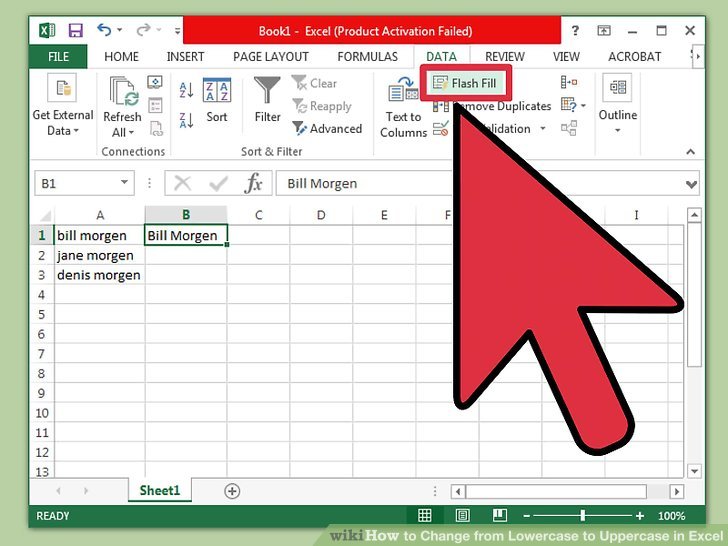
Unlike Microsoft Word Microsoft Excel doesn t have a Change Case button for changing capitalization However you can use the UPPER LOWER or PROPER functions to automatically change the case of existing text to uppercase lowercase or proper case Functions are just built in formulas that are designed to accomplish specific tasks in this case converting text case Select the text that needs an attitude adjustment Windows Press SHIFT F3 until the case you want is applied Mac Select the text and then press fn SHIFT F3 until the style you want is applied
Image Titled Change From Lowercase To Uppercase In Excel Step 10 How To Change Uppercase Letter To Lowercase In Excel Lowercase A How To Change Case In Word On Mac Lasopaguard MAKE ALL CAPS SHORTCUT Uppercase To Lowercase Shortcut Keys QUICK In Word How To Change UPPERCASE To LOWERCASE Change Case In Word How To Type Capital Letter In Keyboard YouTube How To Change Lowercase To UPPERCASE In Excel YouTube How To Change From Lowercase To Uppercase In Excel YouTube How To Change Lowercase To Uppercase In Excel YouTube
Change Case Lowercase Shortcut
 Change Case Lowercase Shortcut
https://i.ytimg.com/vi/uODtVLGXlQ8/maxresdefault.jpg
Open File Preferences Keyboard Shortcuts or Code Preferences Keyboard Shortcuts for Mac Users In the search bar type transform By default you will not have anything under Keybinding Now double click on Transform to Lowercase or Transform to Uppercase Press your desired combination of keys to set your keybinding
Templates are pre-designed documents or files that can be utilized for different functions. They can save time and effort by offering a ready-made format and layout for developing various kinds of content. Templates can be used for personal or professional projects, such as resumes, invites, leaflets, newsletters, reports, discussions, and more.
Change Case Lowercase Shortcut
Microsoft Excel For Mac How To Change Uppercase To Lowercase Fasrjob

How To Change Uppercase Letter To Lowercase In Excel Lowercase A
How To Change Case In Word On Mac Lasopaguard

MAKE ALL CAPS SHORTCUT Uppercase To Lowercase Shortcut Keys QUICK
How To Type Capital Letter In Keyboard YouTube
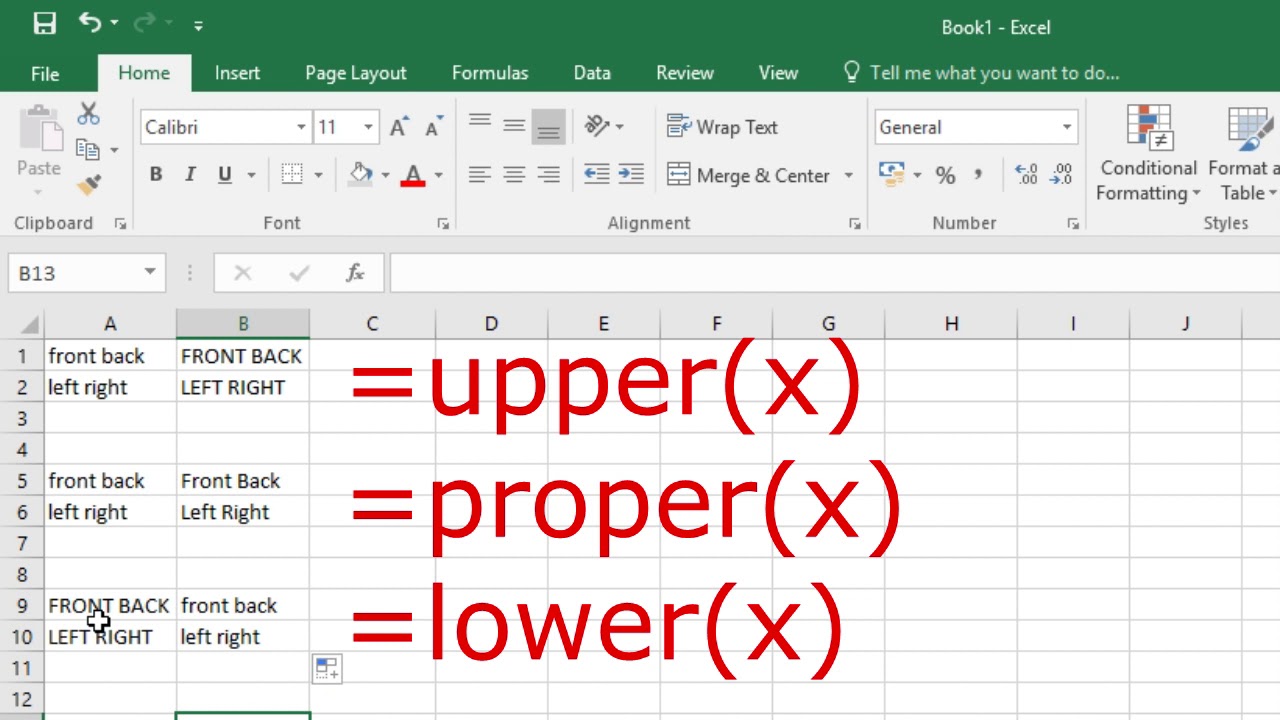
How To Change Lowercase To UPPERCASE In Excel YouTube
That answer converts to upper case but the question specifies change case Common case change operations include to UPPER to lower to Title The code in the answer can be duplicated twice to give the other two operations and shortcuts to lower Ctrl Shift L l Convert selected text to lowercase

To change the case for the whole document you can use the Ctrl A keyboard shortcut to select everything Hold down Shift and press F3 When you hold Shift and press F3 the text toggles from sentence case first letter uppercase and the rest lowercase to all uppercase all capital letters and then all lowercase
There are also some programs that support the ability to change the case of text that has already been typed For example in Microsoft Word you can highlight text and press the keyboard shortcut Shift F3 to change between lowercase uppercase and proper case Click the link below for the program you want to convert the case
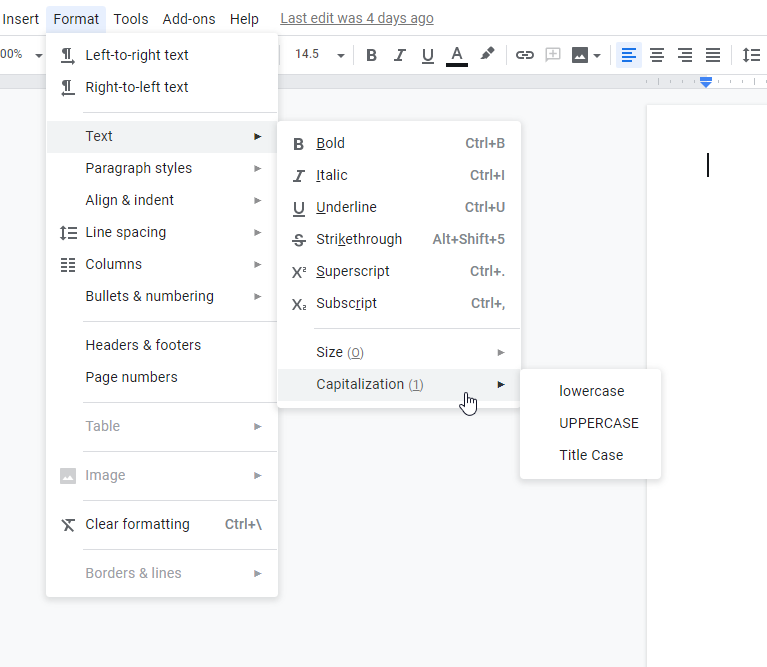
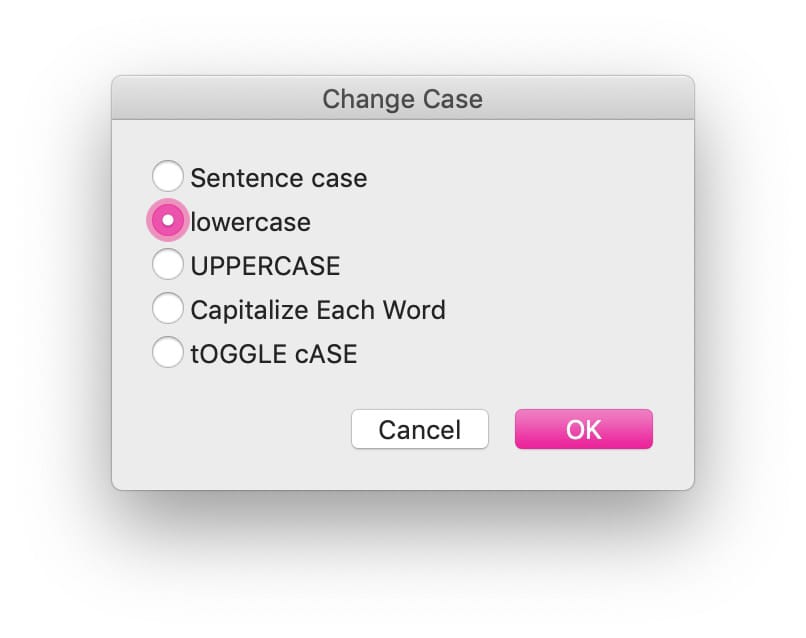
Select the text Click the Home tab in the Ribbon Click Change Case in the Font group Aa A drop down menu appears Select the desired case The Change Case drop down menu appears as follows The following options appear in the Change Case drop down menu Sentence case capitalizes the first letter of a sentence

To use the shortcut simply highlight the text you want to convert and press the Shift and F3 keys at the same time Each time you press the shortcut the text will cycle through all lowercase all uppercase and sentence case capitalizing the first letter of each sentence If the keyboard shortcut doesn t work for you or if you need to
Method 1 Change Case in Word Using the Ribbon Menu Step 1 Open the Word document Open the document where you want to change the text case Step 2 Select the text Select the text you wish to change To highlight a word double click on it To highlight a sentence click at the start of the sentence In the drop down menu that appears you ll have five options to choose from Sentence case Change the first letter of each sentence to uppercase while leaving all others lowercase lowercase Changes all letters to lowercase UPPERCASE Changes all letters to uppercase Capitalize Each Word Capitalizes the first letter of each word tOGGLE cASE Shifts between the currently selected case
Go to Home and in the Font group select the Change Case Aa button PowerPoint Choose from these five options Sentence case capitalizes the first letter in the selected sentence or bullet point lowercase converts the selected text to lowercase without exception UPPERCASE converts the selected text to an all caps setting