Centos 8 Desktop Install How To Install CentOS 8 Desktop C i t CentOS 8 Desktop CentOS 8 Released Download DVD ISO Images How To Install CentOS 8 Desktop Visual Guide New Features Of CentOS CentOS 8 Review Let s Toast To The Next Ten Years Step by step guide on how to install CentOS 8 with GNOME desktop environment featuring all the new features of CentOS 8 Home Linux System Administration Basics Bash Logging Security Tips Monitoring Grafana InfluxDB Kibana Prometheus Software Engineering Guide CentOS Debian Ubuntu DevOps ELK stack Docker Productivity About Popular Posts 1
Installation Guide Getting Started Downloading CentOS Preparing Installation Media CD or DVD USB Drive Making an Installation USB Drive on Linux Making an Installation USB Drive on Windows Making an Installation USB Drive on Mac Preparing Installation Sources Installation Source on a DVD Installation Source on a Hard Drive Installation methods You can install CentOS using one of the following methods Quick install Install CentOS on AMD64 Intel 64 and 64 bit ARM architectures using the graphical user interface
CentOS 8 Review Let s Toast To The Next Ten Years CentOS Linux 8 Ends In 2021 Replaced By CentOS Stream CentOS Linux 8 Will End In 2021 And Shifts Focus To CentOS Stream Gui How To Install Desktop Environments On CentOS 7 Unix Linux CentOS 6 5 Desktop Installation Guide With Screenshots BinaryTides CentOS 8 Released Download DVD ISO Images How To Install CentOS 8 Desktop Centos 8 desktop Manjaro Dot Site How To Install And Configure VNC Server On Centos 8 RHEL 8
Centos 8 Desktop Install
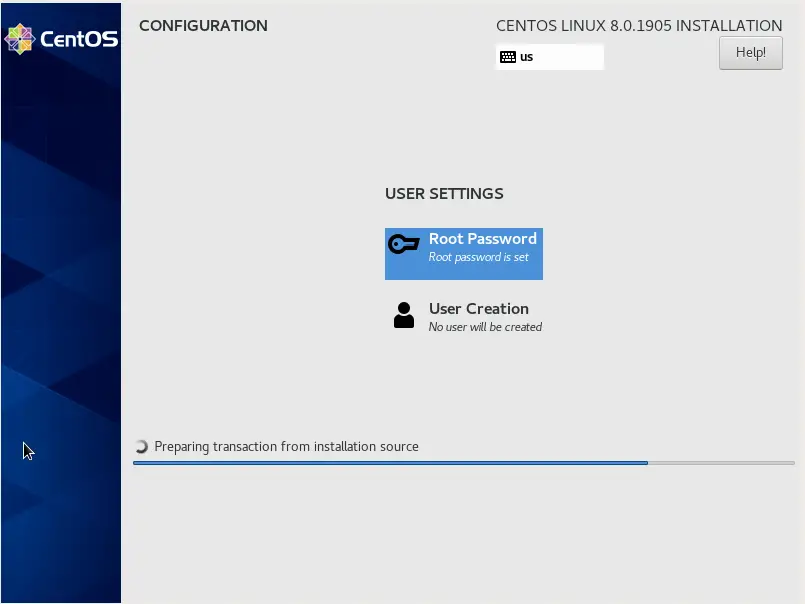 Centos 8 Desktop Install
https://www.howtoforge.com/images/how_to_install_centos_8/big/page8.png
Installation Guide Getting Started Downloading CentOS Preparing Installation Media CD or DVD USB Drive Making an Installation USB Drive on Linux Making an Installation USB Drive on Windows Making an Installation USB Drive on Mac Preparing Installation Sources Installation Source on a DVD Installation Source on a Hard Drive
Templates are pre-designed files or files that can be utilized for numerous functions. They can conserve effort and time by supplying a ready-made format and layout for creating different kinds of material. Templates can be used for personal or professional jobs, such as resumes, invitations, flyers, newsletters, reports, discussions, and more.
Centos 8 Desktop Install
How To Install CentOS 8 Desktop
CentOS Linux 8 Ends In 2021 Replaced By CentOS Stream

CentOS Linux 8 Will End In 2021 And Shifts Focus To CentOS Stream
Gui How To Install Desktop Environments On CentOS 7 Unix Linux
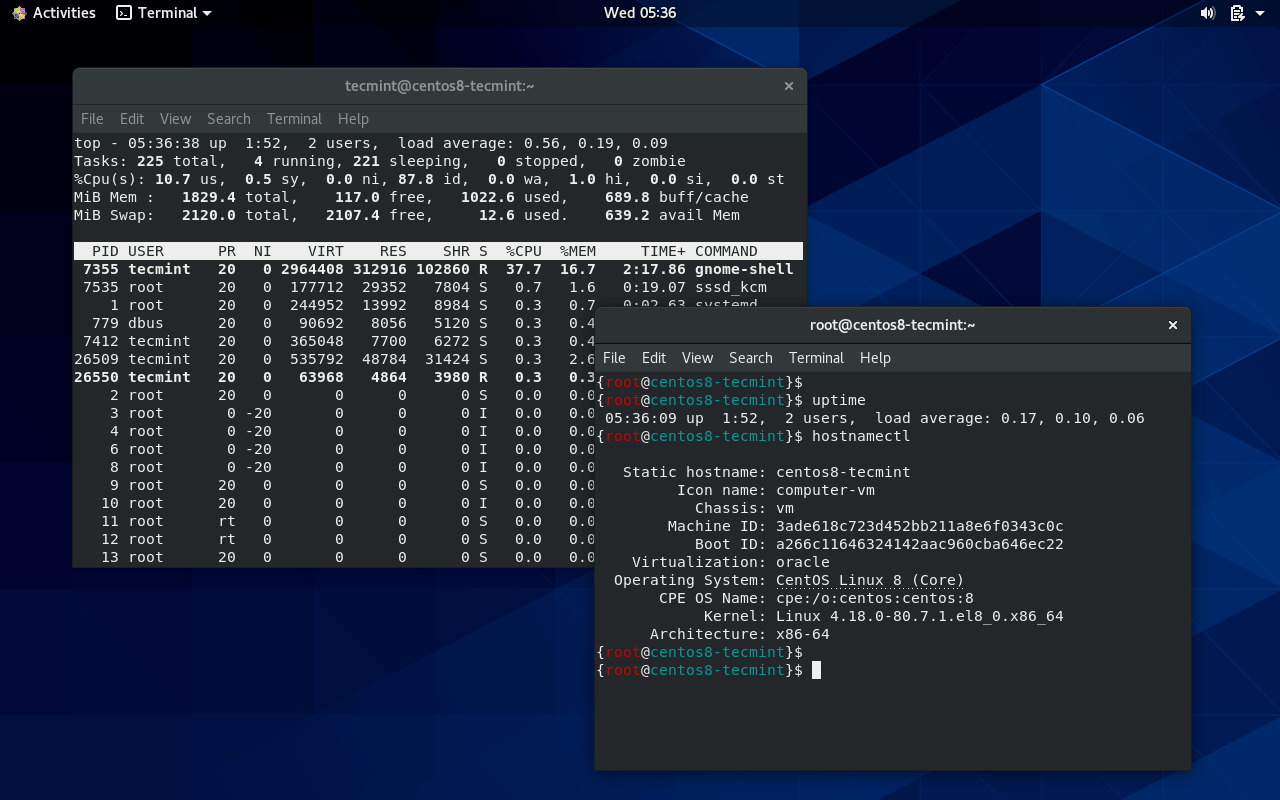
CentOS 8 Released Download DVD ISO Images
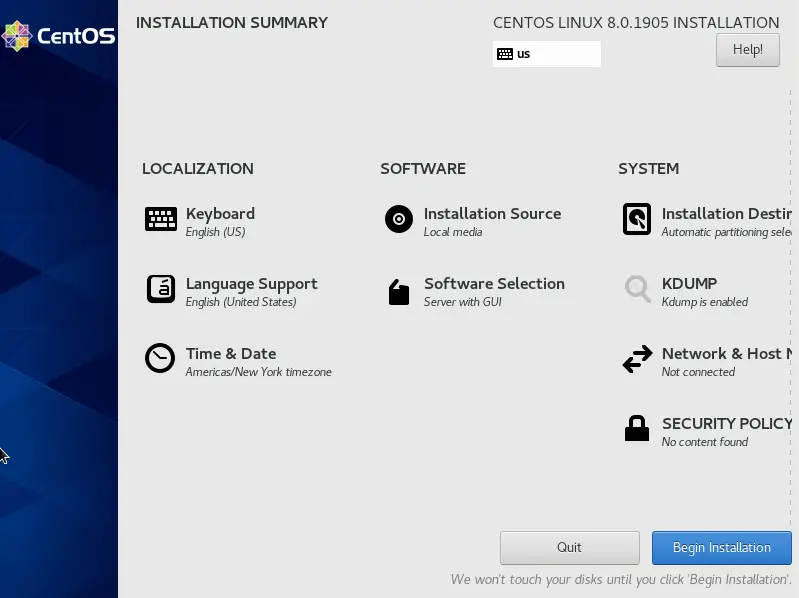
How To Install CentOS 8 Desktop
Requirements A system with a minimum 8 GB of Hard disk and 2 GB of RAM A good internet connection Download CentOS 8 ISO File First you will need to download CentOS 8 from their official websites You can download the CentOS 8 Linux and CentOS 8 Stream ISO using the following URLs CentOS 8 Linux ISO CentOS 8 Stream ISO
Step 1 Download CentOS 8 The first step is to download the CentOS 8 ISO file located on the official CentOS website There you will find two available ISO packages CentOS Linux DVD ISO the non enterprise environment that includes the GUI and CentOS Stream DVD ISO the rolling release distro
Complete the following steps to install CentOS using the graphical user interface Steps Configure language and location settings See Configuring language and location settings for more information Configure localization settings See Configuring localization options for more information

Procedure Check system requirements Choose an installation boot method Select and download the installation image Create bootable installation media Prepare the installation source Only required for the Boot ISO minimal install image Check system requirements

4 CentOS Atomic Host CentOS Atomic Host is a lean operating system designed to run Docker containers built from standard CentOS 7 RPMs and tracking the component versions included in Red Hat Enterprise Linux Atomic Host Download Please see this for more info concerning Atomic on CentOS Documentation 1 Release Notes
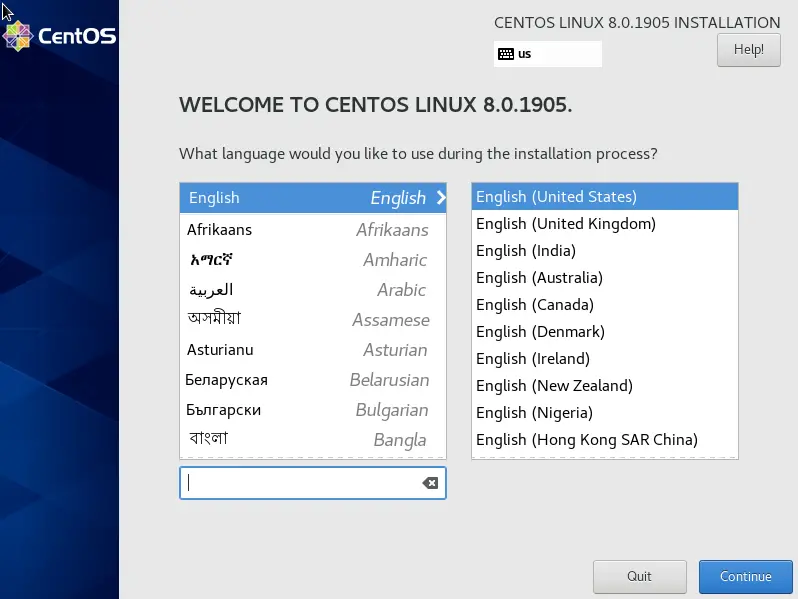
Step 3 Start CentOS 8 Linux Installation 4 1 Boot from your CentOS 8 installation media to start the installation process 4 2 Select Install CentOS Linux 8 from the list of options available CentOS 8Anaconda installer will start in a short while 4 3 Choose installation language and click Continue CentOS 8 Released Download DVD ISO Images CentOS is a free and open source community driven Linux distribution based on the popular security focused Red Hat Enterprise Linux It was designed to be consistent rolling release distro joined with Red Hat but still independent from RHEL as it has its autonomous governing board
Some of these good features are listed below The Cockpit is now available by default CentOS 8 comes with a new version of the YUM version which is based on DNF This new version is compatible with YUM v3 CentOS 7 RPM v4 14 is distributed in CentOS 8 RPM now validates the whole package contents before starting the installation