Canon Printer Paper Size Setting How To Set Paper Size In Any Thermal Printer YouTube How To Change Size Of Picture Before Printing Abjectleader Colored Black white Canon Printer Paper Size A4 ID 10461068773 Alvarez Ablike How Do I Change The Label Size Settings For My Zebra Printer Freman Help Web 2 Apr 2018 nbsp 0183 32 Paper Settings on the Printer Driver and the Printer Media Type Paper Settings on the Printer Driver and the Printer Paper Size Print with the loaded paper Select if you want to print on the paper
Web Paper Settings By registering the paper size and the media type loaded on the rear tray or in the cassette you can prevent the printer from misprinting by displaying the message Web 18 Juli 2012 nbsp 0183 32 1 Open the PDF file to print with Adobe Reader and then select Print Setup from the File menu 2 Specify the paper size of the document and the printing
How Do I Change The Label Size Settings For My Zebra Printer Freman Help Flyer Dimensions Amulette Will Epson Easy Photo Print Work On Windows 10 Holdenvest Epson Lq 310 User Guide Janet Jackson Education How To Set Paper Size In Pdf Encommium Clock Electropositive Epson Lq 2190 Paper Setting Glue Addition Ceiling How To Set Paper Size In Epson LQ 310 Printer Concepts All Canon Multifunction Printer Supported Paper Size A3 At Rs 60000 In Gurgaon EPSON LX 310 EPSON LQ 310 Dot Matrix Printer Setting Mode Self Test Current Setting
Canon Printer Paper Size Setting
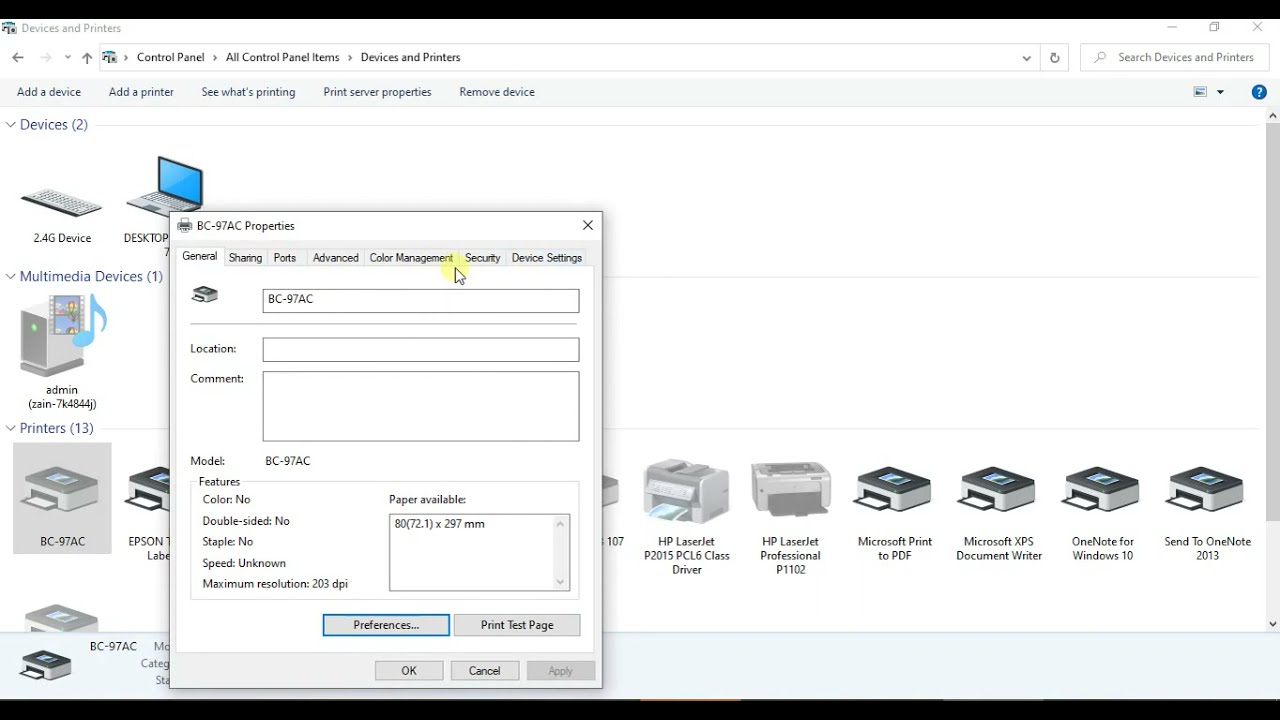 Canon Printer Paper Size Setting
https://i.ytimg.com/vi/EgPQGywXEA0/maxresdefault.jpg
Web 1 M 228 rz 2022 nbsp 0183 32 1 Load the paper Check that the paper guides are set in the correct positions When loading Legal size paper 2 Select lt Paper Settings gt in the Home
Pre-crafted templates use a time-saving option for producing a diverse range of files and files. These pre-designed formats and layouts can be utilized for different personal and professional jobs, including resumes, invites, leaflets, newsletters, reports, discussions, and more, improving the content creation procedure.
Canon Printer Paper Size Setting
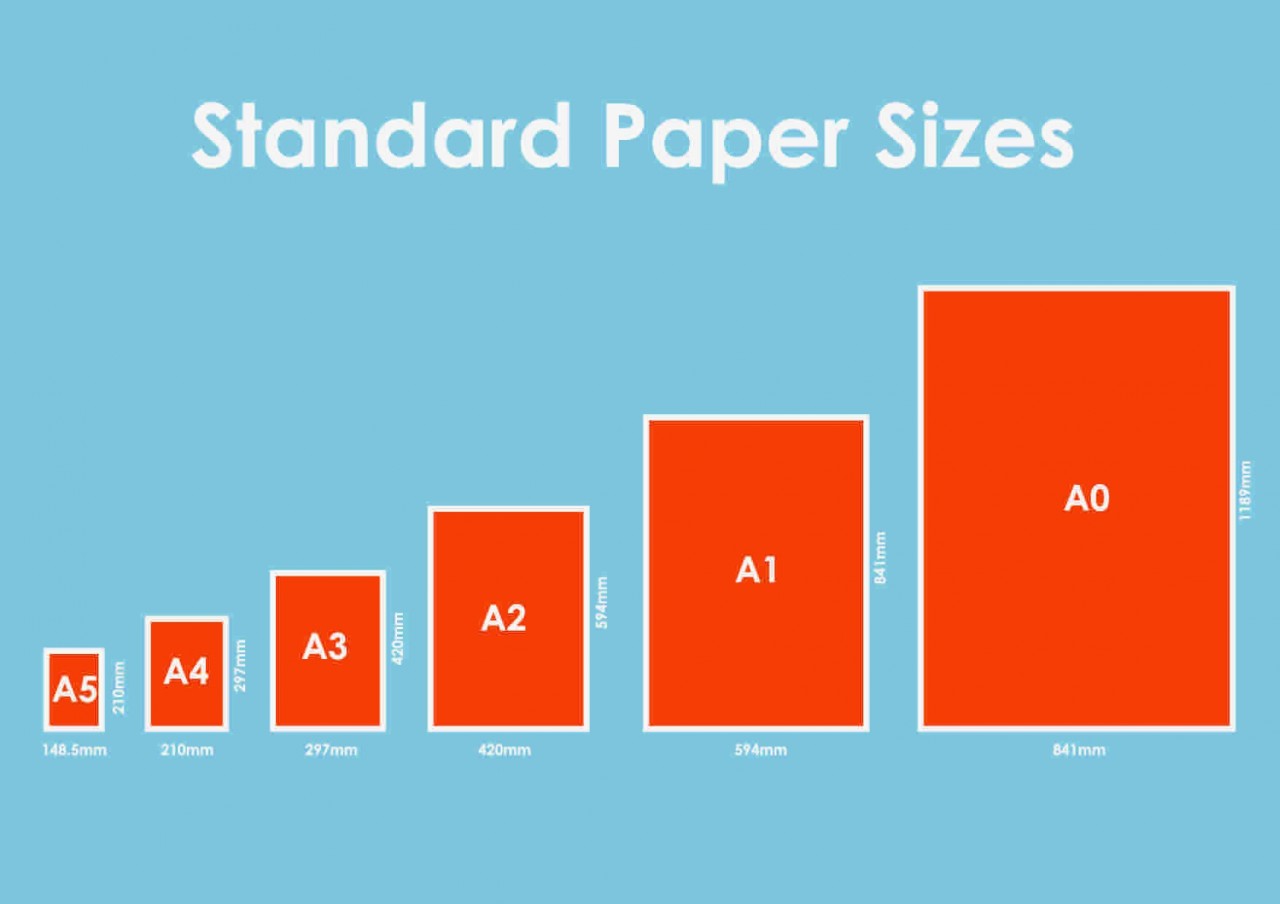
All Printing Paper Sizes Mac X Windows

Flyer Dimensions Amulette
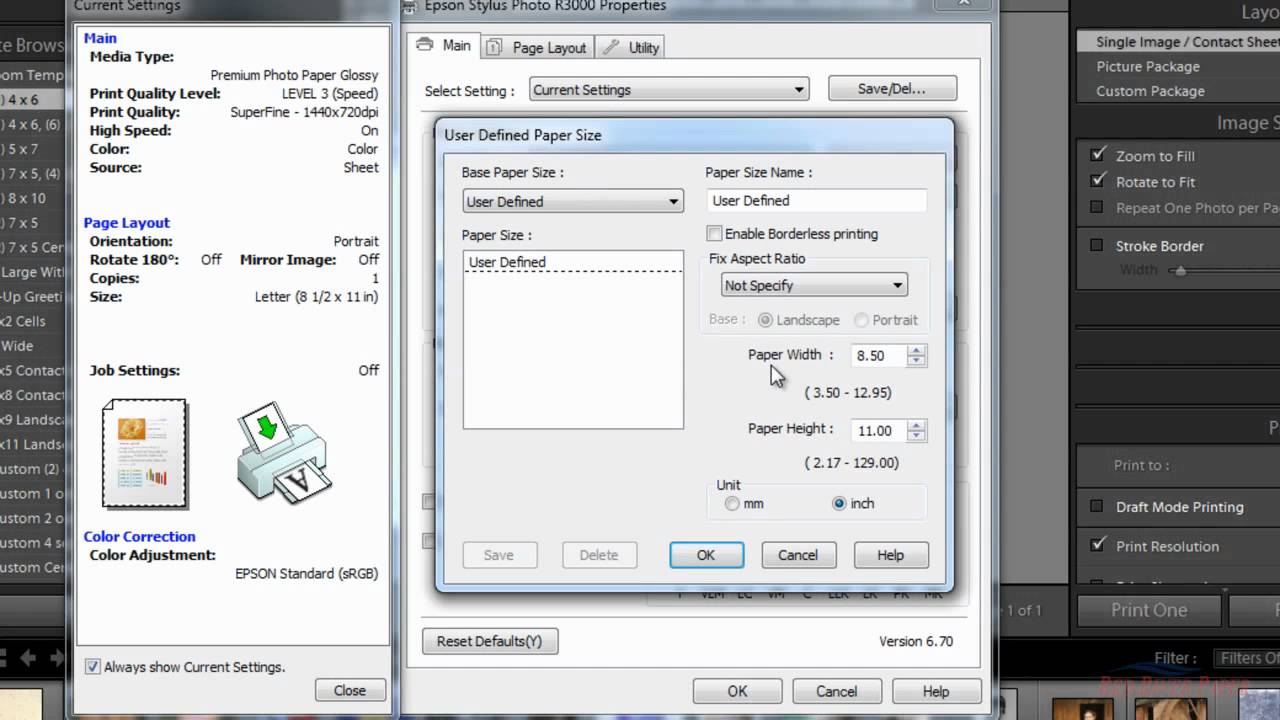
Will Epson Easy Photo Print Work On Windows 10 Holdenvest
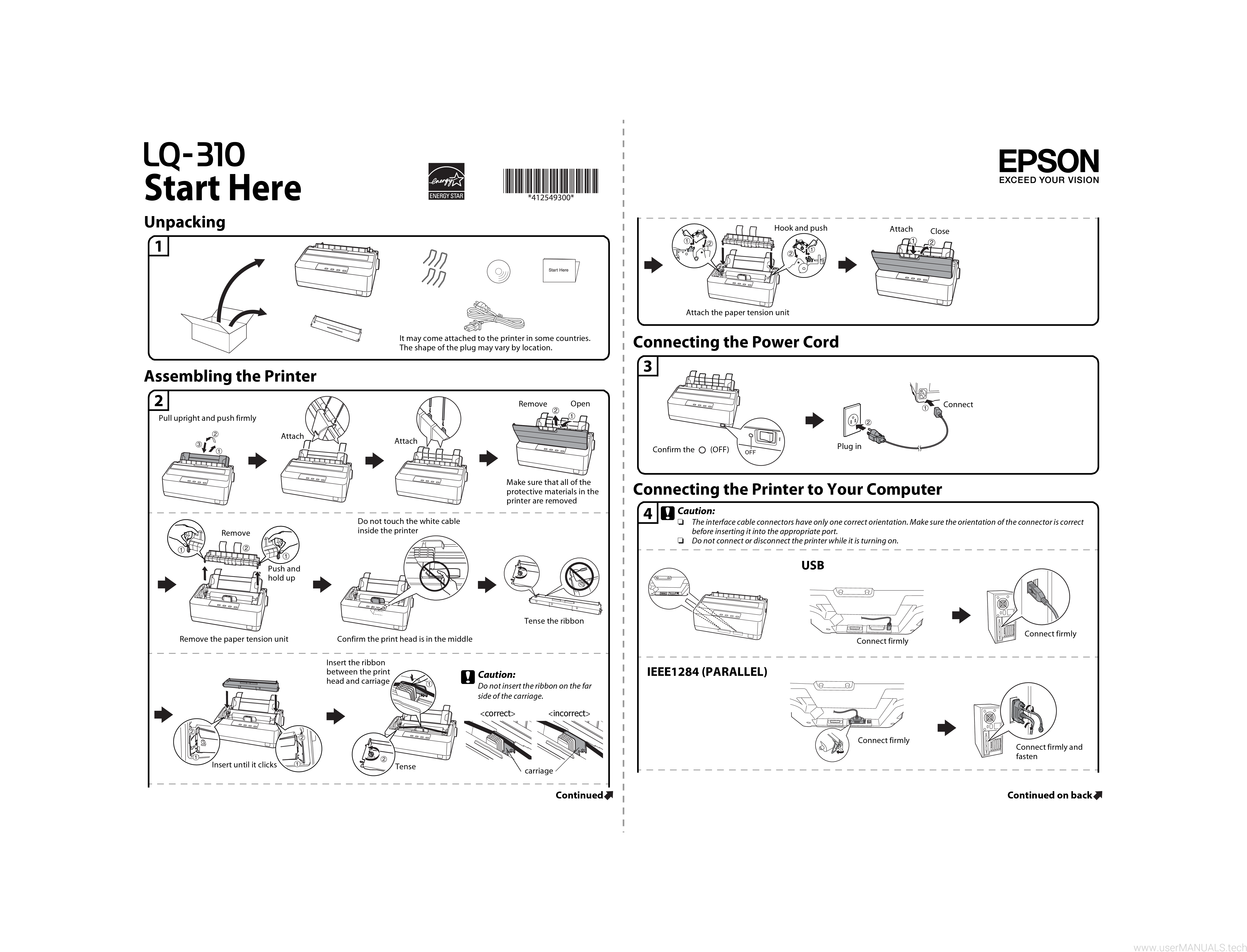
Epson Lq 310 User Guide
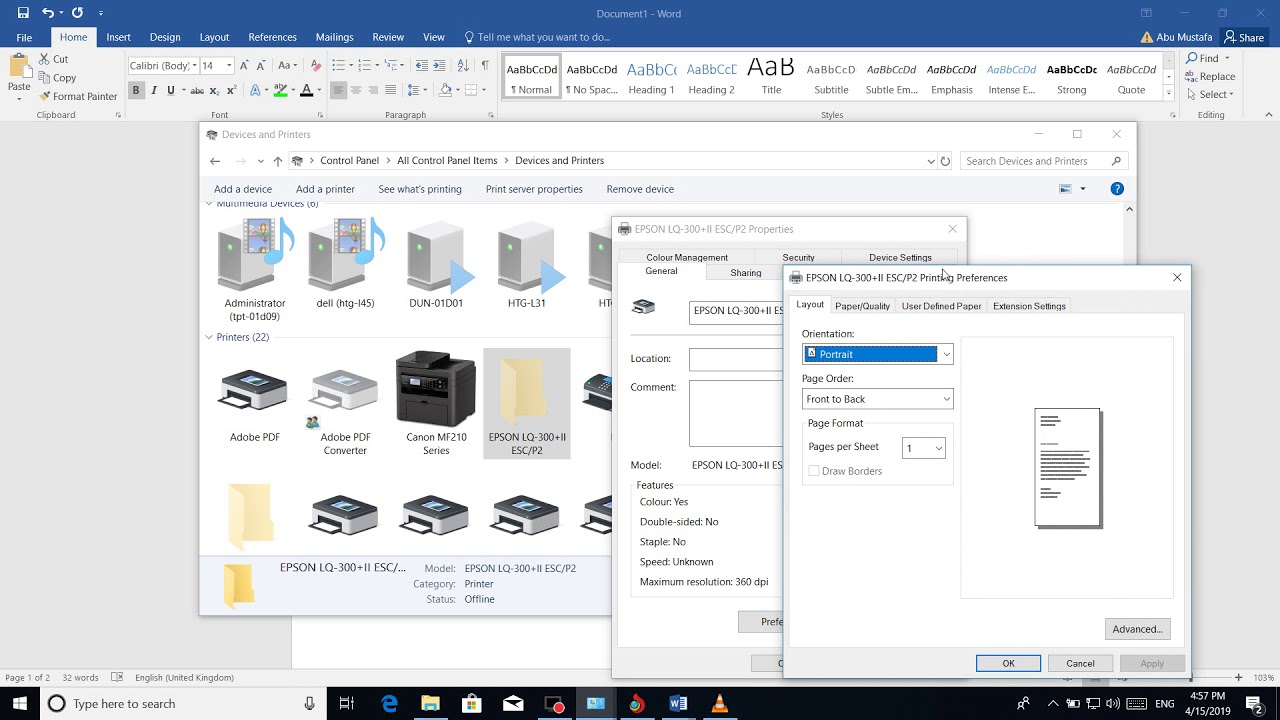
Encommium Clock Electropositive Epson Lq 2190 Paper Setting Glue Addition Ceiling

How To Set Paper Size In Epson LQ 310 Printer Concepts All
Web Register the paper size and the media type according to the loaded paper Important For more on the proper combination of paper settings you can specify by the printer driver

Web 9 Juni 2015 nbsp 0183 32 Use the numeric buttons or press lt gt or lt gt to specify vertical or horizontal sizes of the paper in millimeters mm Available settings range in VERTICAL SIZE

Web Note The default display setting is different between when you print from the PictBridge Wi Fi compliant device the smartphone or the tablet and when you print from the

Web 17 Apr 2020 nbsp 0183 32 Solution Creating a custom paper size for printing on a Windows PC If you want to create a document that has a unique size such as an envelope a card or an
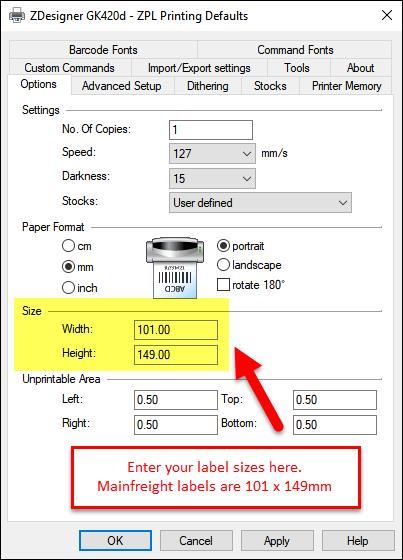
Web For the Paper Cassette 1 Press Paper Settings 2 Press or to highlight lt Drawer 1 gt and then press OK 3 Press or to highlight a paper size and then press OK
Web The procedure for specifying a custom size is as follows You can also set a custom size in Printer Paper Size on the Quick Setup tab Open the printer driver setup window Web 7 Jan 2016 nbsp 0183 32 Paper Settings on the Printer Driver and the Printer Paper Size Print with the loaded paper Select if you want to print on the paper loaded in the top feed without
Web Basic Printing Setup Various Printing Methods Changing the Print Quality and Correcting Image Data Overview of the Printer Driver Updating the Printer Driver Printing Using