Cannot Insert New Row In Excel Table Insert New Row In Excel Sheet Riset How To Delete Blank Rows In Excel The Right Way 2021 Riset MS Excel 2016 Insert A New Row How To Insert Sheet Rows In Excel Riset Ways To Insert Rows In Excel WPS Office Academy Follow the steps above and simply clear all the formatting or the values that you have inserted and check if this resolves the row issue in Excel 2 Unfreeze panes Locate any frozen panes in your worksheet Highlight the panes with your cursor Click on the View tab on the top toolbar Click on Freeze Panes option
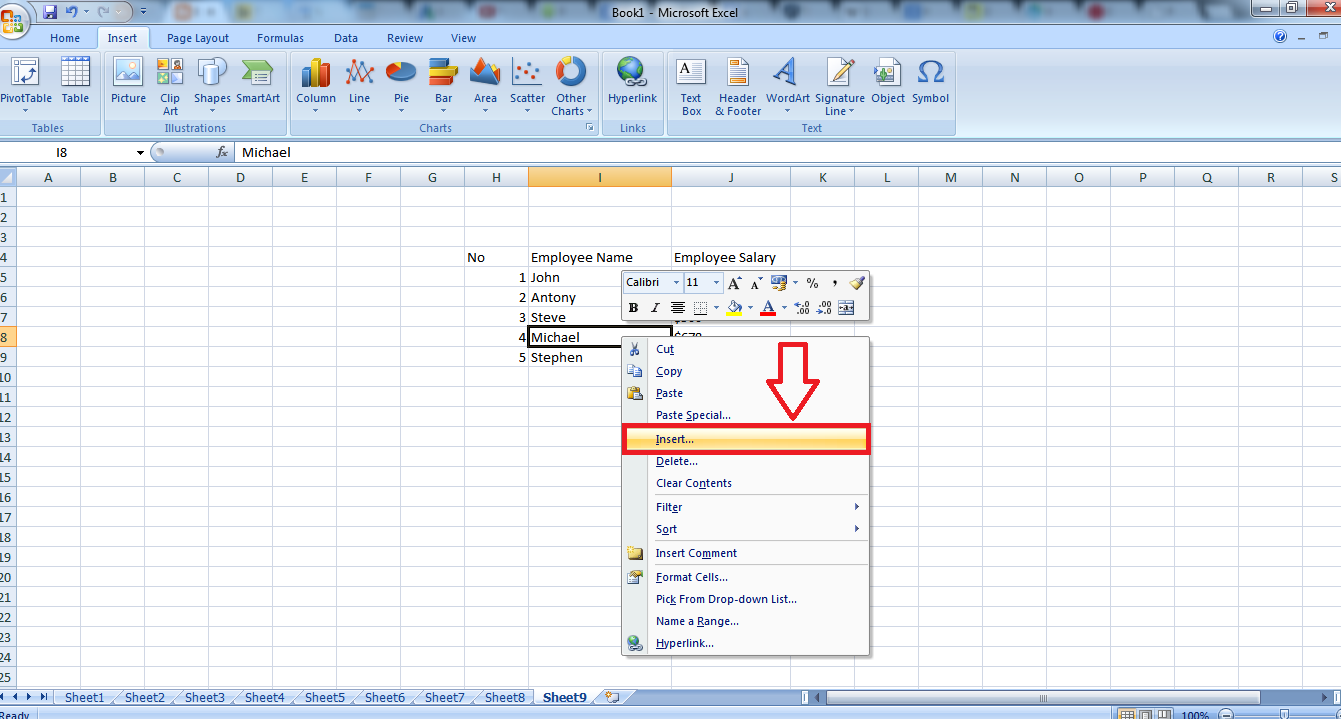
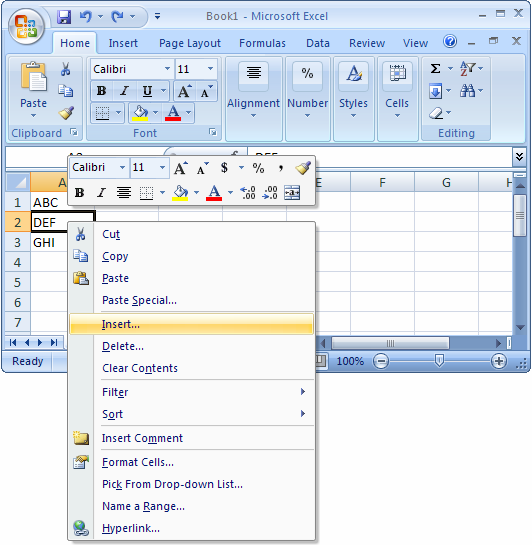
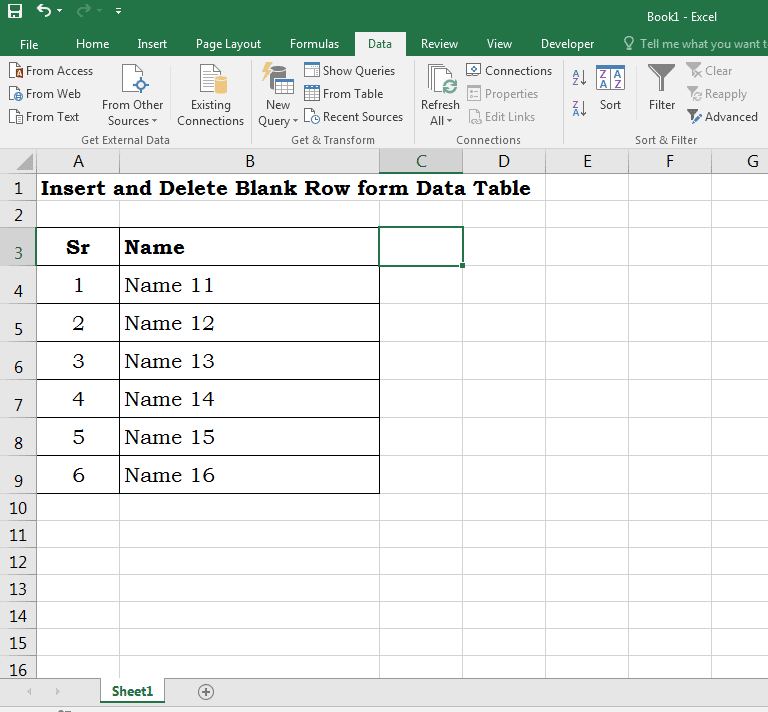
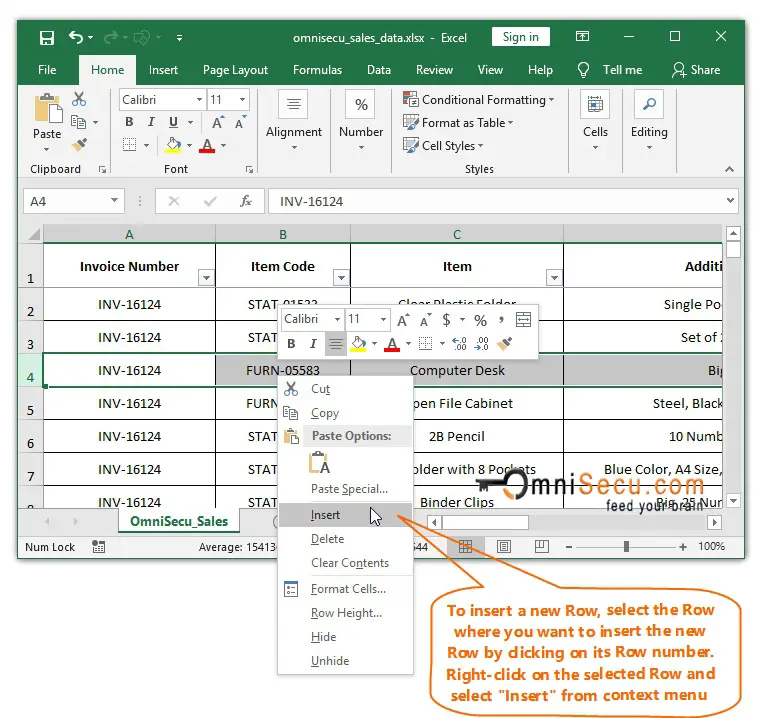
Step by step guide on how to insert rows in an Excel table 1 Select the row below where you want to insert the new row Click on the row number to select the entire row 2 Right click and choose Insert Right click on the selected row and choose Insert from the dropdown menu 3 The deletion method to insert a row in Excel Step 1 Open your Microsoft Excel worksheet Open the worksheet with which you re experiencing difficulties inserting new table rows Step 2 Select the inactive space below the active area of your table If the last used row with content in your table is row 4 you would select row 5
Ways To Insert Rows In Excel WPS Office Academy Add Rows In Excel Step By Step Guide Using Shortcut Keys Riset MS Excel 2007 Insert A New Row How To Insert Every Other Row In Excel 3 Best Ways On Sheets How Do I Add A Row To A Table In Word For Mac Solved Updating Row In Excel Table With HYPERLINK Works Power Insert Blank Rows From Data Table In Excel Delete Blank Row In Excel How To Insert A Total Row In Excel 4 Easy Methods ExcelDemy Visibile Alienare Se How To Insert A Row Below In Excel Rimozione
Cannot Insert New Row In Excel Table
 Cannot Insert New Row In Excel Table
https://4.bp.blogspot.com/-DW3Xew_Z3po/U2N3jG66vMI/AAAAAAAAB8k/DUPurigfUXE/s1600/Untitled.png
Let s see how you can do it Open the Excel workbook Click on the File menu Choose the More option and then click on Options Now select the Add Ins option and check whether the add ins are active or not Go back to the workbook and check if the problem persists or if the issue is resolved Whenever you cannot insert new row in Excel
Pre-crafted templates offer a time-saving option for developing a varied series of files and files. These pre-designed formats and layouts can be utilized for different personal and expert tasks, consisting of resumes, invitations, flyers, newsletters, reports, presentations, and more, streamlining the material production process.
Cannot Insert New Row In Excel Table
BrYan s Blah Blah Blahg Can t Add Rows Or Columns In Excel After

Add Rows In Excel Step By Step Guide Using Shortcut Keys Riset
MS Excel 2007 Insert A New Row

How To Insert Every Other Row In Excel 3 Best Ways On Sheets

Solved Updating Row In Excel Table With HYPERLINK Works Power
Insert Blank Rows From Data Table In Excel Delete Blank Row In Excel
Select the entire row click on the row number at the left Hold both the Shift and Control keys Press the down arrow and repeat this until you see row 1048576 the last row on the worksheet On the Home ribbon click Clear In the last block called Editing at the far right of the Home ribbon Click Clear all from the options

Here we will solve this problem and insert a row with VBA code Go to Developer Tab Visual Basic Option Then the Visual Basic Editor will open up Go to Insert Tab Module Option After that a Module will be created Write the following code Sub Rmvall Rows ActiveCell Row Rows Count Delete

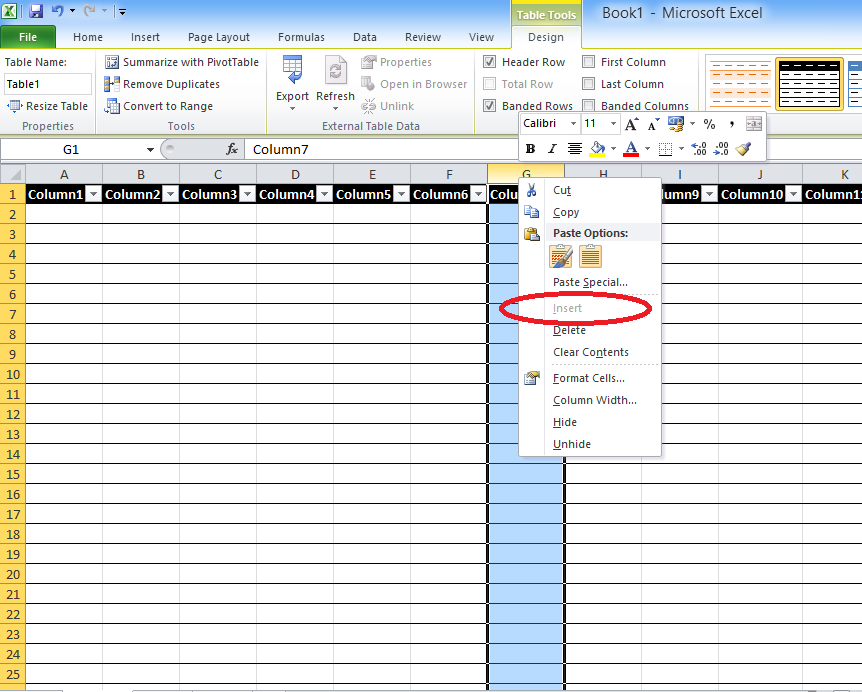
Selecting the Excel rows will disable the insert and delete options when there is another table on the other side of the table See below However if you select the rows in the table both delete and insert options are enabled even though there is another table beside the current table I hope this resolves the issue Cheers
2 I was able to get it to work by using Office 360 typing the information on a row outside the table copying the row clicking on a row inside the table right clicking and choosing insert copied cells applying the sort deleting the original cells that had been copied Share

Method 2 table formatting has been applied to whole table Excel has a built in wizard allows you to apply formatting to your table However if you apply the formatting to the whole table you re unable to add new rows To fix this With the Excel document open click anywhere inside the table In the top of the ribbon open the Table
2 Right click your table A menu will appear at your cursor 3 Hover your mouse over Insert and click Table Rows Above You ll be able to specify how many rows you want to add to the table in the next step If hovering your mouse over the option doesn t work click it then select Shift cells down 1 Using Keyboard Shortcut To insert an entire row in Excel on row 7 Select row 7 and then press ALT I R A new row has been inserted into your Excel sheet You can use another keyboard shortcut method Select row 7 and then press ALT SHIFT Plus Sign In your Excel sheet a new row has been added
Follow the steps below to disable your add ins On your computer launch Microsoft Excel and open your workbook Next go to File More Options Finally access the Add Ins tab and ensure that your add ins are turned off Go back to your workbook afterward and see if you can now add rows 7