Can I Install Linux Mint Alongside Windows 10 Can I Install Linux On My Samsung Galaxy Tab 2 Systran Box Install Mint Linux Alongside Of Windows 11 MBR Dual Boot Windows 11 How To Download Install Linux Mint WITHOUT Losing Windows 10 Or Your And Continue From There How To Dual Boot Windows 7 And Linux Mint How To Install Linux Mint On Windows 10 YouTube How to install Linux Mint on WSL for Windows 10 and 11 By Richard Devine published 12 January 2022 Linux Mint is a popular Linux distro not offered through the Microsoft Store so
Secure Boot options If the machine doesn t already have an operating system installed install Microsoft Windows first and then proceed with the installation of Linux Mint As a newbie Linux Mint is one of the better options Linux Mint is simple to use and getting it up and running isn t difficult either Step 1 Verifying the Disk Partition Scheme in Windows Step 2 Check if Windows is using BIOS or UEFI Step 3 Disable Secure Boot Step 4 Turn Off Device Encryption Step 5 Create Partitions for Linux Dual Boot Windows and Linux Mint Step by Step Installation Frequently Asked Questions Conclusion
How To Install Linux Mint On Windows 10 YouTube How To Install Linux Mint Alongside Windows 7 Everyday Linux User How To Install Linux Mint Alongside Windows 10 Systran Box Can I Install Linux On Optane Hdd Systran Box How To Install Linux Mint 20 Alongside Windows 10 Or 8 In Dual Boot How To Run Linux Alongside Windows 10 Using Windows Subsystem For Linux Download Install Linux Mint Linux Mint Iso Alongside Windows 10 Let How To Install Linux Mint And Ubuntu Alongside Windows 7 Systran Box Kali Linux Bootable Usb Drive Lalarbase
Can I Install Linux Mint Alongside Windows 10
 Can I Install Linux Mint Alongside Windows 10
https://syscdn.systranbox.com/can-i-install-linux-on-my-samsung-galaxy-tab-2-.jpg
Patience Making a Bootable USB Drive Using Rufus To flash the distribution and boot into it you ll first need to make a bootable USB Drive There are a lot of software that can make bootable USB
Pre-crafted templates provide a time-saving service for producing a varied range of files and files. These pre-designed formats and designs can be made use of for numerous individual and expert jobs, consisting of resumes, invitations, flyers, newsletters, reports, presentations, and more, improving the material development process.
Can I Install Linux Mint Alongside Windows 10

Can I Install Linux On Asus Vivobook Systran Box
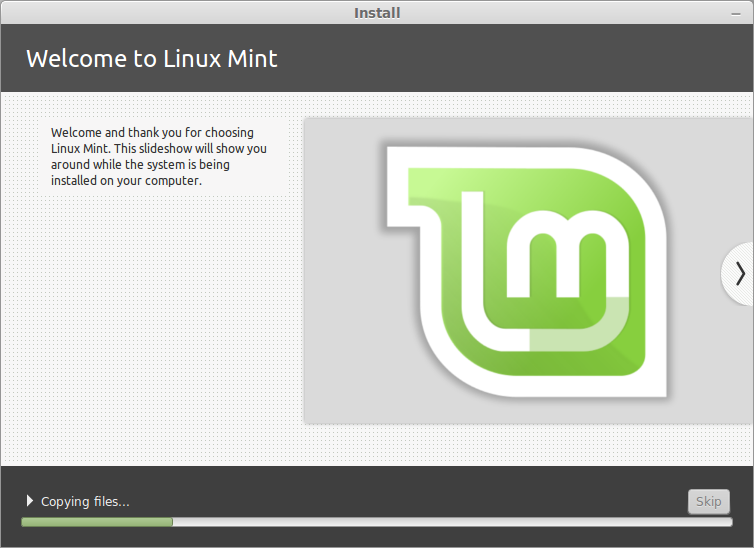
How To Install Linux Mint Alongside Windows 7 Everyday Linux User

How To Install Linux Mint Alongside Windows 10 Systran Box

Can I Install Linux On Optane Hdd Systran Box

How To Run Linux Alongside Windows 10 Using Windows Subsystem For Linux

Download Install Linux Mint Linux Mint Iso Alongside Windows 10 Let

1 In case your computer comes pre installed with Microsoft Windows on a single partition logon to Windows system with a user who has administrator privileges press Win r keys to open run prompt and type the following command in order to open Disk Management tool diskmgmt msc Open Windows Disk Management 2
Step 7 Choose Installation Type Select Install Linux Mint alongside Windows 10 for a dual boot installation This is the easiest installation method for a dual boot that automatically allocates disk for Linux Mint from the remaining free space Now click on Continue to confirm installing Linux Mint on the partitioned disk

3 Answers Sorted by 1 Yes you can do this In my experience the golden rule here is to use each operating system s own tools to manage its partitions even if the other OS says it can manage them So use the Windows Disk Management tool to shrink your Windows partition Yes Ubuntu could do it too but no one k ow windows like Microsoft

Step 1 Reserve a free partition for Linux Mint 21 Since you are starting out with Windows 11 as the primary operating system you need to reserve an additional partition on which Linux Mint 21 will be installed To accomplish this first launch the disk management utility to do this press Windows Key R Then type diskmgmt msc and hit ENTER

You cannot install Linux Mint first and then Install Windows otherwise Windows installer will simply remove your Linux Installation Steps to Dual Boot Windows 10 and Linux Mint Let s get right into the steps to dual boot Windows 10 or 11 and Linux mint on your system
A comprehensive guide to installing Linux Mint alongside Windows 11 or Windows 10 and making a dual boot system If you are a new Linux user trying to install Linux Mint without removing the OEM installed Windows follow this guide How To Install Linux Mint From Windows 10 If you re tired of messing around with Windows 10 or another operating system then you might want to consider moving to something that you have a bit more control over There are plenty of great options out there specifically many Linux based offerings
Step 1 Insert the Linux Mint USB installation drive into the PC Shut down the PC completely Power on the PC and press the BIOS key when the PC logo appears to enter the firmware The BIOS key varies depending on different PC models Step 2 Set the USB drive as the first boot device