Calculate Sum In Pivot Table Pivot Table Defaults To Count Instead Of Sum How To Fix It Excel Campus Excel Pivot Table Calculated Fields Step By Step Tutorial CLICK TO VIEW THIS FREE STEP BY STEP TUTORIAL DOWNLOAD THE WORKBOOK How To Add Sum Of Calculated Field In Pivot Table Brokeasshome Pivot Table Sum By Month Exceljet Web May 25 2022 nbsp 0183 32 Often you may want to calculate the sum and the count of the same field in a pivot table in Excel You can easily do this by dragging the same field into the Values box twice when creating a pivot table The following example shows exactly how to do so Example Calculate Sum amp Count of Same Field in Excel Pivot Table
Web Pivot tables make it easy to quickly sum values in various ways In the example shown a pivot table is used to sum amounts by color Fields The pivot table shown is based on two fields Color and Amount The Color field is configured as a row field and the Amount field is a value field as seen below The Amount field is configured to Sum Web In the PivotTable right click the value field and then click Show Values As Note In Excel for Mac the Show Values As menu doesn t list all the same options as Excel for Windows but they are available Select More Options on the menu if
Pivot Table Sum By Month Exceljet Count Vs Sum In A Pivot Table Techwalla Pivot Table Grand Total Sum And Percentage Of Grand Total Excel 2010 Sum VS Count In Pivot Table MyExcelOnline Microsoft Excel Tutorial Change Count To Sum In Excel Pivot Tables MyExcelOnline Create A Calculated Field In Excel Pivot Table YouTube Stationnaire Propre Carotte Insert Calculated Field In Pivot Table A Step by Step Guide To Pandas Pivot Tables Pivot Table Step Guide Pivot Table Formula In Excel Steps To Use Pivot Table Formula In Excel
Calculate Sum In Pivot Table
 Calculate Sum In Pivot Table
https://www.excelcampus.com/wp-content/uploads/2016/12/Why-the-Pivot-Table-Calculation-Type-Defaults-to-Count.png
Web One trick is to use Find amp Replace Ctrl H gt Find what gt quot Sum of quot and then Replace with gt leave blank to replace everything at once instead of manually retyping Show Values As Instead of using a calculation to summarize the data you can also display it as a percentage of a field
Templates are pre-designed files or files that can be utilized for different functions. They can conserve time and effort by supplying a ready-made format and layout for creating various kinds of material. Templates can be utilized for personal or expert projects, such as resumes, invitations, leaflets, newsletters, reports, presentations, and more.
Calculate Sum In Pivot Table
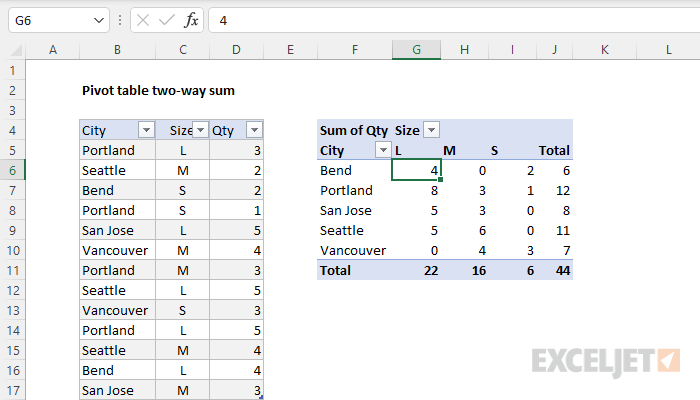
Pivot Table Two way Sum Exceljet

Count Vs Sum In A Pivot Table Techwalla

Pivot Table Grand Total Sum And Percentage Of Grand Total Excel 2010

Sum VS Count In Pivot Table MyExcelOnline Microsoft Excel Tutorial
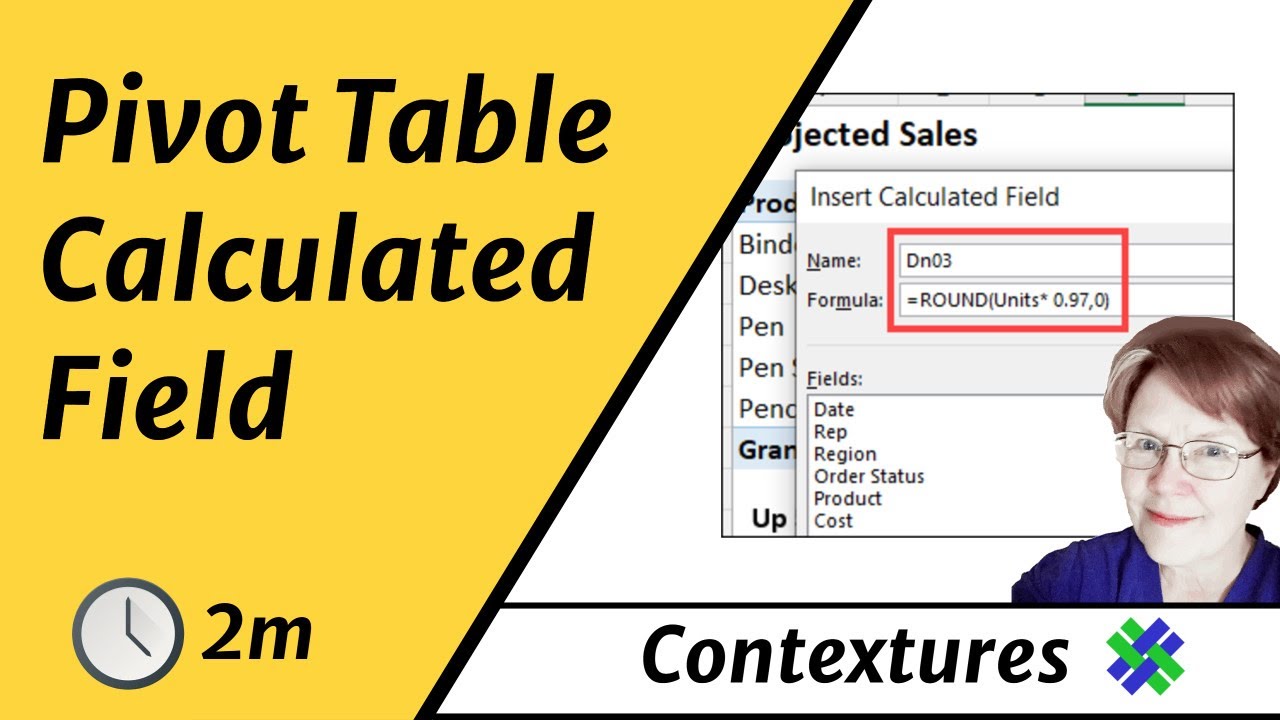
Create A Calculated Field In Excel Pivot Table YouTube
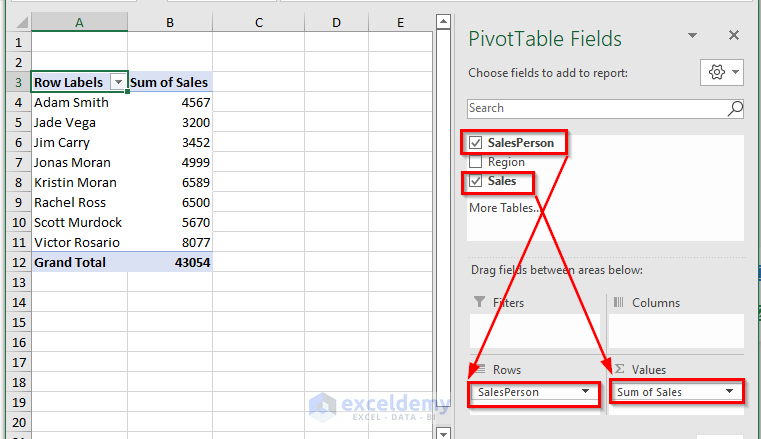
Stationnaire Propre Carotte Insert Calculated Field In Pivot Table

Web Aug 21 2022 nbsp 0183 32 The following step by step example shows how to sum two columns in a pivot table in Excel Step 1 Enter the Data First let s enter the following data for three different sales teams Step 2 Create the Pivot Table To create a pivot table click the Insert tab along the top ribbon and then click the PivotTable icon

Web For example the calculated field formula Sales 1 2 multiplies the sum of the sales for each type and region by 1 2 it does not multiply each individual sale by 1 2 and then sum the multiplied amounts Formulas for calculated items operate on the individual records

Web Sum The sum of the values This is the default function for numeric data Count The number of data values The Count summary function works the same as the COUNTA function Count is the default function for data other than numbers Average The average of the values Max The largest value Min The smallest value Product The product of the

Web What is a Pivot Table Calculated Field Let s start with a basic example of a Pivot Table Suppose you have a dataset of retailers and you create a Pivot Table as shown below The above Pivot Table summarizes the sales and profit values for the retailers
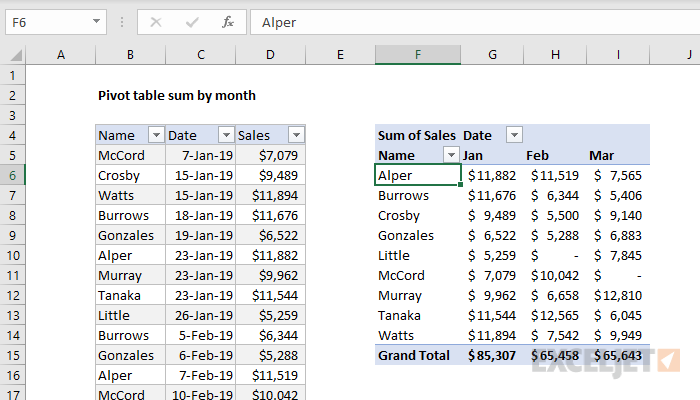
Web Jun 27 2023 nbsp 0183 32 Follow these simple steps to insert the calculated field in a pivot table First of all you need a simple pivot table to add a Calculated Field Just click on any of the fields in your pivot table
Web Using the Sum Function The sum function is the most commonly used method for summing columns in a pivot table It automatically adds up the values in the specified column Using Calculated Fields Calculated fields allow users to create custom formulas for summing columns based on other fields in the pivot table Web Mar 12 2018 nbsp 0183 32 I have pivot table and it contains quot Type quot in Row field There are different type available Like AW ED MO GT SP I would like to sum quot AW quot alone in one Row and all other types in second row to get the Amount value I tried using formula in Calculated field But it is not working Field1 IF Type lt gt quot AW quot quot Others quot quot AW quot
Web Oct 29 2023 nbsp 0183 32 I want all those values to be rounded up to integers so I created a calculated field for the pivot table with the following formula ROUNDUP Field 1 0 The calculated field is named quot Field 2 quot The formula effectively rounds up all values However the sum is not doing what I expect I m attaching a screenshot to show this better