Blur Names In Excel MS Excel How To Win Excel Book By Prof Rashid Rizwi MARStraining Google Sheets Vs Excel Which Is Right For You BSuite365 Excel Keyboard Shortcuts Types Of Tables In Excel BEST GAMES WALKTHROUGH Nov 6 2023 nbsp 0183 32 My house had some really useful pictures on Street View It is my business location as well as my home the logo of the business is the property and the property is a strong representation
Blur your videos You can blur parts of your video on a computer in YouTube Studio Note For unedited video with over 100 000 views you may not be able to save changes to it except to blur faces This Note YouTube doesn t accept payment for better placement within organic search results nor do we treat content that is Google owned more favorably than any other creator
Types Of Tables In Excel BEST GAMES WALKTHROUGH Excel Meaning Fullasopa How To Combine First And Last Name In Excel Simplifica i v Foile Excel Eliminarea C su elor De Control n Excel Jobs And Opportunities At Excel Systems Jobiano How To Separate Names In Excel For Cleaner Data Includes Practice File CTRL Shift V To Paste Plain Text In Excel New Feature Coming Soon 9 Excel Spreadsheet Template For Scheduling Excel Templates Excel Riset Microsoft Excel Learning Microsoft Microsoft Office Excel Hacks
Blur Names In Excel
 Blur Names In Excel
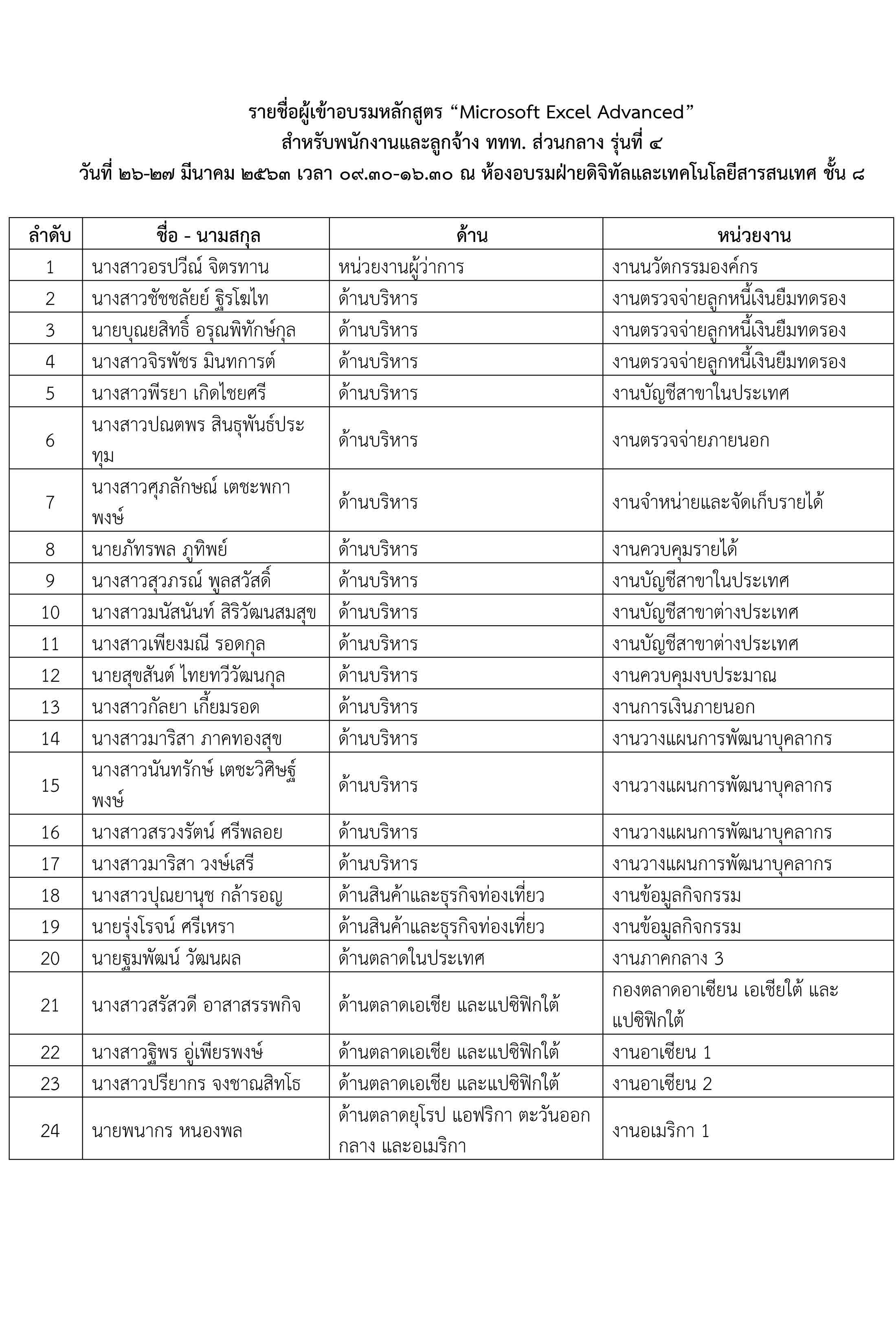
http://centralpage.tat.or.th/popup/excel/excel2020-4.jpg
Blur or remove 360 imagery amp Photo Paths Street level collections and Photo Paths are automatically blurred to obscure identifying information like faces and license plates For Photo Spheres it s the
Pre-crafted templates offer a time-saving option for developing a diverse series of files and files. These pre-designed formats and designs can be used for various personal and expert tasks, including resumes, invites, flyers, newsletters, reports, presentations, and more, enhancing the content production procedure.
Blur Names In Excel

How To Make Chart In Excel

Excel Meaning Fullasopa

How To Combine First And Last Name In Excel

Simplifica i v Foile Excel Eliminarea C su elor De Control n Excel
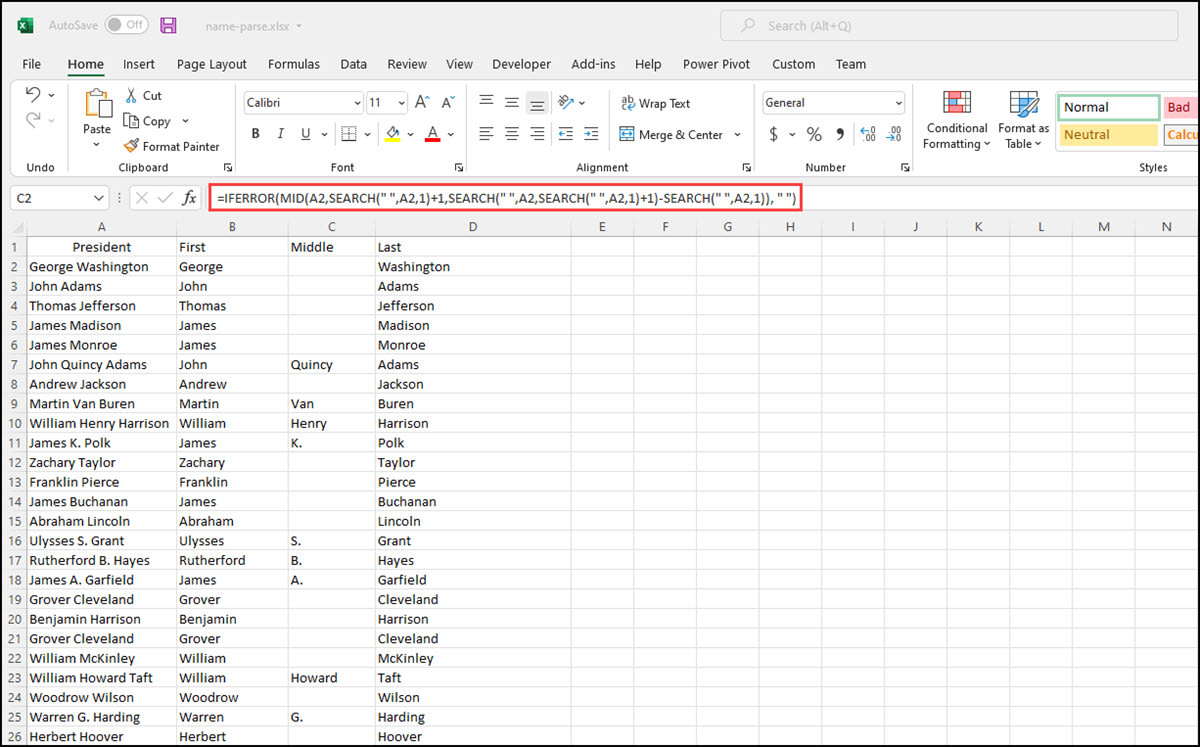
How To Separate Names In Excel For Cleaner Data Includes Practice File

CTRL Shift V To Paste Plain Text In Excel New Feature Coming Soon
Blur Street View Imagery Google Street View cars capture images from public roads which might include your home If an image contains inappropriate content or you prefer your home not be

If you re a Workspace admin you can let users apply backgrounds and special effects To improve real time video on devices you can process these in the cloud Static background images Blur effects
Select Blur my background Touch up appearance Generate an AI background Choose backgrounds and effects During a meeting At the bottom next to quot Microphone quot click Video settings To apply

5 09 10 live Blur Blur 13 The Magic Whip

To limit distractions or make meetings more fun you can now blur your background or apply An immersive background A static background A seasonal background A custom image provided by you
[desc-11] [desc-12]
[desc-13]