Bin Sh Pip Command Not Found Docker Centos How To Fix Pip Command Not Found Error In Ubuntu Netstat Command Not Found On CentOS 7 RHEL 7 Quick Fix WONGCW How To Run A Strapi Dev Stack With Docker Compose How To Extract Multiple Compressed Formats With A Single COMMAND pip Command Not Found Error Possible Fixes LinuxPip Usually it is related to the value of PATH but specifically that image only has python3 In other words looking through the filesystem with find name type f python Look for regular files named python in
Sometimes when you are installing packages you might face the error pip command not found This error could be due to the following reasons Pip is not installed Pip is installed but it is not compatible with the current environment On Linux you must install the pip package manager separately as it is an independent package If you are getting an error message that pip is not found it is possible that you do not have the pip package installed on your system To install pip on Linux you will need to use your distribution s package manager to install the python3 pip package
pip Command Not Found Error Possible Fixes LinuxPip Solve Pip Command Not Found Error In Bash Delft Stack How To Fix The Pip Command Not Found Error Solution Fix sshpass Command Not Found In Linux Programmer Hat pip Command Not Found Error Possible Fixes LinuxPip Python Pip Command Not Found Solution ItsMyCode Network Command Not Found DockerEngine Docker Community Forums sudo Command Not Found In Docker Programmer Hat How To Install Docker On CentOS the Right Way Linux Quest
Bin Sh Pip Command Not Found Docker Centos
 Bin Sh Pip Command Not Found Docker Centos
https://www.debugpoint.com/wp-content/uploads/2023/03/pip-not-1.jpg
Checking if pip is installed Before we dive into solutions let s see if pip is hiding somewhere in your system Open your terminal and type pip version or for Python 3 x pip3 version If you get a version number back congrats pip is installed If not you ll see our infamous command not found message
Templates are pre-designed documents or files that can be utilized for various purposes. They can conserve time and effort by providing a ready-made format and layout for producing different kinds of content. Templates can be used for personal or professional tasks, such as resumes, invites, flyers, newsletters, reports, presentations, and more.
Bin Sh Pip Command Not Found Docker Centos
How To Fix ip Command Not Found In Linux Programmer Hat

Solve Pip Command Not Found Error In Bash Delft Stack
How To Fix The Pip Command Not Found Error Solution
Fix sshpass Command Not Found In Linux Programmer Hat

Python Pip Command Not Found Solution ItsMyCode
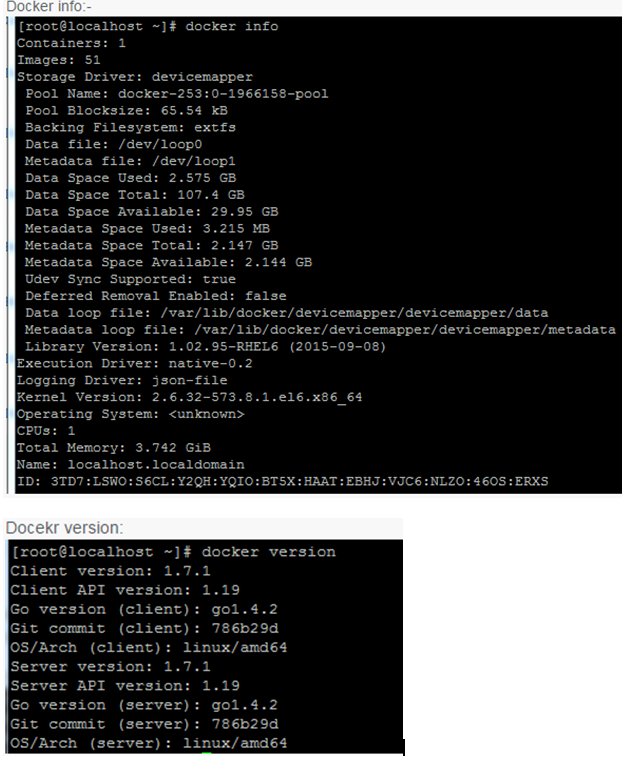
Network Command Not Found DockerEngine Docker Community Forums

I m not too well versed with Docker or devops and I can t find a solution for this I ve used this exact config before on the same macbook and everything worked The only difference this time is that I m on MacOS Sonoma If someone could point me in the right direction I d appreciate it very much Dockerfile FROM node 12 RUN apt get
Does bin pip exist in the same directory as your Dockerfile jwodder Aug 22 2016 at 17 56 I m assuming pip is being run from myapp bin pip so yes it s in the same directory as my Dockerfile I will update the question with relevant file structure Donato Perconti Aug 22 2016 at 17 58

This is on Mac OS X I m assuming there s some kind of path setting that was not set correctly when I ran setup py How can I investigate further What do I need to check to get a better idea of the exact cause of the problem
5 On Linux Ubuntu with python 3 6 9 When i try to download pip it says i already have it So when i try to pip install it gives me error bash pip command not found When i type which pip in the terminal it gives me nothing and creates a new line

Prabhb1 opened this issue on Jun 8 2020 4 comments Fixed by cyberark KubiScan 31 mentioned this issue added a commit to Pix4D concourse pool boy that referenced this issue added a commit to Pix4D concourse pool boy that referenced this issue
Step 2 Set the path to pip Run the following command to set the path to pip in the Bash terminal if pip is installed but the system cannot find the pip command If you installed pip in a different location replace usr local bin with the location of the pip command on your system In the Bash terminal this command sets the path to pip When using pip you might encounter the error pip command not found on the terminal Below is an excerpt of the error as captured on the Ubuntu system pip3 install pandas Command pip3 not found but can be installed with sudo apt install python3 pip From the output you can infer that there s a high chance that PIP is not installed
Install Python The reason it doesn t work is that you never actually establish the alias because bashrc is never executed I would use a symbolic link instead FROM yummygooey raspbian buster RUN apt get update apt get remove purge y python3 7 Install Python RUN apt get install y python3 6 ln s usr bin python3 6 usr bin