Batch Rename Files Windows 10 Command Line How To Batch Rename Files In Windows 11 2022 Beebom Rename Command Examples Options Switches More How To Batch Rename Files In Windows 11 Download Da Semana Bulk Rename Utility How To Rename The File Using Command Prompt YouTube WinBuzzer Tips Windows 10 How to Rename or Batch Rename Files and Folders We show you how to rename a file in Windows 10 using File Explorer PowerShell and Command Prompt
How to batch rename multiple files in Windows Rename files individually 1 Open File Explorer and navigate to where your files are saved Image credit Future 2 Right click on the first file You can also press Windows Key R and type it in In the Command Prompt navigate to the desired folder that contains the files that you want to rename Type cd drive letter
How To Rename The File Using Command Prompt YouTube F2 Fast And Safe Batch Rename Tool For The Command Line Cross 4 Ways To Batch Rename Files In Windows 10 11 Batch Rename Files Windows 10 Providerfalo Easy Rename Files Windows Spiderkesil 4 Windows 10 Gadgetshelp com How To Rename Multiple Files Windows Ubergizmo How To Batch Rename Multiple Files On Windows 10 Windows Central 4 Ways To Batch Rename Multiple Files In Windows 10
Batch Rename Files Windows 10 Command Line
 Batch Rename Files Windows 10 Command Line
https://beebom.com/wp-content/uploads/2022/05/How-to-Batch-Rename-Files-in-Windows-11-1.jpg
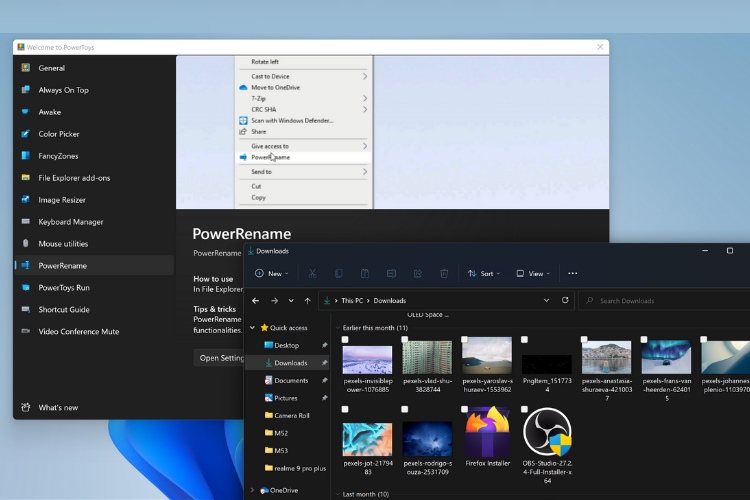
There are a few ways to batch rename files in Windows You can either use the limited GUI rename ability or use the Command line Interfaces for more options There are dedicated naming applications available on the internet along with Microsoft s own PowerRename utility People usually want to rename files in the following manner
Pre-crafted templates use a time-saving service for developing a varied range of files and files. These pre-designed formats and designs can be used for different personal and expert jobs, consisting of resumes, invites, leaflets, newsletters, reports, presentations, and more, enhancing the content development procedure.
Batch Rename Files Windows 10 Command Line

Batch Rename Files Windows 11
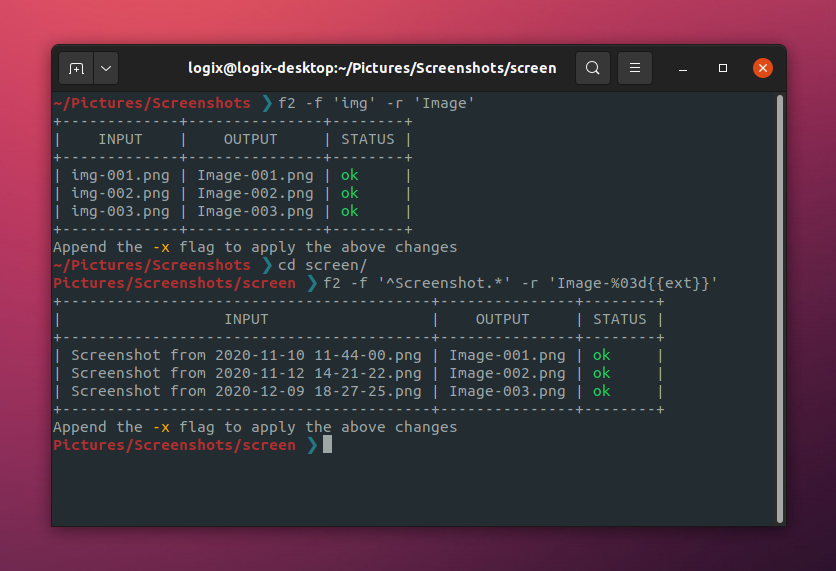
F2 Fast And Safe Batch Rename Tool For The Command Line Cross

4 Ways To Batch Rename Files In Windows 10 11

Batch Rename Files Windows 10 Providerfalo

4 Windows 10 Gadgetshelp com

How To Rename Multiple Files Windows Ubergizmo

The usage of shareware file manager Total Commander makes it very easy to rename lots of files or folders in a folder or a folder tree or spread over all drives very easy without any coding skills and being nevertheless extremely powerful with its built in awesome Multi rename tool Mofi Aug 13 2020 at 17 28

Open File Explorer go to a file folder select View Details select all files select Home Rename enter a file name and press Enter In Windows PowerShell go to a file folder enter dir rename item NewName name replace My Our and press Enter

Right click the file and then select Rename on the context menu And if you prefer sticking with your keyboard you can just use your arrow keys or start typing the file name to select a file and then hit F2 to select the file name
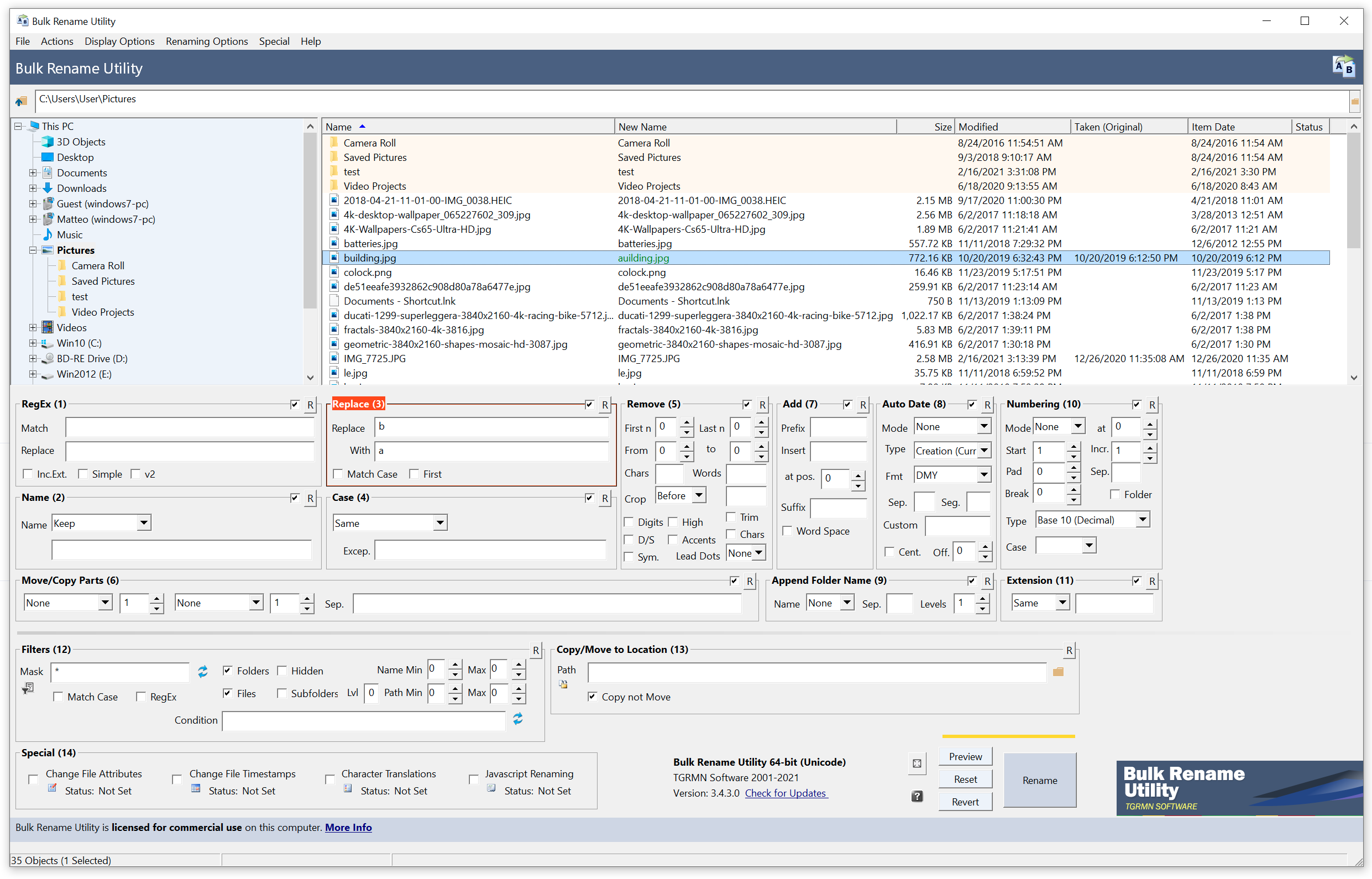
Batch Rename Files Using Command Prompt In Windows 10 If you want more options to batch rename files on your PC you can use the Command Prompt It allows you to use characters like and to select and rename your files This gives you many ways to for file renaming like Rename files with a certain extension

In the command C path to folder is a placeholder for the actual path replace the path with the actual path when you run the command The Recurse switch specifies the command to process subdirectories as well
1 Batch Rename with File Explorer File Explorer offers one of the easiest renaming options but also offers the least renaming flexibility Head to the folder containing the files you wish to rename Order the files how you wish to rename them Press CTRL A to select all the files in the folder then right click and select Rename To batch rename files just select all the files you want to rename press F2 alternatively right click and select rename then enter the name you want on the first file Press Enter to change the names for all other selected files
To change all the txt file name extensions in the current directory to doc extensions type ren txt doc To change the name of a directory from Chap10 to Part10 type ren chap10 part10 Command Line Syntax Key rename command