Auto Adjust Merged Cell Height Microsoft Excel How To Make All Merged Cells The Same Size Super User Where Is Autofit In Excel How To Adjust Column Width And Row Height Tip AutoFit Row Height On Merged Cells Too ASAP Utilities For C VB NET AutoFit Column Width And Row Height In Excel Step By Step Autofit Row Height In Excel Web Mar 20 2023 nbsp 0183 32 In this tutorial you will learn how to use the Excel AutoFit feature to make cells columns or rows expand to fit text automatically Microsoft Excel provides a handful of different ways to change column width and adjust row height The easiest way to resize cells is to have Excel automatically determine how much to widen or narrow the column
Web Sep 3 2020 nbsp 0183 32 When we merge cells across columns there s no default option setting in Excel for automatically adjusting the row height amp you have to use the mouse to drag amp adjust the row height as Web Apr 9 2020 nbsp 0183 32 You can check the below code for the auto fitting merged cells The cell width for column A to C is set to 12 each and for the height the ration that is 45 of text length depends upon this width if you want to change the width you have to
Step By Step Autofit Row Height In Excel VBA Export From Access To Excel Autofit Rows Access World Forums How To Autofit In Excel Tips And Tricks For Efficient Spreadsheets Word Outlook Merged cell Problem Arises After Patch Is Installed Excel Autofit Row Height Not Working Tested Solutions 2023 How To Adjust Table Columns In Word AutoFit Cedarville University Photoshop Digital Makeup Sc na Prevencia uva ka Locked Cell Not Working In Excel Drag Wither How To Adjust The Size Of The Cell Without Changing The Size Of The
Auto Adjust Merged Cell Height
 Auto Adjust Merged Cell Height
https://i.stack.imgur.com/unrfY.jpg
Web Resize columns Select a column or a range of columns On the Home tab select Format gt Column Width or Column Height Type the column width and select OK Automatically resize all columns and rows to fit the data Select the Select All button at the top of the worksheet to select all columns and rows Double click a boundary
Pre-crafted templates use a time-saving service for producing a diverse series of documents and files. These pre-designed formats and layouts can be made use of for different individual and expert jobs, consisting of resumes, invitations, flyers, newsletters, reports, presentations, and more, simplifying the content development procedure.
Auto Adjust Merged Cell Height
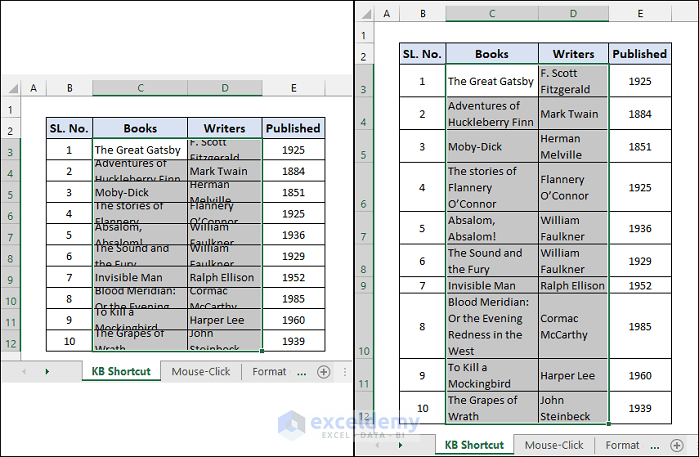
Excel Vba Get Second Row Text Wrap How To Text In Excel Shortcut One
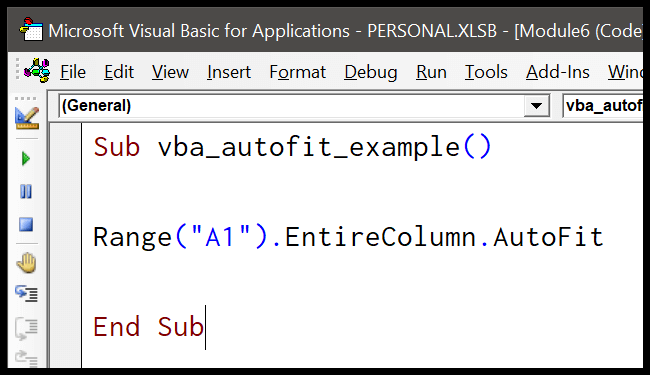
VBA Export From Access To Excel Autofit Rows Access World Forums

How To Autofit In Excel Tips And Tricks For Efficient Spreadsheets

Word Outlook Merged cell Problem Arises After Patch Is Installed
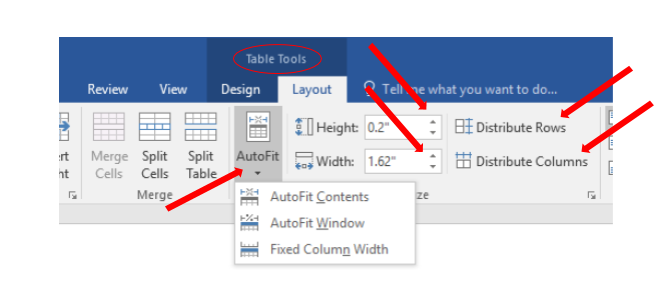
How To Adjust Table Columns In Word AutoFit Cedarville University

Photoshop Digital Makeup

Web In Excel we can quickly adjust the row height to the fit the cell contents by using the AutoFit Row Height feature but this function will completely ignores merged cells That is to say you can t apply the AutoFit Row Height feature to resize the row height of merged cells you need to manually adjust the row height for merged cells one by

Web Jun 18 2012 nbsp 0183 32 I can manually adjust the height but because we normally have the worksheet locked the users can t do that Is there any way to make it adjust automatically on the merged cells A setting would be best but VBA is OK too
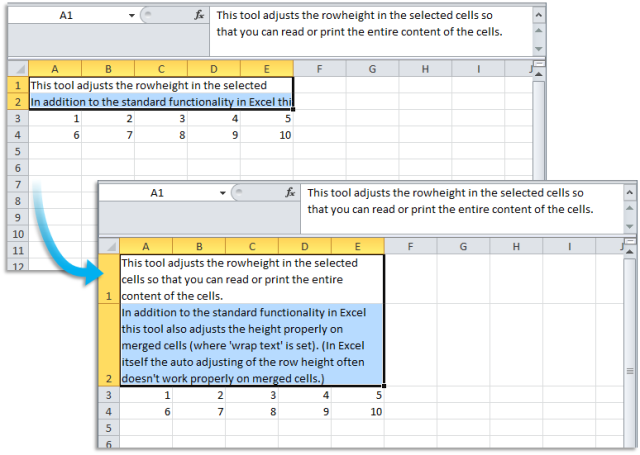
Web Apr 25 2018 nbsp 0183 32 Hi I have text in cells that are merge amp centred and wrap text turned on as well Trying to auto fit the row either by double clicking at the bottom of the row cell or alternatively by selecting format gt rows gt autofit adjusts the row height so only the top row of text is displayed
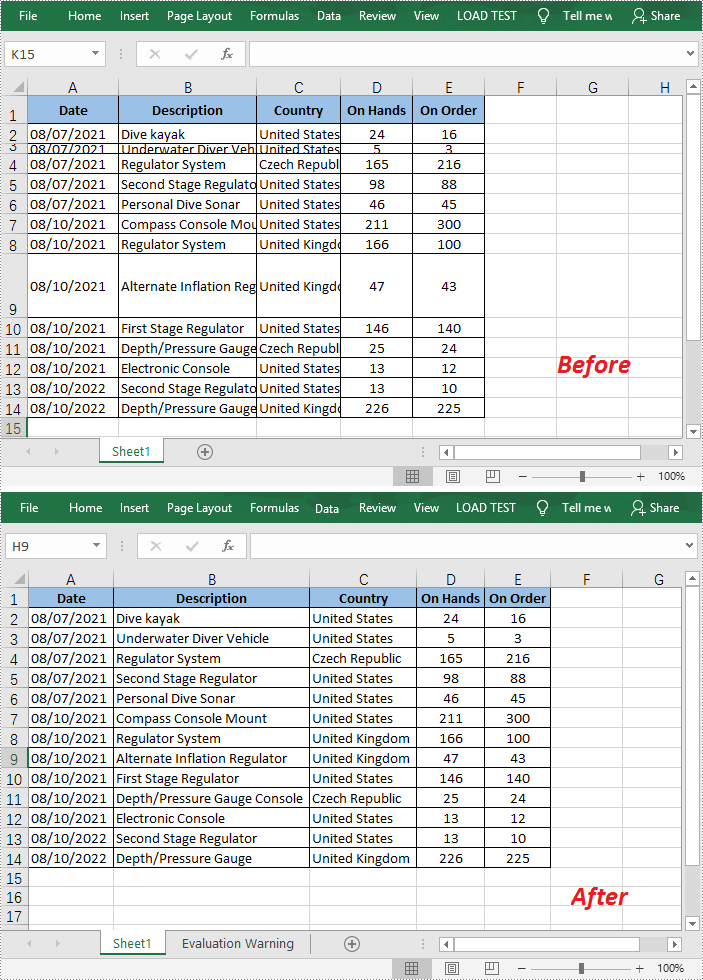
Web Oct 15 2023 nbsp 0183 32 Select the entire dataset Go to the Home ribbon Under the Cells group you will find the Format option Click on it Then from the drop down menu choose AutoFit Row Height After applying the AutoFit Row Height command you will see that all the cells have fitted except the merged cells Note
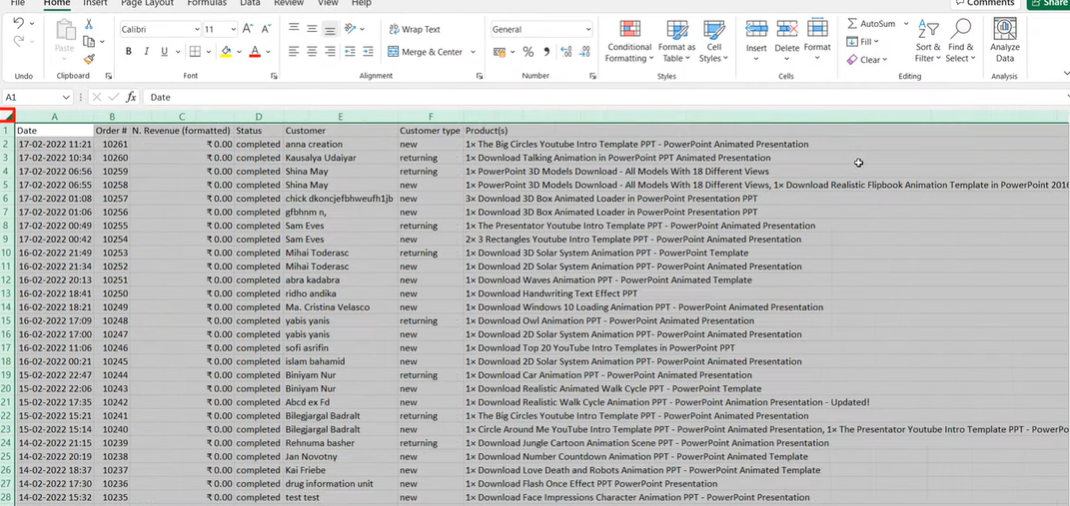
Web Jan 10 2023 nbsp 0183 32 Step 1 Consider the following image of an Excel sheet with two cells of varying heights merged Now to adjust the row height right click on the sheet name and select view code to open the vba application then click on insert and select module then type quot programme quot into the text box as shown in the below image Example
Web Oct 15 2014 nbsp 0183 32 My goal is that the height of a merged cell adjusts automatically to its content This works fine for one cell with this piece of code Private Sub Worksheet BeforeDoubleClick ByVal Target As Range Cancel As Boolean Dim CurrentRowHeight As Single MergedCellRgWidth As Single Dim h rng As Range Set Web Jan 29 2023 nbsp 0183 32 Microsoft Excel 2019 Autofit row height is not working for merged cells with wrap text I have a merged cell with wrap text enabled If I choose quot AutoFit Row Height quot command the row height doesn t change and the cell s content remains hidden unless I manually change the row height to a fixed value Is there any solution to this problem
Web When you use merged cells manually adjust row height and column width by using the following procedures as appropriate for the version of Excel that you are running Microsoft Office Excel 2003 and earlier versions of Excel On the Format menu point to