Apt Install Dpkg File E Could Not Open Lock File var lib dpkg lock Open 13 Permission Qual La Differenza Tra APT E Dpkg In Ubuntu H ng D n Fix L i DPKG LOCKED Ho c Could Not Open File var lib dpkg Ubuntu16 04 Var Lib Dpkg dpkg apt file apt show versions I have successfully installed some packages using the command sudo apt get install packagename when I have known in advance that those packages are available But how can I
Ubuntu apt apt get apt apt get Linux 8 apt cache showpkg lt package gt will give you details about what package versions are available forward and reverse dependencies etc apt cache show lt package gt will provide description
dpkg apt file apt show versions Linux Could Not Open Lock File var lib dpkg lock Open 13 All About The Debian Package Managers Dpkg Apt And Aptitude Explained Apt get Install E Unable To Acquire The Dpkg Ubuntu E Could Not Open Lock File var lib dpkg lock frontend var lib dpkg lock Open 13 WinFrom How To Fix could Not Open Lock File var lib dpkg lock frontend Error Fixing Unable To Acquire Dpkg Frontend Lock Are You Root Error On H ng D n Fix L i DPKG LOCKED Ho c Could Not Open File var lib dpkg
Apt Install Dpkg File
 Apt Install Dpkg File
https://s2.51cto.com/images/blog/202107/29/c821a8a855f38dcb17a5345e731ccb44.png?x-oss-process=image/watermark,size_16,text_QDUxQ1RP5Y2a5a6i,color_FFFFFF,t_30,g_se,x_10,y_10,shadow_20,type_ZmFuZ3poZW5naGVpdGk=/resize,m_fixed,w_750
Feb 27 2014 nbsp 0183 32 sudo apt get install nodejs Since I am a new user for ubuntu I also ran this code too sudo apt get install npm Now when I type nodejs version It shows v0 6 19 I checked and
Templates are pre-designed documents or files that can be utilized for various functions. They can conserve time and effort by supplying a ready-made format and design for developing various kinds of material. Templates can be utilized for individual or professional tasks, such as resumes, invitations, leaflets, newsletters, reports, presentations, and more.
Apt Install Dpkg File

How To Solve Could Not Open Lock File var lib dpkg lock frontend Error

Linux Could Not Open Lock File var lib dpkg lock Open 13

All About The Debian Package Managers Dpkg Apt And Aptitude Explained

Apt get Install E Unable To Acquire The Dpkg

var lib dpkg lock Open 13 WinFrom

How To Fix could Not Open Lock File var lib dpkg lock frontend Error

Sudo gpg a export lt PUBKEY gt sudo apt key add sudo apt get update Note that when you import a key like this using apt key you are telling the system that you trust the key you re
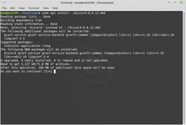
Sep 17 2014 nbsp 0183 32 sudo apt get autoclean Now clean the apt cache sudo apt get clean Now remove any unnecessary dependancies sudo apt get autoremove from the command above you can
Nov 24 2024 nbsp 0183 32 Ubuntu 24 04 uses a new format for managing sources Sources are stored in separate files within the etc apt sources list d directory each named with a list or sources

Apt cache s madison command attempts to mimic the output format and a subset of the functionality of the Debian archive management tool madison It displays available versions of
Dec 17 2010 nbsp 0183 32 I d like to output a list of all installed packages into a text file so that I can review it and bulk install on another system How would I do this
[desc-11] [desc-12]
[desc-13]