Apt Get Install Deb From Url Seb On Twitter sudo Apt get Install Selfie ORACLE How To Install deb In Ubuntu Family YouTube Personal Blog Abd n F M Linux How To Convert From RPM To DEB And DEB To RPM Package Using Alien I have successfully installed some packages using the command sudo apt get install packagename when I have known in advance that those packages are available But how can I
Aug 10 2017 nbsp 0183 32 I d like to get a list of packages installed manually by apt or aptitude and be able to find out whether a foobar package was installed manually or automatically How can we do that Aug 27 2010 nbsp 0183 32 apt get has a few options which looks the same to me autoclean autoremove and clean What do each of them do
How To Convert From RPM To DEB And DEB To RPM Package Using Alien How To Install A DEB File In Linux Better Tech Tips Execute command C mo Puedo Ejecutar Una archivo Deb Read News Today Update Today Trending With Enjoy 15 Examples Of How To Install Deb Files YouTube armbian koishi ffmpeg Koishi Forum How To Install Deb File With Ifunbox Mac Safe Babyfasr How To Use Apt Get To Install Programs In Ubuntu From The Command Line How To Install Deb File With Ifunbox Mixneptun
Apt Get Install Deb From Url
 Apt Get Install Deb From Url
https://pbs.twimg.com/media/Fk7alHcaAAEZxo5.jpg
Jun 23 2022 nbsp 0183 32 Ubuntu 22 04 How to add repo in sources list using add apt repository Ask Question Asked 3 years ago Modified 3 years ago
Templates are pre-designed documents or files that can be used for various purposes. They can save time and effort by offering a ready-made format and design for creating various kinds of content. Templates can be used for individual or expert tasks, such as resumes, invites, flyers, newsletters, reports, presentations, and more.
Apt Get Install Deb From Url

Install Deb File Using Terminal Server Articlerenew

How To Install A DEB File In Linux Better Tech Tips

Execute command C mo Puedo Ejecutar Una archivo Deb
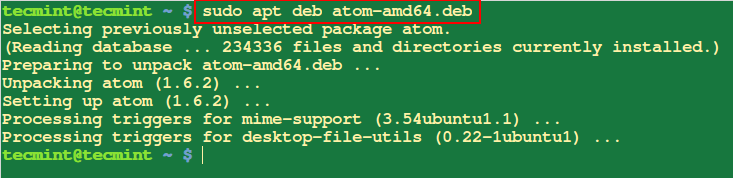
Read News Today Update Today Trending With Enjoy 15 Examples Of

armbian koishi ffmpeg Koishi Forum
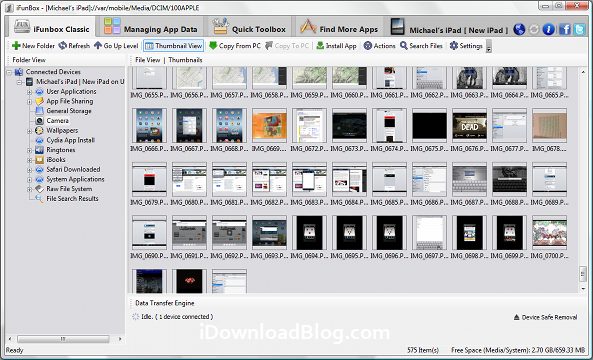
How To Install Deb File With Ifunbox Mac Safe Babyfasr

Ubuntu apt apt get apt apt get Linux

Sudo gpg a export lt PUBKEY gt sudo apt key add sudo apt get update Note that when you import a key like this using apt key you are telling the system that you trust the key you re

851 I read about the new fancy progress bar which was added to apt 1 0 in Softpedia and how to enable it here However on running sudo apt get update I did not see the fancy progress bars

Because etc apt trusted gpg d is a way to add keys to the keyring etc apt trusted gpg w o apt key add by copying files Also note that The recommended locations for keyrings are
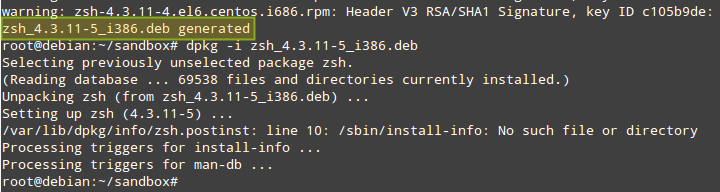
Done Package munin memcached is not available but is referred to by another package This may mean that the package is missing has been obsoleted or is only available from another
[desc-11] [desc-12]
[desc-13]