Apple Magic Mouse Not Scrolling Ipad jelly Scrolling IPad Mini Apple Getting Scrolling To Work On Apple Magic Mouse In Windows IT jon How To Fix Magic Mouse Not Tracking And Scrolling Techuda How To Disable Magic Mouse Scrolling Macmint How To Disassemble Microsoft Surface Precision Mouse not Scrolling Fix Web May 6 2020 nbsp 0183 32 Magic Mouse not scrolling iPad pro My Magic Mouse is a new device but I believe first or second generation and the scrolling functions are not functioning at all with my iPad Pro newest addition I have removed the device reset it and removed the batteries and cleaned it with resolution Any suggestions are helpful 3 years ago 204 1
Web Nov 11 2021 nbsp 0183 32 Go to Apple Menu gt System Preferences then click on quot Bluetooth quot First try turning Bluetooth on and off Click quot Turn Bluetooth Off quot then wait a few moments Now click quot Turn Bluetooth On quot If this doesn t work try reconnecting your mouse Web Sep 21 2023 nbsp 0183 32 How to connect a Bluetooth mouse or trackpad to your iPad Turn on your Bluetooth accessory and place it near your iPad Make sure that your accessory is in pairing or discovery mode Apple Magic Mouse and Magic Trackpad should be ready to pair at this point
How To Disassemble Microsoft Surface Precision Mouse not Scrolling Fix 8 Ways To Fix Magic Mouse Not Scrolling Issue 2020 Saint IPad Mini 6 Scoperto Il jelly Scrolling Un Problema Hardware Apple Jelly Scrolling IPad Mini 6 LCD Apple Wireless Mouse Not Working Fix Now How To Fix Magic Mouse Not Tracking And Scrolling Techuda Apple Magic Mouse Not Scrolling How To Fix Tron Vraja A Intelege Hard Reset Magic Mouse 2 Corupt Farmacologie Peer So Beheben Sie Dass Die Apple Maus Nicht Auf Dem Mac Funktioniert
Apple Magic Mouse Not Scrolling Ipad
 Apple Magic Mouse Not Scrolling Ipad
https://sm.pcmag.com/t/pcmag_gr/news/a/apple-says/apple-says-ipad-mini-jelly-scrolling-is-normal-behavior_dnbj.1920.jpg
Web Oct 7 2022 nbsp 0183 32 iPadOS doesn t support scrolling or other gestures with Apple Magic Mouse 1st generation or Magic Trackpad 1st generation Adjust trackpad settings To change how your Bluetooth trackpad works go to Settings gt General gt Trackpad
Pre-crafted templates use a time-saving solution for producing a diverse range of documents and files. These pre-designed formats and layouts can be utilized for various individual and professional tasks, consisting of resumes, invitations, flyers, newsletters, reports, presentations, and more, enhancing the material development process.
Apple Magic Mouse Not Scrolling Ipad

Apple Magic Mouse Problems And Fixes

8 Ways To Fix Magic Mouse Not Scrolling Issue 2020 Saint

IPad Mini 6 Scoperto Il jelly Scrolling Un Problema Hardware
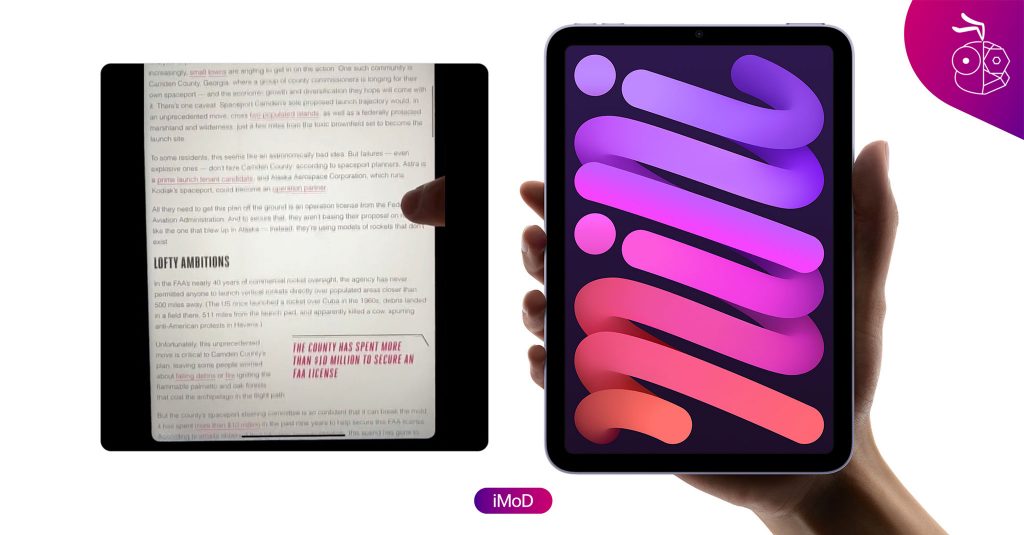
Apple Jelly Scrolling IPad Mini 6 LCD

How To Fix Magic Mouse Not Tracking And Scrolling Techuda
Apple Magic Mouse Not Scrolling How To Fix

Web Sep 11 2022 nbsp 0183 32 Magic Mouse not scrolling iPad pro My Magic Mouse is a new device but I believe first or second generation and the scrolling functions are not functioning at all with my iPad Pro newest addition I have removed the device reset it and removed the batteries and cleaned it with resolution Any suggestions are helpful 3 years ago 185 1
Web Sep 29 2022 nbsp 0183 32 Do the following to unpair and rematch now Open the Bluetooth devices list find the magic mouse in the list and unpair it Turn the Bluetooth off and then on and make sure the magic mouse is turned on Pic 3 bluetooth ipad Put the mouse in pairing mode The device will appear in the Bluetooth

Web Table of Contents Mouse actions and gestures for iPad You can use a mouse to open apps go to the Home Screen open Slide Over and more mouse devices sold separately When your iPad is near your Mac macOS 12 3 or later required on supported models you can also share a mouse between both devices
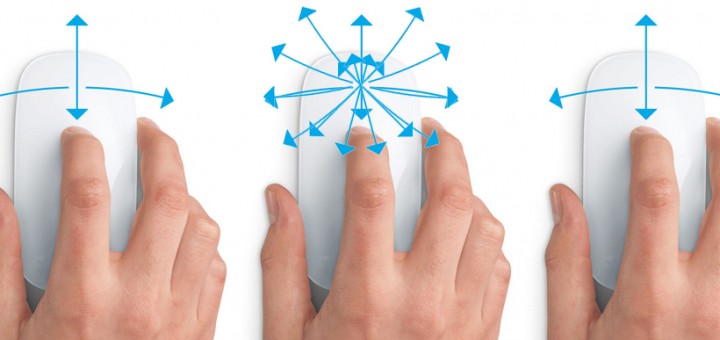
Web Jul 30 2020 nbsp 0183 32 My Magic Mouse is a new device but I believe first or second generation and the scrolling functions are not functioning at all with my iPad Pro newest addition I have removed the device reset it and removed the batteries and cleaned it with resolution Any suggestions are helpful

Web Jan 3 2023 nbsp 0183 32 Magic Mouse not scrolling iPad pro My Magic Mouse is a new device but I believe first or second generation and the scrolling functions are not functioning at all with my iPad Pro newest addition I have removed the device reset it and removed the batteries and cleaned it with resolution Any suggestions are helpful 3 years ago 204 1
Web Feb 8 2023 nbsp 0183 32 If you can t connect your Magic Keyboard Magic Mouse or Magic Trackpad to your Mac Try these steps to resolve issues with your Magic accessories Turn the device off and on Magic Mouse has a switch on the bottom of the device and Magic Keyboard and Magic Trackpad have a switch on the back edge of the device Web Nov 29 2021 nbsp 0183 32 The quick fix is reconnect the Magic Mouse and it works With the trackpad I just did the same thing and connect the Magic Mouse and disconnect There is a weird issue with gestures with macOS Monterey
Web Mar 24 2020 nbsp 0183 32 macrumors newbie Jul 8 2017 7 2 Mar 20 2020 10 I have the same problem with my Magic Mouse 1 But I noticed that scrolling also doesn t work when I use it with my Miscrosoft Mouse It was working in the previous iPadOS version when I used the Accessibility function