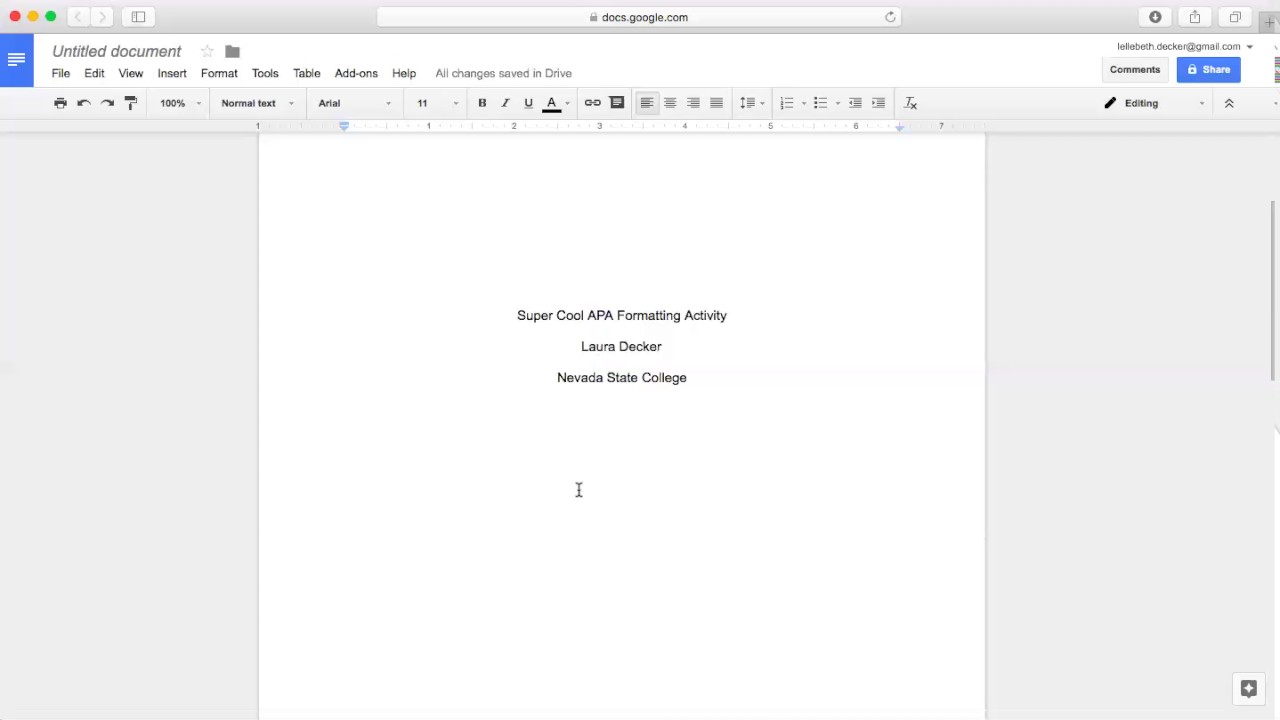
Apa Format Title Page Template Google Docs Formatting An APA Paper Using Google Docs YouTube Apa Format Template Google Docs Cover Page For Apa Style Research Paper Sample Of Research Proposal Apa Format Paper Google Docs Copaxdish School Essay Apa Style Title Page Template 65C Here are two Google Docs templates you can use for APA or MLA formatted papers The templates are View Only so you will need to make a copy if you want to use one Click the Use Template button in the upper right corner to make a copy These templates have headers page numbers margins fonts and line spacing already set up for you
Download and use the editable templates for student papers below APA 7th ed Template Document This is an APA format template document in Google Docs Click on the link it will ask for you to make a new copy of the document which you can save in your own Google Drive with your preferred privacy settings APA 7th ed Setting up APA Format Title Page in Google Docs 6th Edition Scribbr YouTube This video will explain all you need to know about formatting your APA format title page
School Essay Apa Style Title Page Template 65C Apa Title Page Format Paragraphs How Do You Make A Cover Page In Apa Format APA Format Title Page Apa Title Page How To Create An APA Title Page Download This APA Apa Format Title Page Sample Download Microsoft Word Apa Cover Page Template Planwera How To Format Apa Title Page 2023 APA Title Page Fillable Printable PDF Forms Handypdf FREE 6 Sample APA Format Title Page Templates In PDF MS Word
Apa Format Title Page Template Google Docs
 Apa Format Title Page Template Google Docs
https://i.ytimg.com/vi/UalpBwV84VI/maxresdefault.jpg
This handout discusses how to format a paper using Google Docs It reviews how to create a Google Doc how to set up a general paper how to set up a paper using MLA APA or Chicago citation styles and how to insert a hanging indent within a bibliography page You can navigate to specific sections of this handout by clicking the links below
Templates are pre-designed documents or files that can be used for various purposes. They can save effort and time by offering a ready-made format and design for producing various kinds of content. Templates can be utilized for individual or professional tasks, such as resumes, invites, leaflets, newsletters, reports, discussions, and more.
Apa Format Title Page Template Google Docs
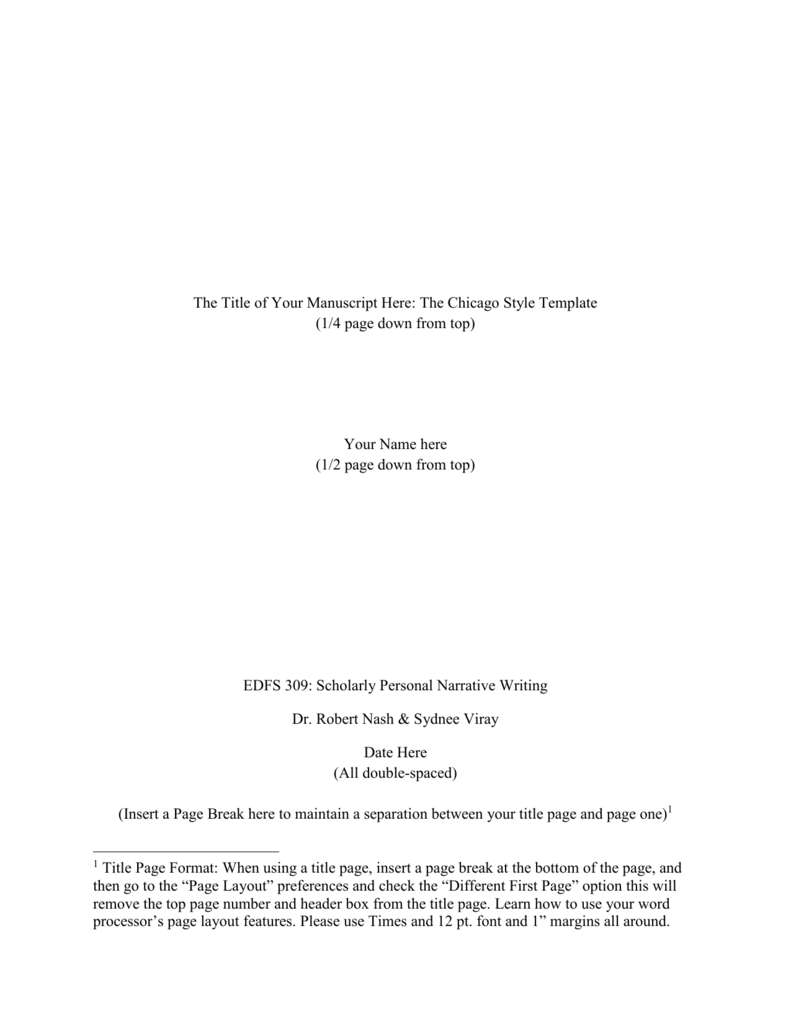
Chicago Style Cover Page Template
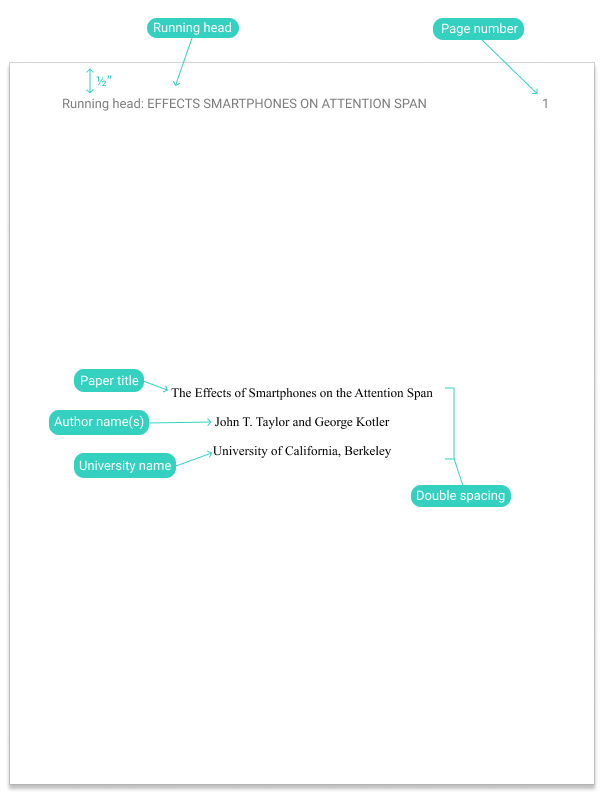
Apa Title Page Format Paragraphs
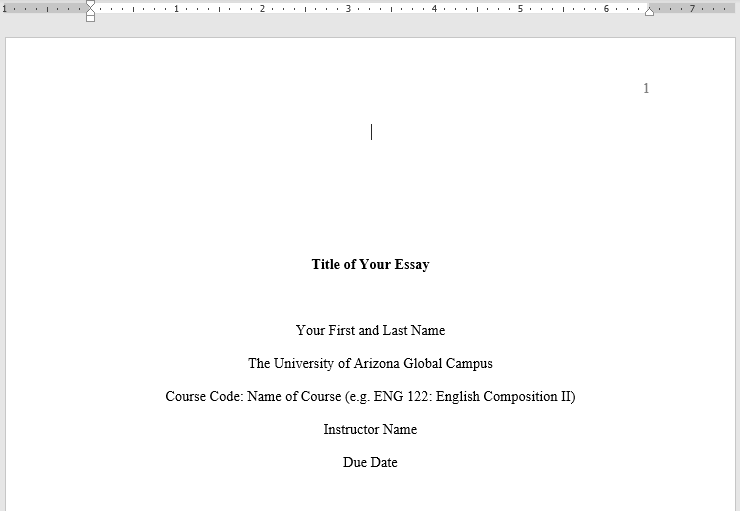
How Do You Make A Cover Page In Apa Format APA Format Title Page

Apa Title Page How To Create An APA Title Page Download This APA
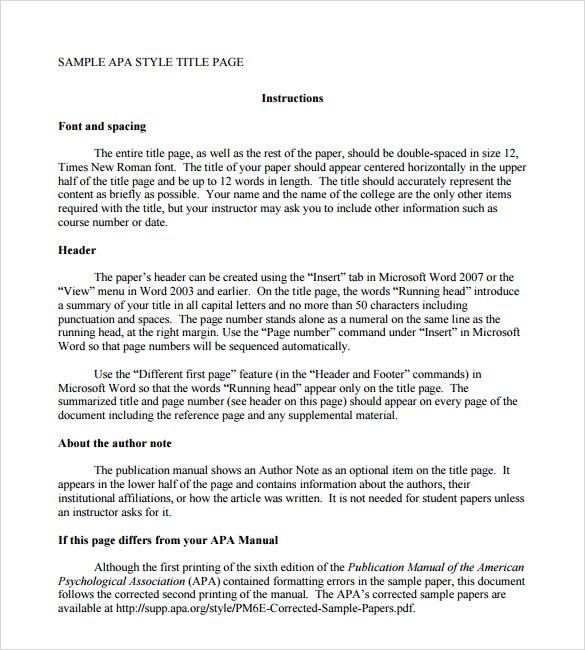
Download Microsoft Word Apa Cover Page Template Planwera
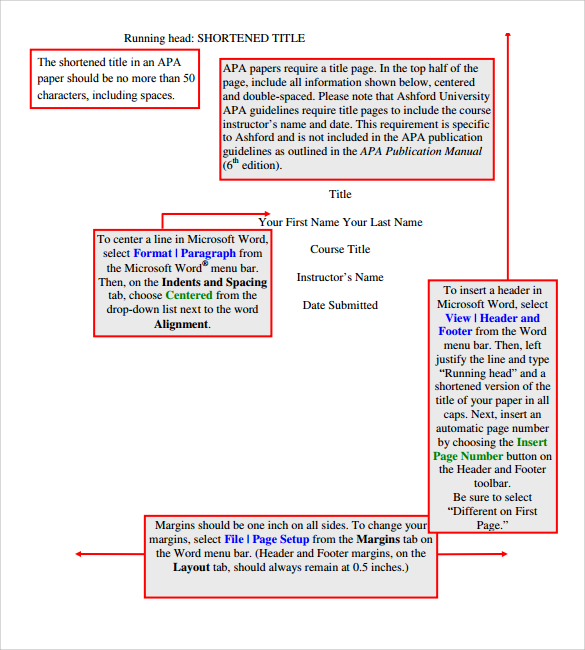
How To Format Apa Title Page
Google Docs offers several templates that automatically format your documents To set up the APA template in Google Docs Open a new document and select File New From template The template gallery will open in a separate browser tab Scroll down to the Education section and select Report APA

Follow the guidelines described next to format each element of the student title page Place the title three to four lines down from the top of the title page Center it and type it in bold font Capitalize major words of the title Place the main title and any subtitle on separate double spaced lines if desired
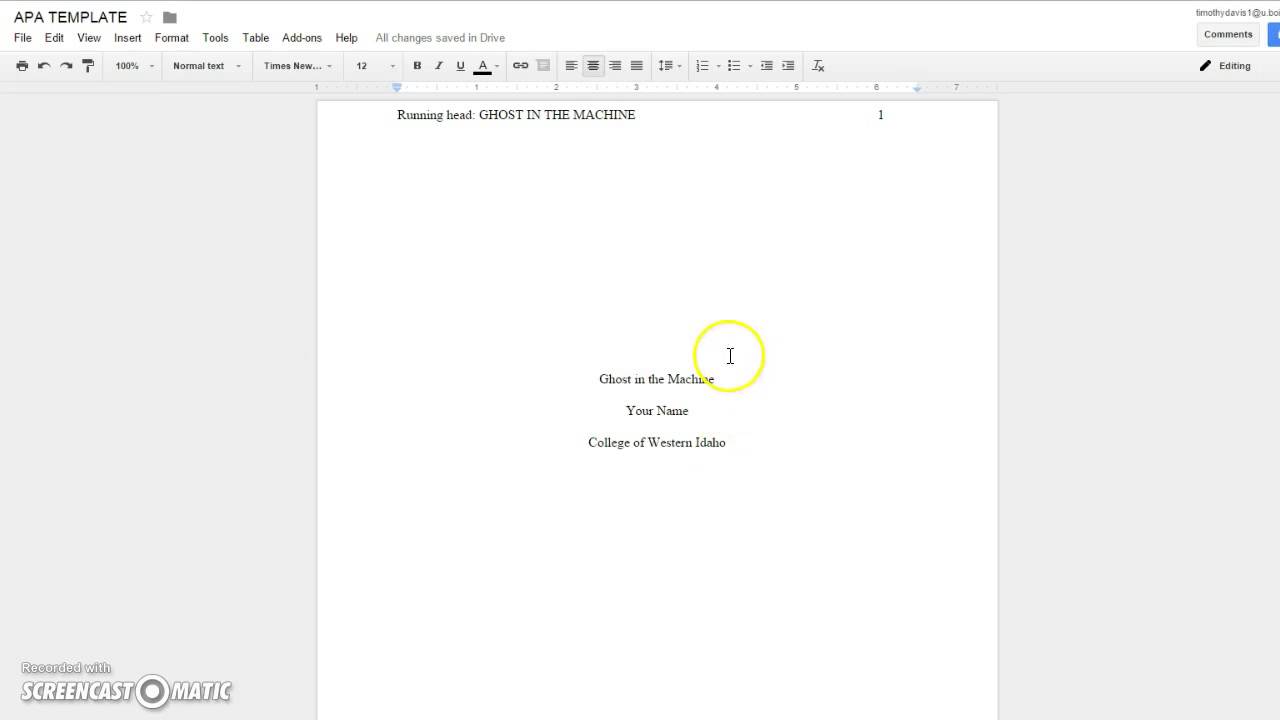
This article reflects the APA 7th edition guidelines Click here for APA 6th edition guidelines APA provides different guidelines for student and professional papers The student version of the APA title page should include the following information double spaced and centered Paper title Author name Department and university name

You can write an APA formatted paper in Google Docs using its built in tools or a template The basics of APA 7 format include double spaced lines a running header and a title

Why set up APA format from scratch if you can download Scribbr s template for free Student papers and professional papers have slightly different guidelines regarding the title page abstract and running head Our template is available in Word and Google Docs format for both versions Student paper Word Google Docs
Step 1 Open Google Docs on your browser Open Google Docs from your browser Step 2 Click on the Template Gallery in the top right corner of your Google Docs homepage Click on the Template gallery Step 3 From the Education Section select APA Format Two editions of the format are available viz 6th and 7th edition Learn about headings and when to use them on pages 47 49 of the APA Publication Manual 7th ed This template illustrates two levels of headings Level 1 and Level 2 In text Citations
You have two options available to you when it comes to writing an APA formatted paper in Google Docs One is to format your paper yourself in a blank Google Doc using the steps you will find on this handout The other is to use a template provided by Google Docs which has all the correct APA formatting already set up for you