Ansible Install Package Example Ansible Playbook Examples - Sample Ansible Playbooks | Devops Junction Ansible Playbooks for Beginners - Hands-On - YouTube Creating your first Ansible module - Techforce1 How to Run Ansible Playbook Locally | DevOps Junction Ansible Unarchive Module Examples | Devops Junction Installing Packages with the Ansible Apt Module Let s kick off this tutorial by using the apt module to install some packages using ad hoc commands Ad hoc commands are a quick and easy way to run a single command on a remote host Ansible apt module example Defining the remote server where the package will be deployed hosts myserver
First enable a repo with the subscription manager and then install a package via yum with the following command sudo subscription manager repos enable rhel 7 server rpms sudo yum install git That s it Easy right This example runs the commands manually and it s simple enough for a single host Example 2 YUM only Step 1 Create your Ansible hosts file In your IDE such as VS Code you need to create an ansible hosts file that defines all your servers By default ansible reads the hosts file from
Ansible Unarchive Module Examples | Devops Junction Changing Ansible Playbook Depending On Operating System (Ansible) – GeekTechStuff Ansible Install Admin Tools via win_chocolatey module. Ansible Template module Examples - Jinja2 Templates | Devops Junction Ansible apt module Examples - install packages with apt | Devops Junction Ansible Playbooks Quick Start Guide with Examples | 2DayGeek Ansible Modules - How To Use Them Efficiently (Examples) Ansible Modules - How To Use Them Efficiently (Examples) How to automate simple repetitive tasks using Ansible | ComputingForGeeks
Ansible Install Package Example
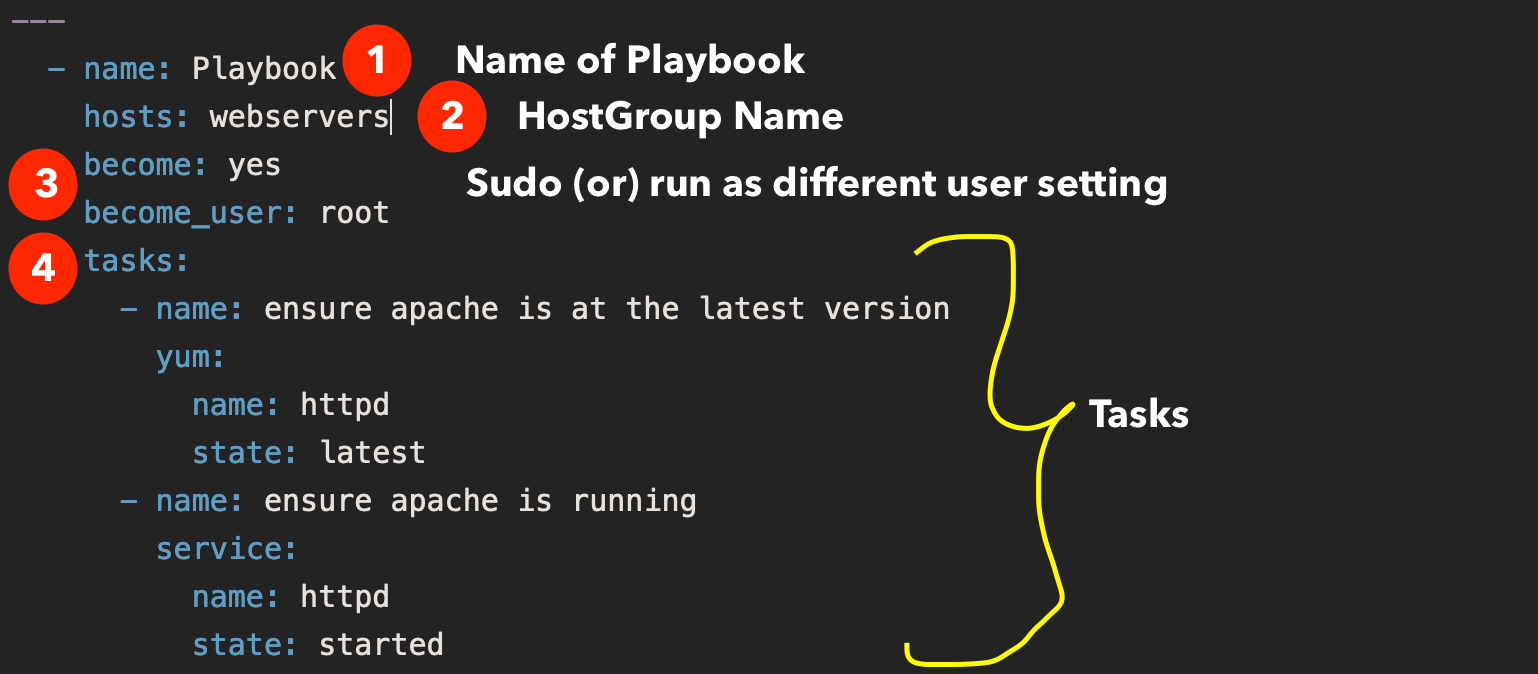 Ansible Install Package Example
https://www.middlewareinventory.com/wp-content/uploads/2019/07/Screenshot-2020-07-15-at-1.47.21-PM.png
How to install a Package with Ansible apt How to remove a Package with Ansible apt How to do an apt update with Ansible Update cache if it is older than a certain time Upgrade a Single package or Software with ansible apt Update Upgrade All the packages installed in OneGo Differentiate the Update and Upgrade
Templates are pre-designed documents or files that can be utilized for numerous functions. They can save time and effort by providing a ready-made format and design for creating different type of content. Templates can be used for personal or expert jobs, such as resumes, invitations, flyers, newsletters, reports, presentations, and more.
Ansible Install Package Example
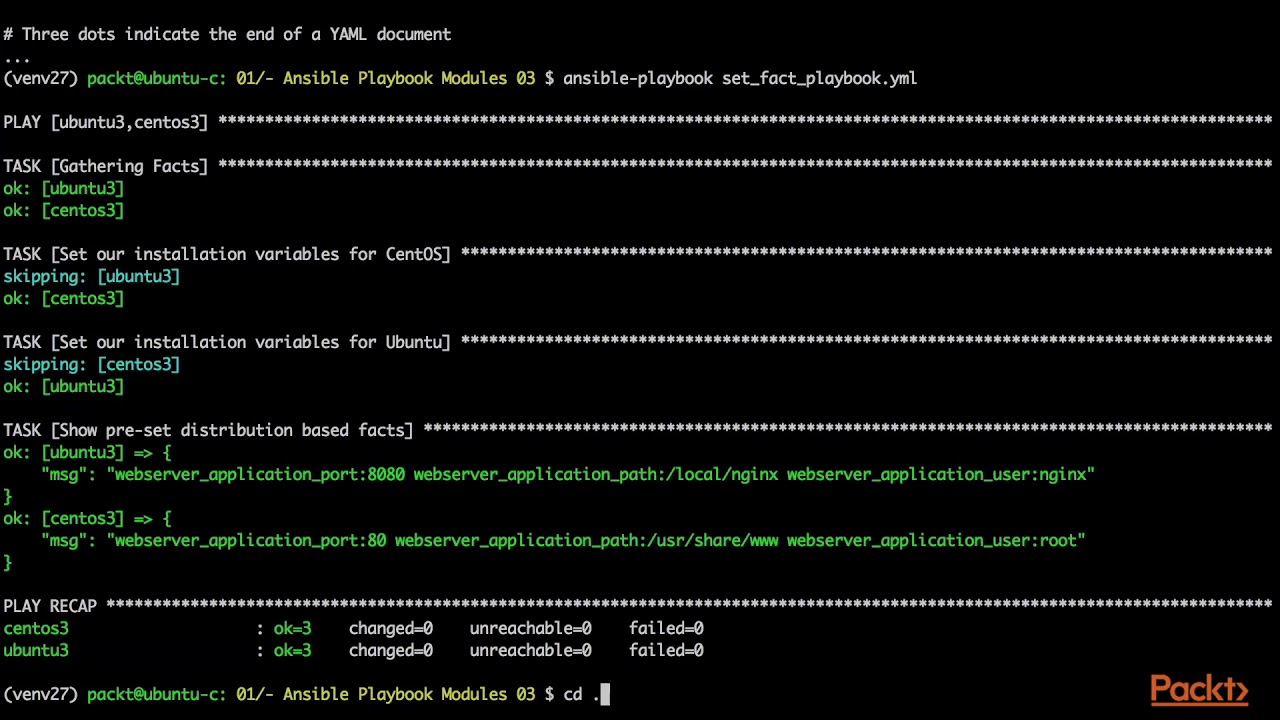
Mastering Ansible: Ansible Playbook Modules| packtpub.com - YouTube
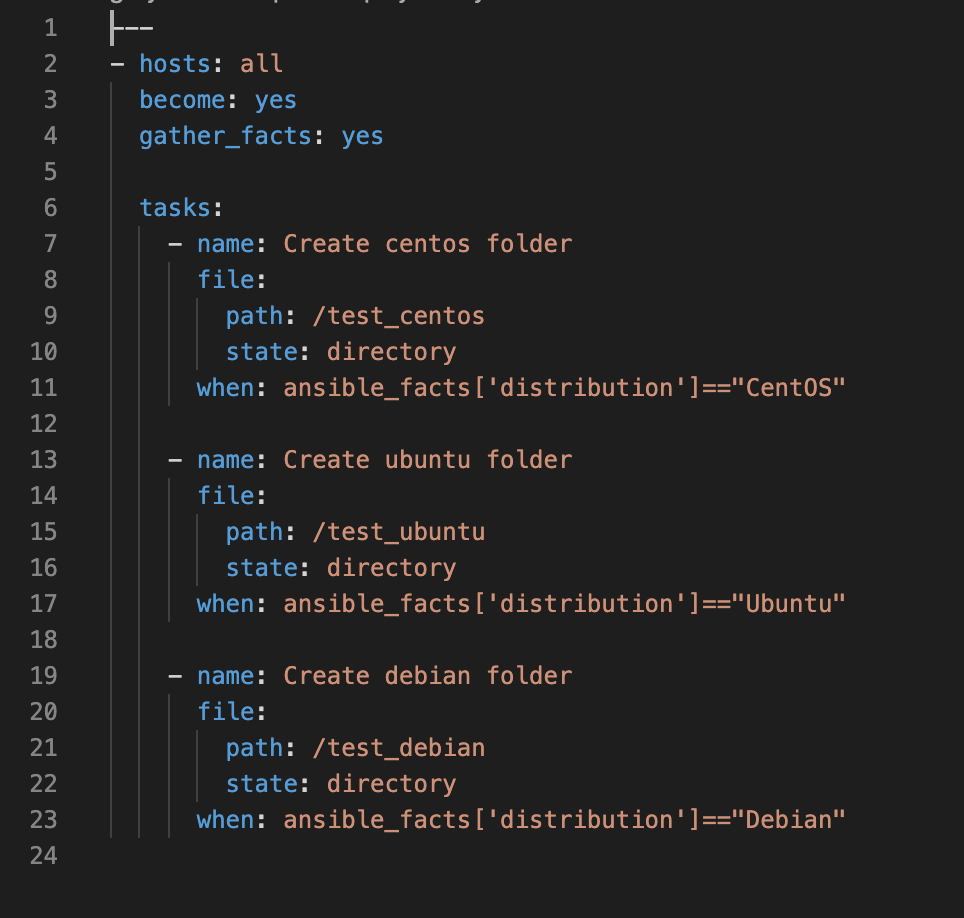
Changing Ansible Playbook Depending On Operating System (Ansible) – GeekTechStuff

Ansible Install Admin Tools via win_chocolatey module.
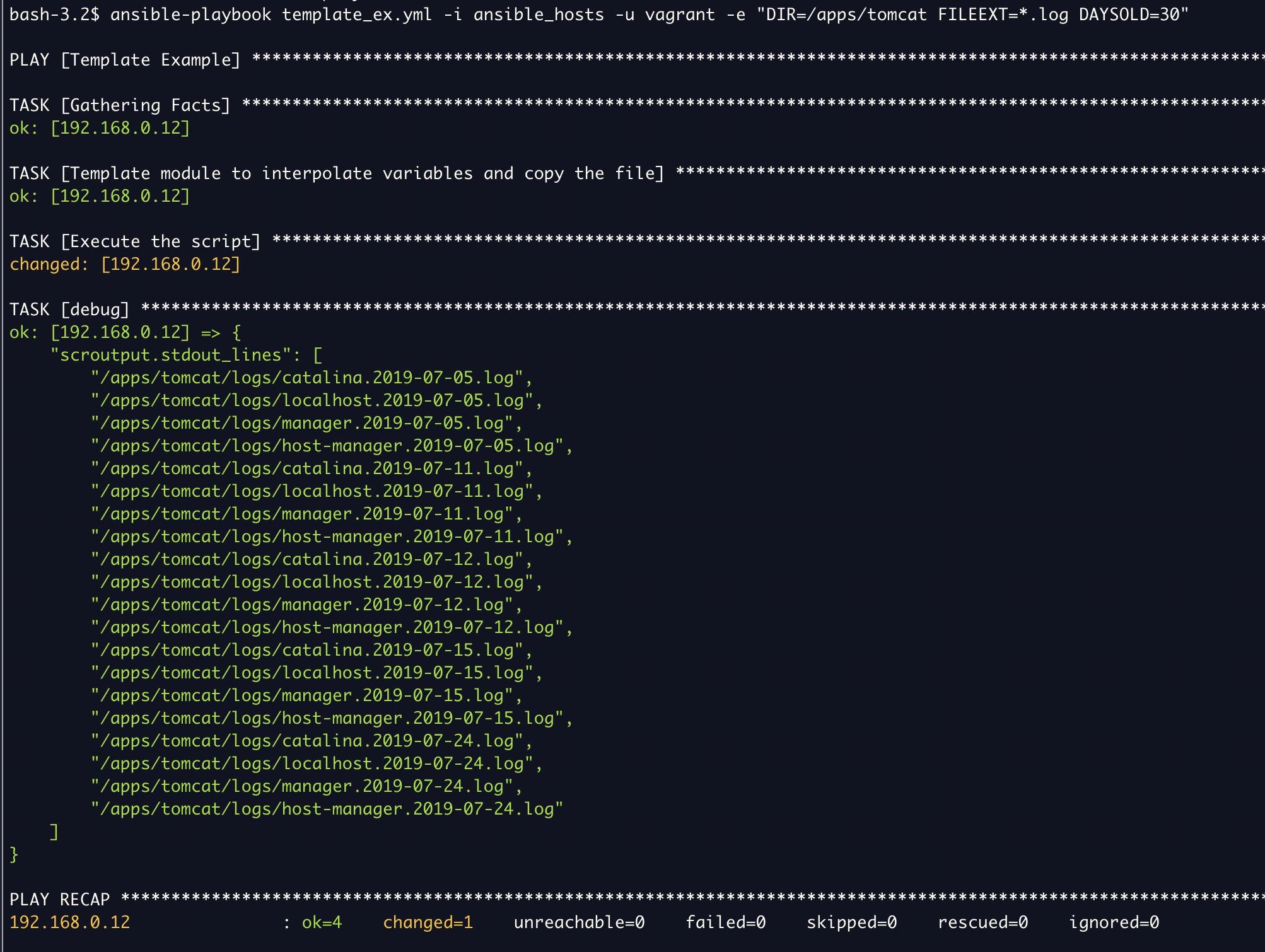
Ansible Template module Examples - Jinja2 Templates | Devops Junction
Ansible Playbooks Quick Start Guide with Examples | 2DayGeek

Ansible Modules - How To Use Them Efficiently (Examples)
Examples Return Values Synopsis Manages apt packages such as for Debian Ubuntu Requirements The below requirements are needed on the host that executes this module python apt python 2 python3 apt python 3 aptitude before 2 4 Parameters Attributes Notes Note

Examples Synopsis Installs upgrade downgrades removes and lists packages and groups with the yum package manager This module only works on Python 2 If you require Python 3 support see the ansible builtin dnf module Note This module has a corresponding action plugin Requirements

Package installation Suppose you ve found a cool new package called sysstat that you now want to install on all your hosts at once That s an easy job for Ansible ansible all user tux become module name dnf a name sysstat state latest And you re done You might also like How to create an Ansible Playbook
Automating the installation of required system packages is a common operational task in Ansible playbooks since a typical application stack requires software from different sources The apt module manages system packages on Debian based operating systems such as Ubuntu the distribution we re using on remote nodes throughout this guide
To begin choose the package manager on your local computer For instance if you re going to write your Ansible instructions a playbook as it s called in Ansible on a laptop running Fedora start with the dnf module If you re writing on Elementary OS use the apt module and so on
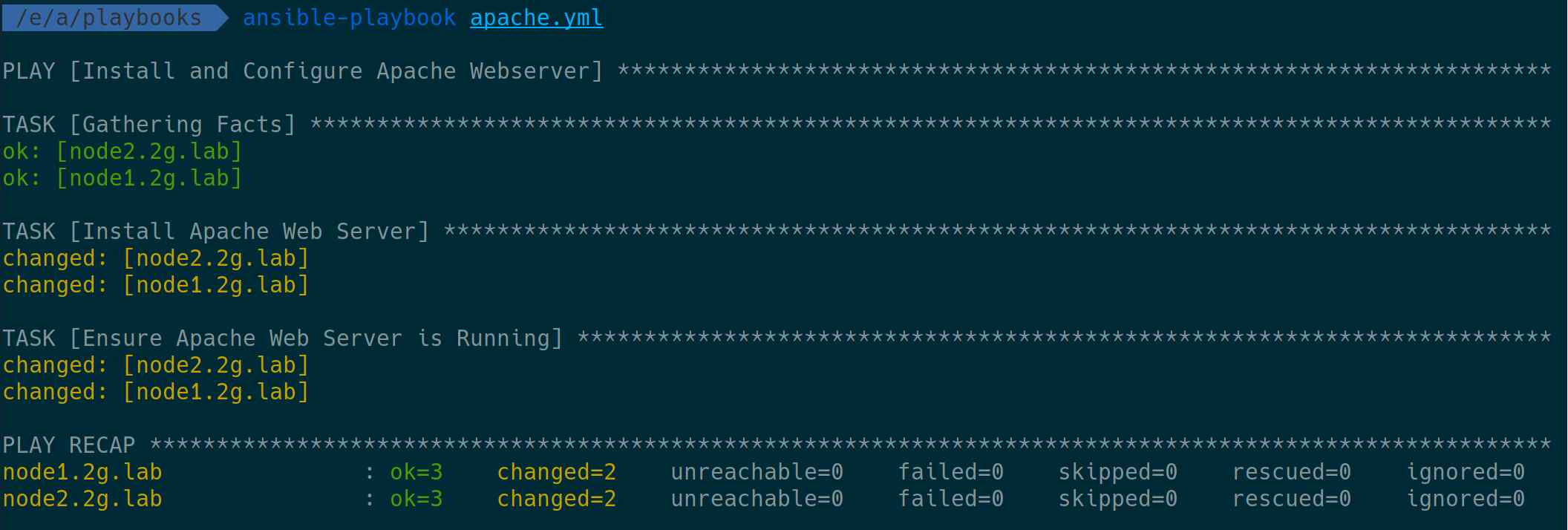
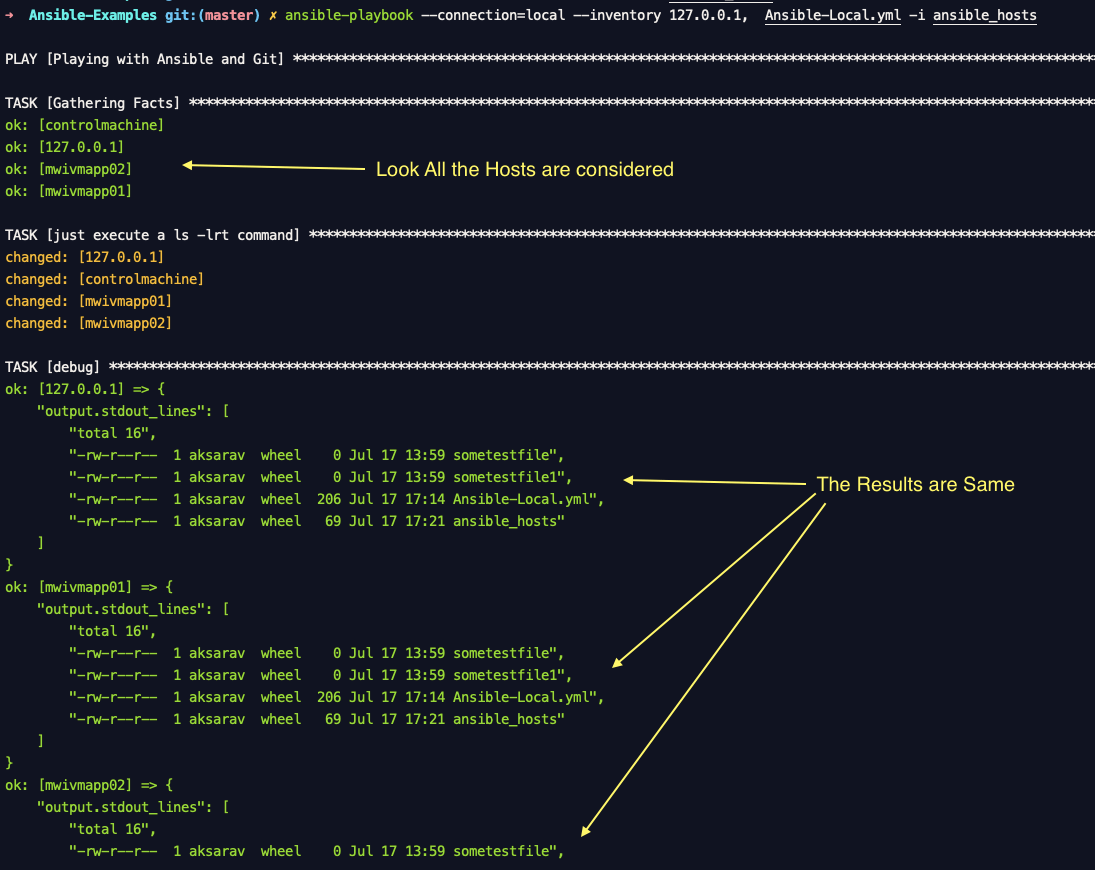
The install command automatically appends the path ansible collections to the one specified with the p option unless the parent directory is already in a folder called ansible collections Ansible comes with the ansible playbook command to launch a playbook with Let us execute this playbook ansible controller ansible playbook install wget yml The ansible playbook parameter is the command that takes the playbook as an argument install wget yml and runs the plays against the hosts
With this modification the playbook installs different packages depending on the host s operating system In this example the playbook installs default jdk on Ubuntu and java 1 8 0 openjdk on