Android Browser Hide Address Bar Microsoft Edge Adressleiste St ndig Anzeigen NETZWERKADMINISTRATION How To Hide Address Bar In Google Chrome Vrogue Javascript How To Hide A Mobile Browser s Address Bar Stack Overflow Solved Hide Mobile Browser Address Bar On Chrome 9to5Answer How To Hide Chrome Address Bar On Windows 10 MiniTool Partition Wizard Hiding the Address Bar in Android Browser Step 1 Launch the Android browser on your mobile device Step 2 Open a website Step 3 Tap the Menu button the three dot icon in the top right corner of the screen Step 4 Tap on Settings Step 5 Scroll down and find the Full screen option
4 Answers Sorted by 17 Maybe you can set the minheight on the body bigger 480px screen height in vertical mode 60px address bar height 540px Example How to hide the browser address bar Ask Question Asked 11 years 3 months ago Modified 11 years 3 months ago Viewed 1k times Part of Mobile Development Collective 3 I have this code I am working on twitter rss feeds
How To Hide Chrome Address Bar On Windows 10 MiniTool Partition Wizard HOW TO HIDE TITLE BAR IN VERTICAL TAB MODE Microsoft Edge Browser Tips Windows 10 Explore Tip Body orient portrait body orient landscape How To Hide The Address Bar And The Tabs On Google Chrome TechHow How To Hide Address Bar In Google Chrome Vrogue How To Hide The Title Bar In Microsoft Edge Browser Stable Canary Windows Explorer Address Bar Tricks You Probably Don t Know Hindi YouTube How To Hide Title Bar For Chromium Web Browser How To Hide Address Bar In Google Chrome Easy Guide
Android Browser Hide Address Bar
 Android Browser Hide Address Bar
https://www.ghacks.net/wp-content/uploads/2017/01/edge-address-bar.png
This help content information General Help Center experience Search Clear search
Pre-crafted templates provide a time-saving option for producing a diverse variety of documents and files. These pre-designed formats and designs can be used for different personal and professional jobs, consisting of resumes, invites, flyers, newsletters, reports, discussions, and more, simplifying the content production process.
Android Browser Hide Address Bar
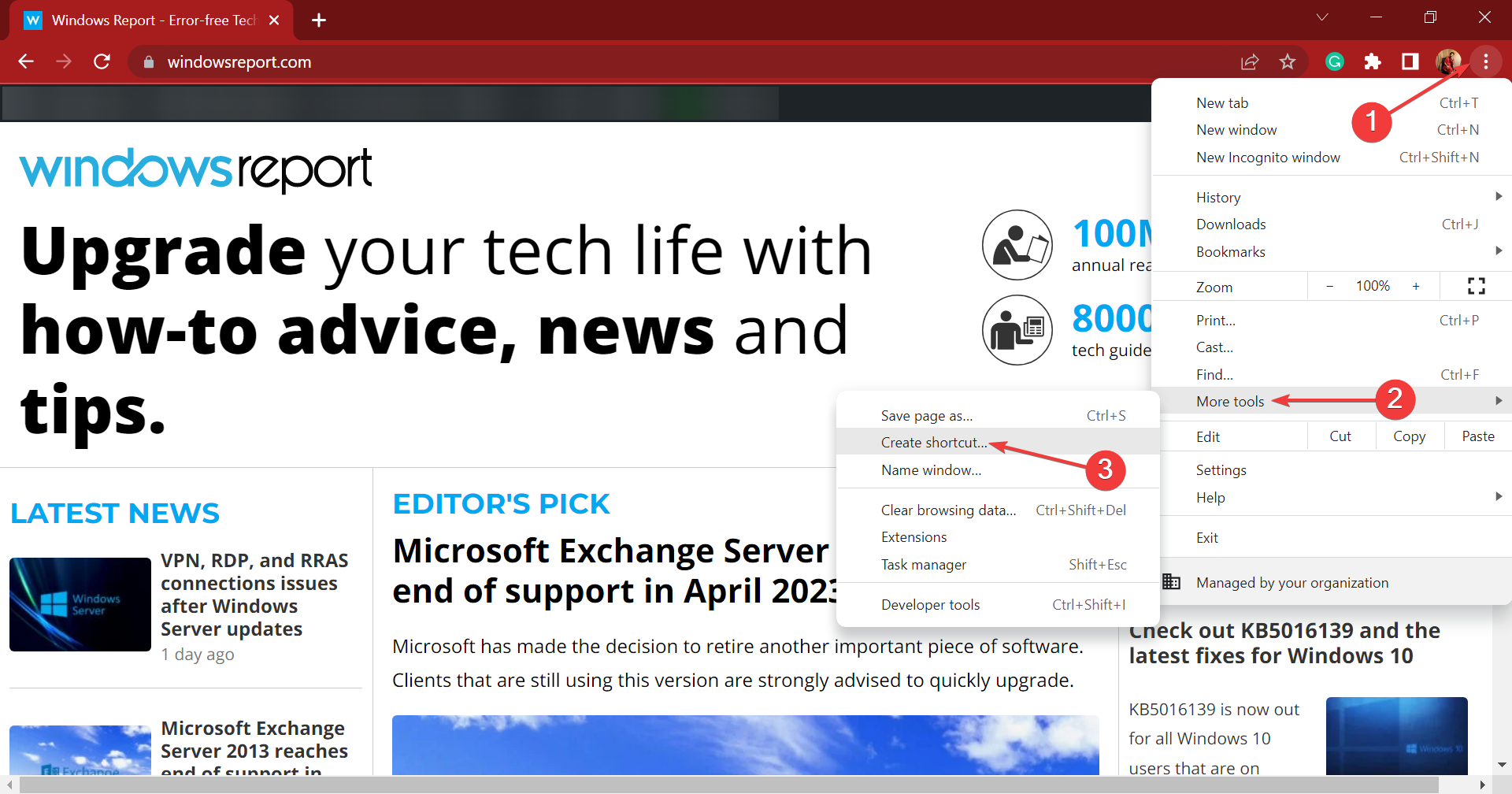
How To Hide Address Bar In Google Chrome Vrogue
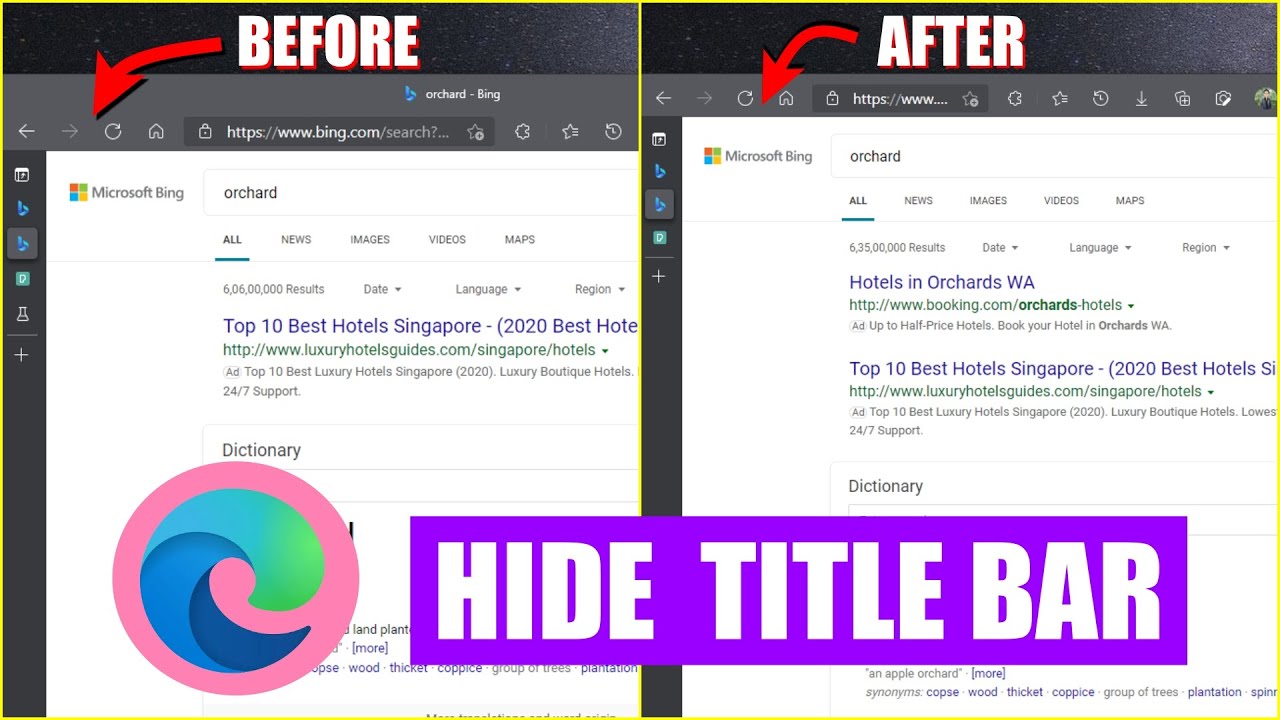
HOW TO HIDE TITLE BAR IN VERTICAL TAB MODE Microsoft Edge Browser Tips Windows 10 Explore

Tip Body orient portrait body orient landscape

How To Hide The Address Bar And The Tabs On Google Chrome TechHow
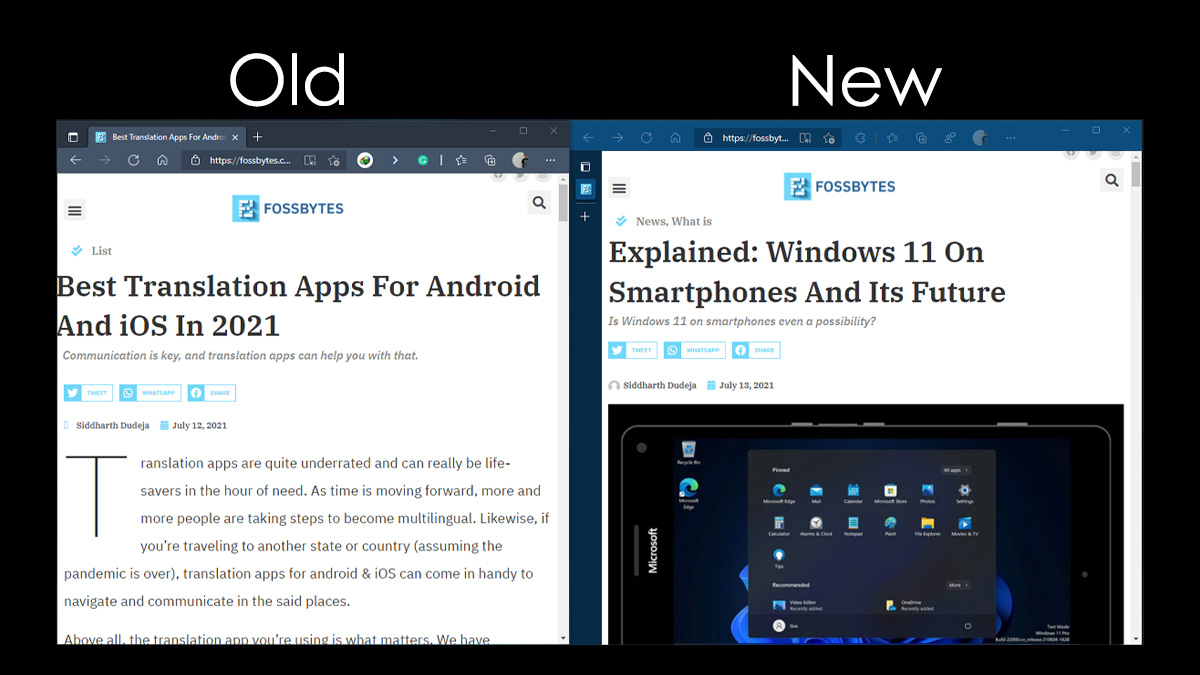
How To Hide The Title Bar In Microsoft Edge Browser Stable Canary

Windows Explorer Address Bar Tricks You Probably Don t Know Hindi YouTube

Chrome for Android used to support auto hiding the address bar when scrolling downward on webpages However Google stopped offering this feature in the recent beta builds not sure why At least I could get it do work MS Edge browser another favorite of mine also doesnt have this feature

7 Answers Sorted by 38 Ok I found one solution to this problem Go to desire website Open Main menu More Tools Create Shortcut Check Open as window Open created shortcut from Desktop Or created shortcut opens automatically Enjoy the website with minimal layout Share Improve this answer Follow edited Jun 12 2020 at 13 48 Community Bot

1 If you only need fullscreen for a specific site Open the site in Android Chrome Tap the menu 3 dots at upper right and choose Add to Home Screen It will prompt you to change the title Tap Ok Go to your phone s home screen and you should now see a new icon for the site

The only way to hide the address bar a k a ominibox in Chrome is to enter full screen mode by pressing F11 Windows or Control Command F Mac Alternatively you can use the full screen button in the menu Click the three dot menu icon in the top right and click the full screen icon Boom No more address bar or any bars for that matter
First type chrome flags into your Chrome Android app s address bar Then type adaptive button into the search box on the screen that comes up You should see three lines Adaptive button in
Select Menu Settings Select Customize on the page that opens Locate the scroll to hide toolbar toggle on the page and flip it to set it to off it is displayed in gray if it is off Firefox won t hide the address bar anymore when you scroll from that moment on This post is also available in Fran ais Espa ol Deutsch Nederlands Polski Like the desktop browser Vivaldi on Android has a unique User Interface Tab Bar On the Tab Bar you can see all your open Tabs just like on desktop If you have a lot of Tabs open swipe left or right on the Tab Bar to see the rest of
To get the best cross browser support it is a common practice to apply vendor prefixes to CSS properties and values that require them to work For instance webkit or moz We offer two popular choices Autoprefixer which processes your CSS server side and prefix free which applies prefixes via a script client side