Alt Code Special Letters Repair ALT Codes Not Working On Windows 10 Windows Bulletin Tutorials How To Type Special Characters And Letters In Windows 11 10 How To Type Special German Letters On Keyboard How To Type Anything Alt Code Results In Wrong Character C What Happens When I Convert Int To Char Answall Web ALT CTRL SHIFT 161 ALT CTRL SHIFT 223 CTRL SHIFT amp s The Unicode character for the specified Unicode hexadecimal character code The character code ALT X For example to insert the euro currency symbol type 20AC and then hold down the ALT key and press X The ANSI character for the specified ANSI decimal character code
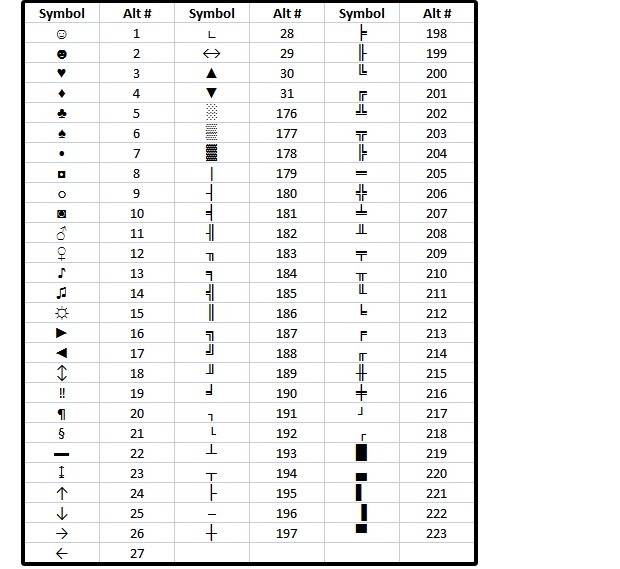
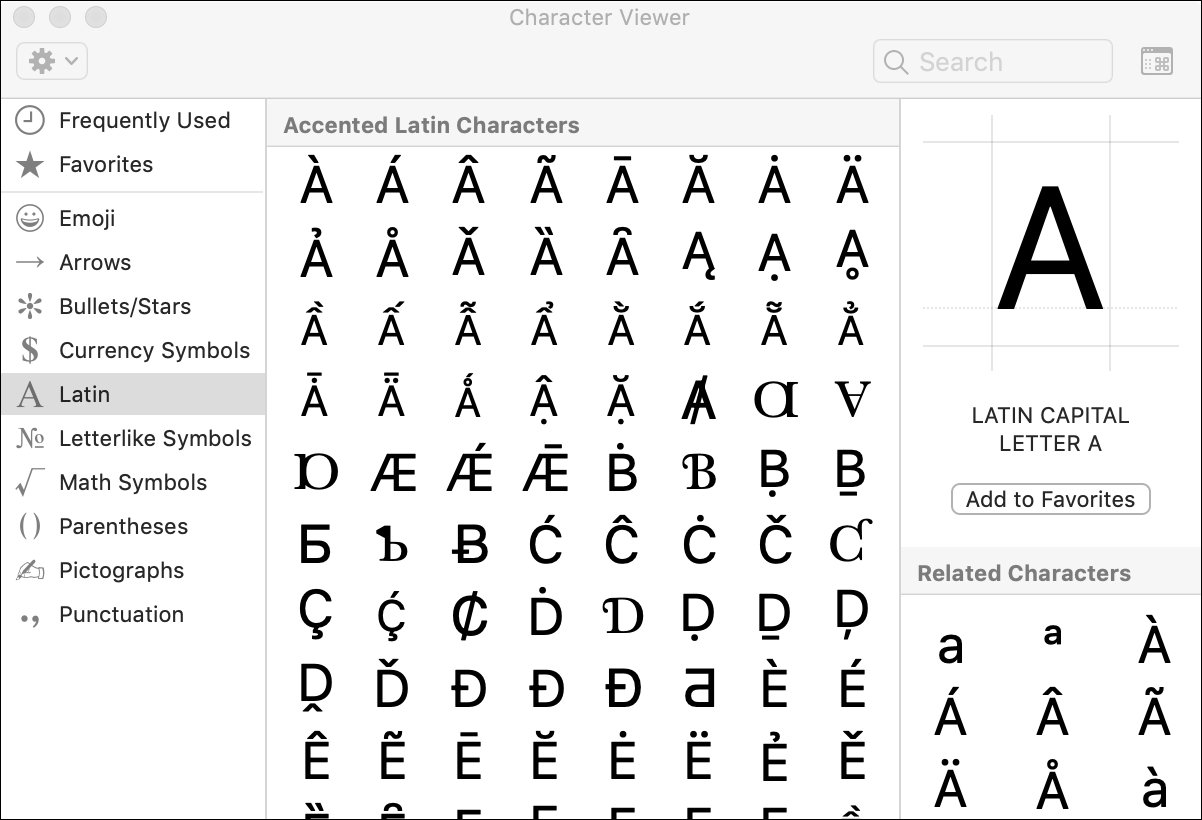
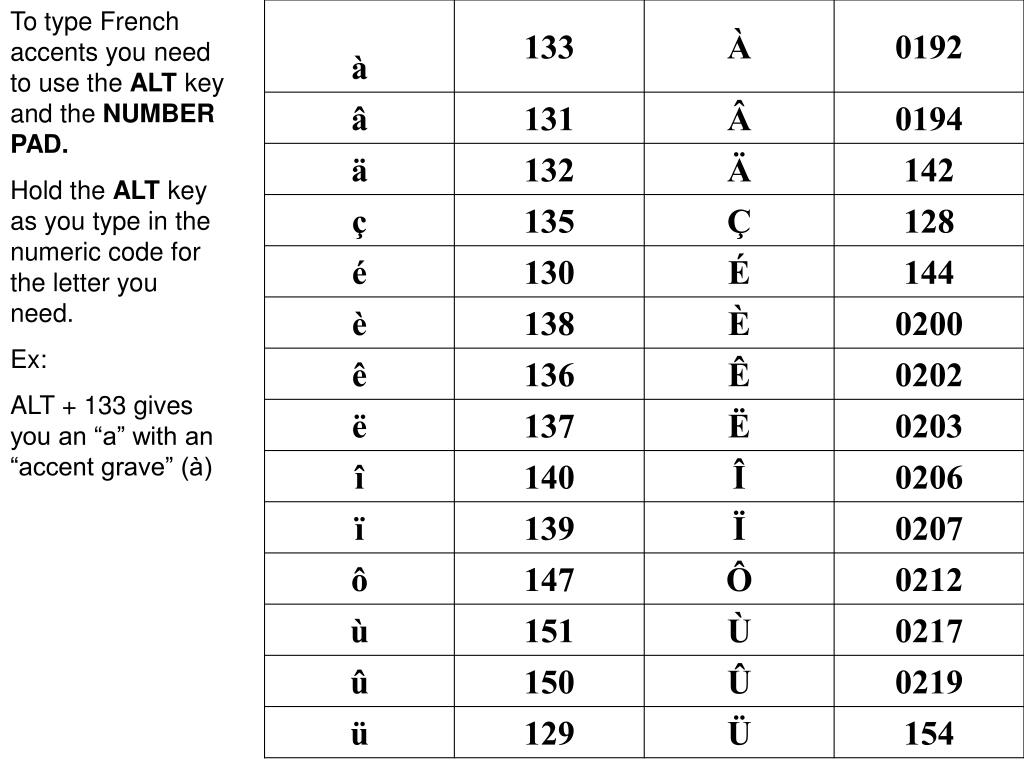
Web Alt codes are numerical sequences that are used to input special characters and symbols into computer text The use of Alt codes is possible due to the existence of a numeric keypad usually found on desktop computers and laptops To input an Alt code the user must first activate the numeric keypad by pressing the Num Lock key Web Jan 3 2023 nbsp 0183 32 Note that you can type special letters with multiple ALT keyboard shortcuts Just use the one that works best for you Keyboard Shortcut Character Description Alt 128 Alt 0199 199 Latin
C What Happens When I Convert Int To Char Answall Pin On Education Alt Codes For I How Do I Insert Special Characters With Embrilliance Fonts Embrilliance Support Center Alt Codes Spacial Characters And Symbloys A World Of Possibilities Pin On Tricks Agg Anv nda Sig Av Tr ngsel Keyboard Codes For Accents Meinbaby List Of Computer Icons And Their Functions Pootunes Journallader Blog
Alt Code Special Letters
 Alt Code Special Letters
https://windowsbulletin.com/wp-content/uploads/2019/10/ALT-Codes.jpg
Web For instance the combination Alt 163would result in 250 Latin letter u with acute accent which is at 163 in the OEM code page of CP437 or CP850 while Alt 0163yields the character 163 symbol for the pound sterling which is at 163 in CP1252 2 The numbers 0 31 and 127 are control charactersin the Windows code pages
Templates are pre-designed documents or files that can be utilized for different purposes. They can save effort and time by providing a ready-made format and layout for creating various kinds of content. Templates can be used for individual or professional projects, such as resumes, invites, leaflets, newsletters, reports, presentations, and more.
Alt Code Special Letters

Learn French Alphabet Learn French Language Alphabet Letters

Pin On Education

Alt Codes For I
How Do I Insert Special Characters With Embrilliance Fonts Embrilliance Support Center

Pin On Tricks
Agg Anv nda Sig Av Tr ngsel Keyboard Codes For Accents Meinbaby

Web May 27 2020 nbsp 0183 32 In Windows you can type any character you want by holding down the ALT key typing a sequence of numbers then releasing the ALT key You can type a lot of characters that may not have a corresponding key on your keyboard such as European language alphabetic characters ASCII

Web Special Characters Alt Keyboard Sequences Ensure that the Num Lock key has been pressed to activate the numeric key section of the keyboard Press the Alt key and hold it down While the Alt key is pressed type the sequence of numbers on the numeric keypad from the Alt code in the above table

Web A complete reference list of keyboard shortcuts or Windows ALT Codes to quickly type special characters or symbols not found on a keyboard like 209 189 198

Web Using the Codes Windows assigns a numeric code to different accented letters other foreign characters and special mathematical symbols For instance the code for lower case 225 is 0225 and the code for capital 193 is 0193 The ALT key input is used to manually insert these letters and symbols by calling the numeric code assigned to them To

Web Mar 21 2016 nbsp 0183 32 To type a special character using an Alt keyboard sequence 1 Press the Num Lock key to activate the numeric key section of the keyboard 2 Press and hold the Alt key 3 While the Alt key is pressed type the sequence of numbers on the numeric keypad from the Alt code in the table below 4 Release the Alt key and the character will appear
Web Apr 1 2021 nbsp 0183 32 For example Alt e will result in 233 Press the symbol you want to use and then the letter you want to use it with For example if you first press the symbol and then the n key you ll get 241 Web Dec 6 2016 nbsp 0183 32 You can quickly insert special characters on Windows using Alt key codes These require a separate numerical keypard on the right side of your keyboard so they won t work on most laptops They ll only work on desktop PCs if you have that number pad to the right of your Enter key
Web ALT CTRL SHIFT 161 ALT CTRL SHIFT 223 CTRL SHIFT amp s The Unicode character for the specified Unicode hexadecimal character code The character code ALT X For example to insert the euro currency symbol press 20AC and then hold down the ALT key and press X The ANSI character for the specified ANSI decimal character code