After Effects 3d Not Working After Effects 3D Animation Tutorial After Effects Tutorial Element Turn Photos Into Real 3D In After Effects 3D Photo Effect Tutorial Mock Up AR Graphics With After Effects With Images Adobe After After Effects 3D Text Animation Tutorial Element 3D Tutorial After After Effects 3D Camera Techniques Alexharkness Web Nov 3 2023 nbsp 0183 32 3D preference dialog You can change the 3D preferences from the After Effects gt Preferences gt 3D menu Camera Navigation Use Shift 1 2 3 to cycle through each camera tools control option Deselect the option of hotkeys for camera and transform gizmo navigation If the option is unchecked After Effects uses the keys as shortcuts to
Web Jun 14 2021 nbsp 0183 32 Ensure your After Effects software is up to date Check that you have enough memory to complete the action Increase the RAM allocated to After Effects For further details check out our additional tutorial to learn more about troubleshooting RAM and preview errors in After Effects Web Dec 15 2023 nbsp 0183 32 Right click on the appropriate Version folder and choose Get Info from the context menu Under the General section ensure Locked isn t checked Uncheck it if it s checked Expand the Sharing amp Permissions section and ensure the account you use to launch After Effects has both the Read amp Write under the Privilege column
After Effects 3D Camera Techniques Alexharkness How To Make 3D Text In After Effects Teckers After Effects 3D YouTube Pin By Marco Soares On Adobe Premiere After Effects In 2021 Motion Pin On After Effects Tutorials After Effects 3D Text Intro YouTube After Effects Beautiful 3D Text Animation Element 3D Fattu Tutorials The Beginner s Guide To Working In Adobe After Effects 3D Introducci n A After Effects 3D Eliademy YouTube
After Effects 3d Not Working
 After Effects 3d Not Working
https://www.fattututorials.com/wp-content/uploads/2021/08/Elemenr-3d-1024x575.jpg
Web 169 2023 Google LLC 3d layer Disappears in After EffectsAre you having an issue where you turn your 2D layer into a 3D layer and the object in the layer disappears for some reas
Templates are pre-designed documents or files that can be utilized for numerous functions. They can conserve time and effort by supplying a ready-made format and design for developing different type of material. Templates can be used for personal or expert projects, such as resumes, invitations, leaflets, newsletters, reports, presentations, and more.
After Effects 3d Not Working
After Effects 3D Photo Slideshow Template Make Your Media

How To Make 3D Text In After Effects Teckers

After Effects 3D YouTube

Pin By Marco Soares On Adobe Premiere After Effects In 2021 Motion

After Effects 3D Text Intro YouTube

After Effects Beautiful 3D Text Animation Element 3D Fattu Tutorials

Web Jan 27 2023 nbsp 0183 32 Jan 26 2023 Hello I ve spent a lot of time alone trying to solve this problem but I haven t solved it so I m leaving a question here I installed after effect to use after effect s 3D camera but it doesn t work Like this one

Web Jul 5 2017 nbsp 0183 32 FIX 3D Layering Problem In After Effects Hey everyone As you can see I still deal with this problem too not sure if this has been fixed with in the program or not Thanks more Hey everyone

Web Apr 23 2017 nbsp 0183 32 1 Correct answer Rick Gerard Community Expert Apr 23 2017 Another problem with your workflow is that you did not try some of the other options for a camera solution and you did not add an origin and ground plane You should study up on using the Camera Tracker

Web Dec 4 2023 nbsp 0183 32 After Effects no longer crashes when previewing for a long time with Draft 3D enabled After Effects no longer crashes when a script uses callbacks callbackData Holding the Shift key while dragging the rotate handles of the 3D gizmo now constrains rotation to 5 degree increments instead of 45 degrees
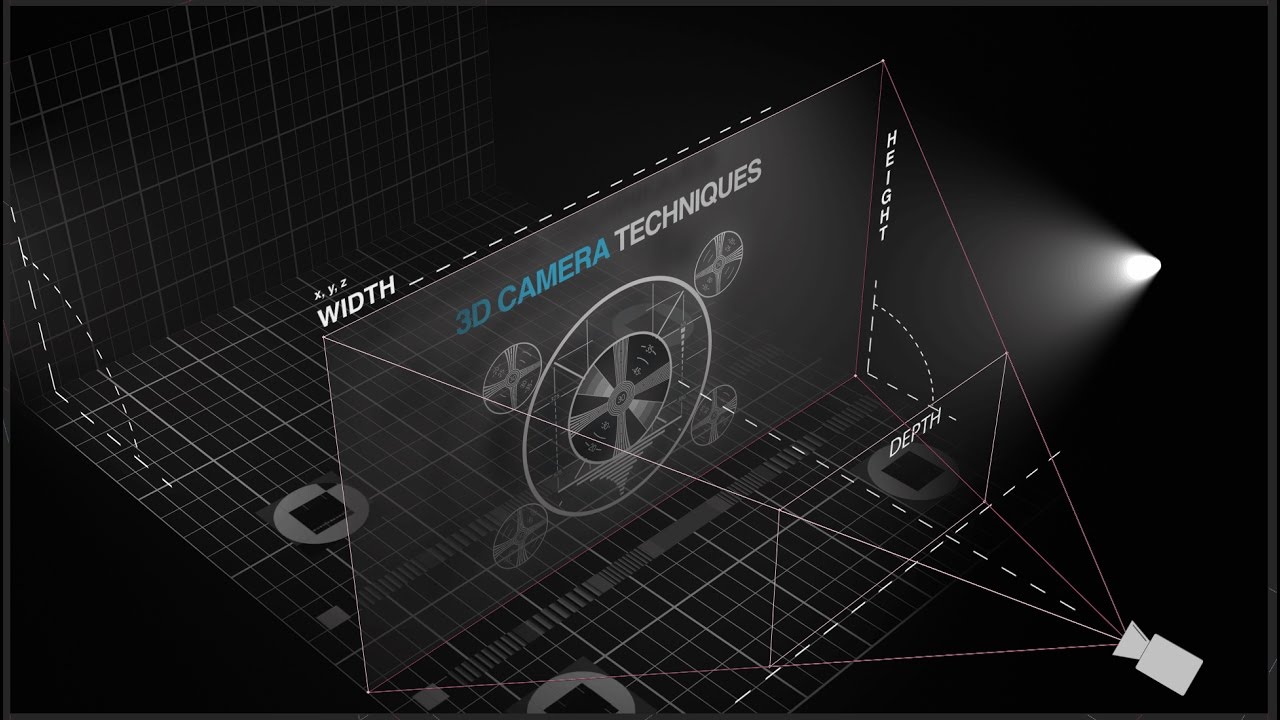
Web Apr 29 2014 nbsp 0183 32 Because the camera does not move around within the depth of the scene you can attach objects to the flat track points or use the 2D motion tracker I demonstrated in this Adobe After Effects tutorial to link other layers to your camera s movement and it will almost always work just as good
Web Oct 9 2023 nbsp 0183 32 The 3D lights and projection workflow will not work if you use Mocha If you camera track and you want to use Projection you will have to establish an origin and ground plane use the same Target to add a camera and solid then add a solid to the surface you want to use for the light catcher and make sure that the track is perfect Web Jun 7 2023 nbsp 0183 32 I ve been dealing with some persistent issues with my 3D camera in After Effects and I m at my wit s end I ve tried numerous methods to resolve the problem but nothing seems to be working Your second view is set to Default visible top left corner Select this view so that the corners are blue
Web Jul 20 2017 nbsp 0183 32 The only way it ll work at all is to put the clip in a new comp But again most of the time it doesn t work The camera tracker will create the tracking points and I use the target to choose at least 3 tracking points though I ve toyed with different numbers of tracking points chosen