Affinity Photo Lasso Tool Affinity Photo Lasso Tool Pt 1 YouTube Affinity Photo Lasso Tool Pt 2 YouTube Affinity Photo Review Bezystart Magnetic Lasso Tool YouTube Affinity Freehand Selection Tool Lasso Tool in Affinity Photo iPad You may use the Freehand Selection Tool to make a pixel selection based on a freehand drawn line polygon or any shape imaginable You simply have to draw your selection yourself by tapping and dragging until you reach the starting point
Master the Lasso Tool with Olivio Sarikas in under an hour Learn different modes understand Anti Aliasing and make smooth or pixel perfect selections Affinity Photo Lasso Tool Explained Olivio Sarikas via YouTube Help 0 reviews Add to list Mark complete Write review Start learning Write review Affiliate notice This is Affinity s photoshop equivalent of the Lasso Tool To use the Freehand Selection Tool Select it from the Tools Panel l The following modifier keys assists with the creation of selections when utilising the Freehand Selection tools in Affinity Photo The Modifier Keys for Freehand Selections If you press and hold the Shift key
Affinity Selection With Freehand Lasso In Affinity Photo YouTube Using The Affinity Photo Refine Selection Tools In 2023 Photo Editing Affinity Photo Video School Lasso Tool Pre V2 Archive Of Affinity On Desktop Questions macOS And Affinity Full Compositing On Affinity Photo IPad Skillshare Student Project Lasso Tool Thingy I Did By Hydietri On Newgrounds About Affinity Fundraising Registration Affinity Fundraising Registration
Affinity Photo Lasso Tool
 Affinity Photo Lasso Tool
https://i.ytimg.com/vi/JnzRtAmGZLY/maxresdefault.jpg
Here s how to use the magical magnetic lasso tool in Affinity Photo to easily select an area of an image including extra tips on how to use it in a range of
Pre-crafted templates provide a time-saving option for creating a diverse variety of files and files. These pre-designed formats and designs can be utilized for different individual and expert jobs, consisting of resumes, invitations, flyers, newsletters, reports, discussions, and more, improving the material development process.
Affinity Photo Lasso Tool

Affinity Designer Where Is Lasso Selection Tool Affinity On IPad
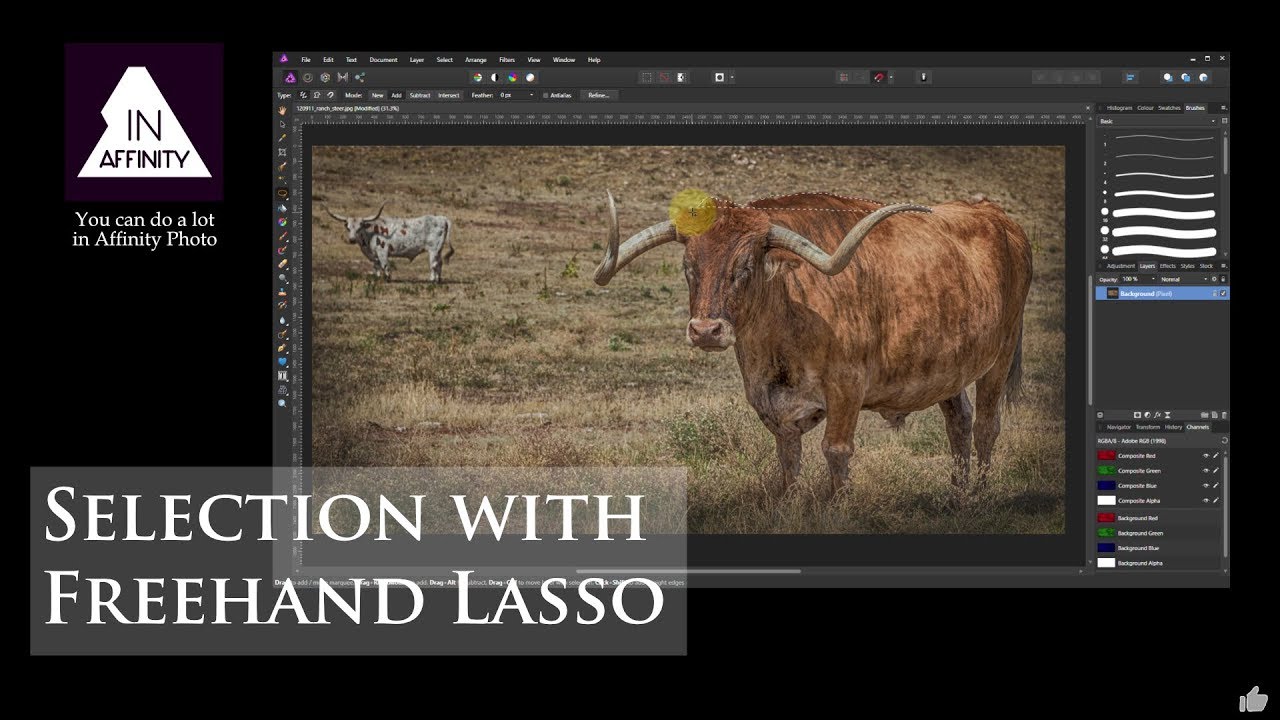
Selection With Freehand Lasso In Affinity Photo YouTube

Using The Affinity Photo Refine Selection Tools In 2023 Photo Editing
Affinity Photo Video School

Affinity Full

Compositing On Affinity Photo IPad Skillshare Student Project

We continue with Affinity Photo s Tools overview With an explanation of the tool how to apply it in everyday editing tasks plus a secret tip or two Enjoy p

Affinity Designer 1 10 8 Affinity Photo 1 10 8 Affinity Publisher 1 10 8 OSX El Capitan Affinity V2 3 apps MacOS Sonoma 14 2 iPad OS 17 2 Link to comment So yes a lasso tool appears after one object is pre selected but it has no function other than to select certain nodes in the already selected object What I need is to select

Here s how to use the polygonal point to point lasso in Affinity Photo to make selections For related videos see here https changingminds disciplin

You will find the Flood Select Tool in the Affinity Photo Tools Palette It s icon displays a magic wand The Freehand Selection Tool has an icon that looks like a lasso After clicking the icon for the Freehand Selection Tool it s controls appear in the toolbar along the top of the screen To refine the selection that was made with

The Marquee Selection Tools are available in various shapes including Rectangular Elliptical Column and Row All marquees are applied by simply selecting the desired shape and then dragging on your image A Freehand Selection Tool is also available for defining the selection area as a drawn pencil line polygonal straight line edges or
Affinity Designer has a lasso tool In Affinity Designer the tool is called Free Hand Selection and can be found on the left hand panel along with other selection tools Now that you know how to find the selection tool you might wonder if it functions like the traditional lasso tool Keep reading to find out how the Free Hand Selection About Press Copyright Contact us Creators Advertise Developers Terms Privacy Policy Safety How YouTube works Test new features NFL Sunday Ticket Press Copyright
A flexible tool for handling a wealth of photo editing tasks Affinity Photo 2 from Serif is a versatile post production application offering non destructive editing capabilities along with a rich tool set Utilizing a layer based workflow unlimited layers can be used in a non destructive manner for making complex composites stitched panoramas and for creatively enhancing images with Live