Affinity Photo Invert Selection Affinity Photo Invert Selection Zet Query Affinity Photo Invert Selection Zet Query Affinity Photo Tutorial Enhance And Get More Details In The SKY With How To Use Inverse In Photoshop To Quickly Adjust Your Photos DW Invert Selection Command Shifts The Current Selection Photo V1 Bugs WEB Do one of the following Press Q On the Toolbar click Toggle Quick Mask From the Select menu select Edit Selection As Layer Select the Move Tool Resize reposition rotate or shear the selection on the page using the displayed handles or for precision use the settings on the Transform panel
WEB Jul 19 2015 nbsp 0183 32 Affinity Photo tutorial how to invert the color of an image how to make an image a negative in Affinity Photo This video shows 1 how to add layers and w WEB Nov 10 2022 nbsp 0183 32 I ve been trying to invert selection by using shift control I button but whenever I click those keys my GPU software keeps giving me a popup saying to enable screenshot instead of inverting selection with magic wand in affinity How do I
Invert Selection Command Shifts The Current Selection Photo V1 Bugs Affinity Photo Editor 5 Affinity Photo Invert Negative Images HOW TO shorts YouTube Pin On Chroma Supply Mouse Invert Online Sales Save 59 Jlcatj gob mx How To Invert Selection In Photoshop Simple Tutorial Affinity Photo Invert Image Quickly Using Apply Image How To YouTube How To Rotate An Image In Photoshop Invert Selection Photoshop Affinity Photo Blur Filters Explained Part 01 YouTube Blur
Affinity Photo Invert Selection
 Affinity Photo Invert Selection
https://i2.wp.com/affinityrevolution.com/wp-content/uploads/2019/05/11-8.jpg
WEB Invert adjustment Create a negative image by inverting all color channels This adjustment has no customizable settings You can use Invert as part of the process of making edge masks and to apply sharpening and other adjustments to selected areas of an image
Templates are pre-designed files or files that can be utilized for numerous functions. They can conserve effort and time by offering a ready-made format and layout for developing various type of material. Templates can be utilized for personal or expert tasks, such as resumes, invites, flyers, newsletters, reports, presentations, and more.
Affinity Photo Invert Selection

Affinity Photo

Affinity Photo Editor 5

Affinity Photo Invert Negative Images HOW TO shorts YouTube

Pin On Chroma Supply
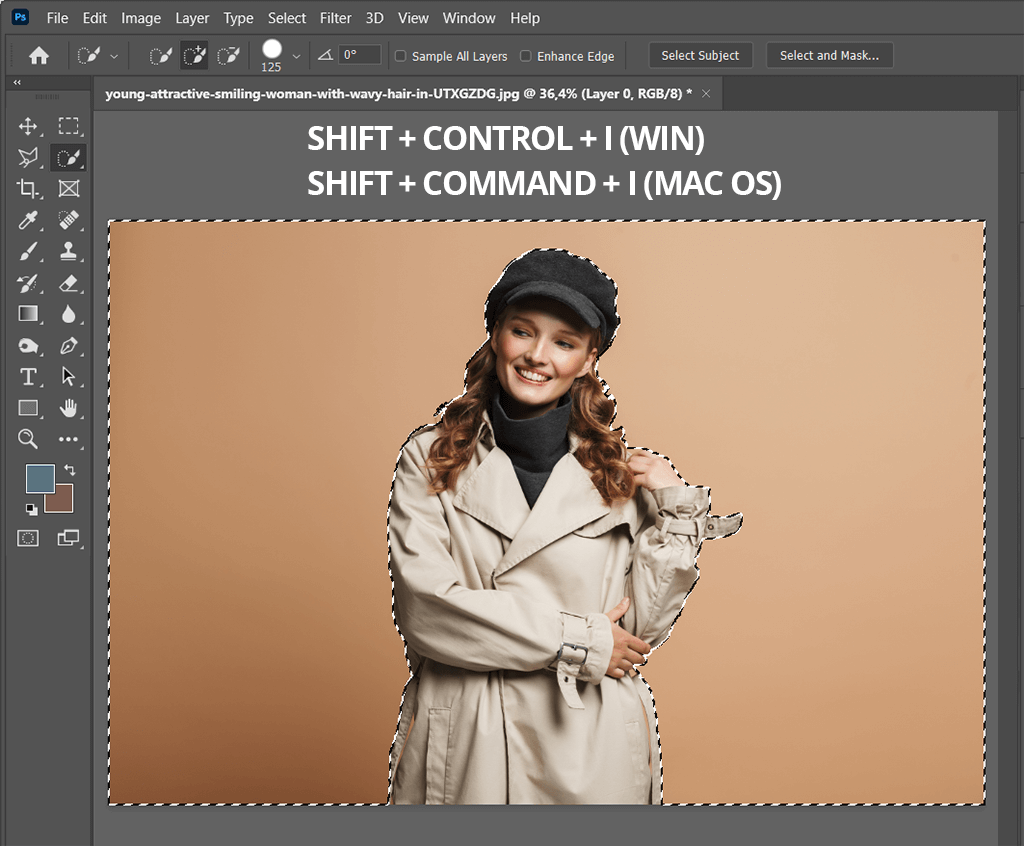
How To Invert Selection In Photoshop Simple Tutorial

Affinity Photo Invert Image Quickly Using Apply Image How To YouTube

WEB Apr 28 2021 nbsp 0183 32 Yes In pixel mode use a selection tool to make a selection Output as Selection Once you have the marching ants press and hold briefly on the screen When you lift your finger a menu will appear One of the options shown will be invert Tap that and the selection will ne inverted New to Designer

WEB To invert a pixel selection With a selection in place do one of the following On the Toolbar select Invert Selection From the Select menu select Invert Pixel Selection To hide show a pixel selection temporarily From the View menu select Show Pixel Selection To remove a pixel selection Do one of the following On the Toolbar select

WEB Dec 9 2022 nbsp 0183 32 In the past in Photoshop maybe now fixed this could happen when the selection was taking partial transparency already in the surroundings and the inverted result was so minimal in of transparency that was below PS s threshold would result in nothing selected once inverted

WEB Feb 19 2017 nbsp 0183 32 after you make a selection how can you select everything except for what you already have selected in photoshop i think this is called select inverse quot invert pixel selection quot from quot select quot menu

WEB Apr 3 2017 nbsp 0183 32 Adjustment layer to invert artwork in Affinity Photo guide how to invert images etc Adjustment layers are a powerful feature of the layers approach in
WEB Jan 26 2022 nbsp 0183 32 For god sake Seriff make those commands hotkeyable please and add another option that would invert the selection So if we have a set of layers named composition 1 or tagged red for example we could select all such layers with one click then invert the selection with another click and uncheck all other layers WEB Invert pixel selection Ctrl Add to selection marquee or free hand selection tools only Alt Remove from selection Ctrl B Grow or shrink Shift F6 Feather Ctrl Alt R Refine edges arrows Move selection in 1 pixel increments Shift arrows Move selection in 10 pixel increments Q Quick mask Ctrl I Invert mask
WEB Dec 14 2021 nbsp 0183 32 How to Make Selections in Affinity Photo The ability to create accurate selections in an image is an important skill for photo editing Selections allow you to change parts of an image whilst leaving other areas unchanged for example to replace the sky Fortunately Affinity Photo has several tools to help us easily make selections