Affinity Designer Remove White Background How To Remove And Change A Background With Affinity Designer Design Remove or Change Background In Affinity Designer YouTube Software Affinity Designer Remove Background YouTube How To Remove And Change A Background With Affinity Designer Design How To Remove Background In Affinity Designer YouTube Web Feb 8 2023 nbsp 0183 32 Thanks for taking the time to help Unfortunately when I move the image into Aff Photo and use Filter Remove White Matte and then copy the image and paste it onto my Aff Publisher page the white background is still there I m new to the Affinity package so I apologize for my newbie skill level I ll keep working at it Thanks again for your time
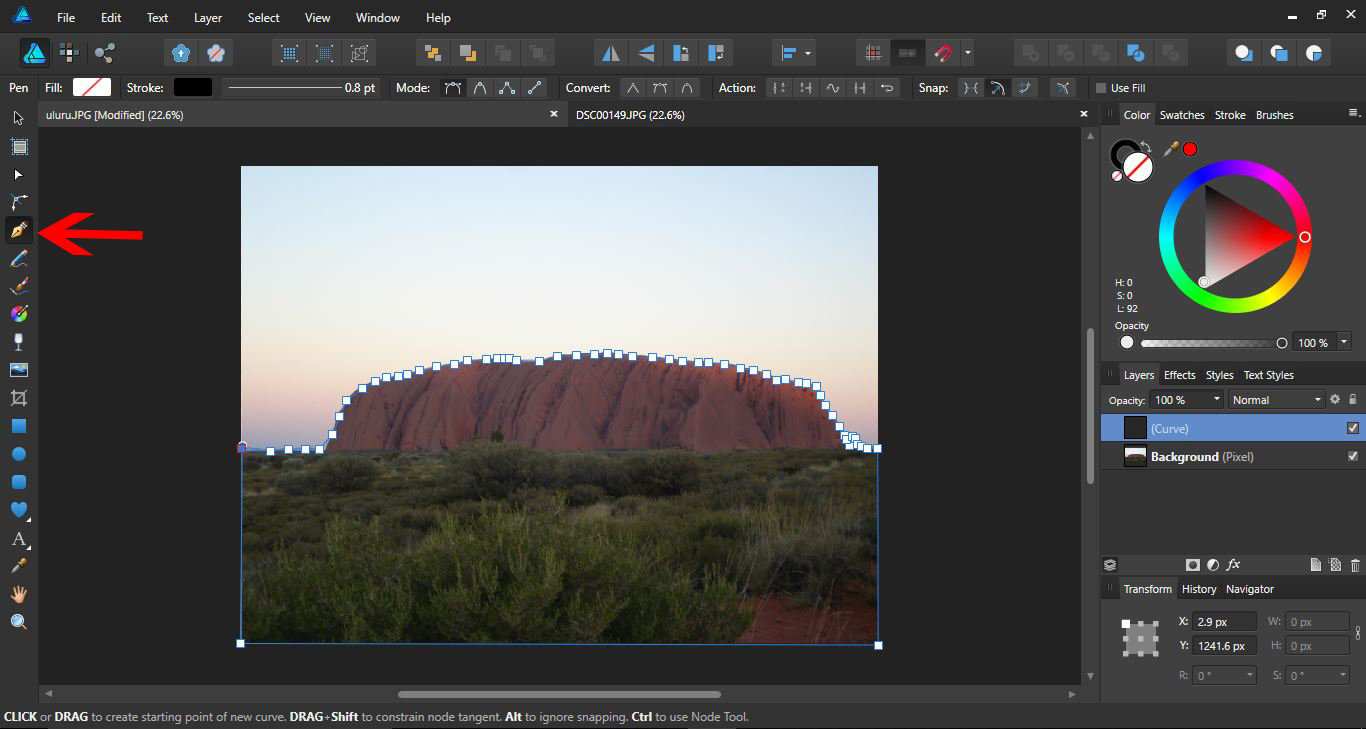
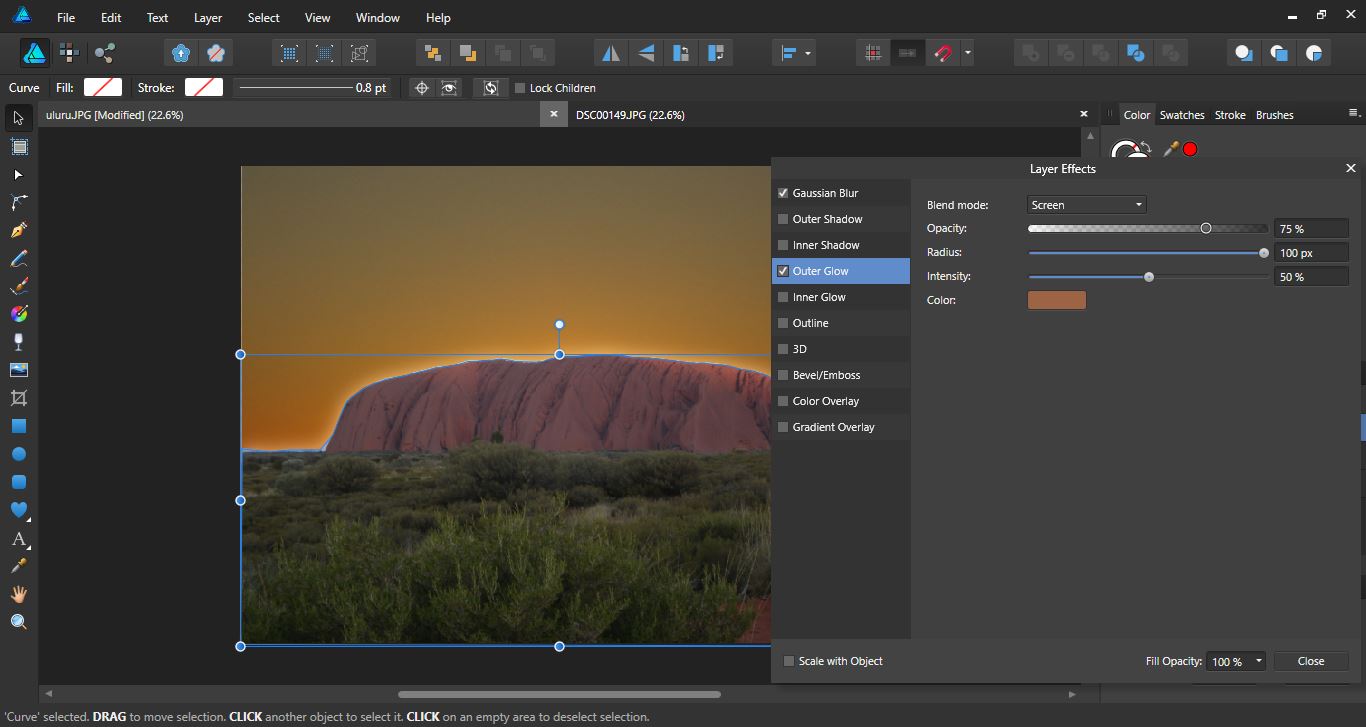
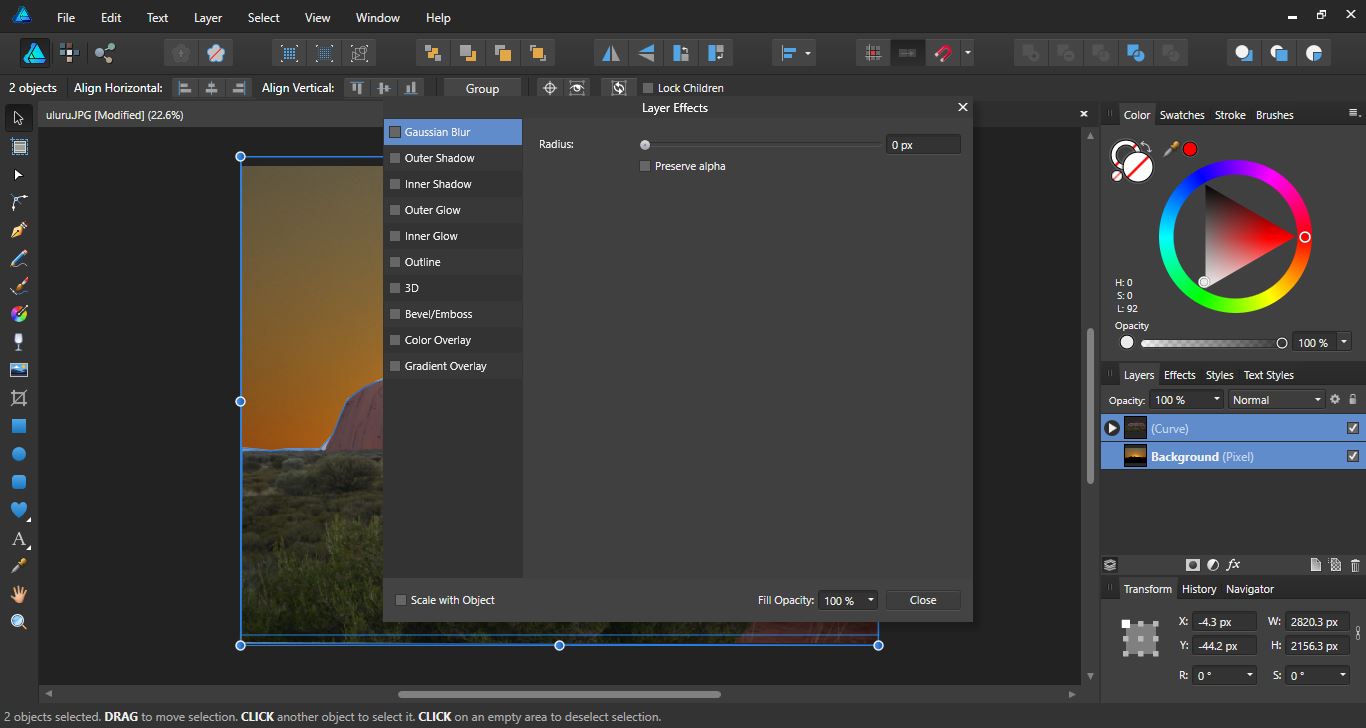
Web Apr 11 2017 nbsp 0183 32 In this tutorial we will show you how to remove and change a background with Affinity Designer There are many reasons why you may want to remove the background from an image Maybe the colors are not bright enough or there are some unwanted elements in it Therefore you may want it replaced Web Apr 4 2021 nbsp 0183 32 Posted April 3 2021 By what I can see in the layer thumbnail there is no white background within the contents of the document but the document can have a white background itself If you need to remove the document s background go to Document Setup select the Colour tab and check the Transparent Background checkbox
How To Remove Background In Affinity Designer YouTube Affinity Designer Remove Background Hintergrundbilder HD Affinity Designer How To Remove Background 1000 Hintergrundbilder Free Remove Background From Logo Free In 2020 How To Remove And Change A Background With Affinity Designer Design Easy Way To Remove Background In Affinity Designer for Beginners Affinity Designer Remove Background Skyla Williams Easy Way To Remove Background In Affinity Designer Affinity Designer Remove Background YouTube
Affinity Designer Remove White Background
 Affinity Designer Remove White Background
https://1.bp.blogspot.com/-q83ahhLp4HA/WOpABxtIUGI/AAAAAAAAWfY/BRlFs-B9UwQtm9KzRXv9fLGUJ-yl_mCGQCLcB/s1600/remove%2Band%2Bchange%2Bbackground%2Bfrom%2Bimage5.JPG
Web Jun 9 2019 nbsp 0183 32 When you go to the document settings select the color tab and there click on the transparent background checkbox mostly background parts of that image will get transparent Though not all since other parts are drawn in white on top of black there meaning if you would make those white curves just transparent the underlayed black
Templates are pre-designed documents or files that can be utilized for numerous purposes. They can conserve time and effort by providing a ready-made format and design for producing different type of material. Templates can be utilized for individual or professional tasks, such as resumes, invites, leaflets, newsletters, reports, discussions, and more.
Affinity Designer Remove White Background
How To Remove And Change A Background With Affinity Designer Design
Affinity Designer Remove Background Hintergrundbilder HD

Affinity Designer How To Remove Background 1000 Hintergrundbilder Free

Remove Background From Logo Free In 2020

Easy Way To Remove Background In Affinity Designer for Beginners

Affinity Designer Remove Background Skyla Williams

Web Remove A White Background with Affinity Designer Step 1 Open Your Photo The first step is to open the photo you d like to remove the background from To do this Step 2 Navigate To The Pixel Persona Considering that we re working with a rasterized photo rather than vector Step 3 Unlock

Web Dec 17 2020 nbsp 0183 32 In this tutorial I ll be demonstrating how you can easily remove a white background with Affinity Designer Considering that Affinity Designer is a vector based application you would

Web Oct 4 2021 nbsp 0183 32 Hello I am new to graphics design and to Affinity Designer I have a simple requirement I need to remove the white background from the attached PNG file and make it transparent I think this should be simple with a powerful tool like AD But I ve looked high and low and can t find a solution A

Web Jan 27 2019 nbsp 0183 32 Posted January 21 2019 Hi all I have an image with white background I would like to remove that background meaning select only specific object and choose other background I couldn t find an option to do it The image is attached I want to remove all the white background surrounding the watch Thx Quote Best regards

Web Oct 19 2021 nbsp 0183 32 About Quick and easy tutorial on 3 ways to remove a background from different types of graphics in Affinity Designer Want to learn it all Join the Affinity Design
Web Table Of Contents Step 1 Open your image and unlock the layer Step 2 Set the layer to Rasterize amp Trim Step 3 Use the Selection Brush to create a rudimentary selection around your background Step 4 Refine the selection further using the menu options Step 5 Delete your background to transparent Step 6 Export your image as a PNG file Web The Erase White Paper filter applies transparency to white areas of an image to remove them All other colors remain unaffected Using the filter to remove white paper from a scanned document About the Erase White Paper filter The filter is really useful if want to use line art previously drawn on physical media paper
Web Apr 26 2021 nbsp 0183 32 How To Quickly Remove A Background In Affinity Photo Design Made Simple