Affinity Designer Mask Image With Shape Layer Masks In Affinity Designer Design Bundles Download Masquerade Masks Png Masquerade Mask Transparent Background Tutorial Affinity Designer Mask Stroke YouTube Using Mask image With Gradient Where To Buy Face Masks Online For Coronavirus BGR Masking in Publisher Masking is a powerful method in the Affinity suite of desktop apps allowing users to quickly and easily make precise image and content manipulations However the same steps can also be taken in Affinity Photo Designer and Publisher for the iPad providing users with full control over their selective image and content
Go to File Open then locate the frame or background you want to use We are using the included PNG file to show you how clipping masks work You can also use the PSD file We have an awesome tutorial on how to use Smart Object Mockups in Affinity Photo if needed Next drag and drop the second image into the document 12 Mins Affinity Tutorials Layer Masks in Affinity Designer Learn how to use layer masks in Affinity Designer to edit images nondestructively Today you will learn how to use layer masks in Affinity Designer Layer masks are a flexible way of editing specific areas of your images
Where To Buy Face Masks Online For Coronavirus BGR How To Create A Clipping Mask With Affinity Designer LaptrinhX News Clipping Mask Layer Mask I Affinity Designer En Onlinekurs So Designer Free Transform Tool perspective Distort Affinity On How To Clipping Mask In Illustrator Multiple Shapes Illustrator Affinity Designer Tutorial Mask The Easiest Way YouTube With Mask Affinity Designer YouTube How To Texture Fill In Affinity Designer Design Bundles Solved Re Clipping Mask Keeps Color Overlay Help Adobe Support
Affinity Designer Mask Image With Shape
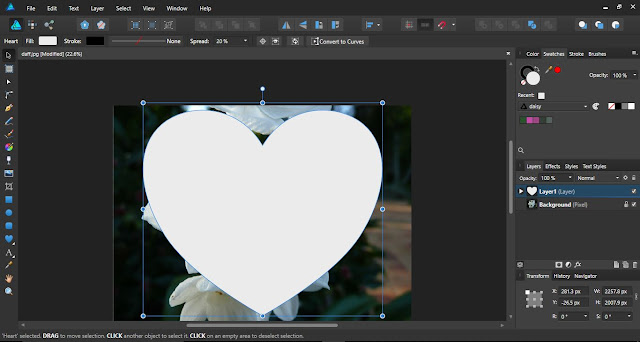 Affinity Designer Mask Image With Shape
https://2.bp.blogspot.com/-HdpHMhpCJT4/WOo1urLw9pI/AAAAAAAAWdg/5Ksv2HXsAcEsRB2i0UQ4_AegYlsdJJhqQCLcB/s640/layer%2Bmask4.JPG
Step 1 Place your texture mask Open the design provided with this tutorial or use any design you want to try this masking technique onto Go to File Place and look for the file grunge texture edited jpg Now drag your texture across the Artboard or double click to place it automatically at its full size Step 2 Masking
Pre-crafted templates provide a time-saving service for creating a diverse series of documents and files. These pre-designed formats and layouts can be made use of for numerous personal and expert projects, consisting of resumes, invites, flyers, newsletters, reports, presentations, and more, enhancing the content production procedure.
Affinity Designer Mask Image With Shape

Cartoon Man Wear Surgical Pandemic Virus Mask Citypng

How To Create A Clipping Mask With Affinity Designer LaptrinhX News

Clipping Mask Layer Mask I Affinity Designer En Onlinekurs So
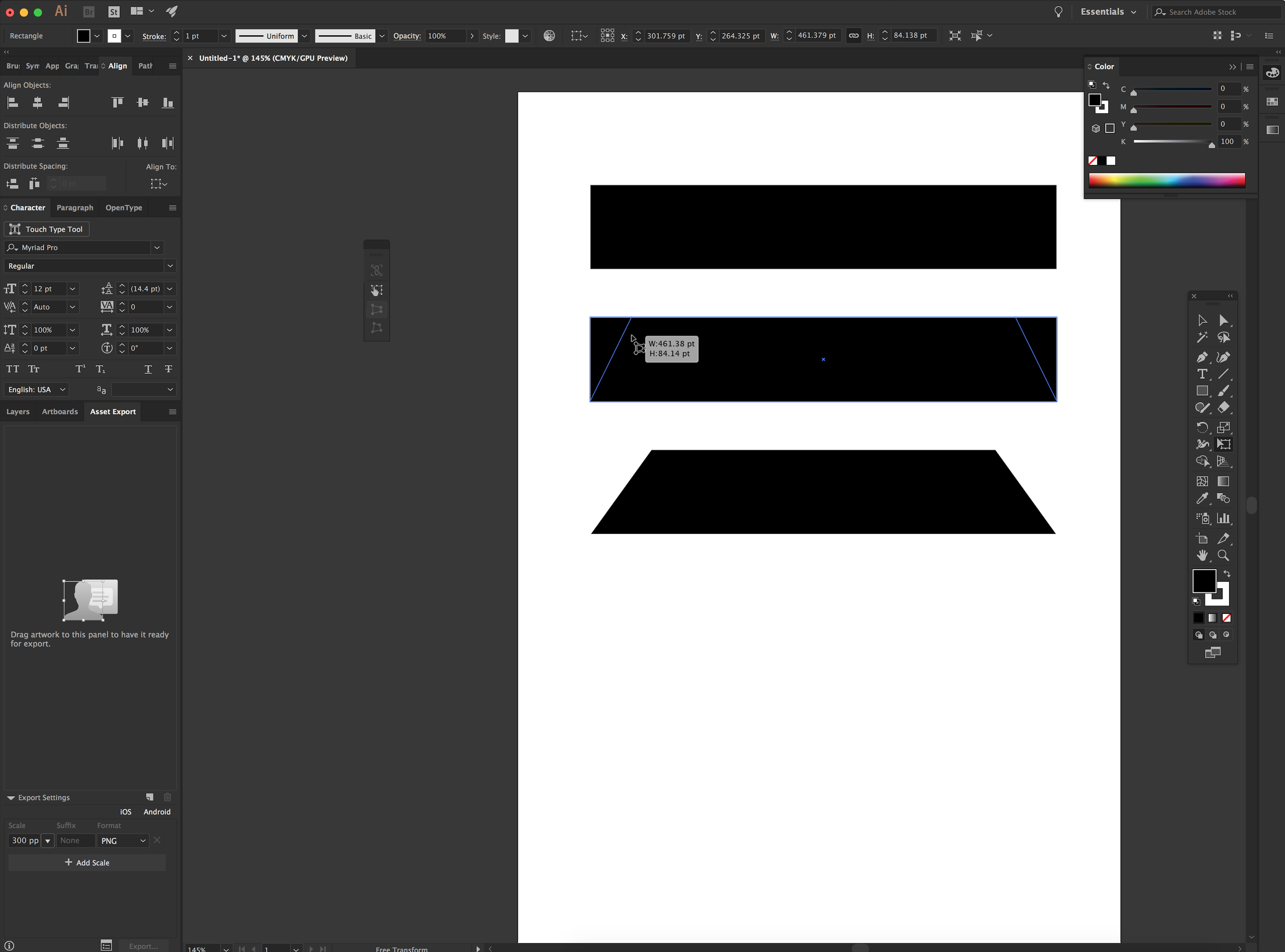
Designer Free Transform Tool perspective Distort Affinity On

Affinity Designer Tutorial Mask The Easiest Way YouTube With

Mask Affinity Designer YouTube

Step 1 Identify The Layer You d Like To Use For The Mask In order to create a clipping path with Affinity Designer we first need two objects to work with For this demonstration I ll be creating a clipping mask with text using the follow image Click to enlarge

A layer mask is used to reveal a portion of a layer while the rest of the layer remains hidden This means that you can use a mask layer to delete areas of a layer that you don t want In Affinity Designer two types of masking are possible pixel masking and vector masking performs a similar task to the erase tools with one important

Subscribed 1 3K 54K views 2 years ago Affinity Designer Tutorials Clipping masks add versatility to your vector design work and for a variety of reasons They allow you to fill an object

Affinity Designer contains various options for layering images or vector shapes quickly and efficiently Clipping Masks are a non destructive way of layering while still being able to edit each layer independently To create a clipping mask click and drag one layer onto another layer

Layer masking A layer mask is used to reveal a portion of a layer while the rest of the layer remains hidden This means that you can use a mask layer to delete areas of a layer that you don t want Layer mask with radial gradient 0 100 opacity applied to picture frame The non destructive power of masking
317 10K views 1 year ago Affinity Photo Basics Learn how to create clipping masks using any shape with Affinity Photo In this tutorial I show you how to draw any shape using Affinity Masking Objects Affinity Designer In my opinion this is one of the most helpful features in graphic design being able to mask things with shapes The problem is simple you have a shape and want to shade it or add a pattern to it
Posted August 14 2020 Use Layer Create Compound Change the rectangle layer geometry Boolean attribute to subtract Quote iMac 27 2019 Ventura 13 6 iMac 27 Affinity Designer Photo Publisher V1 V2 Adobe Inkscape Vectorstyler Blender C4D Sketchup more