Adobe Acrobat File Size Reduction How To Reduce PDF Document File Size By Using Adobe Acrobat Pro YouTube Reduce PDF Size In Adobe Acrobat Pro Udemy Blog How To Reduce PDF File Size Adobe Reader YouTube How To Compress A PDF In Linux For File Size Reduction Adobe Acrobat How To Reduce PDF File Size Using Adobe Acrobat Pro DC Select Reduce File Size and choose whether you want to reduce a single file or multiple files The file is reduced to the smallest size possible while retaining the document s quality Select Advance Optimization then choose from options in the PDF Optimizer Select Standard from the Settings menu to use the default settings
Sample file to practice with ZIP 22 5 MB from the drop down menu Learn how to compress a PDF to reduce file size using Adobe Acrobat Steps to compress PDF Sign in to Acrobat Web Document Cloud Home at https documentcloud adobe with your Adobe ID and password or with your social Facebook or Google account In the top navigation bar click Convert Compress PDF Do one of the following to select the PDF file that you want to compress and then click Continue
How To Reduce PDF File Size Using Adobe Acrobat Pro DC How To Reduce Or Compress PDF File Size Using Adobe Acrobat Pro 2017 Methods To Change PDF Page Size In Adobe Acrobat How To Add Underline To Comments Text Into Pdf File In Adobe Acrobat Simple And Easy to use Employee Timesheet Template You Can Print As Bulletproof Brand Guide PDF Store Adobe Acrobat Coupon Code Analysis WPS PDF Blog PDF File Size Reduction Adobe Acrobat YouTube Methods To Reduce PDF Size With Adobe Acrobat How Do I Reduce File
Adobe Acrobat File Size Reduction
 Adobe Acrobat File Size Reduction
https://i.ytimg.com/vi/oHD6QopYxxM/maxresdefault.jpg
How to Reduce PDF Size in the Old Interface Here are two methods to reduce the size of PDFs using the old interface prior to 2023 Method One Open the PDF Select the File menu Select Reduce File Size from the drop down menu Figure 4
Templates are pre-designed files or files that can be used for different purposes. They can conserve time and effort by offering a ready-made format and design for producing various type of content. Templates can be utilized for individual or professional projects, such as resumes, invitations, leaflets, newsletters, reports, discussions, and more.
Adobe Acrobat File Size Reduction

Transform Your Documents Effortlessly Discover The Power Of Total PDF

How To Reduce Or Compress PDF File Size Using Adobe Acrobat Pro 2017
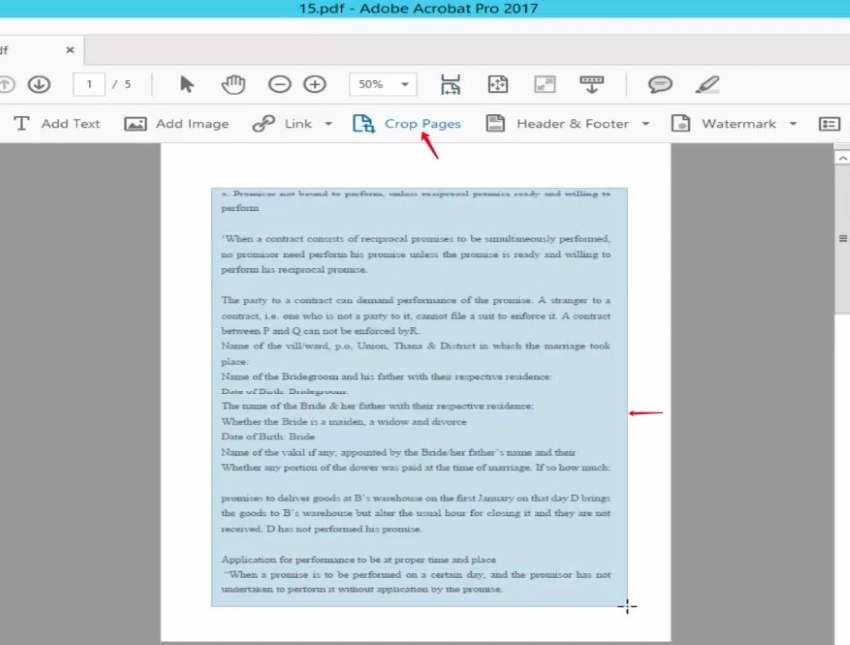
Methods To Change PDF Page Size In Adobe Acrobat

How To Add Underline To Comments Text Into Pdf File In Adobe Acrobat

Bulletproof Brand Guide PDF Store
Adobe Acrobat Coupon Code Analysis WPS PDF Blog
Select Get Info Look at File Size to see how large the PDF is On a PC Open Files Explorer Right click on the PDF file Select Properties Look at File Size to see how large the PDF is Remember one megabyte MB equals 1 000 kilobytes KB So a document that is 25MB may look small but it s actually 25 000KB

Select a PDF to reduce its file size fast Select a file Files are secured using HTTPS w TLS 1 2 and stored using AES 256 encryption Use Acrobat tools for free Sign in to try 20 tools like convert or compress Add comments fill in forms and sign PDFs for free Store your files online to access from any device Create a free account Sign in

Acrobat reduces the size of a PDF file without compromising quality The Acrobat PDF compression tool balances an optimized file size against the expected quality of images fonts and other file content Save using PDF optimizer Acrobat Pro PDF Optimizer provides many settings for reducing the size of PDF files

Mar 24 2018 Go to File save as other Reduced size pdf automatically applies setting to reduce the size or Optimize PDf to select parameters yourself If this doesn t work try printing the pdf file using adobe pdf printer File size may show variations depending upon the content of the document 2 Upvotes

Reduce file size There s a reason why Acrobat is TechRadar Pro s top choice for best PDF editor And part of that is the Adobe software s easy to use tools give you the power to quickly
In Acrobat open a PDF file Choose Document Reduce File Size Select Acrobat 8 0 And Later for file compatibility and click OK When you choose the compatibility level be aware that the newer the version of Acrobat that you choose the smaller the file If you choose compatibility with Acrobat 9 however you should be sure that your Now tap the Fn F12 key on your keyboard 3 In the Save As window click on the drop down menu next to Save as type and choose the option PDF 4 Give a name for the file 5 Select the option Minimum size publishing online next to Optimize for 6 Click on Save to convert the file into a reduced size PDF
Enabling the preference to retain overlapping content while sanitizing PDF Acrobat and Acrobat 2020 In Acrobat go to Edit Preferences Windows or Acrobat Preferences macOS In the Categories on the left choose Documents In the Hidden Information section select Do not remove overlapping content while Sanitizing document this