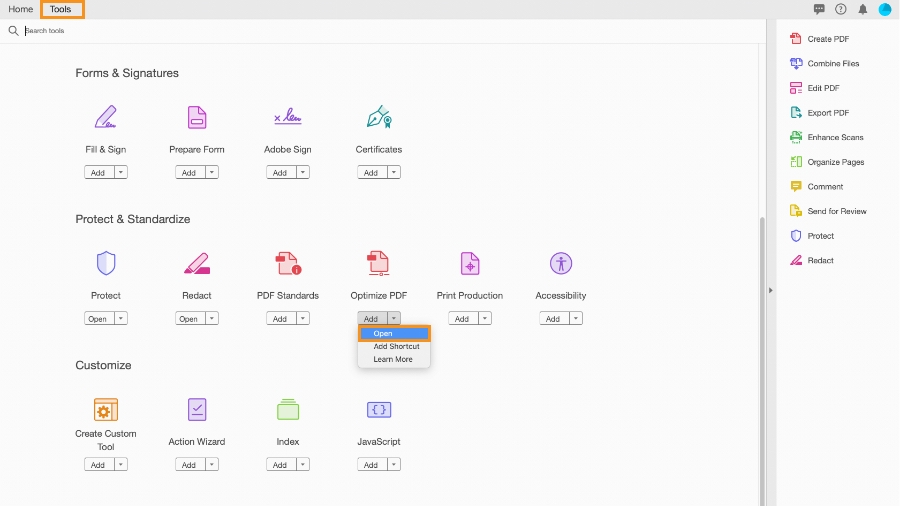
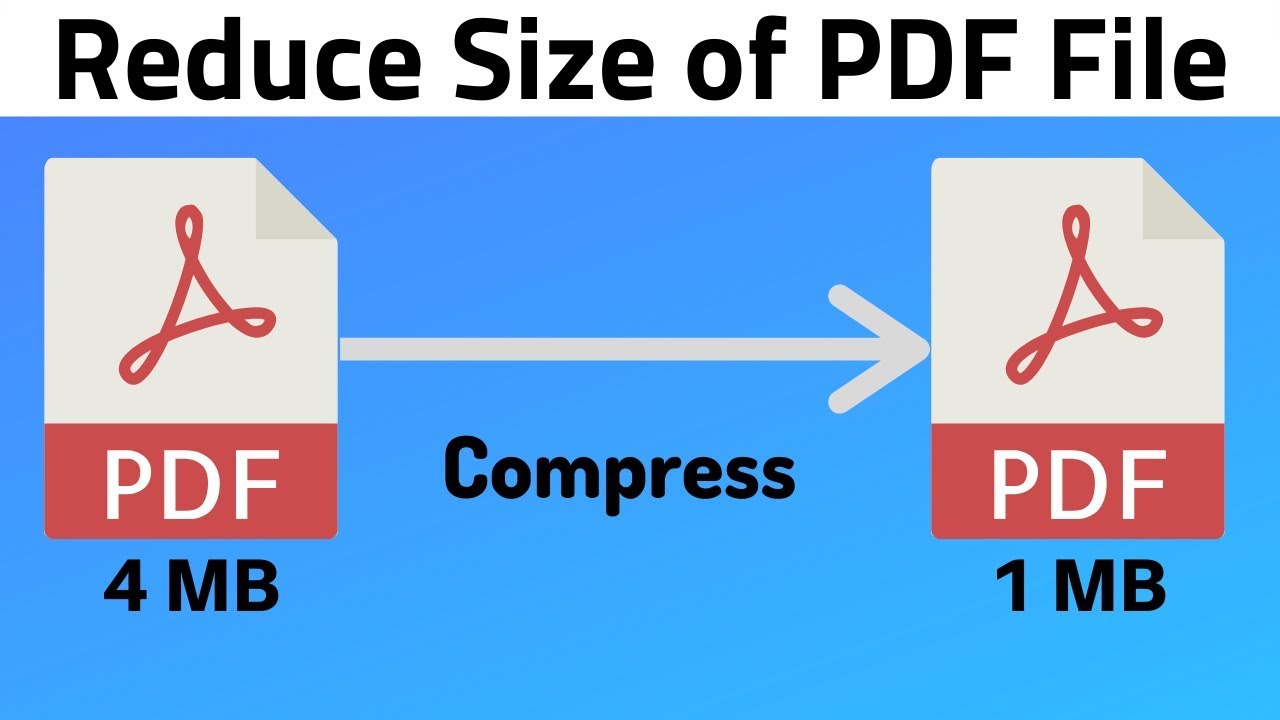
Adobe Acrobat File Size Reduce How To Reduce File Size PDF Or Image Files Online In Few Second PDF JPG How To Reduce PDF Document File Size By Using Adobe Acrobat Pro YouTube How To Reduce PDF File Size Adobe Reader YouTube Reduce PDF Size In Adobe Acrobat Pro Udemy Blog 5 Ways To Reduce The Size Of A PDF File Compress PDF Easily Open the file in a PDF editor like Adobe Acrobat Open the Tools center and click Optimize PDF Tool Choose a file to compress Select Reduce File Size in the top menu Pick the file version compatibility Rename and save your file Depending on the original PDF size this should get you close to 1MB If it doesn t you can repeat the process
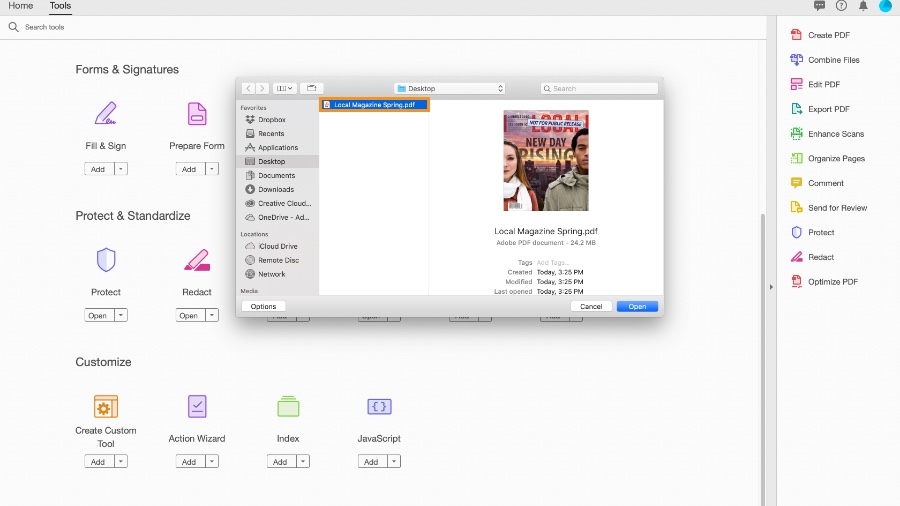
Learn how to compress PDF files to reduce file size using Adobe Acrobat on Windows or Mac Sample file to practice with ZIP 22 5 MB To reduce the size of your PDF file open the from the drop down menu Local Magazine Spring pdf sample file Learn how to compress a PDF to reduce file size using Adobe Acrobat Figure 6 Reduced Size PDF option Old Interface Select a compatibility version from the Reduce File Size dialog box For most users Retain existing will be the best choice see figure 2 Select the OK button see figure 2 Select the location to save the file in the Save As dialog box see figure 3
5 Ways To Reduce The Size Of A PDF File Compress PDF Easily The Format Wizard In Mac Osm With An Additional File To Be Added On It How To Reduce PDF File Size Using Adobe Acrobat Pro DC How To Compress A PDF File How To Reduce Or Compress PDF File Size Using Adobe Acrobat Pro 2017 Transform Your Documents Effortlessly Discover The Power Of Total PDF How To Compress PDF File Size Reduce Size Of PDF File YouTube How To Reduce A File Size In Adobe Reader Famouslokasin Reduce The Size Of A Pdf Acrobat Pro Freemixph
Adobe Acrobat File Size Reduce
 Adobe Acrobat File Size Reduce
https://i.ytimg.com/vi/46xvzQHX7cQ/maxresdefault.jpg
Steps to compress PDF Sign in to Acrobat Web Document Cloud Home at https documentcloud adobe with your Adobe ID and password or with your social Facebook or Google account In the top navigation bar click Convert Compress PDF Do one of the following to select the PDF file that you want to compress and then click Continue
Pre-crafted templates provide a time-saving solution for producing a varied variety of documents and files. These pre-designed formats and designs can be utilized for different personal and professional jobs, consisting of resumes, invites, flyers, newsletters, reports, presentations, and more, improving the material creation process.
Adobe Acrobat File Size Reduce
How To Compress A PDF File

The Format Wizard In Mac Osm With An Additional File To Be Added On It

How To Reduce PDF File Size Using Adobe Acrobat Pro DC
How To Compress A PDF File

Transform Your Documents Effortlessly Discover The Power Of Total PDF
How To Compress PDF File Size Reduce Size Of PDF File YouTube
Select Get Info Look at File Size to see how large the PDF is On a PC Open Files Explorer Right click on the PDF file Select Properties Look at File Size to see how large the PDF is Remember one megabyte MB equals 1 000 kilobytes KB So a document that is 25MB may look small but it s actually 25 000KB
Reduce file size Compress PDF Edit Edit PDF Merge PDFs Split PDF Crop PDF Delete PDF pages Rotate PDF pages Reorder PDF pages Extract PDF pages Insert PDF pages Number PDF pages Fill Sign Request e signatures Compress a PDF file in four easy steps

The Acrobat PDF compression tool balances an optimized file size against the expected quality of images fonts and other file content Save using PDF optimizer Acrobat Pro PDF Optimizer provides many settings for reducing the size of PDF files

Choose Tools Edit PDF Edit Select the text you want to change In the right side Format panel select a font font size or other formatting options You can also use the advanced format

Click the Format menu and select PDF If this option is already selected you can skip this step 5 Click the Quartz Filter menu and select Reduce File Size This reduces the overall file size Reducing the file size can degrade the quality of the PDF especially if there are images
How do I reduce the file size in Acrobat DC Full Bright Sign Lighti New Here Jul 07 2015 I know you can reduce the file size in previous versions of Acrobat but I can find how to do it in Acrobat DC Please help 14 5K Translate Report 1 Correct answer Bernd Alheit Community Expert Jul 07 2015 After your file is open Go to File Save as Other Reduced Size PDF Select the Acrobat version that is compatible with the features in your PDF file To potentially reduce the file size greatly choose later versions of Acrobat We generally recommend two versions below the most current
Choose Document Reduce File Size Select Acrobat 8 0 And Later for file compatibility and click OK When you choose the compatibility level be aware that the newer the version of Acrobat that you choose the smaller the file