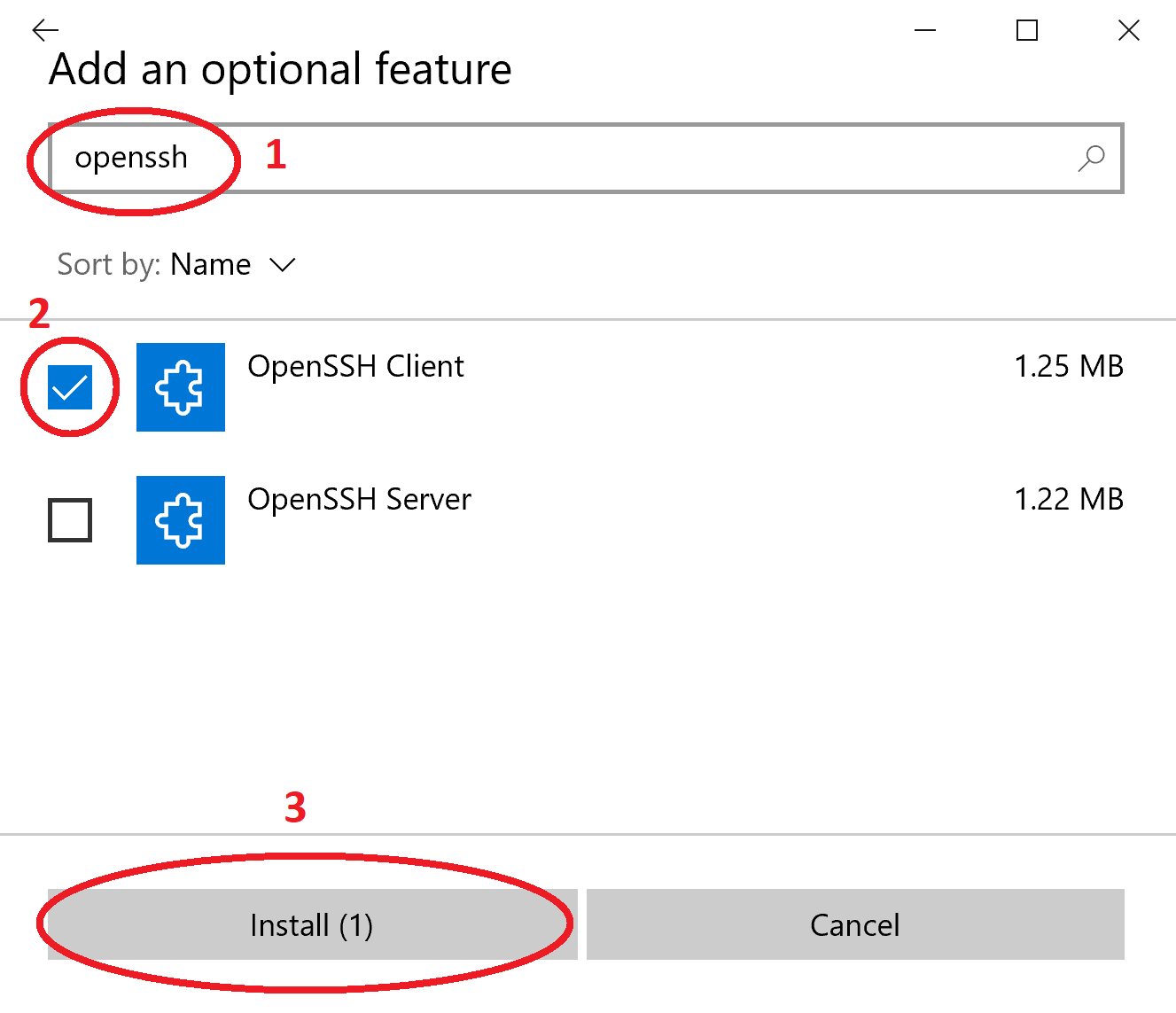
Add Ssh Key To Windows Server How To Import SSH Keys In WinSCP ExaVault Blog BitBucket SSH Key Generation Tutorial How To Add SSH Keys To SFTP To Go YouTube Digital Ocean Add SSH Key To Droplet How To Generate A SSH Key And Add Your Public Key To The Server For Web Jan 9 2024 nbsp 0183 32 Search for OpenSSH Client then select Install Search for OpenSSH Server then select Install Open the Services desktop app Select Start type services msc in the search box and then select the Service app or press ENTER In the details pane double click OpenSSH SSH Server
Web Aug 16 2019 nbsp 0183 32 Improve this question Follow edited Aug 20 2019 at 9 55 asked Aug 16 2019 at 5 59 ramg 61 1 1 4 1 Is the server using the Microsoft release of OpenSSH for Win10 or did you install it from Cygwin u1686 grawity Aug 16 2019 at 6 01 Yes it s using the built in OpenSSH for Win10 I added it as a feature ramg Aug 16 2019 at 6 15 Web If your key has a passphrase and you don t want to enter the passphrase every time you use the key you can add your key to the SSH agent The SSH agent manages your SSH keys and remembers your passphrase If you don t already have an SSH key you must generate a new SSH key to use for authentication
How To Generate A SSH Key And Add Your Public Key To The Server For Ssh Copy File To Windows Buckettews Adding A New SSH Key To Your GitHub Account GitHub AE Docs Generate Ssh Key Windows Powershell Eversell Generate And Add Ssh Key To Github How To Add SSH Keys To Credentials Add SSH Key To Github Account For A Windows User Code co op learning How To Setup SSH Git Authentication For Bitbucket Code Dodle Running Ssh Commands On Windows
Add Ssh Key To Windows Server
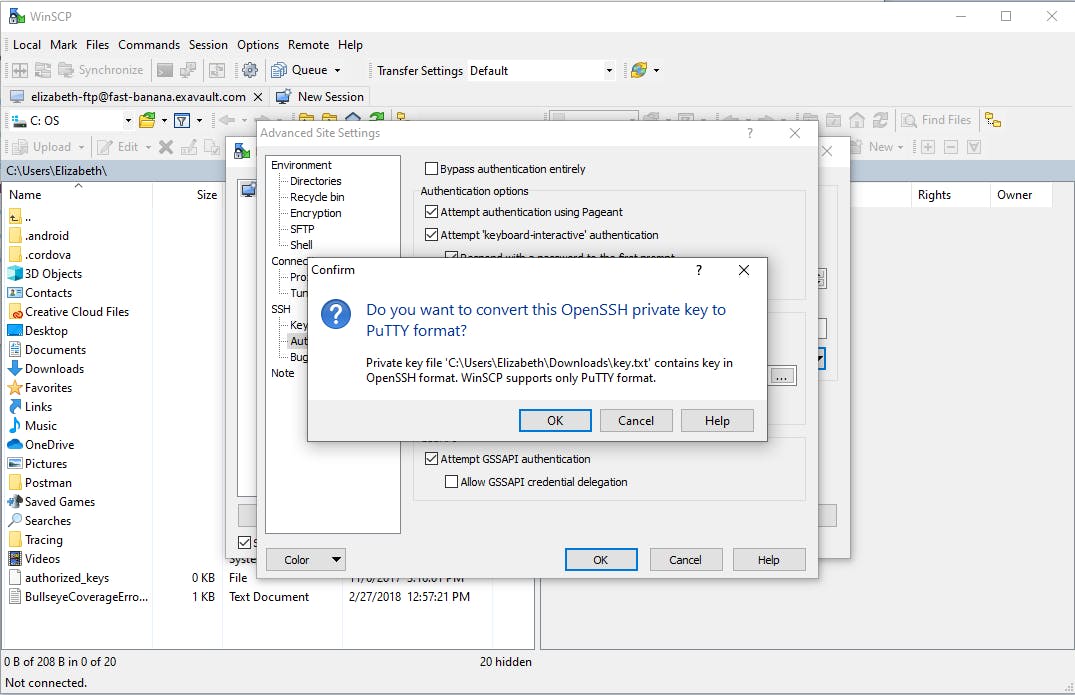 Add Ssh Key To Windows Server
https://images.prismic.io/exavault-website/d9f703c1-3bfd-4405-ba80-29a8fadb5822_winscp-settings2b-private-key-conversion.png?auto=compress,format
Web Jul 29 2022 nbsp 0183 32 OpenSSH has configuration files for both server and client settings OpenSSH is open source and is added to Windows Server and Windows Client operating systems starting with Windows Server 2019 and Windows 10 build 1809 As a result open source documentation for OpenSSH configuration files isn t repeated here
Templates are pre-designed files or files that can be utilized for various purposes. They can save effort and time by offering a ready-made format and layout for creating different type of material. Templates can be utilized for individual or expert jobs, such as resumes, invitations, flyers, newsletters, reports, discussions, and more.
Add Ssh Key To Windows Server
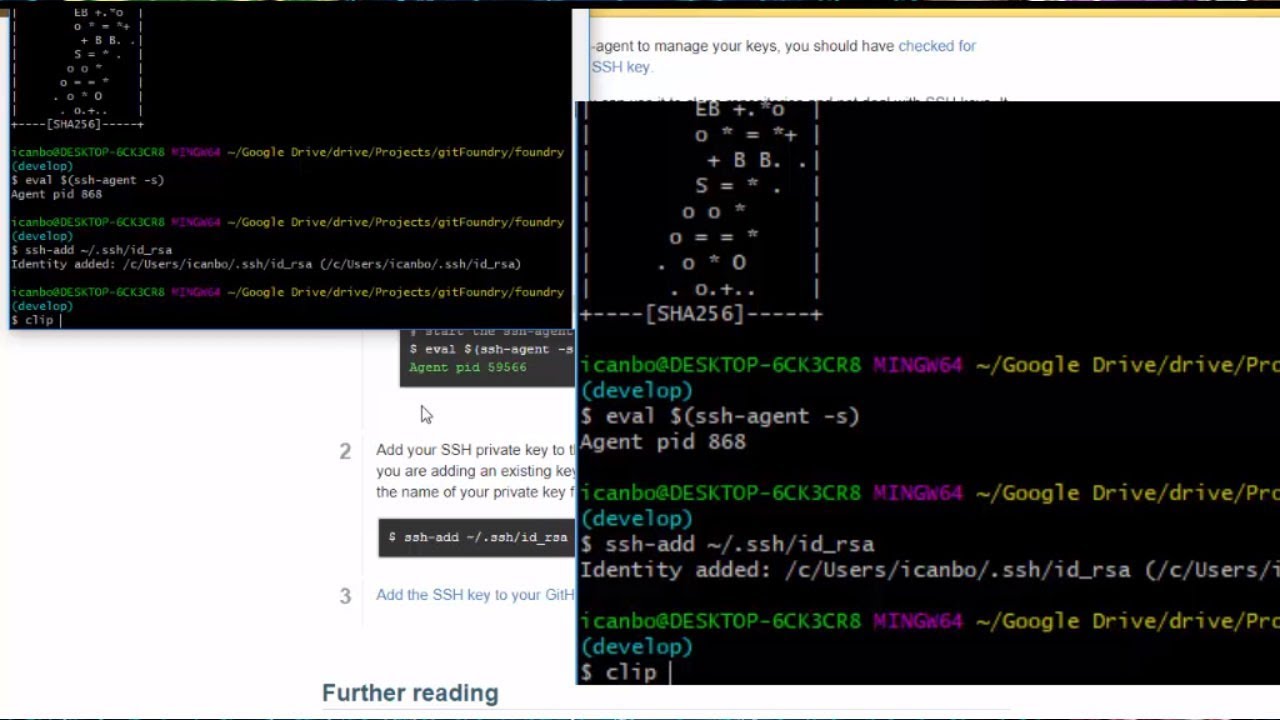
Git How To Add Your Computer s SSH Key To Your Github Account Using
Ssh Copy File To Windows Buckettews

Adding A New SSH Key To Your GitHub Account GitHub AE Docs
Generate Ssh Key Windows Powershell Eversell

How To Add SSH Keys To Credentials

Add SSH Key To Github Account For A Windows User Code co op learning

Web Jun 15 2022 nbsp 0183 32 You can copy the public key to the SSH server from the client using SCP scp C Users youruser ssh id rsa pub admin 192 168 1 15 c users admin ssh authorized keys You can add multiple public keys to a single authorized keys file Public key authentication is disabled by default in the OpenSSH
Web How to run ssh add on windows Stack Overflow How to run ssh add on windows Ask Question Asked 10 years 4 months ago Modified 3 months ago Viewed 480k times 198 I m following 335 Deploying to a VPS and near the end of the episode we need to run ssh add to give server access to github repo The problem is how do I run it in windows

Web Jul 14 2014 nbsp 0183 32 Edit 1 Haven t found anything in 2 hours of googling this I m going to take a wild guess that openssh is not something I need to install but is something which came with git install I m going to guess that because there is no mention of it that windows uses the same scheme as Unix i e put the keys ssh

Web Jun 8 2023 nbsp 0183 32 You can also install OpenSSH on Windows 10 11 through the modern Settings panel Settings gt Apps and features gt Optional features gt Add a feature Find Open SSH Server in the list and click Install You can also install the Remote Server Administration Tools RSAT from here

Web Aug 28 2023 nbsp 0183 32 To get an SSH client onto Windows 10 or Windows Server 2019 without using 3rd party software or installing Windows Subsystem for Linux use the PowerShell command Add WindowsCapability Online Name OpenSSH Client 0 0 1 0 To add an SSH client and SSH server to Windows Server 2019 use the following PowerShell
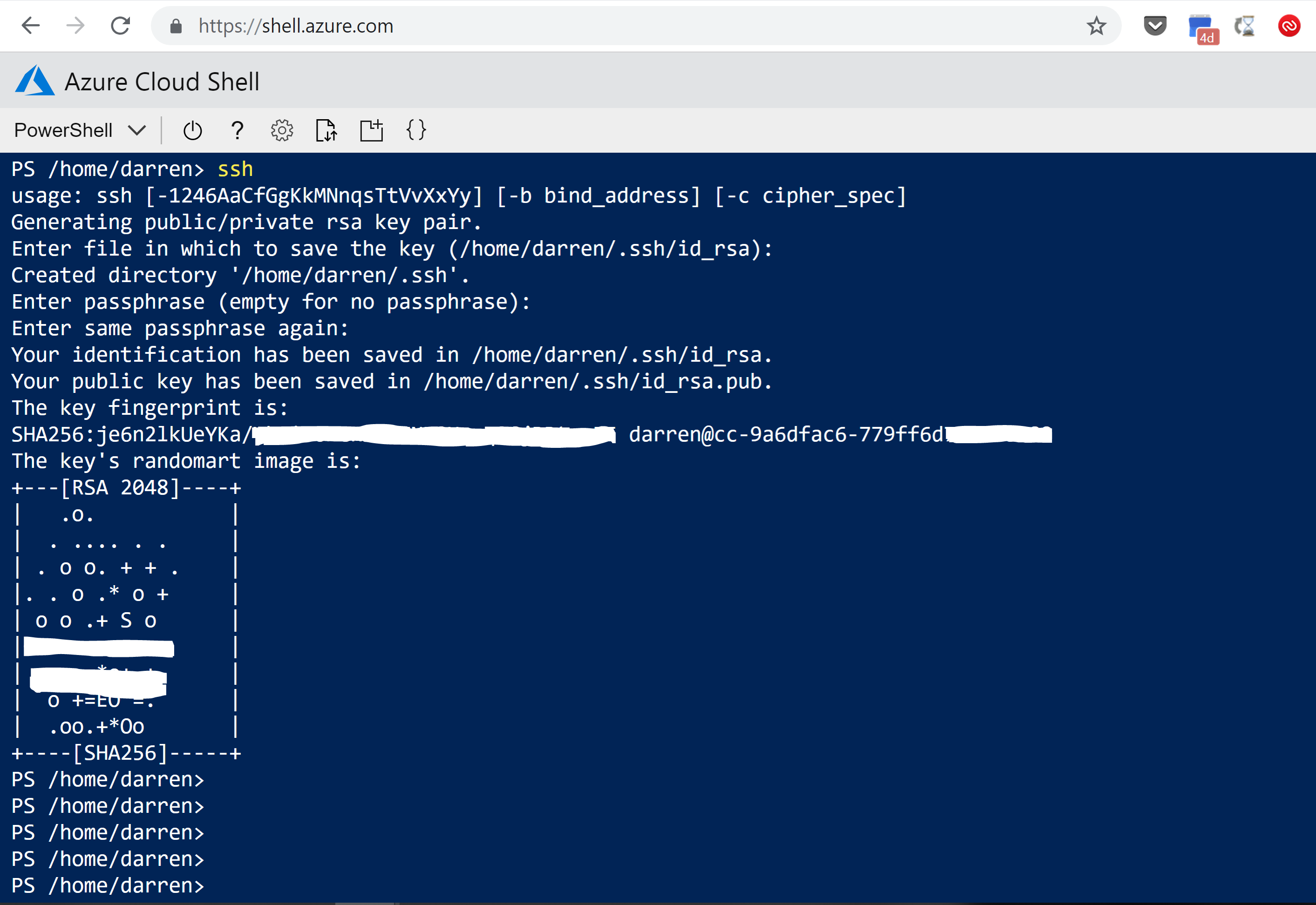
Web Aug 26 2023 nbsp 0183 32 Quick Links Option 1 Generate Keys in the Command Line Option 2 Generate Keys in WSL Option 3 Generate Keys With PuTTY Key Takeaways Generate SSH keys on Windows 10 or 11 by using Command Prompt PowerShell or Windows Terminal and entering quot ssh keygen quot followed by a passphrase Default storage location is Web The contents of your public key ssh id ed25519 pub needs to be placed on the server into a text file called authorized keys in C Users username ssh You can copy your public key using the OpenSSH scp secure file transfer utility or using a PowerShell to write the key to the file
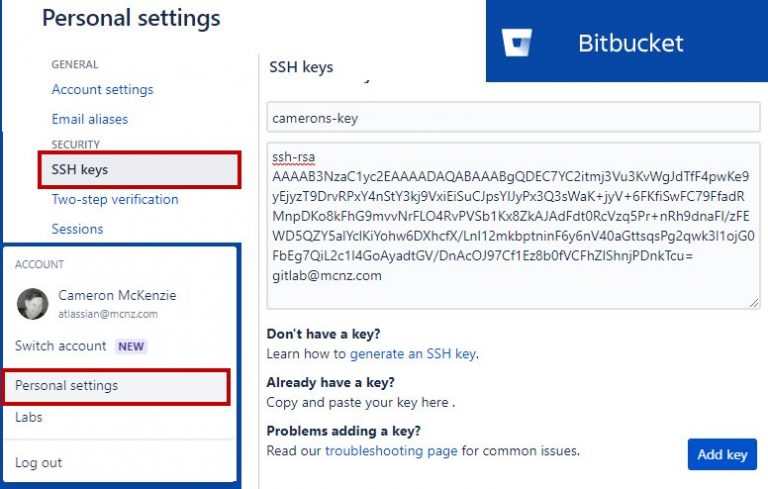
Web Bitbucket Resources Manage your plans and settings in Bitbucket Cloud Configure SSH and two step verification Data Center and Server Set up personal SSH keys on Windows The third party Git Credential Manager GCM can be used as alternative method of connecting to Bitbucket Cloud from the Git CLI