Add Openvpn Connection Ubuntu Add New Openvpn Connection Manjaro Dot Site How To Setup OpenVPN Connection On Fedora How To Set Up OpenVPN Connection On Ubuntu 16 VyprVPN OpenVPN Setup For Linux Ubuntu VyprVPN Support Internet Connection Using OpenVPN On Linux Ubuntu Free Download Software Connect OpenVPN with Ubuntu Network Manager Click the Network icon top right of your screen then click Settings Click the Plus icon under the VPN heading then click OpenVPN Visit your VPN service providers website I always use IPVanish VPN and look for the Help or Setup section and download the CA Certificate for OpenVPN
At the end of the file add crl verify crl pem Save and exit sudo systemctl restart openvpn server Restart the Server to implement the changes Step by step guide to create a virtual private network with OpenVPN on Linux Ubuntu 20 04 You will find all the instructions to configure a VPN on your server 1 it does not add anything to VPN Connection menu item It is still disabled
Internet Connection Using OpenVPN On Linux Ubuntu Free Download Software Basic Ubuntu 20 04 OpenVPN Client Server Connection Setup LinuxConfig How To Configure OpenVPN On Ubuntu Linux VPN PPTP SSTP L2TP And Basic Ubuntu 22 04 OpenVPN Client Server Connection Setup Linux How To Setup An IPhone VPN Connection YouTube Establishing A VPN With Linux Ubuntu Bright Hub OpenVPN How To Set Up OpenVPN Server On Debian 10 Buster Microsoft Remote Desktop Connection Ubuntu Goseociseo How To Set Up OpenVPN Connection On Ubuntu 16
Add Openvpn Connection Ubuntu
 Add Openvpn Connection Ubuntu
https://manjaro.site/wp-content/uploads/2017/07/add-new-openvpn-connection-.png
Connect VPN using OpenVPN on Ubuntu 20 04 with Network Manager GUI Ricmedia 3 89K subscribers Subscribe Like Share Save 109K views 3 years ago Linux Ubuntu 20 04 comes with OpenVPN
Templates are pre-designed files or files that can be used for various purposes. They can conserve effort and time by offering a ready-made format and layout for developing various kinds of material. Templates can be used for personal or professional tasks, such as resumes, invites, leaflets, newsletters, reports, discussions, and more.
Add Openvpn Connection Ubuntu

Telecharger Dr Fone Toolkit Avec Code Crack Gratuit Wizvast
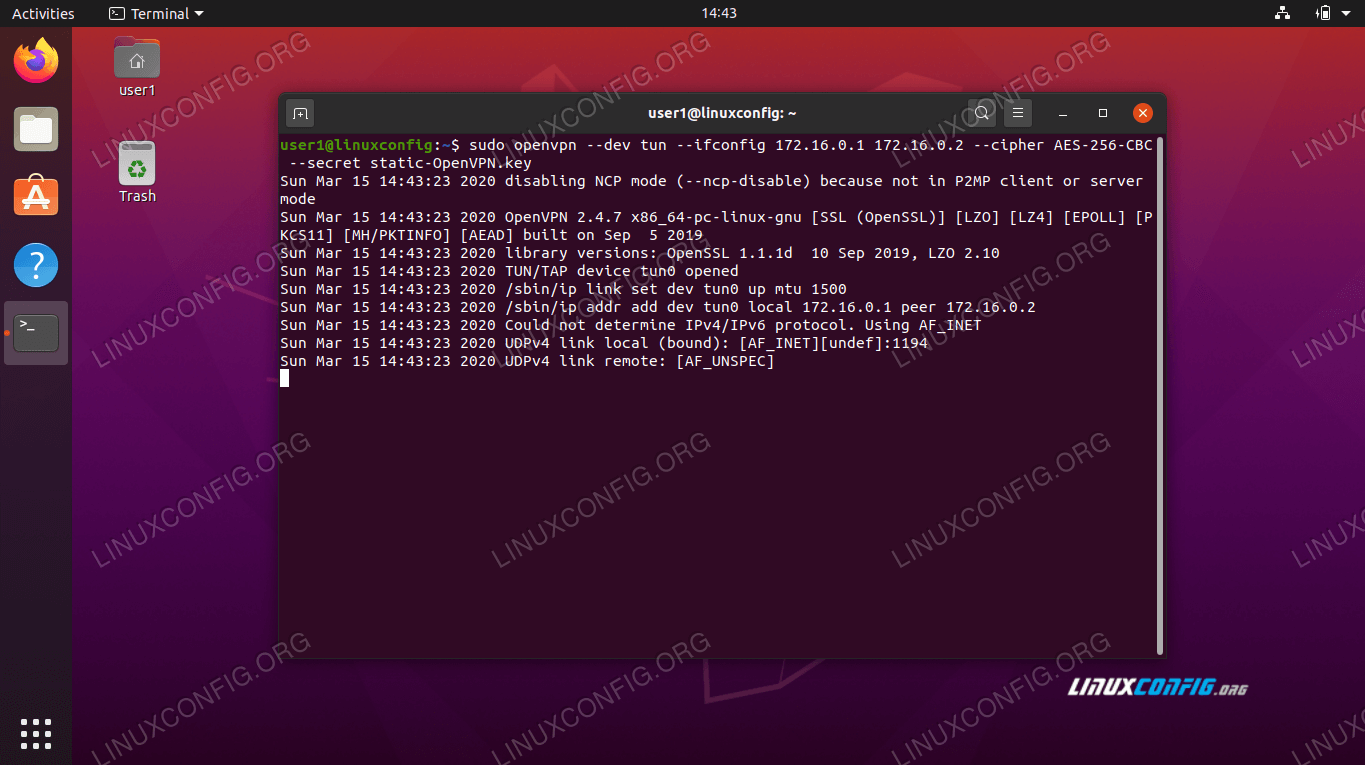
Basic Ubuntu 20 04 OpenVPN Client Server Connection Setup LinuxConfig

How To Configure OpenVPN On Ubuntu Linux VPN PPTP SSTP L2TP And

Basic Ubuntu 22 04 OpenVPN Client Server Connection Setup Linux

Establishing A VPN With Linux Ubuntu Bright Hub
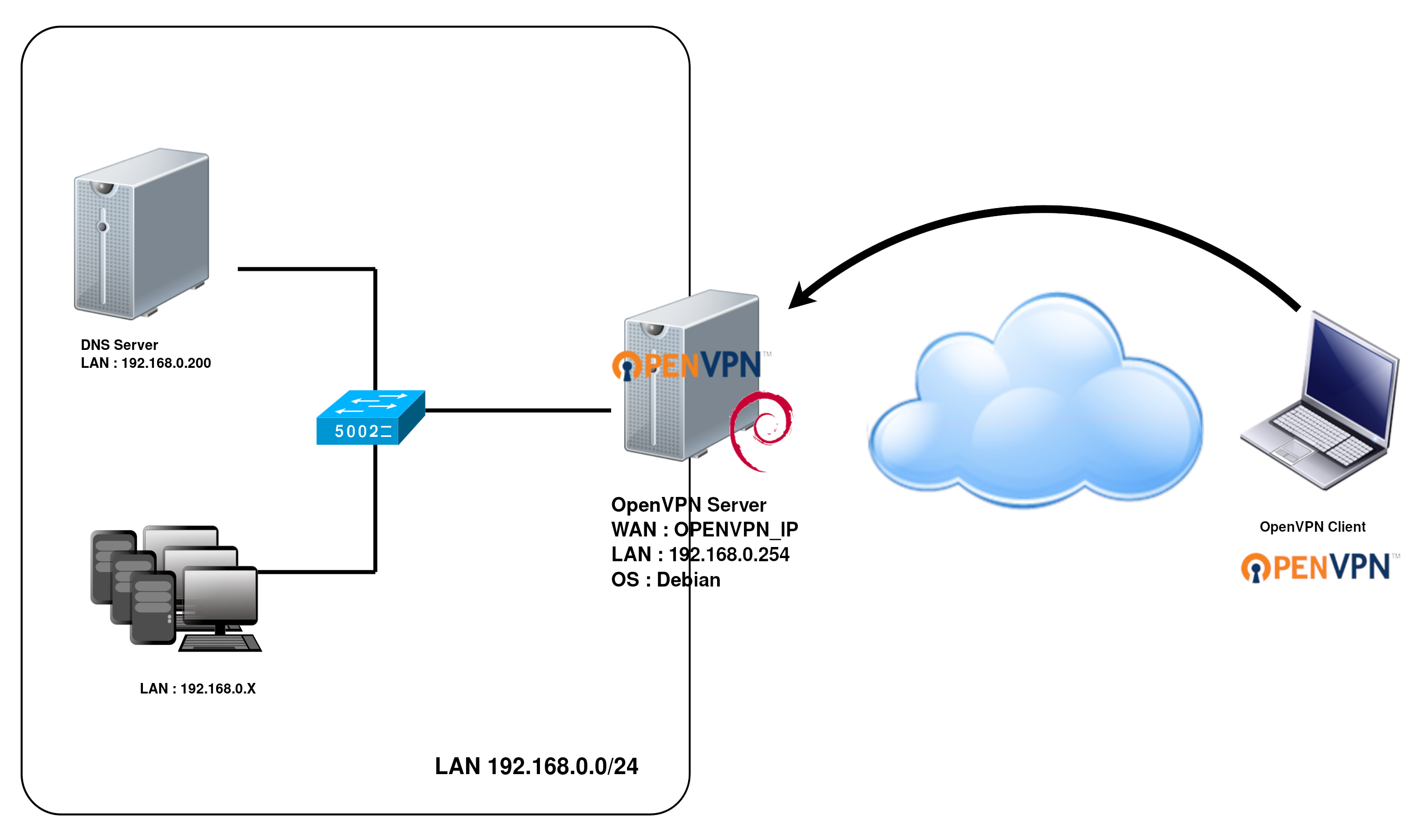
OpenVPN How To Set Up OpenVPN Server On Debian 10 Buster

Open a terminal window on your Ubuntu machine and type in the following command sudo apt install openvpn This will install the OpenVPN package on your system sudo apt update sudo apt install openvpn y Once the package is installed you ll need to create a configuration file To do this type in the following command in the terminal window

Start by opening a command line terminal and typing the following command to install OpenVPN Server sudo apt update sudo apt install openvpn Once OpenVPN is installed we need to generate a static key to be used for VPN tunnel encryption openvpn genkey secret static OpenVPN key
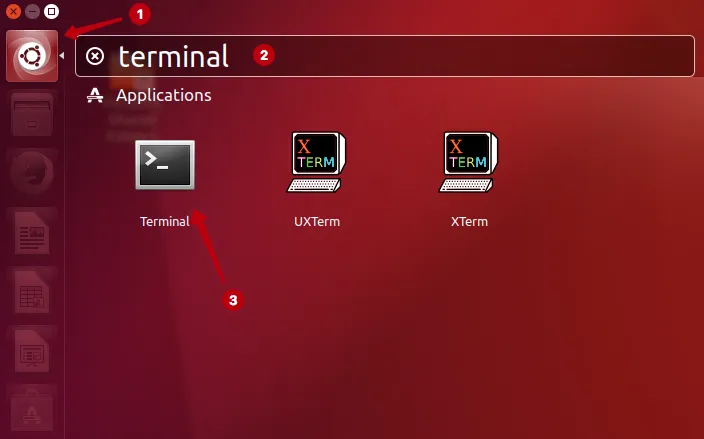
How to set up an OpenVPN connection in Ubuntu Linux Complete guide Many VPN providers simply do not support Linux But that doesn t necessarily mean it can t be done We re going to use the Network Manager to create an OpenVPN connection in Ubuntu Linux Marc Dahan Specialist in online privacy UPDATED August 25 2021
1 First connect to your Ubuntu Debian server either via SSH or other method that you favorite Then grab the script by wget wget https git io vpn O openvpn install sh In case wget command does not exist install via sudo apt install wget 2 After downloaded the script add executable permission via command chmod u x openvpn install sh 3
Step 3 Setup OpenVPN Client in Linux 19 To connect another Linux server as a VPN client ensure that you have installed the OpenVPN package and started and enabled the OpenVPN service as described above Then download the ovpn client file and copy it to the etc openvpn directory as shown
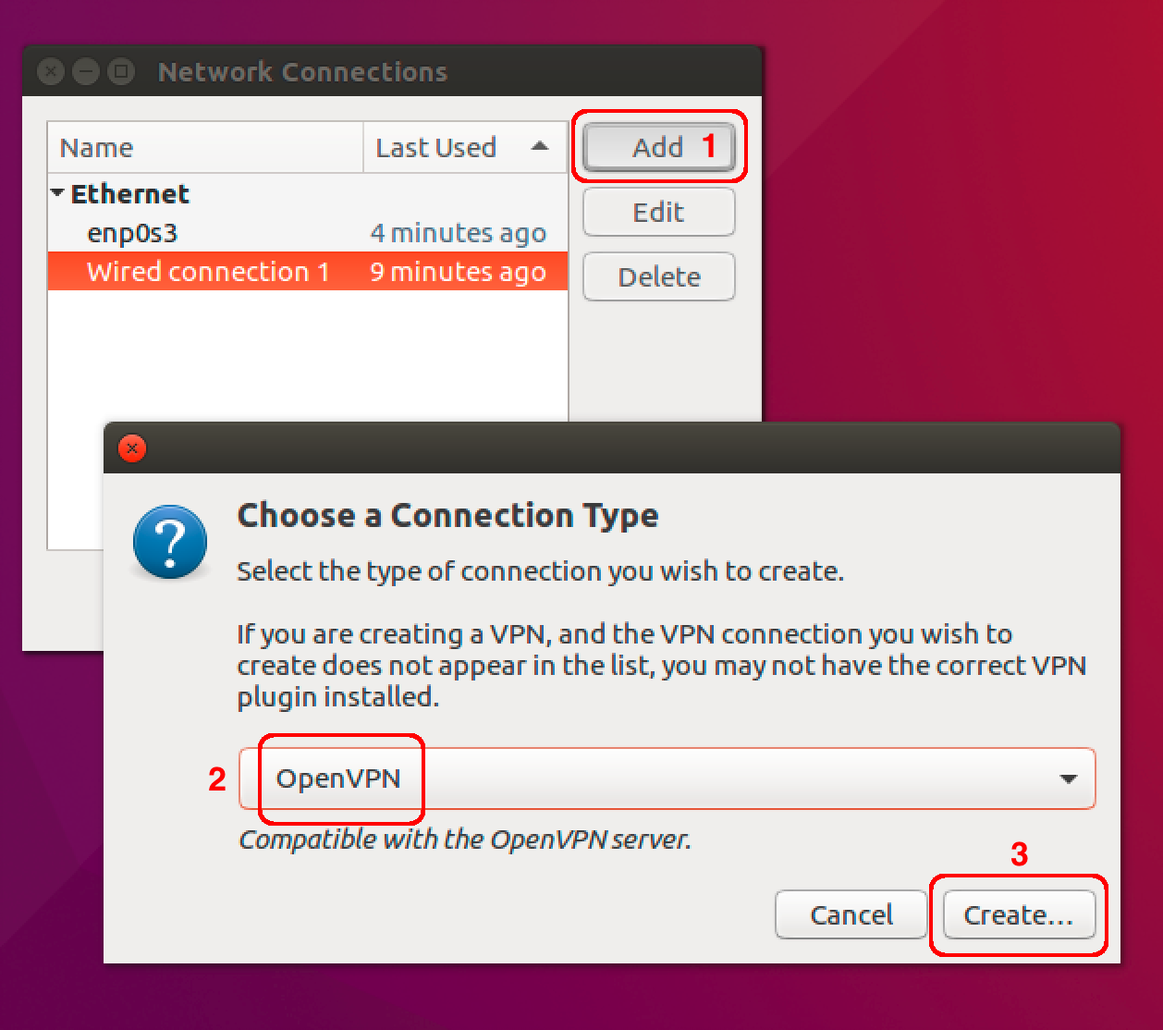
Configure the OpenVPN connection Click Network Manager 4 VPN Connections 5 Configure VPN 6 In Network Connections window select the VPN tab 7 and press the Add button 8 In the Choose a VPN Connection Type 9 window select OpenVPN and press the Create button 10 Complete requested fields using your data Abstract General reference guide for installing and operating openvpn3 client on various Linux distributions Note This document is a reference document for OpenVPN 3 Linux client CloudConnexa Connector for Linux uses OpenVPN 3 Deploying Connector for CloudConnexa is covered separately here
In the Add VPN window that appears the previously selected OpenVPN config file will have been imported into the Add VPN wizard Enter a name for your new VPN connection in the Name field Confirm the server address in the Gateway field make sure the Type is set to Password enter your IPVanish credentials into the Username and Password fields