Add Microsoft Print To Pdf Powershell Fix Microsoft Print To PDF Missing Issue In Windows 10 DOWNLOAD PDF PowerShell For Sysadmins Workflow Automation Made Easy ZIP Fix Microsoft Print To PDF Missing Issue In Windows 10 Download Gifs Microsoft Print To Pdf Windows 7 Download Free Adobe Pdf 8 0 Printer Driver For Mac Web Uses the built in quot PrintToPDF quot printer driver to create a new printer that prints unattendedly to a fixed file in the temp folder EXAMPLE Install PDFPrinter Installs the
Web Jan 29 2021 nbsp 0183 32 Open a new command prompt Type or copy amp paste the following command printui exe dl n quot Microsoft Print to PDF quot The command silently removes the printer and shows no prompt or other Web Apr 14 2018 nbsp 0183 32 1 Answer Sorted by 9 You are missing a handler that reads the text file and passes the text to the printer It is defined as a scriptblock like this PrintPageHandler
Adobe Pdf 8 0 Printer Driver For Mac How To Add Or Remove Microsoft Print To PDF MajorGeeks Solved If Microsoft Print To PDF Missing On Windows 10 7 Updated Here s How To Add Microsoft Print To PDF Printer Driver In Windows 10 Microsoft Print To Pdf Microsoft Community Here s How To Add Microsoft Print To PDF Printer Driver In Windows 10 Add Or Remove Microsoft Print To PDF Printer In Windows 10 Tutorials Windows PowerShell Commands Cheat Sheet PDF Tips Lists How To Install Microsoft Print To Pdf Windows 10 Morris Incion
Add Microsoft Print To Pdf Powershell
 Add Microsoft Print To Pdf Powershell
https://www.minitool.com/images/uploads/news/2022/12/microsoft-print-to-pdf-is-missing/microsoft-print-to-pdf-is-missing-3.png
Web Description The Add Printer cmdlet adds a printer to a specified computer You can add both local printers and connections to network based printers You cannot use wildcard
Templates are pre-designed documents or files that can be utilized for various functions. They can save time and effort by offering a ready-made format and design for developing different sort of content. Templates can be used for individual or professional projects, such as resumes, invites, leaflets, newsletters, reports, discussions, and more.
Add Microsoft Print To Pdf Powershell
Microsoft Print To Pdf Ruious
How To Add Or Remove Microsoft Print To PDF MajorGeeks

Solved If Microsoft Print To PDF Missing On Windows 10 7 Updated
Here s How To Add Microsoft Print To PDF Printer Driver In Windows 10
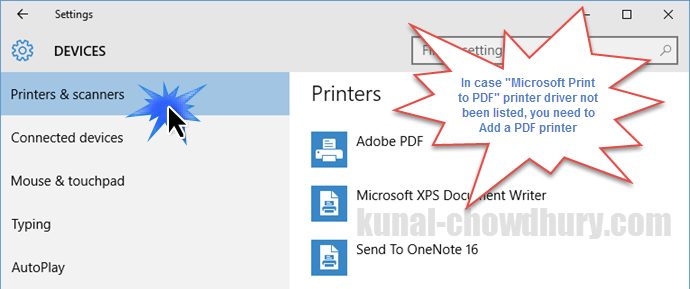
Here s How To Add Microsoft Print To PDF Printer Driver In Windows 10
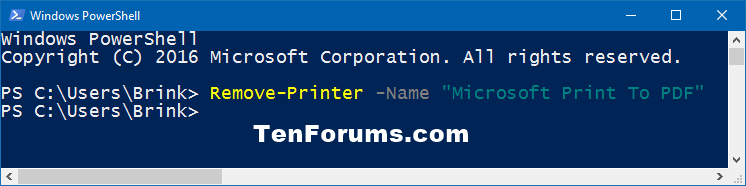
Add Or Remove Microsoft Print To PDF Printer In Windows 10 Tutorials
Web Dec 17 2021 nbsp 0183 32 CliPdfApp PrintTo file pdf quot Microsoft Print to PDF quot quot Microsoft Print to PDF quot quot C MyFavourite Places FileName pdf However few apps follow the required

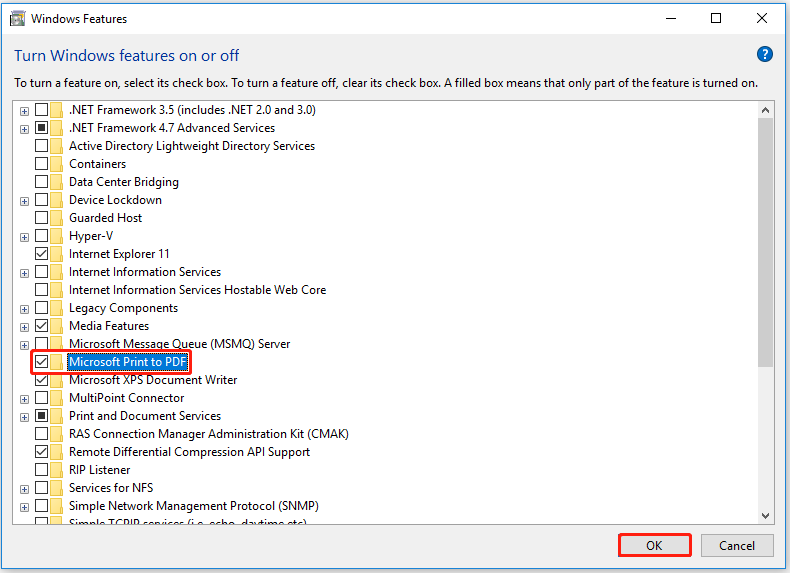
Web Feb 1 2022 nbsp 0183 32 If you are no longer seeing the Microsoft Print to PDF icon its still installed on your system To reinstall it we will use the Command Prompt and the following DISM commands Click Start type CMD then
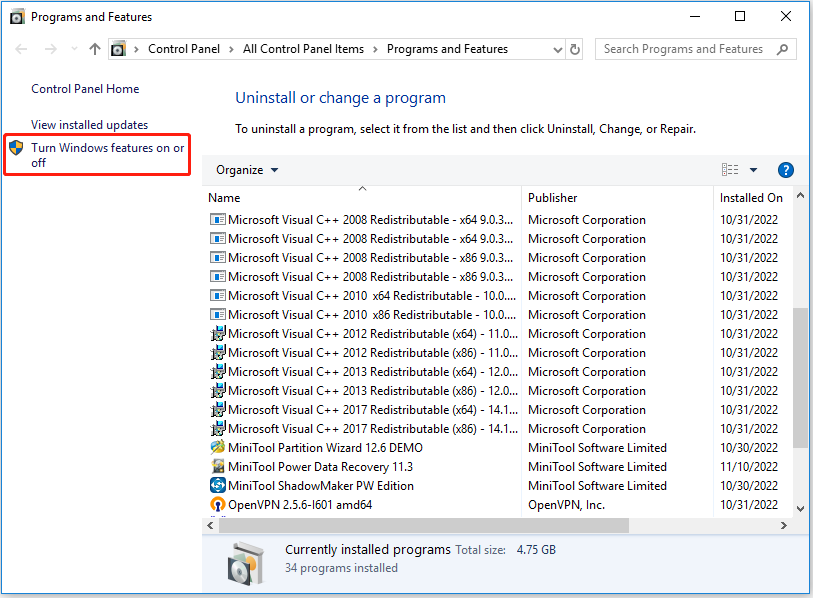
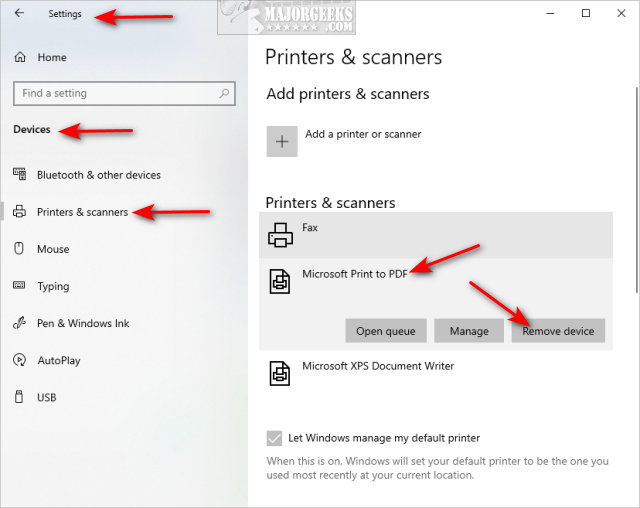
Web Apr 27 2021 nbsp 0183 32 1 Open Settings and click tap on the Devices icon 2 Click tap on Printers amp scanners on the left side click tap on Microsoft Print to PDF under Printers amp scanners on the right side and click tap
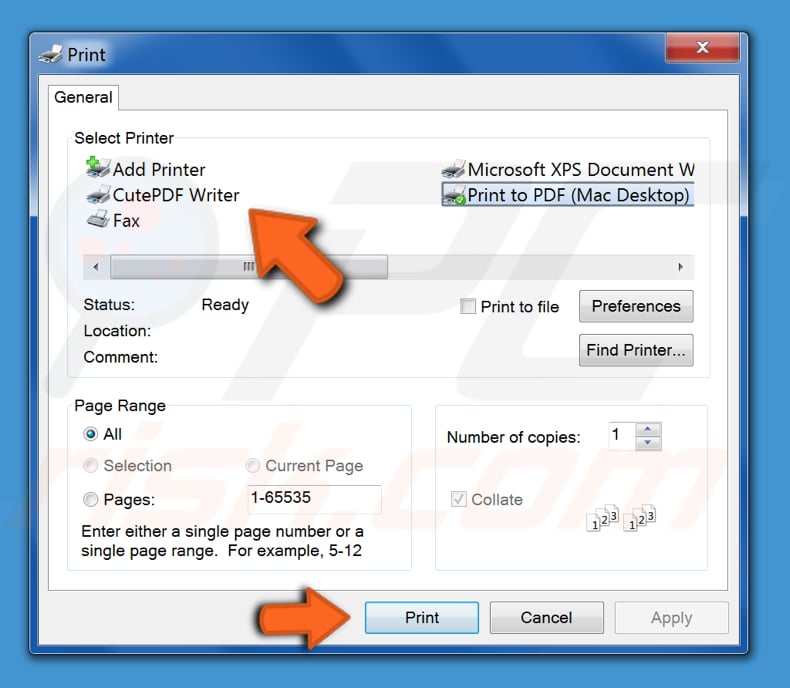
Web To remove the Print to PDF printer in Windows 10 Open a new command prompt Species or copy amp paste the following command printui exe dl n quot Microsoft Print to PDF quot

Web Using the Command Prompt or PowerShell makes adding or removing Microsoft Print to PDF a simple easy option Remove PowerShell Remove Printer Name quot Microsoft Print to PDF quot Command Prompt
Web Sep 12 2019 nbsp 0183 32 Printing from PowerShell There are a few built in commands that have something to do with printing as we can see by running Get Command and filtering on Web Removing Print to PDF in Windows 10 There are ampere few methods to delete the built in PDF printer It a skyward to you to choose which one to use view of them do the same
Web Jan 10 2019 nbsp 0183 32 To print all PDF files in my H drive to the default printer you can simply open PowerShell console and run the following command Get ChildItem quot H pdf quot