Add Library To Databricks Cluster May 2019 Azure Databricks Microsoft Learn Connect To Azure Databricks From Excel Python Or R Microsoft Learn Connect To Azure Databricks From Excel Python Or R Microsoft Learn Adding A Library Sketch Azure Databricks Cluster Configuration Learn what to do when you can t uninstall a library using the Databricks user interface Last updated May 11th 2022 by Adam Pavlacka Add libraries to a job cluster to reduce idle time How to add libraries to a job cluster and reduce idle time in Databricks Last updated December 4th
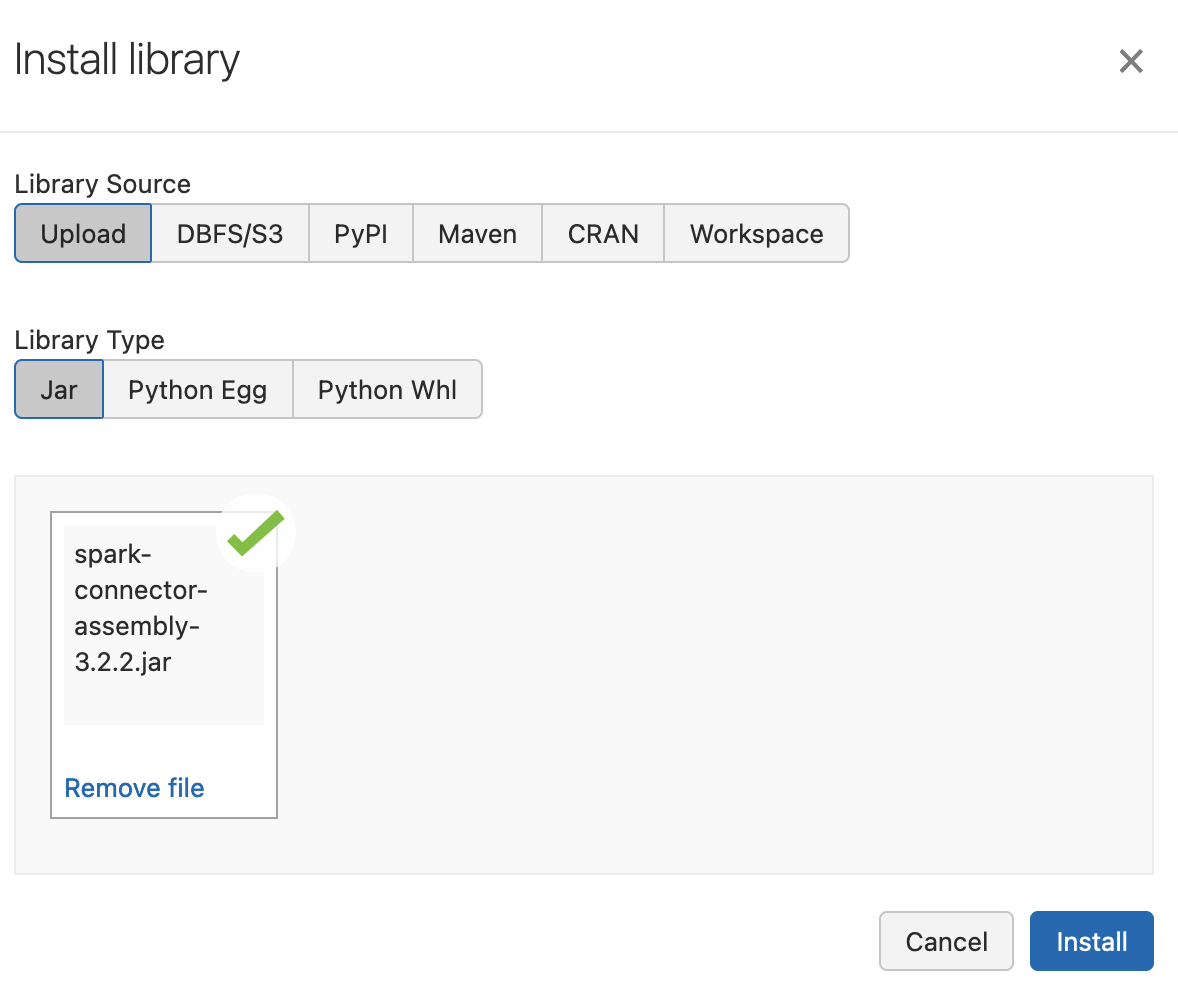
Libraries can be written in Python Java Scala and R You can upload Java Scala and Python libraries and point to external packages in PyPI Maven and CRAN repositories Important Default behavior for the library upload UI has changed Legacy behavior always stored libraries in the DBFS root To install a library on a cluster Click Compute in the sidebar Click a cluster name Click the Libraries tab Click Install New The Install library dialog displays Select one of the Library Source options complete the instructions that appear and then click Install Important Default behavior for the library upload UI has changed
Azure Databricks Cluster Configuration Transform Data With Databricks Notebook Azure Data Factory Azure Arquitetura De An lise Moderna Com O Azure Databricks Azure Migrate From MongoDB To Azure Cosmos DB API For MongoDB Using How To Install A Library On A Databricks Cluster Using Some Command In IOS Library With Resources Simon Shi Databricks Support Couchbase Docs An Introduction To Azure Delta Lake Using Databricks 2020 8 29 Dht11 Arduino Library Deals Outlet Save 56 Jlcatj gob mx
Add Library To Databricks Cluster
 Add Library To Databricks Cluster
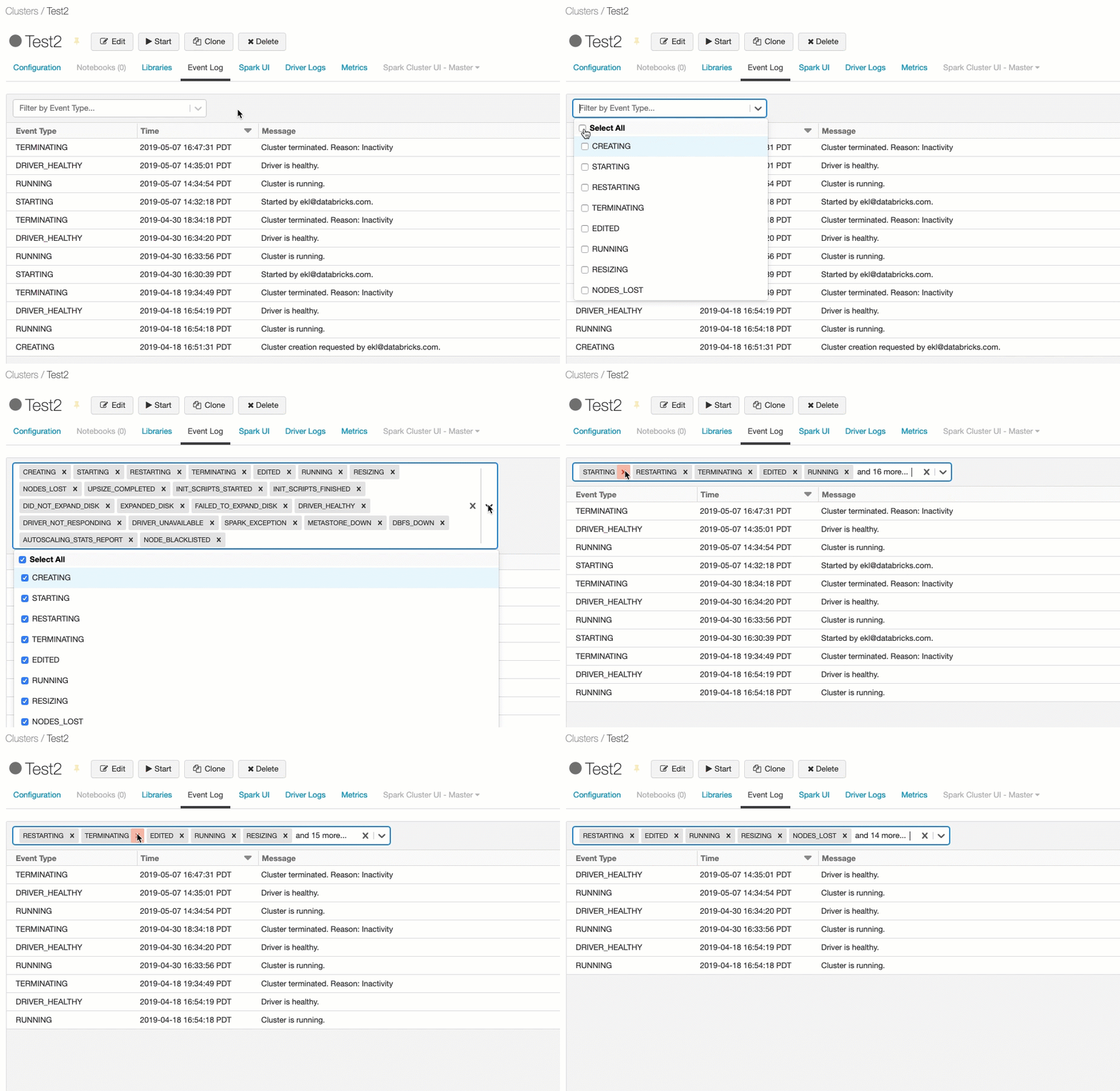
https://learn.microsoft.com/en-us/azure/databricks/_static/images/clusters/cluster-event-log-filter.gif
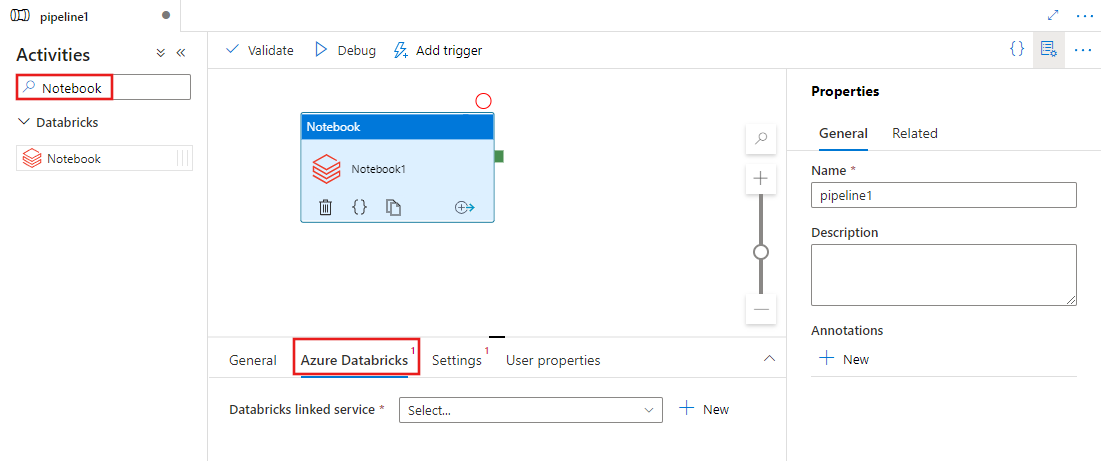
When creating pipeline in Azure Data Factory and adding Databricks activity click onto Settings expand item Append libraries and click New Then select wheel as library type and specify path to the library on DBFS it should be uploaded there
Pre-crafted templates use a time-saving service for creating a varied variety of documents and files. These pre-designed formats and layouts can be used for different individual and professional projects, consisting of resumes, invitations, leaflets, newsletters, reports, discussions, and more, simplifying the content development procedure.
Add Library To Databricks Cluster

How To Add Library To Labview YouTube
Transform Data With Databricks Notebook Azure Data Factory Azure
Arquitetura De An lise Moderna Com O Azure Databricks Azure

Migrate From MongoDB To Azure Cosmos DB API For MongoDB Using
IOS Library With Resources Simon Shi
Databricks Support Couchbase Docs

Attach the library to a cluster Once it is created you can attach it by selecting the Clusters tab in the left hand panel selecting the cluster you want to attach the library to and clicking on the Libraries tab You can click Attach Library and choose the library you want to attach

The instructions in this article describe how to install libraries directly to clusters If you want to add libraries to the workspace click Create as the final step for each repository instead of Install

You can install libraries scoped to compute or notebooks Cluster libraries can be used by all notebooks running on a cluster See Cluster libraries You can install a cluster library directly from the following sources A public repository such as PyPI Maven or CRAN Workspace files Unity Catalog volumes A cloud object storage location

December 15 2023 Note Workspace libraries are deprecated Databricks recommends adding libraries directly to compute or job tasks Workspace libraries serve as a local repository from which you create cluster installed libraries

To install libraries for all notebooks attached to a cluster use cluster libraries See Cluster libraries Note On Databricks Runtime 10 5 and below you can use the legacy Databricks library utility The library utility is supported only on Databricks Runtime not Databricks Runtime ML See Legacy Library utility dbutils library
1 Answer Sorted by 3 The packages libraries can be loaded as dependency in the Job settings Here are the steps to load dependency in automated clusters Step1 Download the library from the maven repository Example I have download com microsoft azure azure sqldb spark 1 2 jar file from the maven repository Install libraries from a package repository Install libraries from object storage Workspace libraries Notebook scoped Python libraries Notebook scoped R libraries
Upload a Jar Python egg or Python wheel Reference an uploaded JAR Python egg or Python wheel Show 4 more Note Workspace libraries are deprecated Databricks recommends adding libraries directly to compute or job tasks Workspace libraries serve as a local repository from which you create cluster installed libraries