840 Divided By 180 840 840 How Do I Divide 180 In A Ratio Of 1 2 3 Brainly in All Numbers With Remainder 12 When Divided By 180 Find The Median TESTISS SteelSeries Siberia 840 Kaikille Pelialustoille Nov 3 2022 nbsp 0183 32 Below are the steps to open private message To View private messages option gt click on Profile Picture at top of the right side gt Select My Profile option Please get back to us
To view flagged emails click on the To Do List icon in the navigation pane You can filter your flagged items by due date flag color and other criteria To see your flagged email tasks navigate to the list menu then select Flagged email gt Create Alternatively you can turn the list on in Settings Once turned on email flagged in Outlook will
TESTISS SteelSeries Siberia 840 Kaikille Pelialustoille File 30 St Mary Axe Gherkin JPG Wikimedia Commons On Twitter 840 Division Printable Chart One Piece Chapter 840 TCB Scans 840 C 840 Monster Smash HP EliteBook 840 G2 Notebook PC Drivers Download Beissbarth Microtec 840 Manual Flixlasopa
840 Divided By 180
 840 Divided By 180
https://pastvu.com/_p/a/4/4/9/449afk1un7sk07myly.jpg
Nov 22 2024 nbsp 0183 32 Organize and prioritize your inbox with Outlook flagged emails Learn how to view flagged emails in this comprehensive guide
Templates are pre-designed documents or files that can be utilized for numerous functions. They can conserve effort and time by offering a ready-made format and layout for creating various kinds of material. Templates can be utilized for personal or professional jobs, such as resumes, invites, leaflets, newsletters, reports, presentations, and more.
840 Divided By 180

840 YouTube

File 30 St Mary Axe Gherkin JPG Wikimedia Commons

On Twitter 840
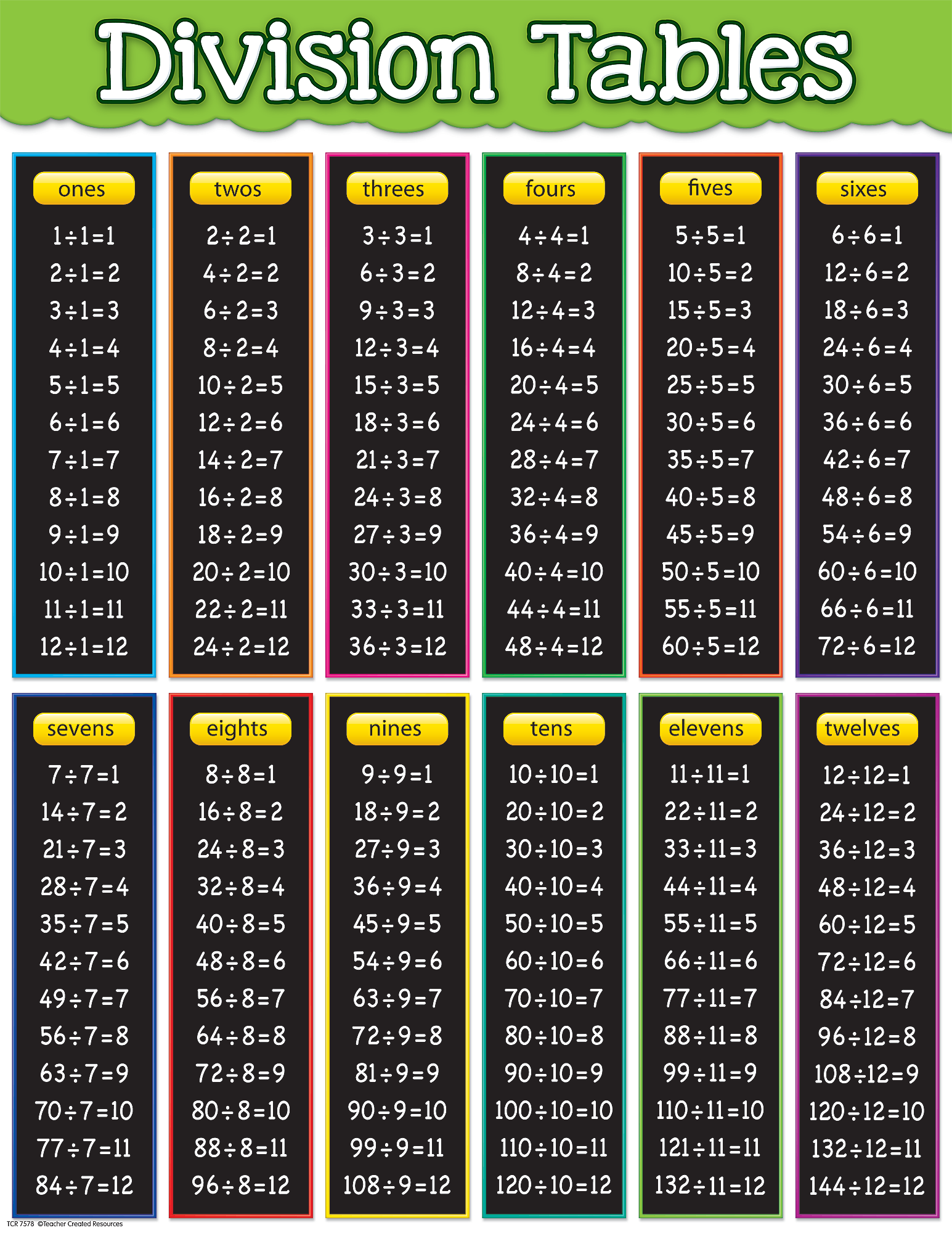
Division Printable Chart

840 C

840 Monster Smash
Oct 24 2023 nbsp 0183 32 I was wondering if there was any way for a folder to have a flag next to it in the folder view or maybe a red number to let you know the amount of flagged emails within that
Mar 22 2025 nbsp 0183 32 To view all flagged emails in Outlook click on the Tasks icon in the navigation pane on the left side of the screen Then select Flagged Items in the My Tasks section to see

Jan 18 2024 nbsp 0183 32 Here are the steps to set reminders due dates and more 1 Select the My Day icon 2 Click on the To Do Tab Note Usually this tab defaults to Tasks for the primary mail

Jul 2 2025 nbsp 0183 32 This article provides a comprehensive guide for tech savvy users to efficiently view and manage flagged emails optimizing workflow and minimizing the risk of overlooking critical

How To Find amp View Flagged Emails In Outlook Flagging emails in Outlook means that when an email is flagged you won t see it in your inbox at all Instead you ll need to go to the To Do list
[desc-11] [desc-12]
[desc-13]