4 Cm In Excel Pixels 3 5 Cm In Pixels TechClient Alle Papierformaten A4 A3 Etc In Pixels En Centimeters How To Convert Inches To Cm In Excel 2 Quick Ways ExcelDemy Ukuran Foto 3x4 Dalam Cm Mm Inch Pixel Di Ms Word Dan Excel Pixels To Inches Conversion Chart By Befunky Pixel High Resolution Input the conversion formula In the formula bar input the following formula to convert pixels to inches pixel measurement resolution where the resolution is the number of
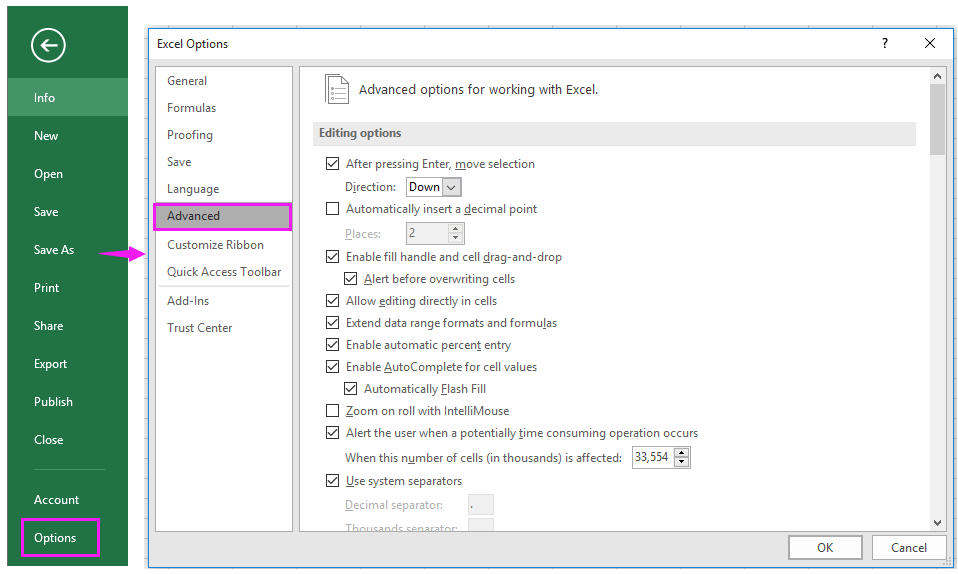
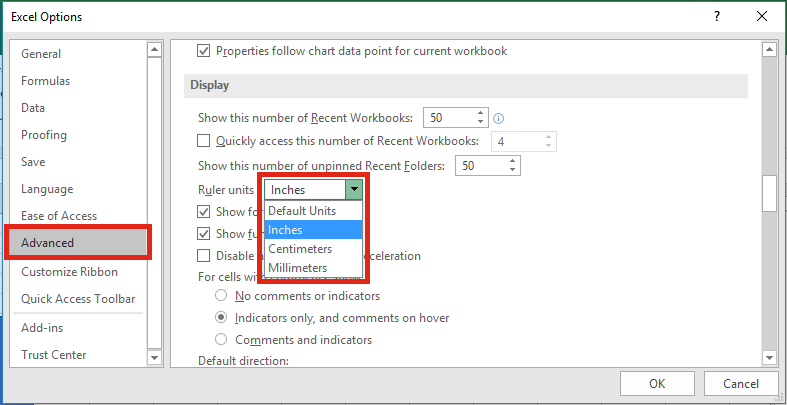
How to change cell size to inches cm mm pixels in Excel MS Excel Microsoft Technologies Computers By rule units you can set the cell sizes to inches cm mm and pixels In this tutorial we will take an example and show how you can do it in a step by step process Step 1 Converting inches to pixels Conversely to convert a measurement in inches to pixels in Excel you would multiply the number of inches by 96 For instance if you want to
Pixels To Inches Conversion Chart By Befunky Pixel High Resolution Watermelon Pixel Art Excel VBA Convert Centimeters Inches Pixels To Points Excel Off The Grid How To Calculate Log E In Excel Haiper How To Change Cell Size To Inches cm mm pixels In Excel Cm To Pixels Centimeter To Pixel Incredible Converter Convers o De Cm Para Pixels How To Adjust Pixels In Excel Printable Templates 3 Modi Per Usare La Funzione Converti Di Microsoft Excel
4 Cm In Excel Pixels
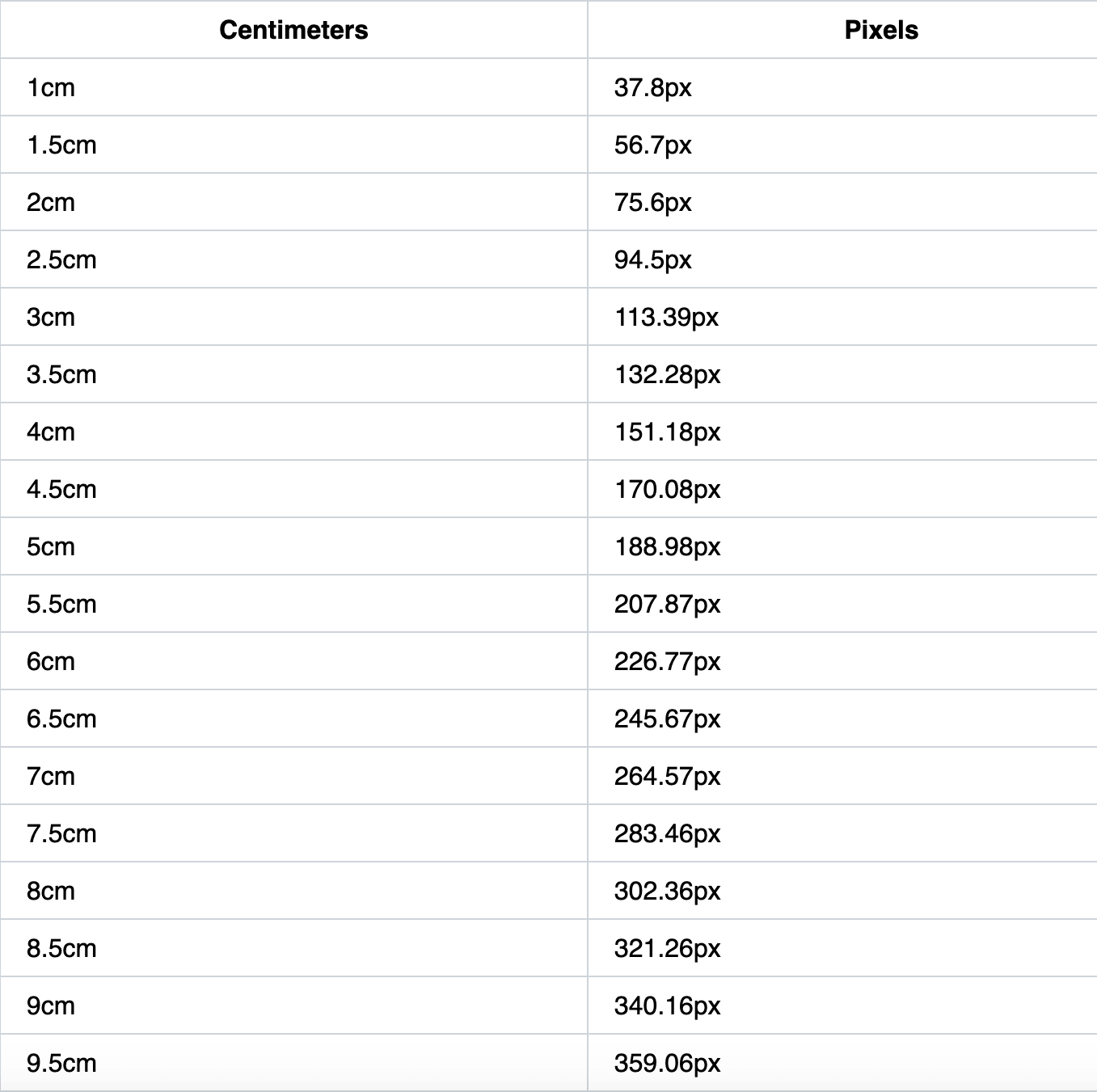 4 Cm In Excel Pixels
https://techclient.com/wp-content/uploads/Screenshot-2022-04-05-at-1.57.10-PM.png
Formula To convert pixel measurements to inches you can use the formula inches pixels 96 Simply divide the number of pixels by 96 to get the equivalent measurement
Pre-crafted templates use a time-saving option for developing a varied variety of files and files. These pre-designed formats and layouts can be utilized for various personal and professional tasks, including resumes, invites, leaflets, newsletters, reports, presentations, and more, simplifying the content development procedure.
4 Cm In Excel Pixels
How To Adjust Pixels In Excel Printable Templates

Watermelon Pixel Art Excel
VBA Convert Centimeters Inches Pixels To Points Excel Off The Grid

How To Calculate Log E In Excel Haiper
Cm To Pixels Centimeter To Pixel Incredible Converter
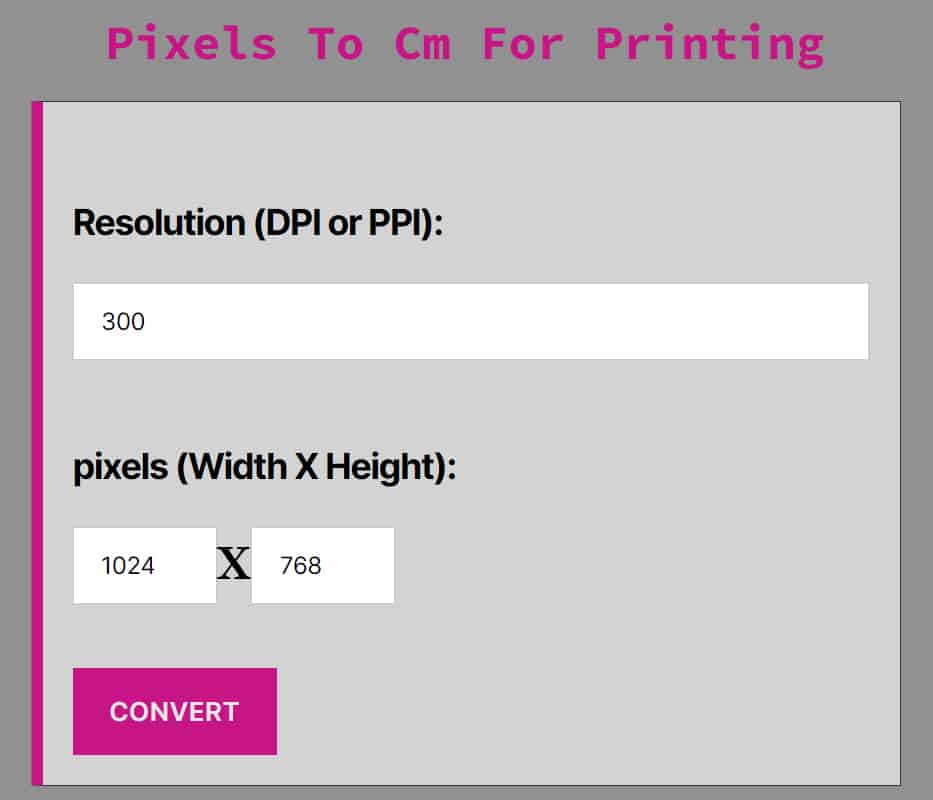
Convers o De Cm Para Pixels
In Excel you can set the cell size as inches cm mm by Rule Units 1 Enable Excel and click File or Office button Options Advanced See screenshot 2 Then go to right part

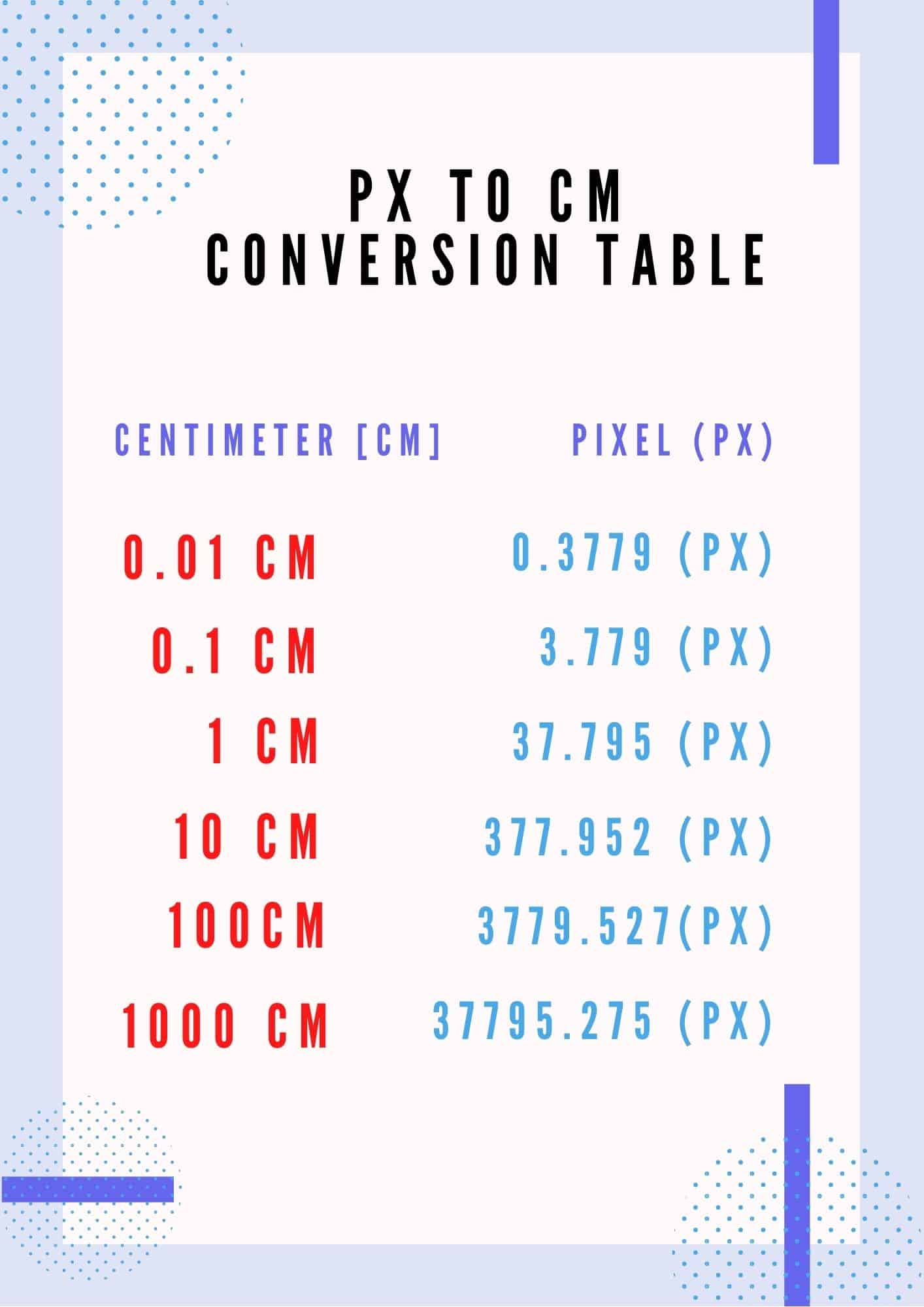
12 rowsHow to Convert Centimeter to Pixel X 1 cm 37 7952755906 pixel X 1

Change the unit of measurement for cells Excel for Microsoft 365 for Mac Excel 2021 for Mac Excel 2019 for Mac Excel for Mac uses standard measurement units such as
Change Excel Column Width in Pixels 3 Easy Methods Changing column width in Excel is quite simple Here we will discuss 6 easy methods to change Excel column width in pixels We have taken some

Excel cells of pixels in cm convert Apr 15 2024 6495 1 Excel expects by default not in inches but in pixels We will show you how to convert the units and the
Excel 2013 Change Centimetres Pixels to Inches Could anyone tell me how to change Excel 2013 Change Centimetres Pixels to Inches as in this video I have 1 Answer Sorted by 1 To the extent that it makes sense to use pixels you can use the formatting dialog box and specify dimensions in pixels rather than the
If you are working in Page Layout view View tab Workbook Views group Page Layout button you can specify a column width or row height in inches