147 Divided By 1000 1 Divided By 1000 1 1000 YouTube 6 Divided By 8 6 8 YouTube 3 Divided By 15 3 15 YouTube A B mod N Modular Arithmetic Find Remainder 147 9 Divided By 4 And The Remainder When 19 200 21 200 Is Divided By 49 Is YouTube This video is How To Scan With Canon Mg3600 Printer To Computer Print Double Sided Save PDF And Share To Email This All In One printer is compact and affordable making it a great
With this procedure you not only create a Smart Inbox but you also send a job to the printer The Smart Inboxes created in Publisher Express are while empty only visible on your personal This section describes how to create a quot PDF Scan quot shared folder on a drive of a Windows computer that is connected to the machine via the SMB protocol and send a scanned two
The Remainder When 19 200 21 200 Is Divided By 49 Is YouTube What Is The Answer Of The Equation 147 Divided By 2 25 Brainly Jewel School With Susan Robert Https bit ly 4d5cOzm Class Is In Jewel School With Susan Robert Https bit ly 4d5cOzm Class Is In Division Times Table What Are The Factors Of 147 Instant Answer Mashup Math What Is 45 1000 Simplified To Simplest Form Calculatio
147 Divided By 1000
 147 Divided By 1000
https://i.ytimg.com/vi/BhyKv40gC84/maxresdefault.jpg
Make sure that your scanner or printer is turned on Place items on the platen of your scanner or printer Start IJ Scan Utility Click Auto Scanning starts Click Cancel to cancel the scan
Templates are pre-designed files or files that can be utilized for numerous purposes. They can conserve time and effort by supplying a ready-made format and layout for producing different kinds of content. Templates can be used for personal or professional projects, such as resumes, invites, flyers, newsletters, reports, discussions, and more.
147 Divided By 1000

The Decimal Expansion Of 147 Divided By 120 Will Terminate After How

What Is The Answer Of The Equation 147 Divided By 2 25 Brainly



Jewel School With Susan Robert Https bit ly 4d5cOzm Class Is In
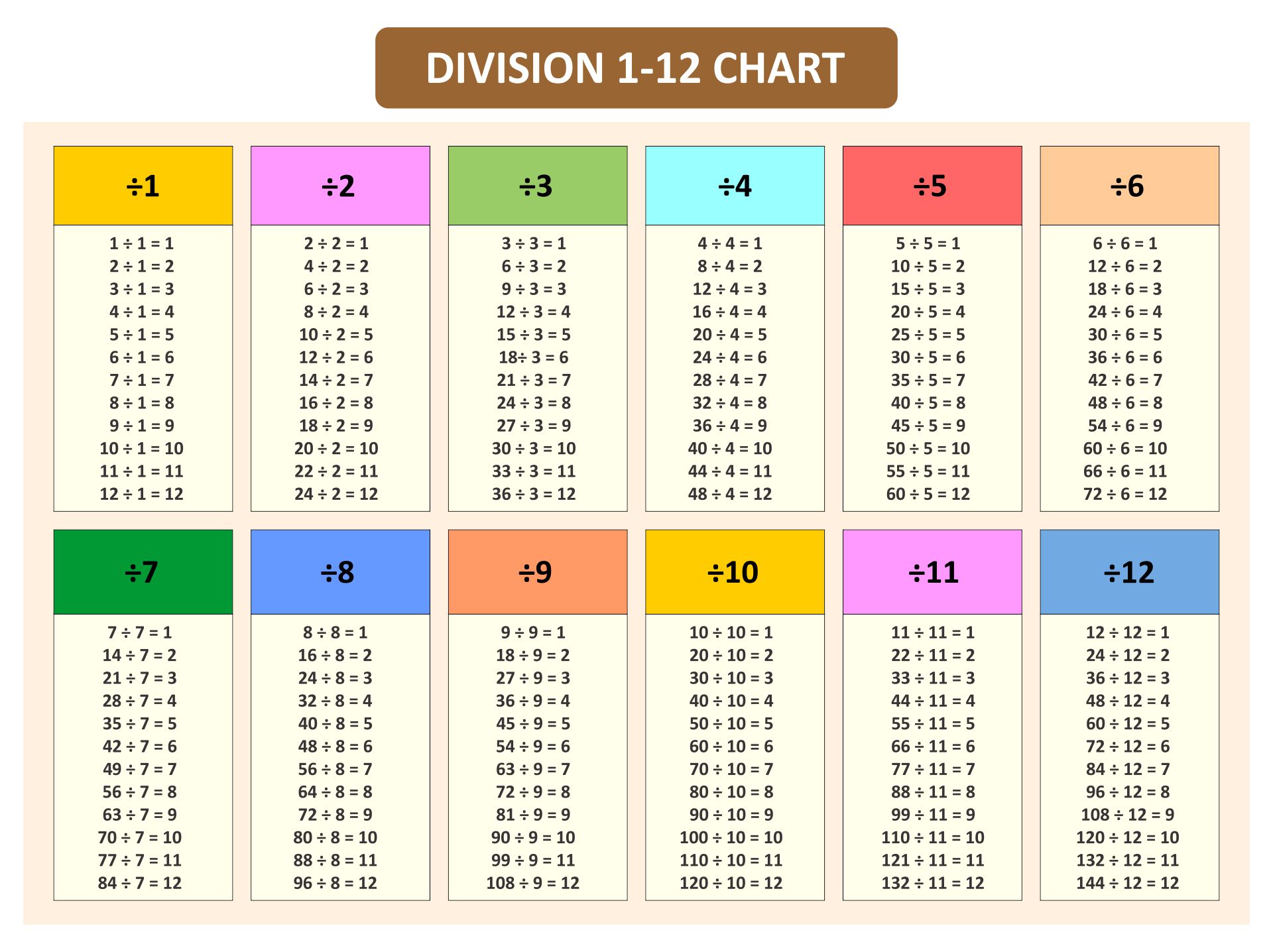
Division Times Table

This video is How To Scan With Canon MG3600 To Computer and Print This All In One printer is compact and affordable making it a great choice for both home and office use

After you set the save options and click OK the scanned images are saved and automatically attached to a new message of the specified e mail client Specify the recipient enter the

To scan from your Canon Pixma MG3600 printer to your PC install the Canon IJ Scan Utility open it select the scan type adjust settings and click quot Scan quot The scanned image will be

Jul 1 2025 nbsp 0183 32 Find support for your Canon ColorWave 3600 3800 Series Browse the recommended drivers downloads and manuals to make sure your product contains the most

Download ColorWave 3600 drivers manuals software firmware safety documents and other customer support files
[desc-11] [desc-12]
[desc-13]