Zsh Yarn Command Not Found The Mac Terminal Reports An Error Zsh Command Not Found Brew Solution ZSH Command Not Found Ansible Roger Perkin Zsh Command Not Found Yarn Fixed Mac Command Not Found Error In Terminal Zsh Bash Python VSCode Zsh Command Not Found Pipenv After Restarting Stack Step 1 Get the zsh Path First you need to get the path of the zsh executable from which the zsh command gets the data at the time of execution using the command which zsh Remember the usr bin is the main directory where the executables of other commands are available and is the same in the zsh case which is proved in the
Projects 2 Security Insights New issue Bug when installing yarn 8874 Open CleoPatra2772 opened this issue on Aug 22 2022 1 comment Assignees No one assigned Labels None yet Projects None yet Milestone No milestone Development No branches or pull requests 2 participants GitHub is where people build software Already have an account Sign in to comment Assignees No one assigned Labels Projects None yet No milestone Development Which operating system are you using Please describe the steps you took when trying to install Yarn and what went wrong
Python VSCode Zsh Command Not Found Pipenv After Restarting Stack Zsh Command Not Found Gradle How To Fix Zsh Command Not Found Brew brew Command Not Found Yarn Quick Fix Zsh Command Not Found 2022 Fixed Mac Command Not Found Error In Terminal Zsh Bash Macos Zsh Command Not Found Ssh T Git github Stack Overflow Getting zsh Command Not Found Brew Error When Installing Youtube dl How To Fix Zsh Command Not Found Error On MacOS 5 Ways EaseUS
Zsh Yarn Command Not Found
 Zsh Yarn Command Not Found
https://www.programmersought.com/images/342/f987262b67e746c1360ef72e40b8b15e.png
The sudo s command will launch another instance of your shell as the superuser If you execute that command interactively your new shell will be interactive But the command sudo s findPort 3306 will run the command findPort 3306 in your shell as the superuser then exit with the status code of that command
Pre-crafted templates provide a time-saving option for producing a varied range of files and files. These pre-designed formats and designs can be utilized for numerous individual and expert tasks, consisting of resumes, invitations, flyers, newsletters, reports, discussions, and more, improving the material development procedure.
Zsh Yarn Command Not Found
How To Fix zsh Command Not Found Python

Zsh Command Not Found Gradle

How To Fix Zsh Command Not Found Brew brew Command Not Found

Yarn
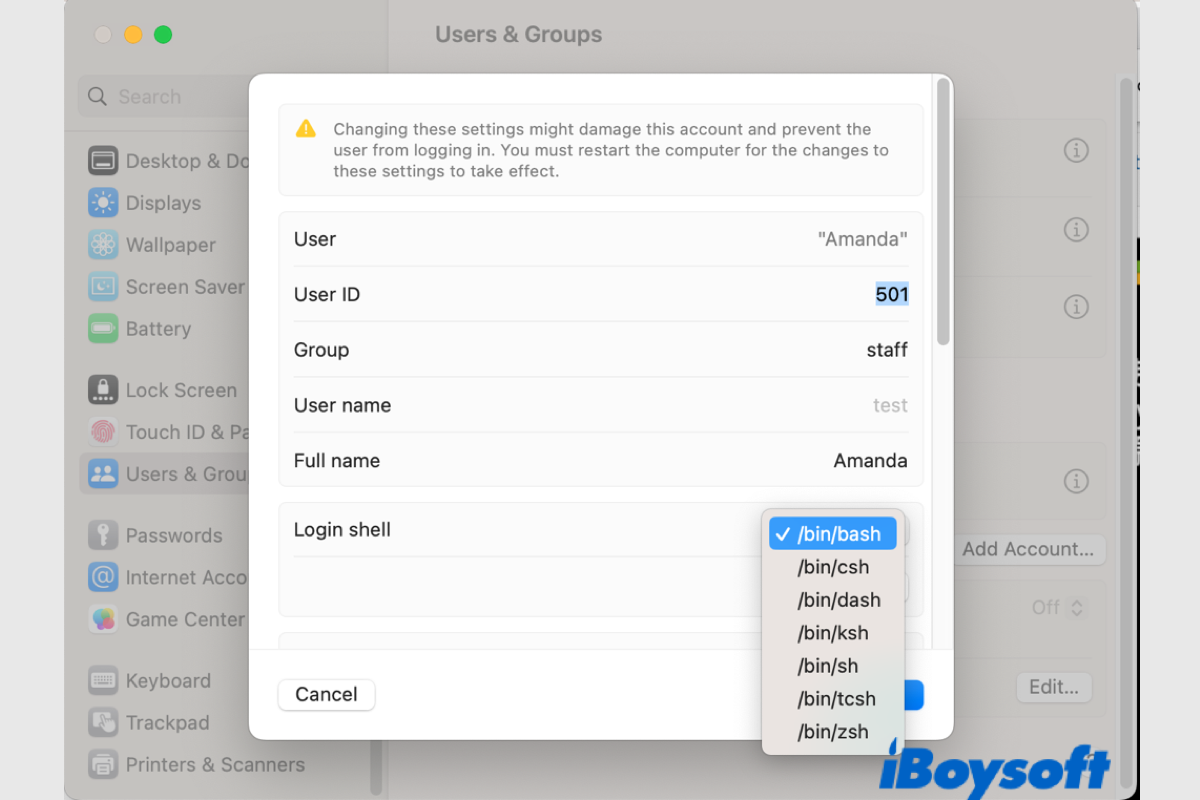
Fixed Mac Command Not Found Error In Terminal Zsh Bash

Macos Zsh Command Not Found Ssh T Git github Stack Overflow

The error occurs when the Zsh shell cannot find the yarn command which indicates that either Yarn is not installed or its path is not correctly set in the shell Table of Contents Prerequisites Step 1 Verify Yarn Installation Step 2 Install Yarn If Not Installed Step 3 Add Yarn to PATH Frequently Asked Questions FAQ Prerequisites

To solve the error yarn command not found install the yarn package globally by running npm install g yarn and restart your terminal If the command fails run it with sudo and make sure the correct PATH is set in your system s environment variable Open your terminal and install yarn globally by running the following command shell
Solution1 Fix command not found yarn error by installing Yarn correctly Solution2 Make sure you setup the path variable correctly in your profile Solution3 Reboot the PC at least once after yarn installation to fix command not found yarn error Solution4 Re install Yarn package especially in case of macOS Solution5 Setup the Yarn prefix

Solution1 Check whether command is valid to avoid zsh command not found error Solution2 Make sure command is not misspelt if you are getting zsh command not found error Solution3 Make sure package is installed to fix the zsh command not found error

Zsh command not found yarn Installed node 16 13 1 using asdf Also install zsh asdf plugin run corepack enable When trying to run yarn I m getting zsh command not found yarn mcornella added the Area plugin label on Dec 21 2021 is also not found mcornella closed this as completed on Dec 26 2021
Having trouble with your Homebrew installation on Zsh Watch this step by step guide to fix the Zsh command not found issue with Homebrew Related Links Open VS Code on your Mac Press Cmd Shift P to open the Command Palette Now type Shell Command From the displayed results select Install code command in PATH Next VS Code will ask for
15 Answers Sorted by 316 You should add export PATH PATH yarn global bin to your bash profile or whatever you use It would solve the issue Depending on how you installed it Yarn s global folder varies for some reason You can follow this issue here Share Improve this answer