Wsl 2 Install Ubuntu Command Line How To Install Ubuntu On Windows Using WSL New Webpage Intros The Benefits To Using Ubuntu And WSL On Windows 10 How To Check Windows Subsystem For Linux WSL Version On Windows 11 Install Ubuntu On Wsl2 On Windows 11 Using A Gui Vrogue Windows WSL2 Ubuntu Docker Kubernetes Open Command Prompt as an administrator Run the command below wsl install Note By default Ubuntu will be installed But you can install any distro of your choice We ll see later how Once installation is complete you ll need to reboot your Windows machine So restart your Windows machine After restarting you might see a window like this
To see whether your Linux distribution is set to WSL 1 or WSL 2 use the command wsl l v n To change versions use the command wsl set version distro name 2 replacing distro name with the name of the Linux distribution that you want to update For example wsl set version Ubuntu 20 04 2 will set your Ubuntu 20 04 distribution to Installing Ubuntu 20 04 in the Windows Subsystem for Linux 2 WSL2 is an excellent way to use a Linux environment on your Windows 10 machine without the need for a virtual machine This can enhance your productivity by allowing you to run Linux distributions directly on Windows What is WSL2
Windows WSL2 Ubuntu Docker Kubernetes How To Install Anaconda On WSL Windows 10 11 Using Ubuntu Linux App How To Install The Windows Subsystem For Linux On Windows 11 Riset Install Ubuntu Terminal On Windows 10 WSL In Sinhala BENISNOUS How To Manually Install A Deb Package Using Command Line In Ubuntu Configurar Un Entorno De Desarrollo De WSL Microsoft Learn WSL 2 GUI Setup And Config For Ubuntu On Windows 10 Install Ubuntu On WSL2 And Get Started With Graphical Applications Ubuntu Ubuntu 22 04 Network Setup Linux Tutorials Learn Linux Configuration
Wsl 2 Install Ubuntu Command Line
 Wsl 2 Install Ubuntu Command Line
https://protocoderspoint.com/wp-content/uploads/2022/07/How-to-Install-ubuntu-on-Windows-using-WSL-min.jpg
Windows 11 How to install Linux WSL2 on Windows 10 and Windows 11 By Richard Devine last updated 19 June 2023 The latest version of the Windows Subsystem for Linux is a significant upgrade
Pre-crafted templates use a time-saving service for producing a diverse range of documents and files. These pre-designed formats and designs can be utilized for different personal and professional jobs, including resumes, invitations, leaflets, newsletters, reports, presentations, and more, simplifying the content production procedure.
Wsl 2 Install Ubuntu Command Line
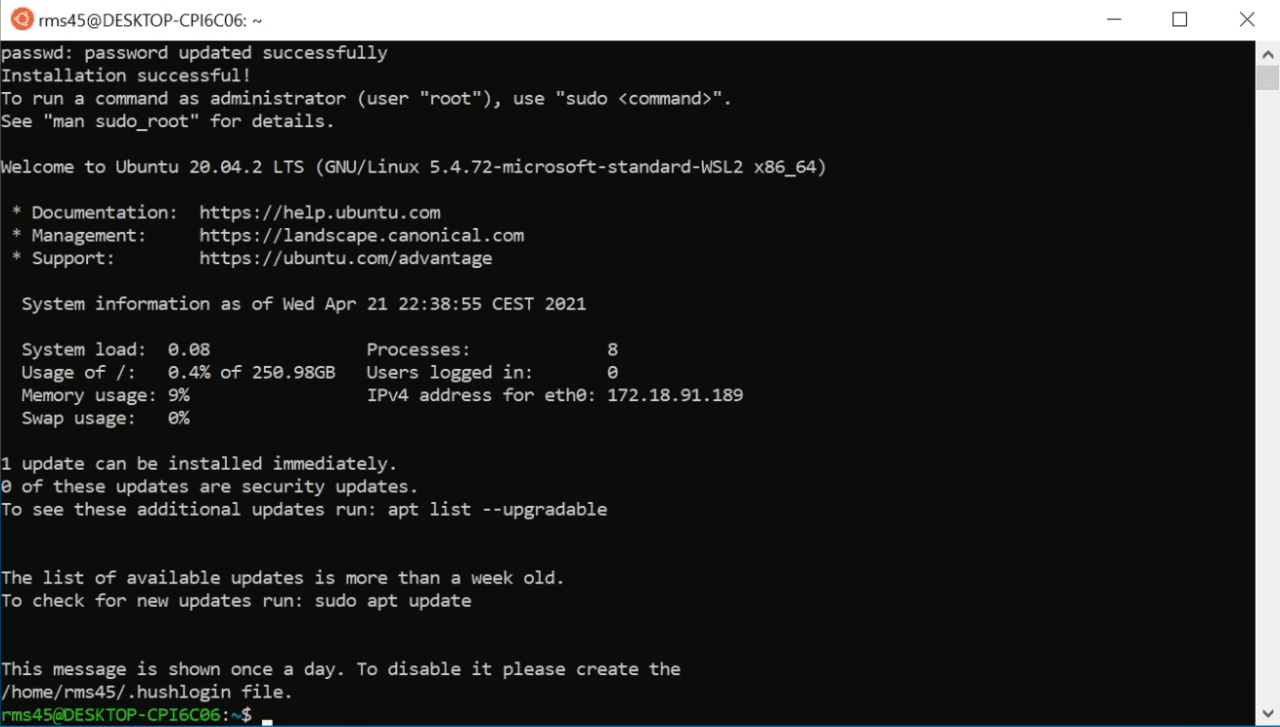
How To Install Ubuntu In Windows 10 With WSL 2 Petri IT Knowledgebase
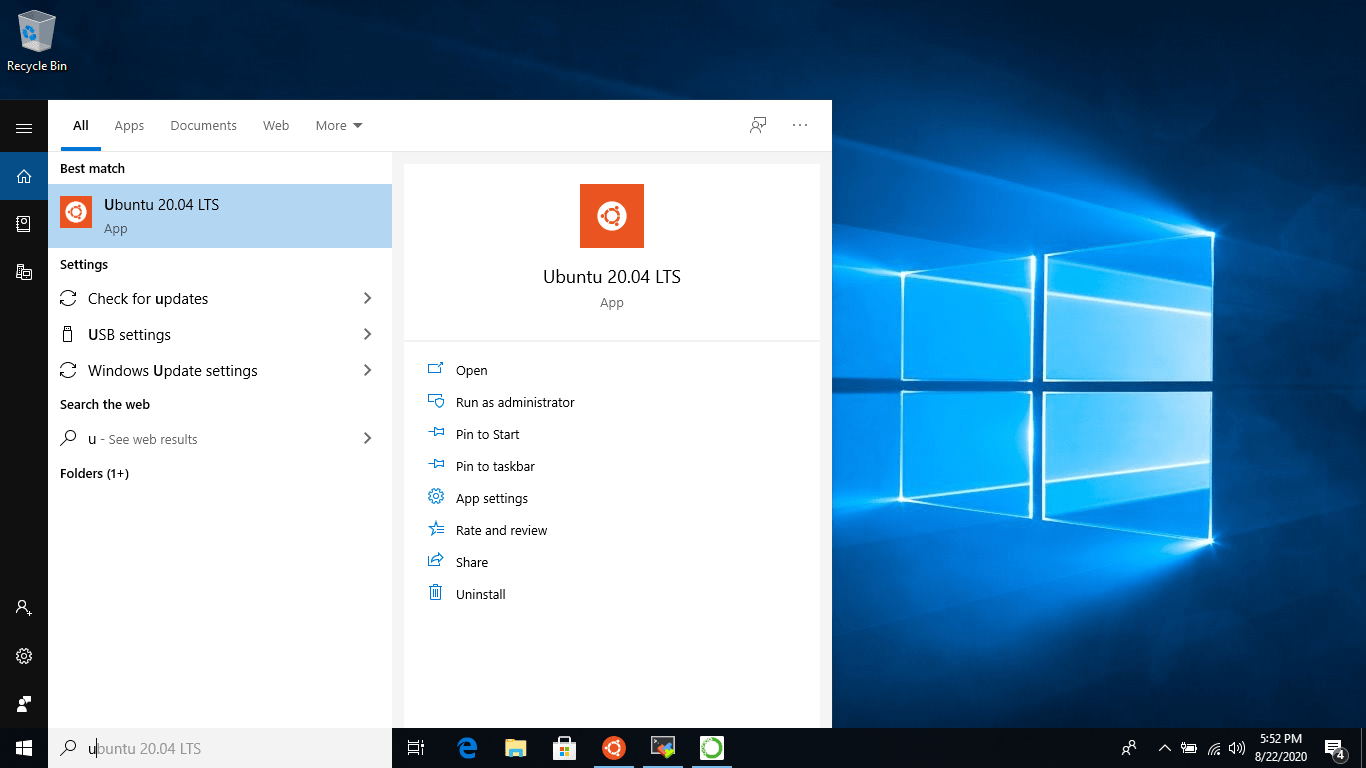
How To Install Anaconda On WSL Windows 10 11 Using Ubuntu Linux App

How To Install The Windows Subsystem For Linux On Windows 11 Riset

Install Ubuntu Terminal On Windows 10 WSL In Sinhala BENISNOUS

Configurar Un Entorno De Desarrollo De WSL Microsoft Learn

WSL 2 GUI Setup And Config For Ubuntu On Windows 10
Ubuntu will then install on your machine The one line install There is a single command that will install both WSL and Ubuntu at the same time When opening PowerShell for the first time simply modify the initial instruction to wsl install d ubuntu This will install both WSL and Ubuntu Don t forget to restart your machine before

How To Install the Windows Subsystem for Linux 2 on Microsoft Windows 10 DigitalOcean The Windows Subsystem for Linux 2 is a tool on Microsoft Windows 10 that allows developers to run a Linux environment directly on Windows without any modific
DY 1tO z jbz a R 7 M pZ Ds EYa x o b Y6 e r Ea G Z k S B Xj R C D 0 C x G3 w 2 Q V O uf u t wP3 8x x JL f w O H A b V e l

Windows 10 Post Windows Subsystem for Linux WSL is an optional feature in Windows 10 that allows developers and system administrators to run Linux shells and command line applications

Wsl set version Ubuntu 2 Similarly to switch back to WSL1 enter shell command can be run from a Windows Powershell or command line terminal using wsl After installing Remote WSL
For simplicity we generally recommend using the wsl install to install Windows Subsystem for Linux but if you re running an older build of Windows that may not be supported We have included the manual installation steps below If you run into an issue during the install process check the installation section of the troubleshooting guide Command Prompt Stable Internet Connection Process Flow Chart to Install Ubuntu in WSL2 OS Used Throughout the Tutorial Windows 11 3 Steps to Install Ubuntu in WSL 2 This is the core part of this article where I will show how to install Ubuntu in WSL2 in three simple steps Step 01 Enable WSL in Windows
To install WSL 2 with Ubuntu Launch the Start menu search for Command Prompt right click the Best match and select Run as administrator Enter the following command and press Enter wsl install The installation process will take some time so you might need to wait around