Words Copy And Paste Mac Bubbly Font Bubble Letters Font Bubble Font Svg Ttf Layred For Cricut How To Copy And Paste In Roblox Chat PC 2025 YouTube How To Cut Copy And Paste In Word For Mac YouTube How To Copy And Paste On Mac All Methods YouTube How To Copy And Paste From A Mac And Mac Book Air Easy TUT YouTube Web Feb 1 2023 nbsp 0183 32 Cut select text and hit Command X Copy select text and hit Command C Paste insert cursor and hit Command V But you can do more than just that To paste and match style aka remove
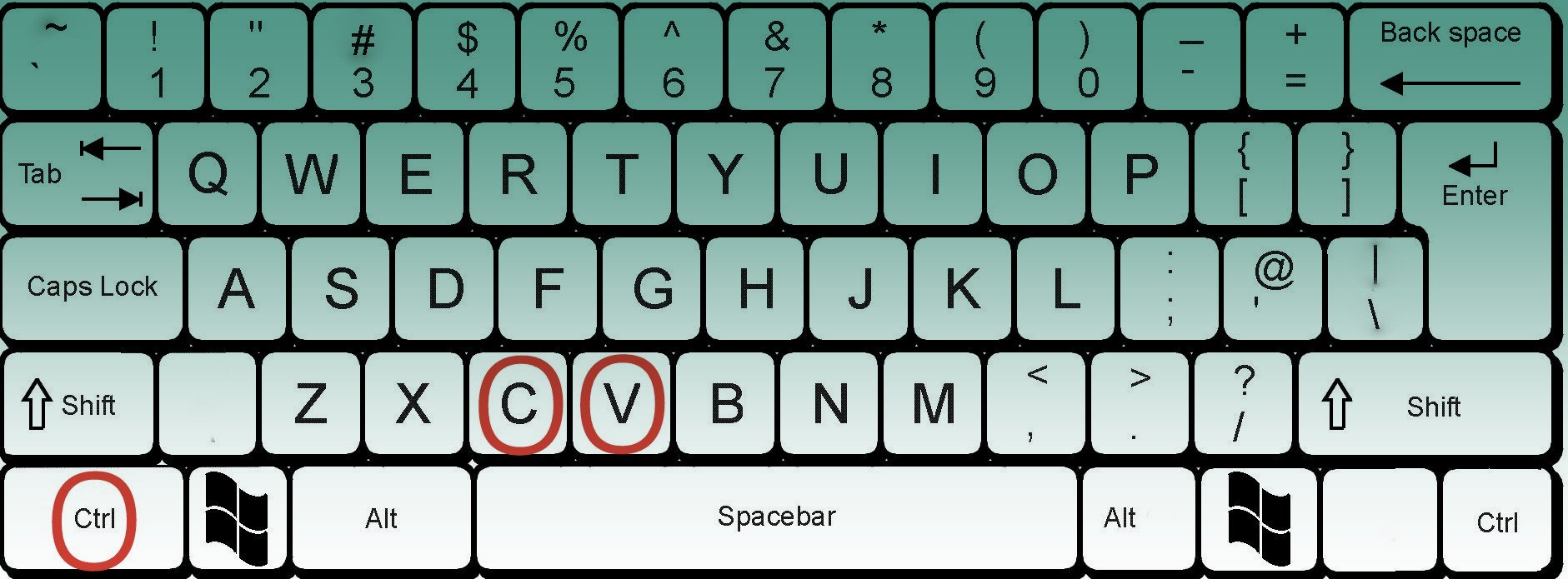
Web This two button keyboard shortcut is a quick way to copy and paste MacFormat Magazine Contributor Getty Images 3 Click to place the cursor where you want to paste the copied text 4 Hold the Web Aug 12 2020 nbsp 0183 32 In Windows the Copy and Paste key combinations are Control C and Control V respectively On the Mac it s very similar all you do is use the Command key instead of Control You can
How To Copy And Paste From A Mac And Mac Book Air Easy TUT YouTube Pin On Easy Korean Vocabulary Brainrot Bingo Card Mayalula Blog Pin By Anya On Overlays Japanese Quotes Japanese Phrases Learn Whitedax Blog How To Copy And Paste On Mac Macinstruct Frontstretch Watch Party FireKeepers Casino 400 Come Join Michael Copier Et Coller Du Texte Des Symboles Chinois
Words Copy And Paste Mac
 Words Copy And Paste Mac
https://i.pinimg.com/originals/cd/3d/aa/cd3daa16899fdd107ee137531f1adfae.jpg
Web Jul 8 2019 nbsp 0183 32 Step 1 Highlight the text you d like to copy Step 2 Once the text is highlighted press Command C OR two finger click over the highlighted portion to open the dropdown menu and click Copy
Pre-crafted templates use a time-saving service for developing a diverse series of files and files. These pre-designed formats and layouts can be used for numerous personal and professional projects, consisting of resumes, invitations, leaflets, newsletters, reports, discussions, and more, enhancing the material development process.
Words Copy And Paste Mac
Miranda Warning sfst SVG File 47 OFF

Pin On Easy Korean Vocabulary

Brainrot Bingo Card

Mayalula Blog
Whitedax Blog
How To Copy And Paste On Mac Macinstruct

Web Dec 3 2021 nbsp 0183 32 Just like Microsoft s operating system there are keyboard shortcuts to copy and paste text media and files on your Mac First select content like text or files and then press the Command c keyboard shortcut to copy the content

Web Sep 27 2023 nbsp 0183 32 It s easy to copy and paste text on your computer using Mac s built in menu bar trackpad or keyboard shortcuts You can also copy and paste files if you need to move them to a different folder This wikiHow will show you how to copy and paste text or files on your Mac computer
Web Apr 12 2022 nbsp 0183 32 At a glance These are the basic keyboard combinations you need Copy Command C Cut Command X Paste Command V How to copy on a Mac or MacBook Want to copy something on a

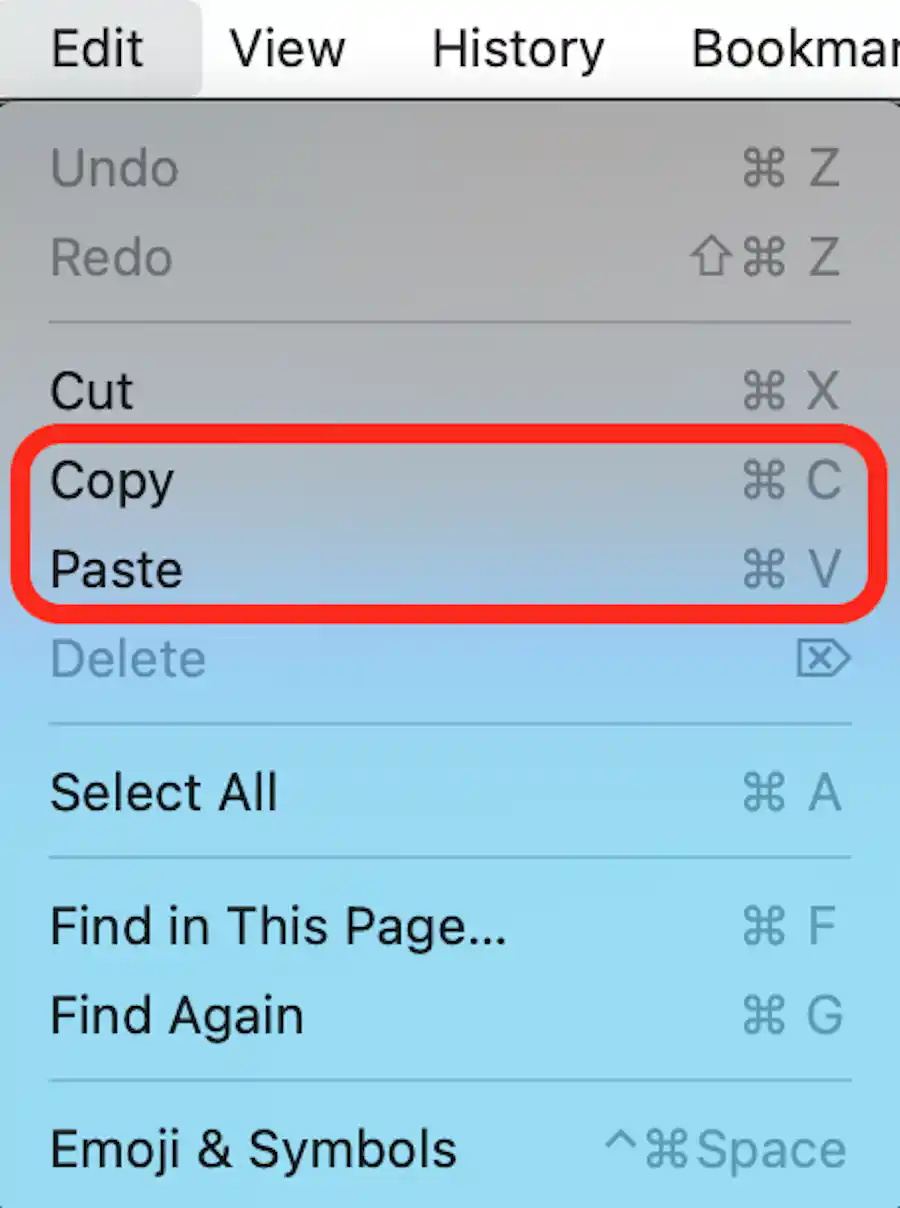
Web Apr 13 2021 nbsp 0183 32 On the keyboard press Command X From the menu bar select Edit gt Cut To paste the text you just copied or cut place the cursor in an editable area like a text box or a document and use one of the following methods On the keyboard press Command V From the menu bar select Edit gt Paste

Web Apr 2 2021 nbsp 0183 32 There are two types of pasting on macOS Both are performed by first clicking to place your insertion point When choosing paste your copied item is added to that location With paste
Web Select the text to copy Choose Edit gt Copy from the Edit menu at the top of your screen or press Command C Note If you want to remove the text from its original location choose Edit gt Cut instead Click where you want the text to appear then do one of the following Paste the text with its current formatting into a new paragraph Choose Web Dec 16 2019 nbsp 0183 32 The Command key on a Mac keyboard You get the following shortcuts Command X to cut selected text and save it in your clipboard Command C to copy selected text and save it in your clipboard Command V to paste the text from your clipboard into the current document at your cursor s position
Web Dec 6 2018 nbsp 0183 32 One of the easiest ways to copy and paste on a Mac is to use keyboard shortcuts It s the Apple equivalent to the Ctrl C and Ctrl V shortcuts that Windows PC users rely on Here s how you do it 1 Select the file or link you want to copy on your Mac